Trading App Development
Trading app development for people who know what the app must do: place orders through an official broker or exchange API, show positions that are current, alert on time and stop when your limits say stop. We build for Windows, the web, Android or iOS, and you own the code.
Of our app development services, this sits closest to what AlgoDevelop already makes: signal copiers, Expert Advisors, crypto bots and Indian broker API links.
On this page
- What trading app development covers
- Stock, crypto and copy trading apps
- What we have already built
- Where the orders are placed
- When things go wrong
- Keys, data and fintech app rules
- What drives the cost of trading app development
- How a trading app project runs
- What we will not promise you
- Trading app development – frequently asked questions
What trading app development covers
Every trading app has three layers: screens for orders, positions and alerts; an engine that sizes orders, applies limits and keeps a record; and connections to the broker or exchange, the price feed and notifications. The last two decide whether an app can be trusted with real money.
- Tools for your own trading: one order to several accounts, one-tap option entries, or a monitor that trails your stop.
- A product you sell, with licence keys or logins, subscriptions and an admin panel.
- A platform where many users link their own accounts. Trading platform development adds user management, a web dashboard and a server that never sleeps.
Stock, crypto and copy trading apps
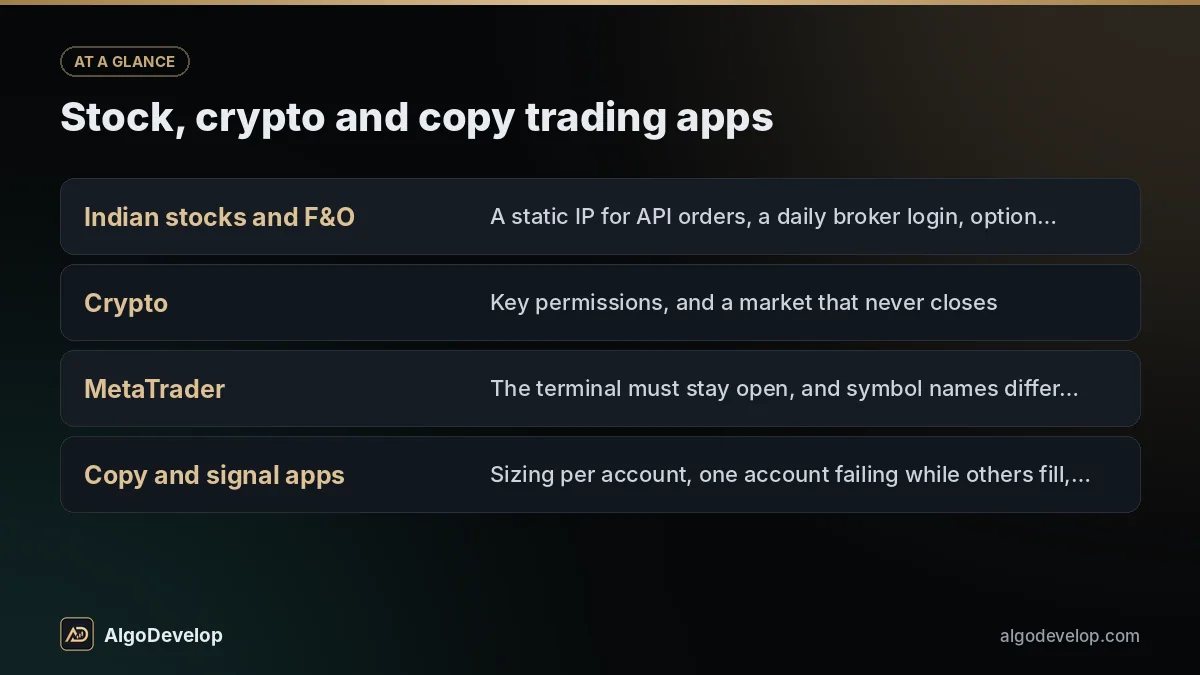
The market shapes the app more than its screens do:
| App type | What decides the design |
|---|---|
| Indian stocks and F&O | A static IP for API orders, a daily broker login, option symbols that change every expiry |
| Crypto | Key permissions, and a market that never closes |
| MetaTrader | The terminal must stay open, and symbol names differ by broker |
| Copy and signal apps | Sizing per account, one account failing while others fill, other people’s money |
Stock trading app development for Indian brokers
Under SEBI’s framework for retail algo trading, brokers accept API orders only from a static IP registered with them, as our Zerodha automation page explains. Prices are a licensing question too. A broker’s feed is generally meant for that account holder, and showing exchange prices to the public usually needs a licence from the exchange or an authorised data vendor.
Crypto trading app development
Keys are created with withdrawals switched off and locked to your server’s IP where the exchange allows it, and we use a testnet when one exists. Trading on existing exchanges is a normal project. A new exchange, with its own order book, wallets, KYC and, in India, FIU-IND registration, is another scale of work.
Copy trading and signal apps
Each follower has a different balance, broker and reason for a rejected order, so each needs its own sizing and log. Read about multi-broker copy trading and whether copy trading is legal in India first.
What we have already built
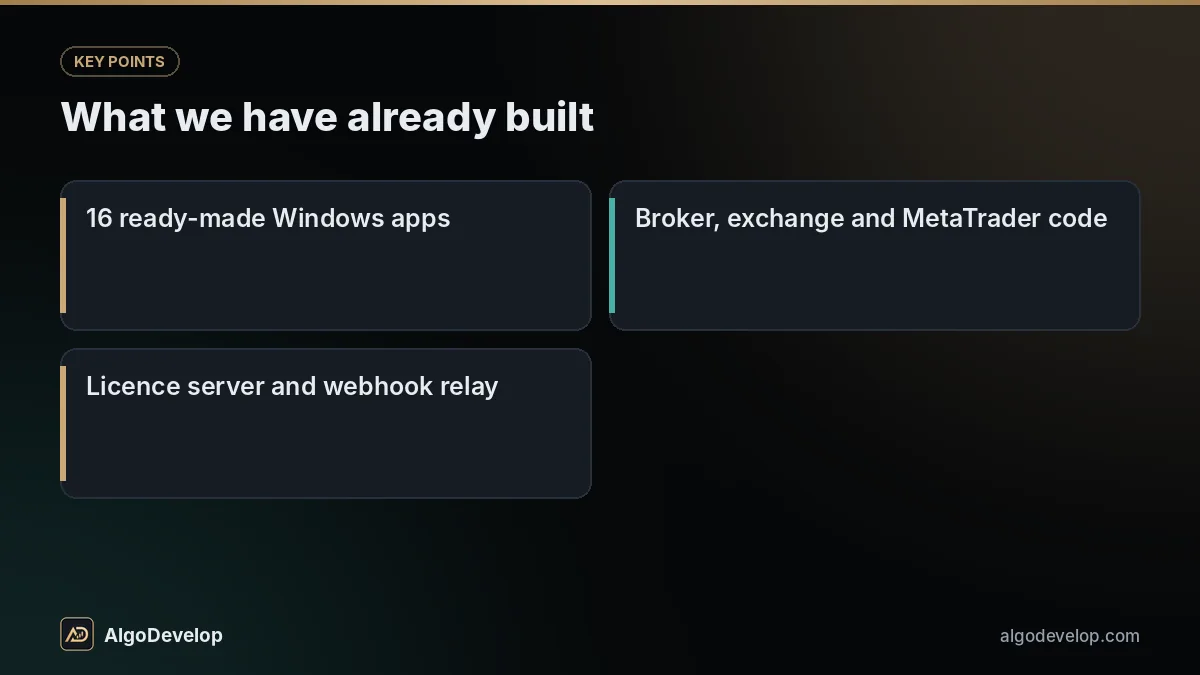
Our trading app development builds on work already on this site: desktop software, MetaTrader code and server tools rather than mobile apps. A trading app reuses the same parts:
Each app has a free 2-day trial: run the Telegram to Indian broker copier or the TradingView to Binance bot and read its log. Phones get a Flutter or native Android and iOS front end, and Windows tools follow our desktop application development approach.
Where the orders are placed
This decision shapes cost, hosting and security, so we settle it first.
From the device
Suits a Windows tool for your own accounts, on a PC or VPS with a fixed IP. Keys never leave that machine, and there is no server to run. But the app must stay open, and a phone on mobile data cannot give an Indian broker a static IP.
From your server
Suits mobile apps and anything with several users. The phone sends an instruction, and the server places the order from one fixed IP, even while the phone sleeps. Limits and logs live in one place, but the server must protect every user’s keys.
Most mobile trading apps use the second design, with a Python or Node.js back end and a web dashboard on the same server.
When things go wrong
Apps fail when the feed drops or the broker is slow, so each case below is designed and tested on purpose:
| When this happens | A well-built app |
|---|---|
| The price feed drops | Reconnects and greys out prices until fresh ticks arrive. |
| An order times out | Checks the order book before retrying, since the first order may have filled. |
| The user taps Buy twice | Sends one order, because each tap carries its own id. |
| The broker rejects an order | Shows the broker’s own reason, not “something went wrong”. |
| The broker login expires | Says so and stops sending until the user signs in again. |
| The server restarts mid-session | Rebuilds its picture from the broker’s positions and orders before acting. |
Your limits sit on top: a daily loss cap, a maximum order size, allowed hours and a kill switch, just as in our trading bot development.
Keys, data and fintech app rules
A trading app holds the keys to someone’s money, so fintech app development has rules a normal app can skip:
- Broker logins stay with the broker where it has its own sign-in page. Any PIN or TOTP an API needs is stored encrypted.
- Keys are encrypted at rest, behind the Android Keystore or iOS Keychain on phones, and never logged.
- Personal data stays minimal, as India’s Digital Personal Data Protection Act covers what your app collects.
- Stores have finance rules. Apple’s App Store Review Guidelines expect regulated financial apps to come from the business providing the service, not an individual developer. Google Play asks for a financial features declaration, and neither store accepts binary options trading apps.
- Payments follow the platform. In-app subscriptions follow Apple’s and Google’s billing rules. Elsewhere we use Razorpay, PhonePe, Paytm, CCAvenue, Cashfree, Stripe or PayPal.
Have a trading app in mind?
Send the broker or exchange, the platforms and a few lines per screen. We reply with what we need to know, then a fixed quote.
Discuss your trading app on WhatsAppWhat drives the cost of trading app development
Two apps with the same name can be months apart in work. These move a quote most:
| Cost driver | Why it matters |
|---|---|
| Platforms | One Windows or web app is far less work than Android, iOS and web together. |
| Brokers and exchanges | Each has its own login, symbols, errors and limits to test. |
| Market data | Orders need little. Charts and option chains need live feeds, history and perhaps a data licence. |
| Users and money | Sign-up, subscriptions, licence keys, an admin panel and refunds are a project in themselves. |
| Strategy logic | Fixed rules are quick. A builder for users’ own rules is not. |
| Running costs | Servers, data plans, broker API fees and store fees, paid by you to those providers. |
| Upkeep | Broker APIs change, and Google Play asks for a newer target API level every year. |
The quote is fixed and comes after a short scoping chat, with a timeline: usually weeks for a focused tool and months for a multi-user mobile platform, depending on scope. See how much a trading bot costs and pricing.
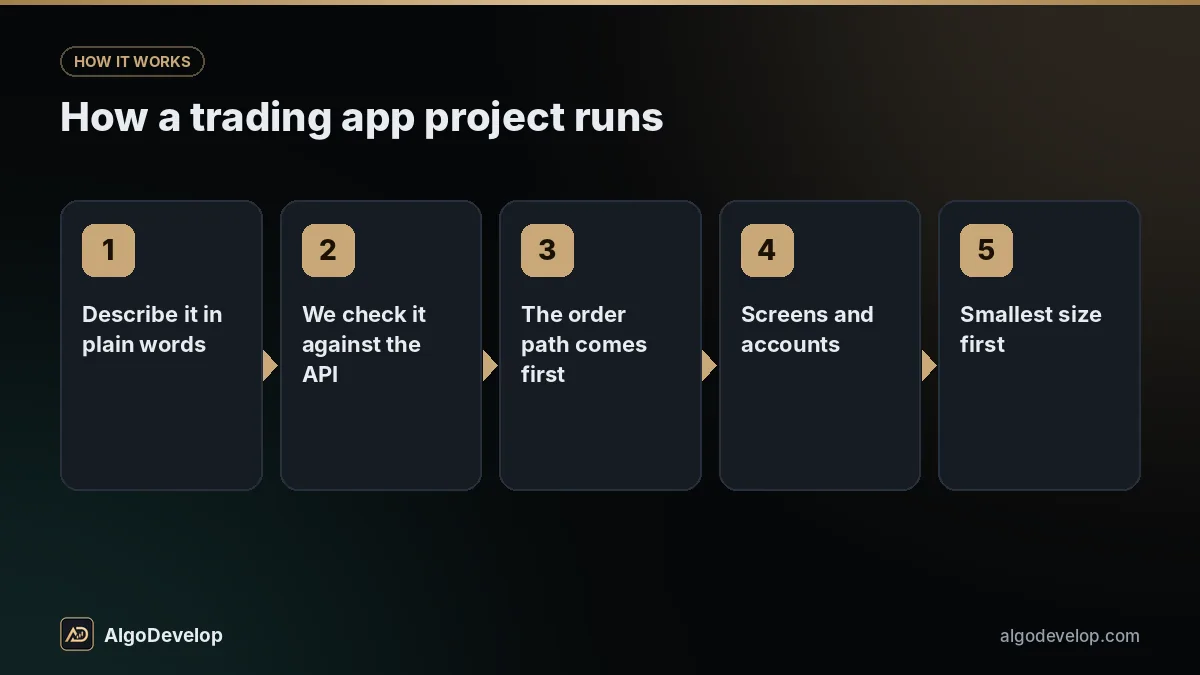
How a trading app project runs
- Describe it in plain words: who uses it, which broker, what each button does and what must never happen.
- We check it against the API, say what the broker cannot do, and give a fixed quote and timeline.
- The order path comes first. A bare build places, changes and cancels orders on a testnet or demo, or logs them with trading off.
- Screens and accounts. We build the screens while you open developer and broker API accounts in your own name.
- Smallest size first. Paper mode, then the smallest live order, checked against the log.
- Release and handover. Store submission under your accounts, source code, documentation and help through the first weeks of real use.
What we will not promise you
We will not promise that an app, a strategy or a signal makes money. Software removes missed trades and broken rules, but it does not create an edge. A fast app running a losing idea simply loses faster.
Nor will we promise store approval, broker approval or “fastest execution”, or build screens that show invented returns.
Questions to ask any trading software development company
- Who owns the code, the store accounts and the server?
- What happens when an order times out?
- Where are API keys stored, and who can read them?
- How is it tested before real money is at stake?
- What happens when the broker changes its API?
Ask us too. This page answers most of them, the portfolio shows the software, and the rest is a message away.
Trading app development – frequently asked questions
Can you build a stock trading app for Indian brokers?
Yes, on official APIs such as Zerodha Kite Connect, Angel One SmartAPI, Upstox, Fyers or Dhan. Orders go out from a server or VPS with a static IP registered with the broker, and users sign in on the broker’s own page where it has one.
Do you build crypto trading apps?
Yes, on exchange APIs such as Binance and Delta Exchange, with keys that cannot withdraw and testnet runs where available. A new exchange with its own order book and custody is a far larger project.
Will my app get onto Google Play and the App Store?
We submit it under your own developer accounts. Both stores review finance apps closely, may ask for proof that you can offer the service, and refuse binary options apps. Approval is theirs to give.
Do I need SEBI registration for my trading app?
It depends on what the app does and whose money it touches: a tool for your own account differs from one that trades or advises for others. We are developers, not lawyers or a SEBI-registered intermediary, so take legal advice.
Can the app show live prices to all its users?
Technically yes, but the data source decides whether you may. A broker’s feed is generally meant for that account holder, and public display of exchange prices usually needs a licence from the exchange or an authorised vendor.
How much does trading app development cost, and how long does it take?
It depends on platforms, brokers or exchanges, market data, accounts, payments and the admin panel, so the quote comes after a short scoping chat, and it is fixed. A focused tool usually takes weeks and a multi-user mobile app months. The quote confirms it.
Do I own the source code?
Yes, with the builds and documentation. Store accounts, broker API apps and servers are in your name from day one, so the app never depends on us to keep running.
Can you add licence keys or subscriptions?
Yes. A desktop app can use key activation like the licence server behind our 16 Windows apps, with trials limited to one PC and one account. Web and mobile apps can take subscriptions through Razorpay, Stripe or another gateway, or through store billing.