SL 2352.0
TP1 2364 · TP2 2371 · TP3 23809:41 ✓✓
Open position
A Telegram to MT4/MT5 copier turns the signals in your Telegram channels into real orders on your MetaTrader account. It acts as soon as each message arrives. You keep reading the channel, while the copier does the typing.
On this page
- What a Telegram to MT4/MT5 copier actually does
- How the Telegram to MT4/MT5 copier works, step by step
- Every feature in the Telegram to MT4/MT5 copier
- Regex parser vs AI parser
- Lot sizing and risk on every copied signal
- What happens after the entry
- Signals in any language, any format
- Setting up the Telegram to MT4/MT5 copier
- Telegram to MT4/MT5 copier, or one of the others?
- Frequently asked questions
What a Telegram to MT4/MT5 copier actually does
A Telegram to MT4/MT5 copier watches the channels you already follow. Then it turns every call into a real order on your own MetaTrader account. You stay in the channel. However, you no longer have to be awake, at the screen and quick enough to type the trade in.
Our copier reads a message the way a person reads it. Take Gold buy 2340-2338, SL 2330, TP 2350 2360 2370 as an example. It becomes an entry zone, a stop loss and three targets on XAUUSD. Then your own lot rule sizes it, in your own terminal. The same call still works with emojis, in Hindi or Italian, or with the stop loss on the line above the entry.
It runs on your broker account, in your MetaTrader 4 or MetaTrader 5. Nothing passes through our servers on the way, and no one else can trade your account.
How the Telegram to MT4/MT5 copier works, step by step
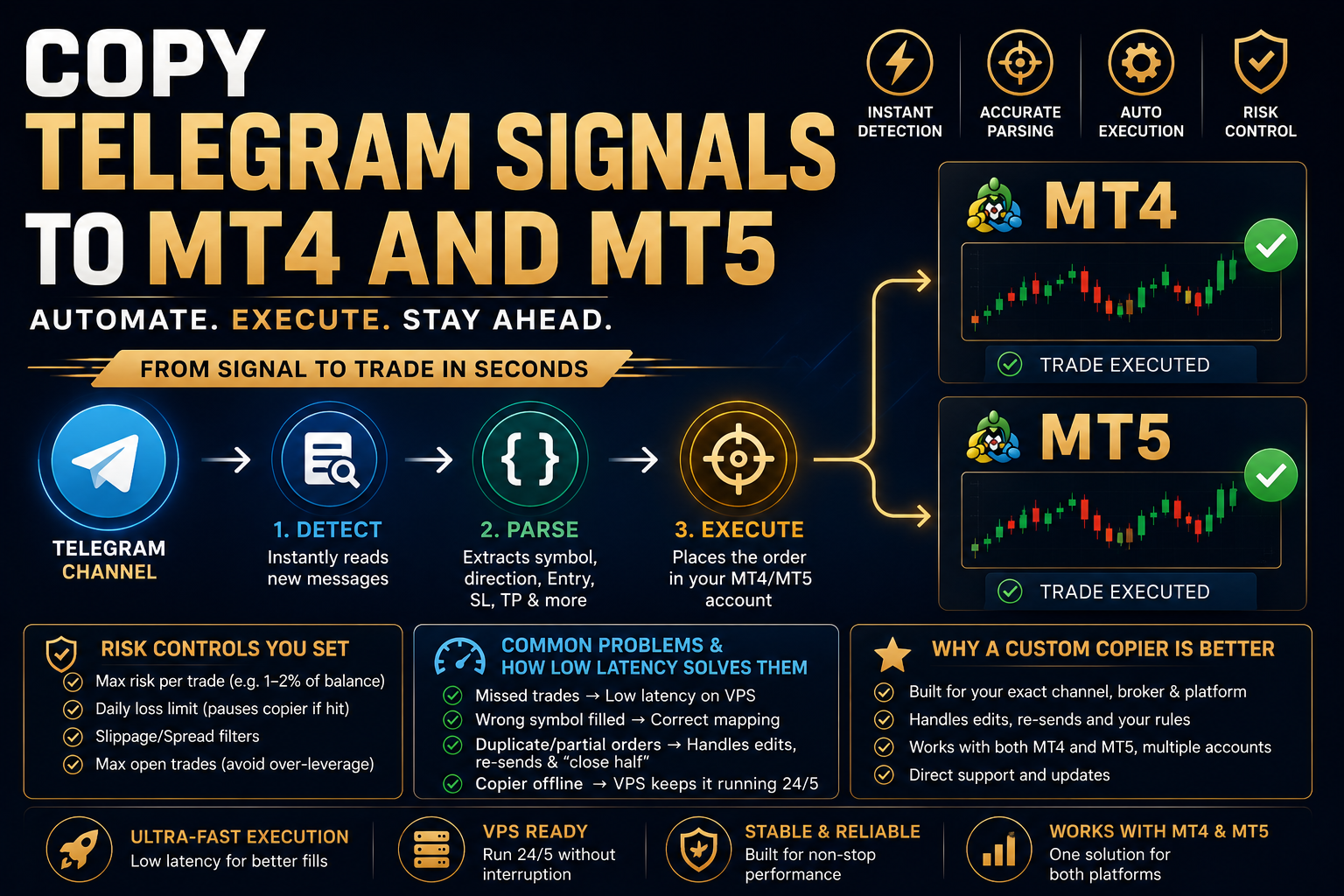
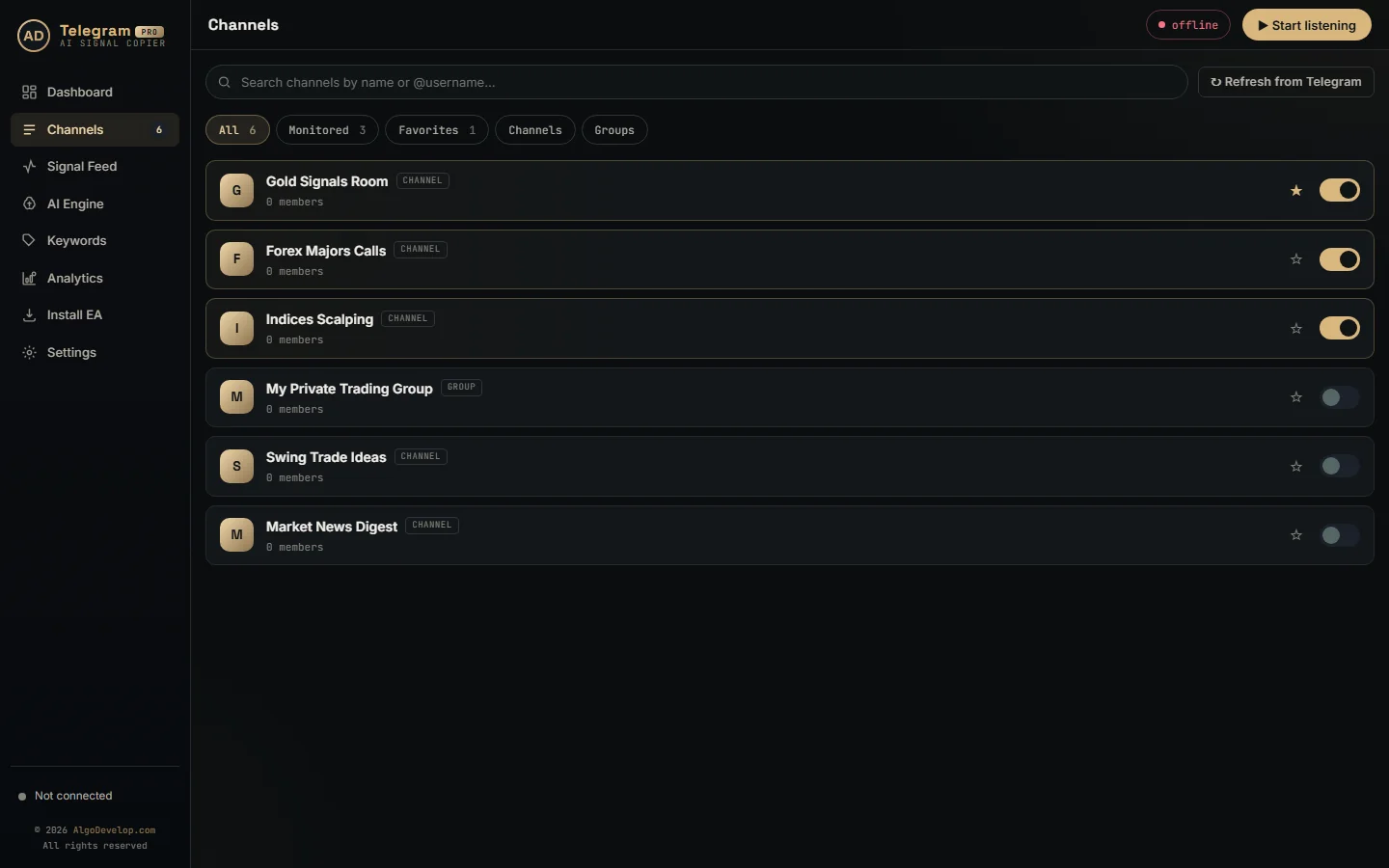
- You pick the channels. The app lists every Telegram channel and group your account can already see. Flip the switch on the ones you want copied, and the app reads nothing else.
- A new message arrives. Only new ones count. Switching a channel on does not replay its history, so yesterday’s calls never open at today’s prices.
- The app reads the message. It pulls out the instrument, direction, entries, stop loss and up to six targets, in any order and any language.
- Your rules decide. Lot size, spread limit, daily loss cap, allowed symbols and trading hours all live in the EA. When a signal breaks one of them, the EA refuses it and writes down why.
- MetaTrader places the order. It goes in at market or as a pending order, with the stop loss and targets attached. After that, the EA reports back how many milliseconds it took.
- It keeps managing the trade. Break-even, trailing and partial closes run on their own, and so do the follow-up messages the channel posts later.
Every feature in the Telegram to MT4/MT5 copier
| Feature | What it does |
|---|---|
| Reads Telegram channels and groups | Public or private, as long as your own Telegram account can read the messages. |
| Executes on MT4 & MT5 | Market or pending orders, placed by an Expert Advisor inside your own terminal. |
| Automatic lot sizing | Fixed lot, percent of balance, risk percent, risk amount, or a set lot per symbol. |
| Stop loss & up to six targets | One order per target you allow, all sharing the stop loss, so profit comes off in stages. |
| Break-even & trailing stop | Stops move to entry after a target, and a points-based trailing stop follows price. |
| Symbol & suffix mapping | Prefix, suffix and renames such as GOLD=XAUUSD, matched to your broker’s exact names. |
| Many channels at once | Copy several channels side by side. The order of messages inside each channel is kept. |
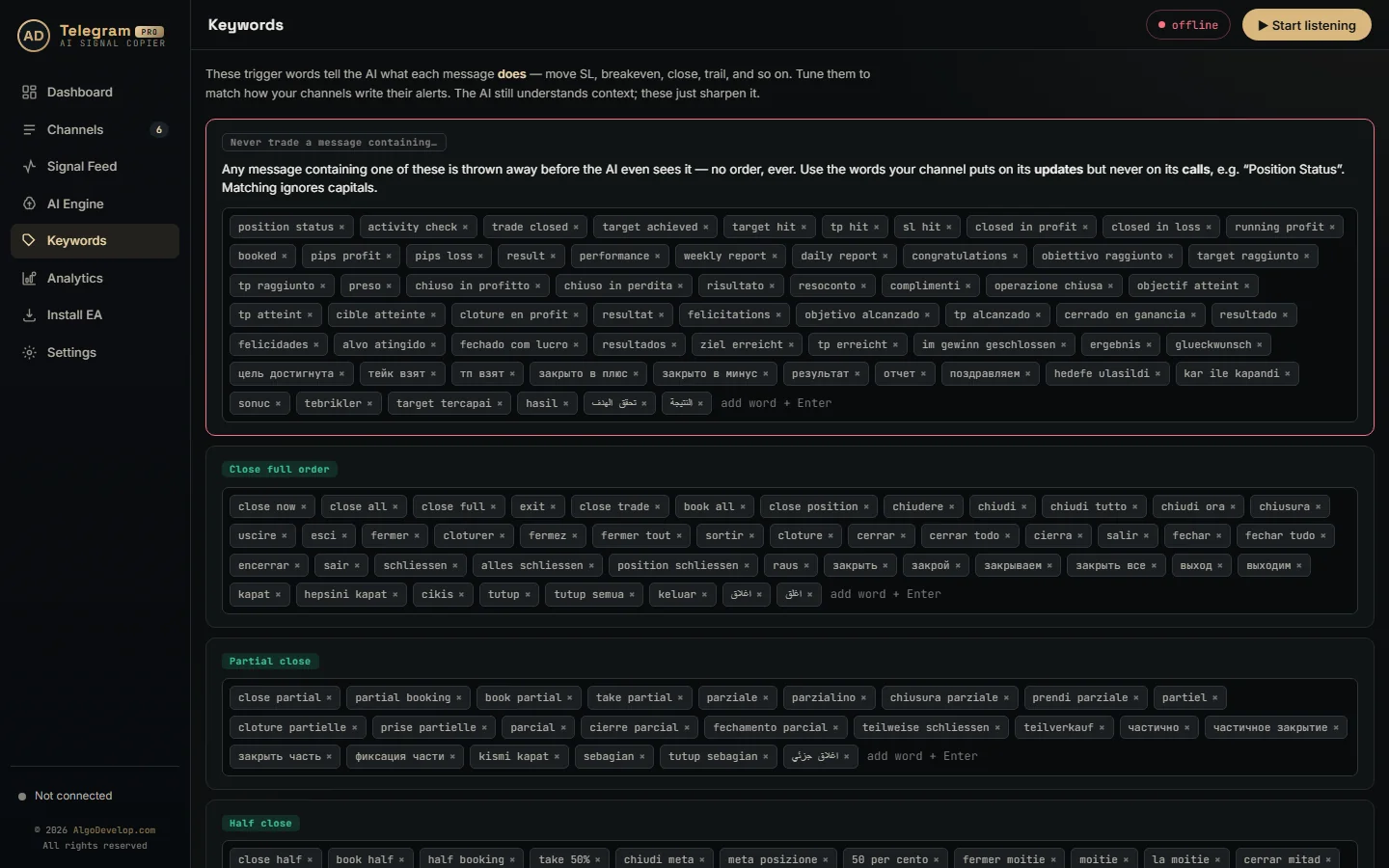
| Skip words | Messages containing words such as “TP hit” or “Position Status” are dropped before the AI sees them. |
| Follow-up messages | Acts on “close now”, “move SL to entry”, “close half” and replies to the original call. |
| Trade limits | Max open trades, trades per day, week or month, and daily or overall loss and profit stops. |
| Spread & session filters | Skips a trade when the spread is too wide, or outside the days and hours you allow. |
| Logs & alerts | Every message and decision is logged. A failed trade always raises an alert in MetaTrader. |
| Learns each channel’s format | A layout the AI has read once is recognised locally after that, with no API call and no waiting. |
| Runs on your own account | Your broker, your terminal, your Telegram login. Control stays with you. |
Regex parser vs AI parser: how this Telegram to MT4/MT5 copier reads signals
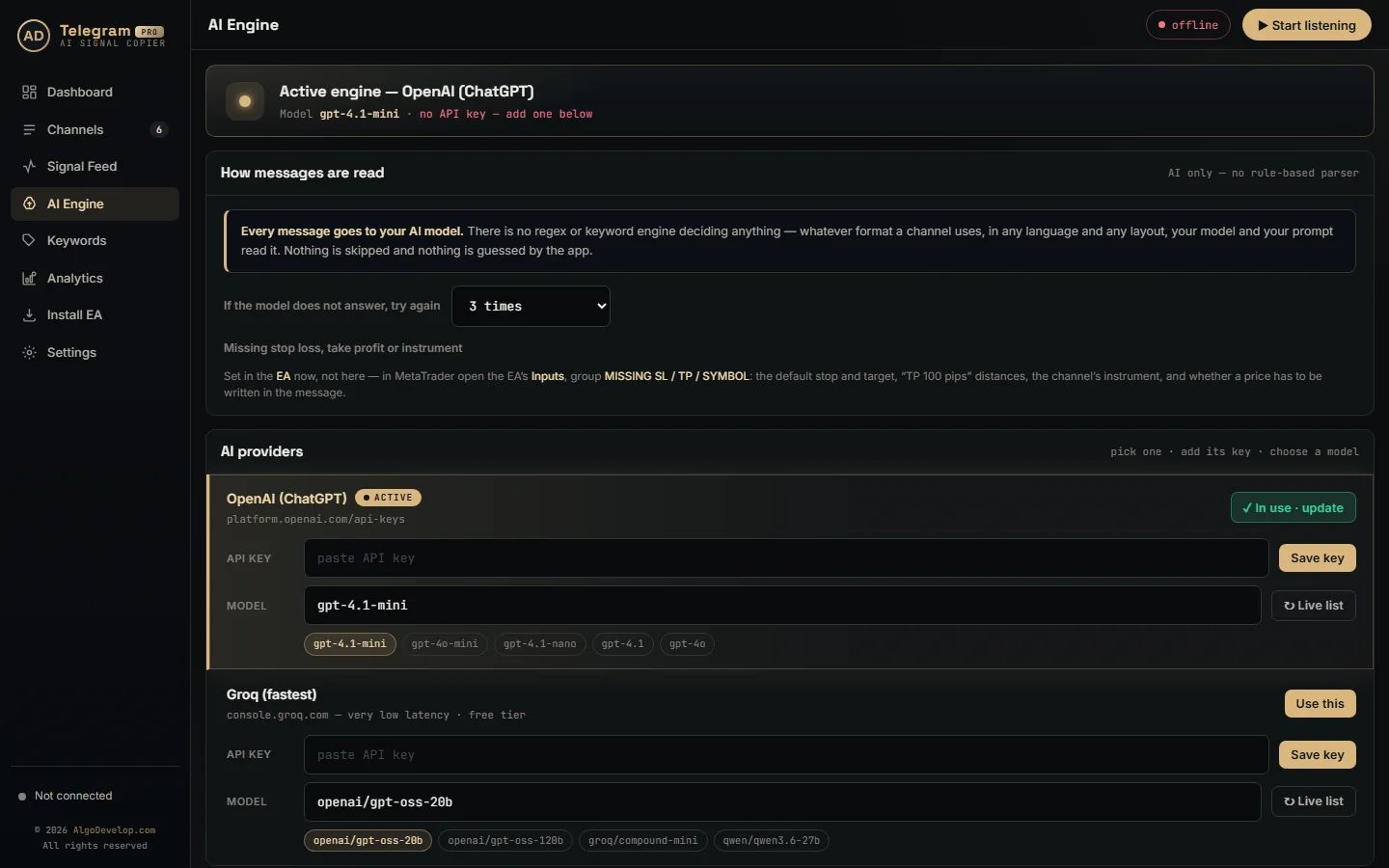
Most copiers read signals in one of two ways. A regex parser follows fixed pattern rules. It is fast and free, but it breaks as soon as a channel changes its wording. An AI parser reads the meaning instead, so it copes with any layout. Yet every message then costs a round trip to the model.
This copier uses both, each where it fits. The AI reads a layout the first time it sees it, and the app remembers the answer for that channel. After that, the next signal in the same shape takes microseconds to read, locally. A different pair, new prices or an extra space change nothing, and no API call goes out. When you switch a channel on, the app also studies its last ten posts in the background. It learns their layouts, but it never trades them.
The app only keeps a learned layout once it proves itself. First it must rebuild the model’s own answer from the message it learned from, number for number. Otherwise it throws the layout away, because a wrong price is far worse than a slow one. Short commands such as “close half” or “CHIUDERE” also skip the model, since the keyword lists already say what they mean.
| What matters | Regex-only copier | This copier AI + learned layouts |
|---|---|---|
| How it reads a signal | Fixed pattern rules (regular expressions) | ChatGPT (OpenAI) or Groq reads a new layout; known layouts are read locally |
| Messy, human-typed signals | Limited | Handles them |
| Mixed Hindi/English & emojis | Limited | Handles them |
| New or unusual wording | Needs a rule update | Read by the AI on first sight |
| A layout it has seen before | Fast | Microseconds, no API call |
| A brand-new layout | Missed until someone writes a rule | A second or two, once |
| When the AI does not answer | Not applicable | Asks again, then tries the standby provider |
Lot sizing and risk on every copied signal
The channel decides the direction. You decide the size. The Telegram to MT4/MT5 copier applies one rule to every signal it takes, from every channel. Its EA offers five ways to set that rule:
- Fixed lot – every trade the same size.
- Percent of balance – the lot grows as the account grows, roughly 0.01 lot per $1,000 at a setting of 1.
- Risk percent – worked back from the stop loss, so a tight stop gets a big lot and a wide stop a small one.
- Risk amount – the same idea in money, so you risk $100 a trade whatever the stop distance.
- Per symbol – one size for gold, another for EURUSD, another for indices.
On top of that sit the limits. You can cap open trades, trades per day, week or month, and the loss or profit for the day or for the whole account. Once you reach a limit, the EA stops opening new trades, but it never closes the positions you already hold. Every limit stays off until you switch it on, and each refusal goes into the log with its reason.
One thing to check before you go live: the EA opens one order per target you allow. So three targets on a 0.10 lot means 0.30 lots in the market. If you want a single position per signal, keep TP1 and switch off the rest.
What happens after the entry – break-even, trailing and follow-ups
A typical Telegram to MT4/MT5 copier stops once the order is open. Yet that is the half where traders actually lose money.
Break-even after a target. With break-even after TP1 switched on, the stops on the remaining positions move to entry as soon as price reaches TP1. From then on, the worst case for the whole signal is a small win.
Trailing stop. Start it after a set number of points in profit, and then it follows price without ever backing off.
Follow-up messages. Channels keep talking after the entry. “Close now”, “book half”, “move SL to entry”, “chiudere” and “закрыть” all count, even as a reply to the original signal. In that case the copier links the reply back to the right trade. Acting on break-even and partial-close messages is one switch in the EA, so you decide whether the channel may do that.
And it says when it does nothing. Some messages are not trades. Sometimes your own limits block a signal, or a broker refuses an order. Each of these lands in the log with the reason, in plain words. After all, silence is the one thing a copier must never do.
Signals in any language, any format
Signal channels are rarely tidy. They write the same call a dozen ways, and the good ones are not always in English. So the Telegram to MT4/MT5 copier reads all of these:
- Any layout – stop loss above the entry or below it, targets on one line or six, a price range or a single number.
- Any language – English, Hindi, Italian, Russian, Spanish, Portuguese, German, Turkish, Arabic, Indonesian and more, even mixed in one message.
- Emojis and decoration – 🔴 SELL 🔴, ⬆️ BUY or boxes drawn out of dashes. The app strips the emojis first, then reads the words.
- Sloppy typing – double spaces, a stray dash, or a colon that comes and goes.
- Nicknames – GOLD, SILVER, DOW, NASDAQ and BITCOIN become XAUUSD, XAGUSD, US30, NAS100 and BTCUSD. After that, the EA adds your broker’s suffix.
- Pips instead of prices – “TP 100 pips” or “SL 300 points” turns into a real level, measured from the entry.
- Photo captions – when a chart image carries the signal in its caption, the copier reads the caption like any other message.
Reports, however, are a different matter. A channel that posts “TP hit” or “Position Status” under its calls would otherwise look like it is sending a fresh signal. So the Keywords page holds a list of words that throw such a message away before the AI even sees it. You can also add the words your own channel uses.
Setting up the Telegram to MT4/MT5 copier
The Telegram to MT4/MT5 copier comes in two pieces, both on your own PC or VPS. The app reads Telegram, and an Expert Advisor on one MetaTrader chart places the orders.
- Install the app, then sign in to Telegram with your phone number and the login code, just as on a new phone.
- Switch on the channels you want copied.
- Open the Install EA page. It finds every MT4 and MT5 terminal on the PC and copies the EA into the ones you pick.
- Drag the EA onto one chart and turn algo trading on. Any chart will do, because the EA trades every symbol the signals name.
- Set your lot size and limits, and match the symbol suffix your broker uses.
- Run it on a demo account for a day, then read the log.
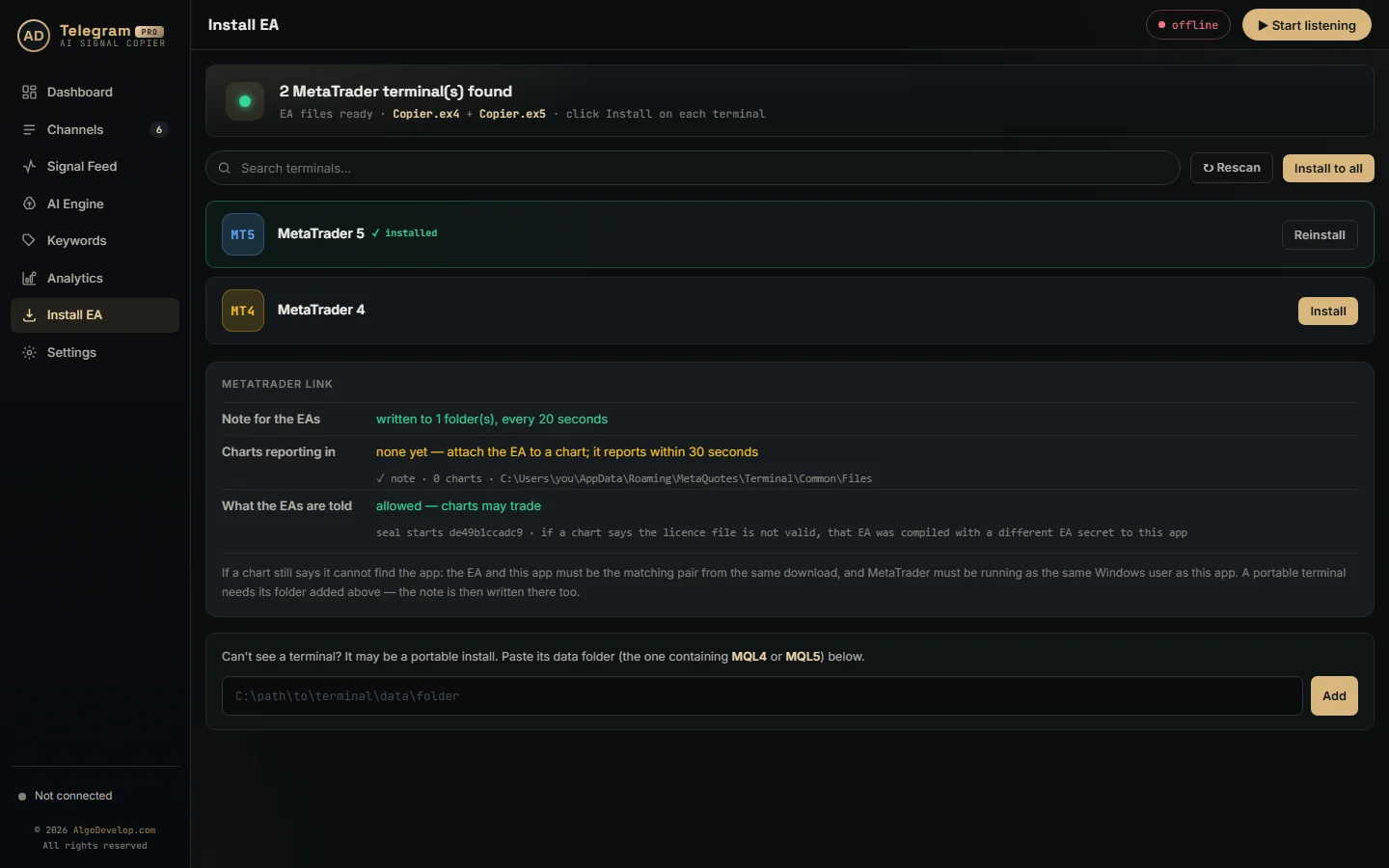
First-time setup takes about fifteen minutes. We can also do it with you over WhatsApp or Telegram if you would rather watch it done once.
The EA runs inside the terminal your broker gave you, so it works with MetaTrader 4 and MetaTrader 5 exactly as installed. You do need algo trading switched on, as the MetaTrader 5 algo trading help explains. For the Telegram side, the Telegram FAQ covers login codes and two-step passwords. Our step-by-step guide walks through the whole setup.
Telegram to MT4/MT5 copier, or one of the others?
A Telegram to MT4/MT5 copier covers the most common case, but Telegram is not the only source of signals. We build copiers for these too:
- WhatsApp to MT4/MT5 copier – for groups that post on WhatsApp instead.
- Discord to MT4/MT5 copier – for servers and their channels.
- TradingView to MT4/MT5 copier – for alerts fired by your own indicators and strategies.
- Telegram to Indian broker copier – for Zerodha, Angel One and the rest, where MetaTrader is not the platform.
- MT4 to MT5 copier – for mirroring one terminal into another instead of reading a chat.
Not sure which fits? Tell us where your signals come from and we will say plainly which one you need. If you trade your own system rather than a channel, see MT4/MT5 strategy automation or our custom EA development instead. Every tool we make sits on the copy trading page.
Telegram to MT4/MT5 copier – frequently asked questions
Can it copy signals from a private Telegram channel?
Yes. Public or private, a channel or a group – if your own Telegram account can read the messages, the copier can too. Nobody needs the channel owner’s permission, because the app only reads what you can already see.
Does it work on both MT4 and MT5?
Yes. One Telegram to MT4/MT5 copier feeds both, with the same settings and the same behaviour. You can even run both side by side on one PC, on different accounts. Every terminal there reads the same signal file.
Do I need a VPS?
Only if you want copying to go on while your own computer is off. The app and MetaTrader both have to be running, so traders who follow a channel overnight usually run the Telegram to MT4/MT5 copier on a VPS.
Is my broker account safe?
Everything runs on your machine, in your terminal, with your broker. We also never hold your broker login. In addition, the app encrypts and signs the files it writes for the EA. So nothing else on the PC can feed it a fake signal.
What if a signal has no stop loss?
Your choice. By default the EA gives it a stop 100 pips from the entry. You can change that distance, or set it to 0 and refuse such signals outright.
What happens if the channel edits or deletes a signal?
The copier acts on new messages, so an edit or a deletion does not change a trade that is already open. A follow-up is different. When the channel posts “close now” or “move SL to entry”, the copier acts on it, even as a reply.
How many Telegram channels can I copy at once?
As many as you follow. They all share one set of EA settings, and the app keeps the order of messages inside each channel. That way a “close half” waits for the call it belongs to.
How fast is it?
A layout the copier already knows takes well under a millisecond to read. A brand-new layout goes to the AI once, and that takes a second or two. Meanwhile the EA checks for new signals every 50 milliseconds by default, and it reports how long each order took.
Which AI does the copier use?
ChatGPT from OpenAI, by default. You can switch to Groq, or paste your own OpenAI or Groq key, on the AI Engine page. If the model does not answer, the app asks again. After that it tries the other provider, if it holds a key for it.
My broker uses XAUUSDm, not XAUUSD. Does that work?
Yes. Set the suffix once in the EA and every symbol gets your broker’s exact name. Renames such as GOLD=XAUUSD work the same way.
Can I test it without risking money?
Yes, and you should. Point the copier at a demo account and leave it on a live channel for a day. Then read the log: every message it saw, what it decided and why.
How much does a Telegram to MT4/MT5 copier cost?
It depends on how much handling you want set up for you. That covers symbol mapping, your risk rules, break-even, trailing and how many channels you run. Setup help comes with it either way. Tell us what you need and we will quote it plainly: ask for a quote.