Flutter App Development
Flutter app development turns one codebase, written in Dart, into both an Android app and an iPhone app. When you need both platforms with the same features, that usually means one build to pay for instead of two, and one set of fixes after launch.
It is not the right answer for every app, and we will say so when it is not. This page covers where Flutter shines, where native code is still needed, the cost and what to check before you hire anyone, us included.
On this page
- What Flutter app development gets you
- Flutter vs native: an honest comparison
- When cross-platform app development is the right call
- The native work a Flutter app still needs
- How a Flutter project runs
- What drives Flutter app development cost
- Hire Flutter developers or a studio?
- Flutter on the web and desktop
- What we will not promise you
- Frequently asked questions
What Flutter app development gets you
Flutter is Google’s open-source toolkit for building apps from one codebase. You write the screens and logic once in Dart, and Flutter produces a real Android app and a real iOS app. Release builds are compiled to native machine code, not run in a web page, so a well-built Flutter app scrolls smoothly.
Flutter also draws every pixel of the interface itself instead of borrowing each platform’s built-in controls. So your brand design looks the same on every phone. Where iPhone users expect iPhone-style switches, date pickers or dialogs, we choose those on purpose.
- Flutter
- Dart
- Kotlin
- Swift
- REST and WebSocket APIs
- Node.js
- Python
- Razorpay
- Stripe
- Google Play
- App Store
Day to day, the gain is speed of change: hot reload shows an edit on a running phone within seconds, so design rounds cost less. The Flutter documentation covers the toolkit in depth.
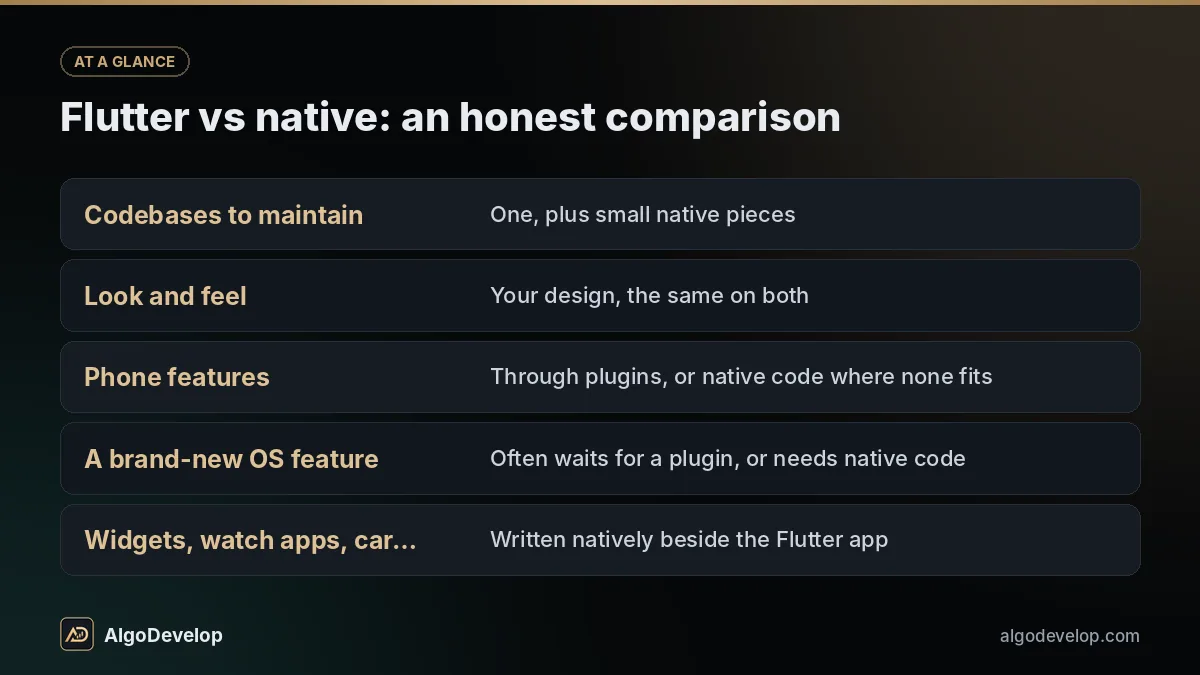
Flutter vs native: an honest comparison
| Question | Flutter | Native (Kotlin and Swift) |
|---|---|---|
| Codebases to maintain | One, plus small native pieces | Two, one per platform |
| Look and feel | Your design, the same on both | Each platform’s own controls |
| Phone features | Through plugins, or native code where none fits | Direct |
| A brand-new OS feature | Often waits for a plugin, or needs native code | Usable as soon as the SDK supports it |
| Widgets, watch apps, car screens | Written natively beside the Flutter app | Native as normal |
| Download size | Larger to start, as the app carries Flutter’s engine | Smaller to start |
| Cost for both platforms | Usually lower, since most code is shared | Usually higher, since most screens are built twice |
| Cost for one platform | Little or no saving | Often the simpler choice |
Speed rarely decides it for a business app. Lists, forms, maps, payments and chat run smoothly in Flutter when built with care. Heavy 3D, augmented reality or real-time audio work is a different conversation, and it usually belongs in native code.
When cross-platform app development is the right call
Flutter fits well
- A first version on both stores, to test an idea with real users.
- A customer app for orders, bookings, loyalty or tracking.
- Staff apps for field teams, deliveries or inspections.
- A mobile front end for a web system you already run.
- A trading or alerts app for users on both platforms; see trading app development.
Flutter is not the only cross-platform app development option. React Native suits teams that already write React, and Kotlin Multiplatform shares business logic while each platform can keep its own screens. We build cross-platform apps in Flutter. If your team already works in one of the others, staying with it may be cheaper, and we will tell you so.
The native work a Flutter app still needs
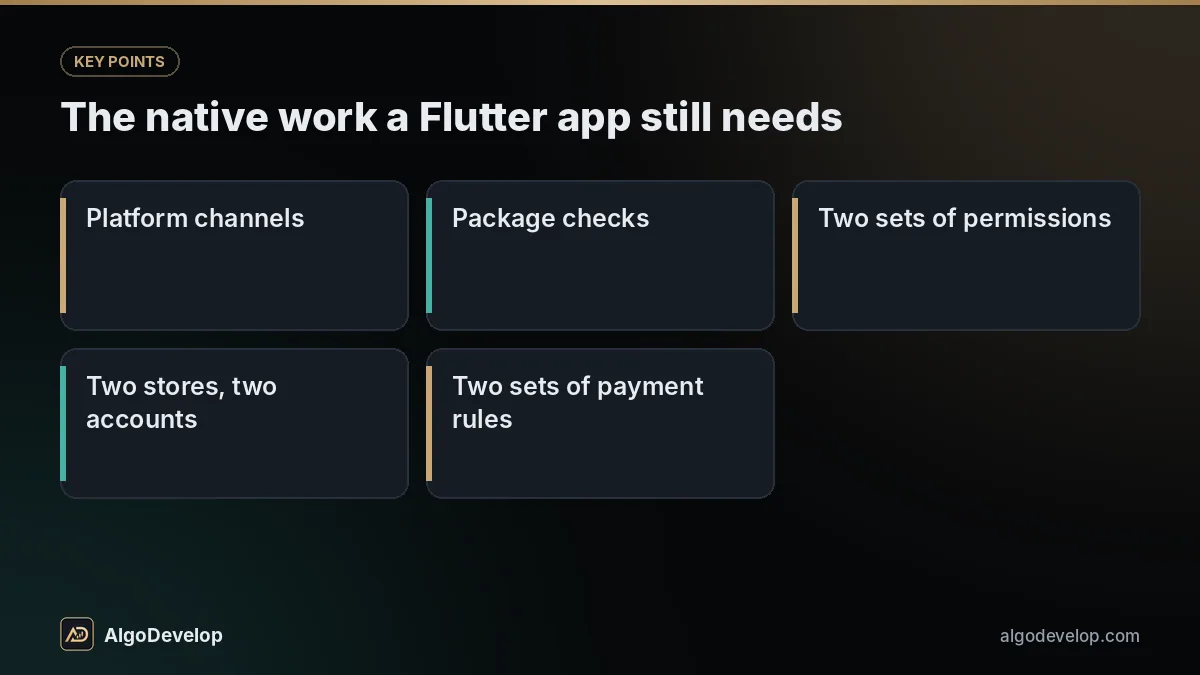
One codebase does not mean zero platform work. In Flutter app development, each store and each phone still keeps its own rules:
How a Flutter project runs
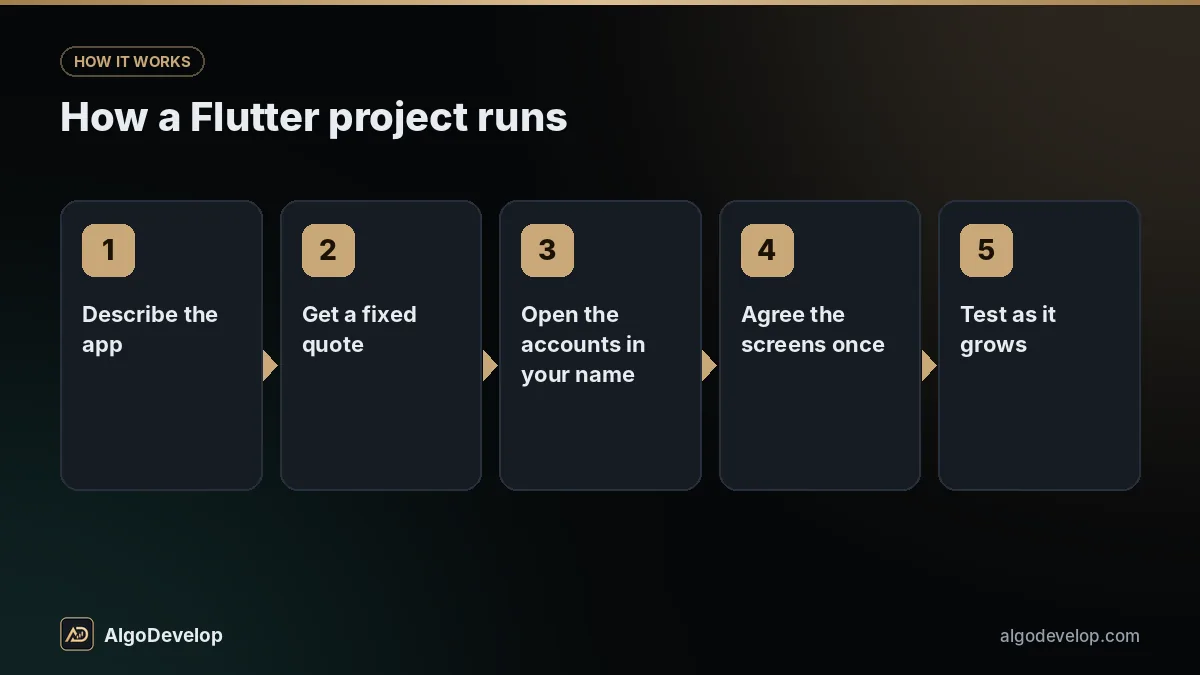
- Describe the app on WhatsApp: its users, their main tasks, and whether both platforms must launch together.
- Get a fixed quote covering the screens, the server side and any native parts, with a timeline.
- Open the accounts in your name: Google Play, the Apple Developer Program, and hosting if the app needs a server.
- Agree the screens once, noting where iPhone and Android should behave differently.
- Test as it grows. Each milestone reaches your phones through Google Play internal testing and Apple’s TestFlight.
- Submit to both stores. We prepare both listings, run the closed test if your Play account needs one and answer both reviews.
- Take the keys: source code, build instructions and signing details, with every account still in your name.
What drives Flutter app development cost
Flutter app development saves money in one case: when you need the same app on Android and iOS. It does not make a single-platform app cheaper. Otherwise, the cost follows the same things as any app:
- Screens and roles. A customer app, a delivery app and an admin panel are three products.
- The server side. Logins, data and notifications need an API, new or linked to a web application you run.
- Integrations such as payment gateways, maps, SMS codes or your accounting software.
- Native-only features, each adding Kotlin and Swift work on top of the shared code.
- Design and content, which cost less when your designer supplies the screens.
- Upkeep. Flutter, its packages, Android and iOS all move every year, and Google Play raises its target Android version every year too.
Google’s one-time registration fee, Apple’s yearly membership and your hosting are paid by you directly, so there is nothing for us to mark up. Our pricing page explains our fixed-price approach, and every quote follows a short scoping chat.
Need one app on Android and iPhone?
Tell us on WhatsApp what the app does and who uses it; we usually reply quickly. You will hear honestly whether Flutter or native suits it, along with a fixed quote. If you prefer Telegram, message @iLyaz7 there, or use the contact page.
Get a Flutter app quote on WhatsAppHire Flutter developers or a studio?
You can hire Flutter developers as freelancers, build a team or give the job to a Flutter app development company like ours. Either way, get clear answers to these:
- Is the code in a Git repository I own from the first week?
- Are the Play Console and Apple accounts in my name?
- Who keeps the Android upload key and the Apple signing details?
- Which state management approach will you use, and can another developer pick it up?
- Do you write the Kotlin and Swift parts yourselves?
- What happens when a Flutter upgrade breaks a package?
What you can check of ours is mostly trading tools and Windows software, plus the backend behind them, such as the licence server and REST plugins running this site. That matters, because a Flutter app is only as reliable as the API it talks to, and we write both halves. See our trading portfolio and our wider app development services.
Flutter on the web and desktop
The same code can also build a web app and desktop apps for Windows, macOS and Linux. Both are useful, within limits.
On the web, Flutter suits tools behind a login, such as dashboards and booking screens. It is a poor fit for a public site that must rank on Google, since Flutter’s own documentation says its web output is not what search engines need. For that, build a proper website and let the app sit beside it.
On the desktop, Flutter works for an app that should match your mobile one. Our own Windows tools use Python instead, since their key libraries, such as Telethon for Telegram, are Python libraries. Desktop application development covers that choice.
What we will not promise you
We will not promise that one codebase means no platform work. Every Flutter app development quote we send lists its native pieces, so they sit in the price, not in a surprise invoice.
We will not promise approval from Google or Apple, a place in store search or a number of downloads. Both stores review apps on their own terms and change those terms without asking.
We will not promise that every package will be maintained indefinitely. Open-source authors move on, and replacing an abandoned package is real work.
And we will not push Flutter onto an app that should be native. If your app is iPhone-only or built around one platform’s features, we will quote it natively instead.
Flutter app development – frequently asked questions
Is Flutter reliable enough for a real business app?
Yes. Flutter is open source, backed by Google and has been stable on Android and iOS for years. Release builds compile to native code. The risks that matter are the usual ones: the quality of the code and of the packages it uses.
Will a Flutter app feel like a normal iPhone app?
It can, but it takes intent. Flutter draws its own interface, so we pick iPhone-style controls where users expect them and test on a real iPhone. Users rarely notice the toolkit; they notice slow screens and confusing steps.
Is Flutter cheaper than building two native apps?
Usually, because most of the code is written and tested once. The saving shrinks when the app needs many native-only features, and it disappears if you only need one platform.
Do I still need a Mac and an Apple account for the iPhone version?
Yes, but only the account is your job. The iOS version is built on a Mac with Xcode, which is our side of the work, and you need a Mac only to build the source yourself later. The Apple Developer account sits in your name, and you pay Apple’s yearly fee.
Can a Flutter app use the camera, GPS, Bluetooth and notifications?
Yes. Mature plugins cover these, and anything a plugin cannot do is written in Kotlin or Swift and called from Flutter. Any native pieces are listed in the quote.
Who owns the code and the store accounts?
You do. The Google Play and Apple accounts are in your name from the start. At handover you receive the source code, build instructions and signing details.
Can you add features to a Flutter app someone else built?
Usually. We review the code first, because an app on an old Flutter version may need upgrading before new work is safe. You get a plain account of its state before any quote for new features.
How long does Flutter app development take?
Scope decides it. A focused app usually takes a few weeks to build for both platforms, while a bigger product with its own server and admin panel usually runs to a few months. Allow for two store reviews as well; the fixed quote confirms the timeline.
Flutter or React Native: which should I choose?
Both are proven. React Native makes sense if your team already writes React; Flutter suits a fresh build, especially one with a custom design. We build in Flutter and will say so if your situation favours the other.