Groww Automation
Groww automation is software that places orders in your own Groww account through Groww’s official Trading API. The orders follow rules or signals that you choose. You can run one of our ready-made Indian copiers, or have us build a tool to your own specification.
Either way, it runs on your own PC or VPS, under your own Groww API access. We build the tool, and you operate it. AlgoDevelop is a software developer, not a SEBI-registered intermediary. So we give no signals or advice, and we never manage your funds.
On this page
- What Groww automation actually does
- Groww automation with the ready-made copiers
- The Groww access token
- The static IP rule for Groww automation
- Groww automation built to your requirement
- Limits to set before Groww automation goes live
- Setting up Groww automation, step by step
- Where you stand
- Other brokers and the next step
- Frequently asked questions
What Groww automation actually does
Most people trade Groww by hand, in the Groww app. However, Groww also offers a Trading API. It is a plain JSON interface, where a program holds an access token and sends orders for you.
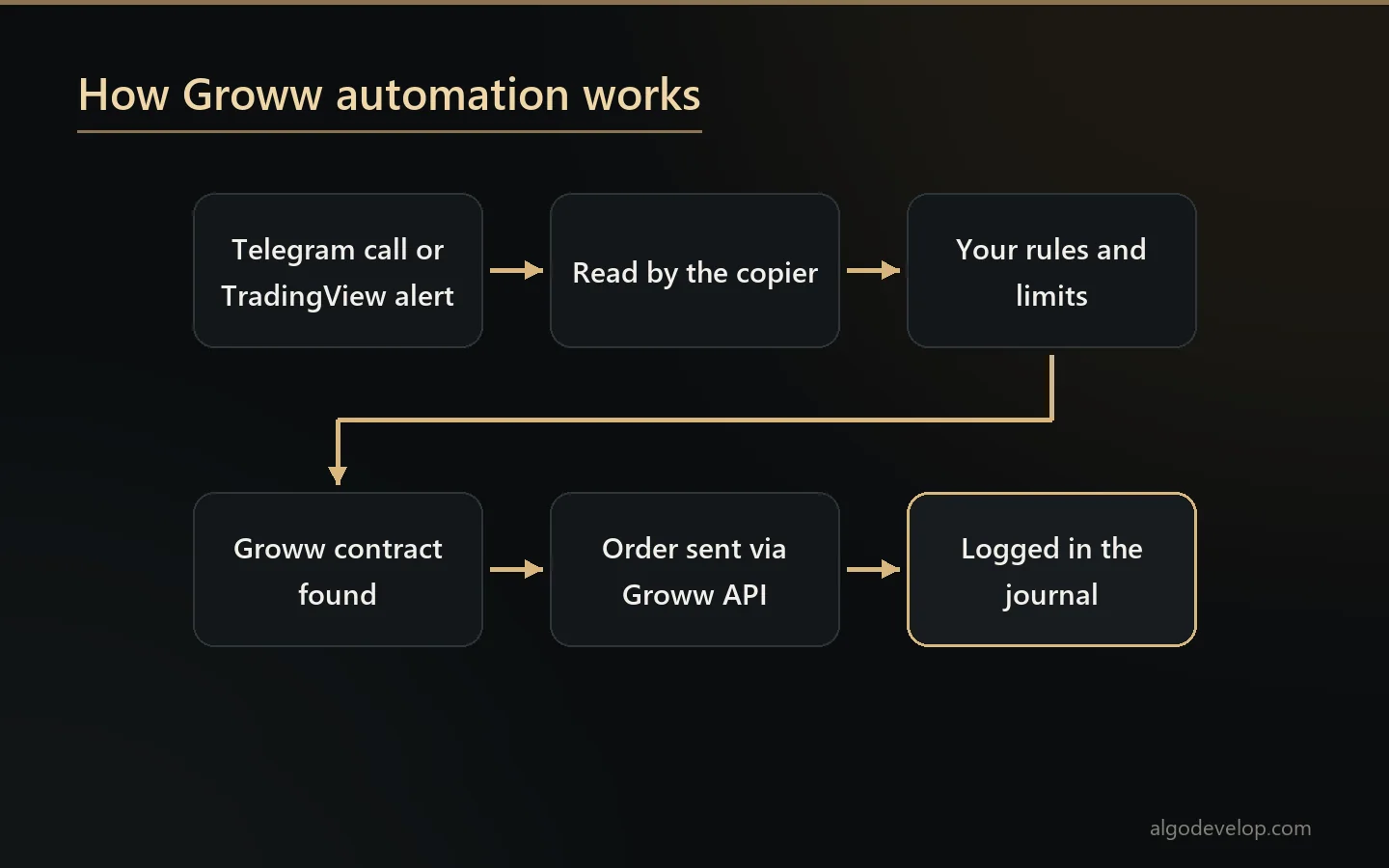
Groww automation is that program. It watches what you tell it to watch, and it places the order once your condition holds. The order lands in your normal Groww order book, and your funds never leave Groww.
The trigger can be a Telegram call, a TradingView alert or a rule inside the software. Still, the hard part is what happens in between: the right contract, size and limits.
Groww automation with the ready-made copiers
Groww is one of the ten brokers in both of our ready-made Indian copiers. First, the Telegram to Indian broker copier reads the calls in your Telegram channels. Second, the TradingView to Indian broker copier takes webhook alerts from your own charts. Both then place the order at Groww for you.
They trade options and stocks. A futures signal gets a clear refusal, instead of turning into some other order. Here is what the copiers handle for a Groww account:
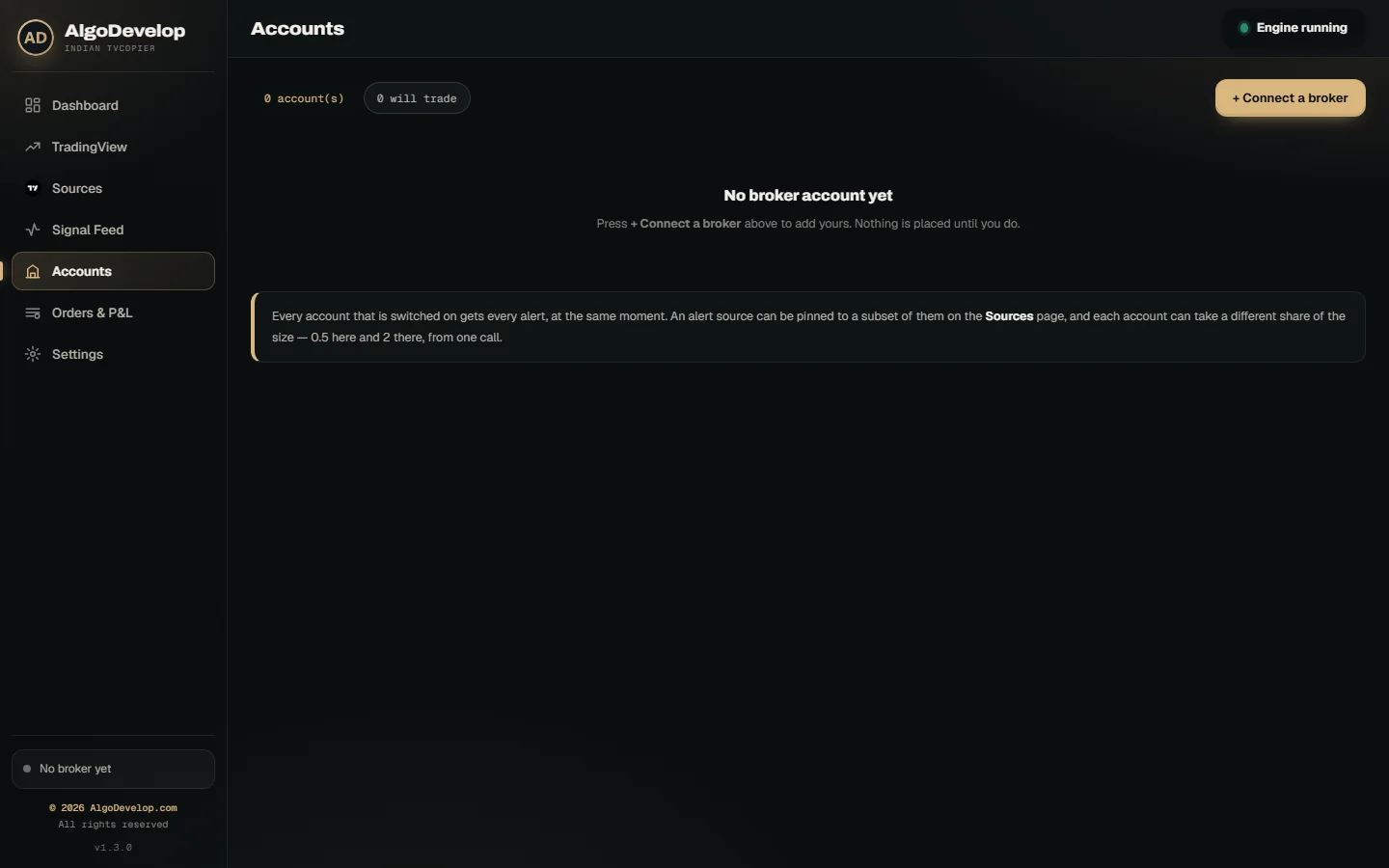
- The access token. You generate it in Groww’s Trade API dashboard and paste it on the Accounts page. It is not your Groww password.
- The right contract. The app downloads Groww’s own instrument list and refreshes it every six hours. So the strike, expiry and lot size come from Groww, not from a guess.
- No index orders by mistake. The app skips index rows, since an index cannot trade. That way, BUY NIFTY never becomes an order for the index itself.
- Real stop orders. Once the entry fills, the stop can go to Groww as an SL or SL-M order. When the app later moves it, the stop stays a stop, never a plain limit.
- A fresh reference for every order. Groww refuses a repeated order reference. So each order, the stop included, carries its own.
- The right product. Intraday orders go as MIS. Delivery goes as CNC for shares and NRML for options.
The Groww access token
Groww access tokens are short-lived. So when Groww refuses one, the copier says so in plain words and asks you to generate a new token. A dead token then shows up as an error, not as a quiet day with no trades.
Test the connection also checks that the answer really came from Groww, not from a captive portal or an office proxy. Run it each morning before the open.
The static IP rule for Groww automation
SEBI’s framework for retail algo trading has applied since 1 April 2026. Under it, an Indian broker accepts API orders only from a static IP you have registered with it. That includes Groww.
So Groww automation has to run where that address lives. Usually that means a Windows VPS with a fixed IP. A PC on a line with a static IP from your provider works too.
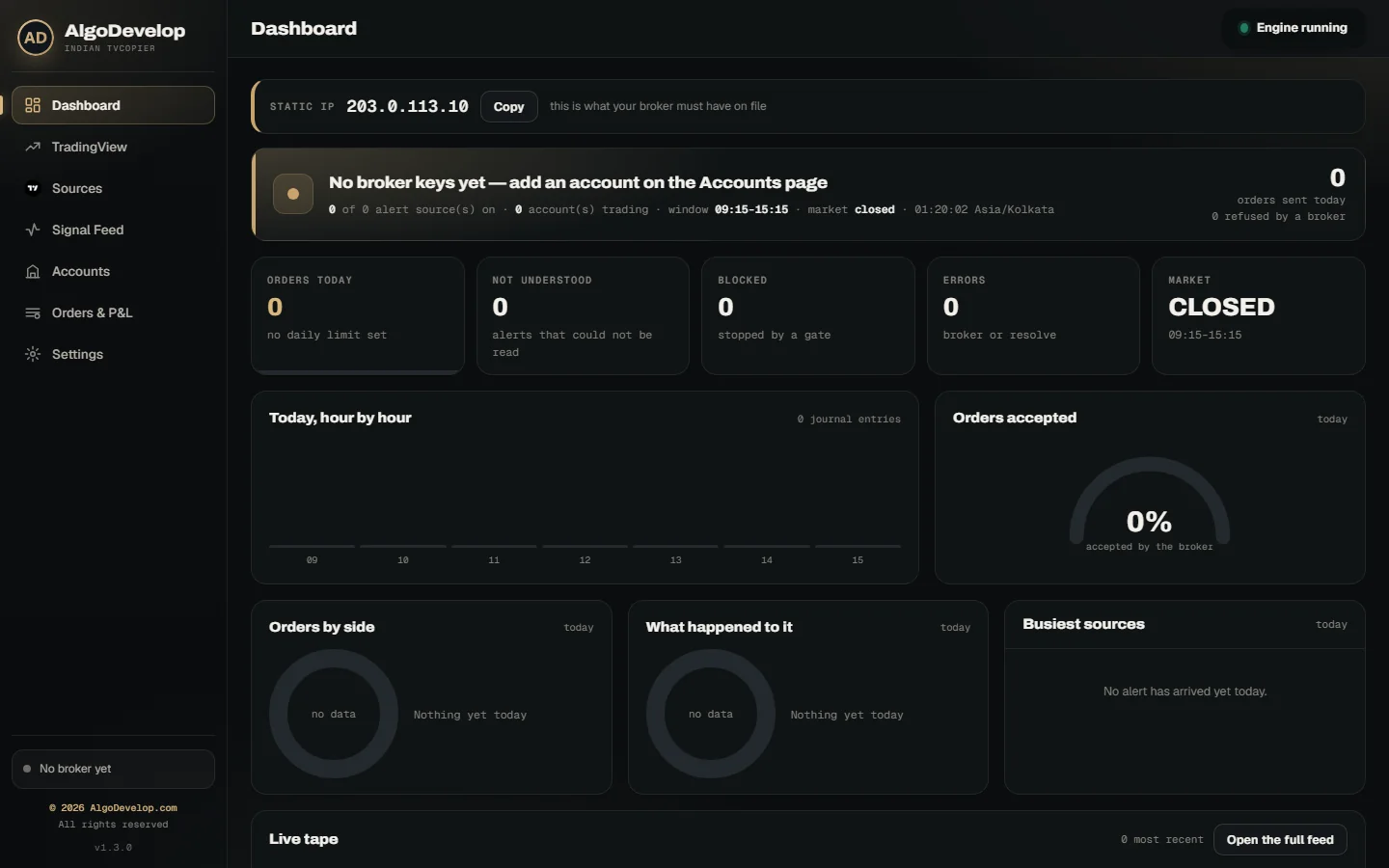
The Dashboard shows the address your broker sees, with a Copy button. If it ever changes, the app warns you, because Groww would refuse orders from an unknown address. Also, if the computer has two connections, each account can send from its own registered address.
Groww automation built to your requirement
Some traders need more than a copier. For example, they want their own strategy, their own exits, or a source the copiers do not read. In that case, we write it against Groww’s official API, to your specification:
- Your own entry and exit rules, written as code.
- Order handling you configure, for equity and F&O.
- Risk limits, position sizing and square-off rules you set.
- Signals from Telegram, WhatsApp or TradingView, or logic inside the software.
- Your own Groww API access, so you stay in control.
- The full source and documentation, so you own what you paid for.
Tell us the requirement first. We will say plainly whether Groww’s API can do it before you commit, not after. For one strategy across several brokers, see Indian stock market automation.
Limits to set before Groww automation goes live
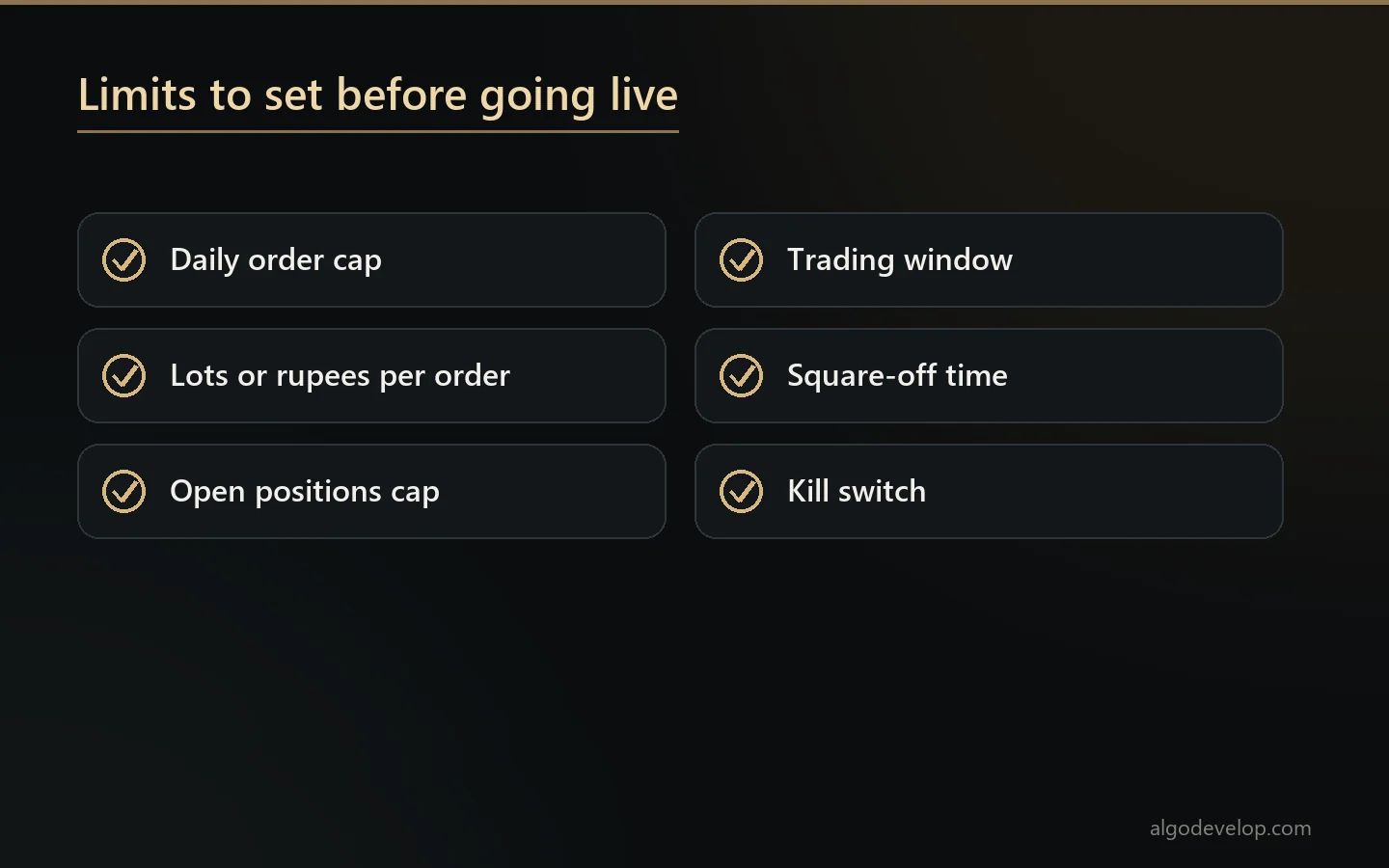
Automation does exactly what you tell it. So the limits matter more than the entries. The ready-made copiers carry these for every account, and a custom build can carry them too:
- Daily order cap: 10 orders to start with.
- Size ceiling: lots or rupees per order.
- Open positions: a cap on how many at once.
- Trading window: 09:15 to 15:15 by default.
- Square-off: a time of your choice, before the broker steps in.
- Kill switch: one press stops every new order.
Market signals also become protective limit orders by default, never blind market orders. Every signal, order and refusal then goes into the journal with its reason.
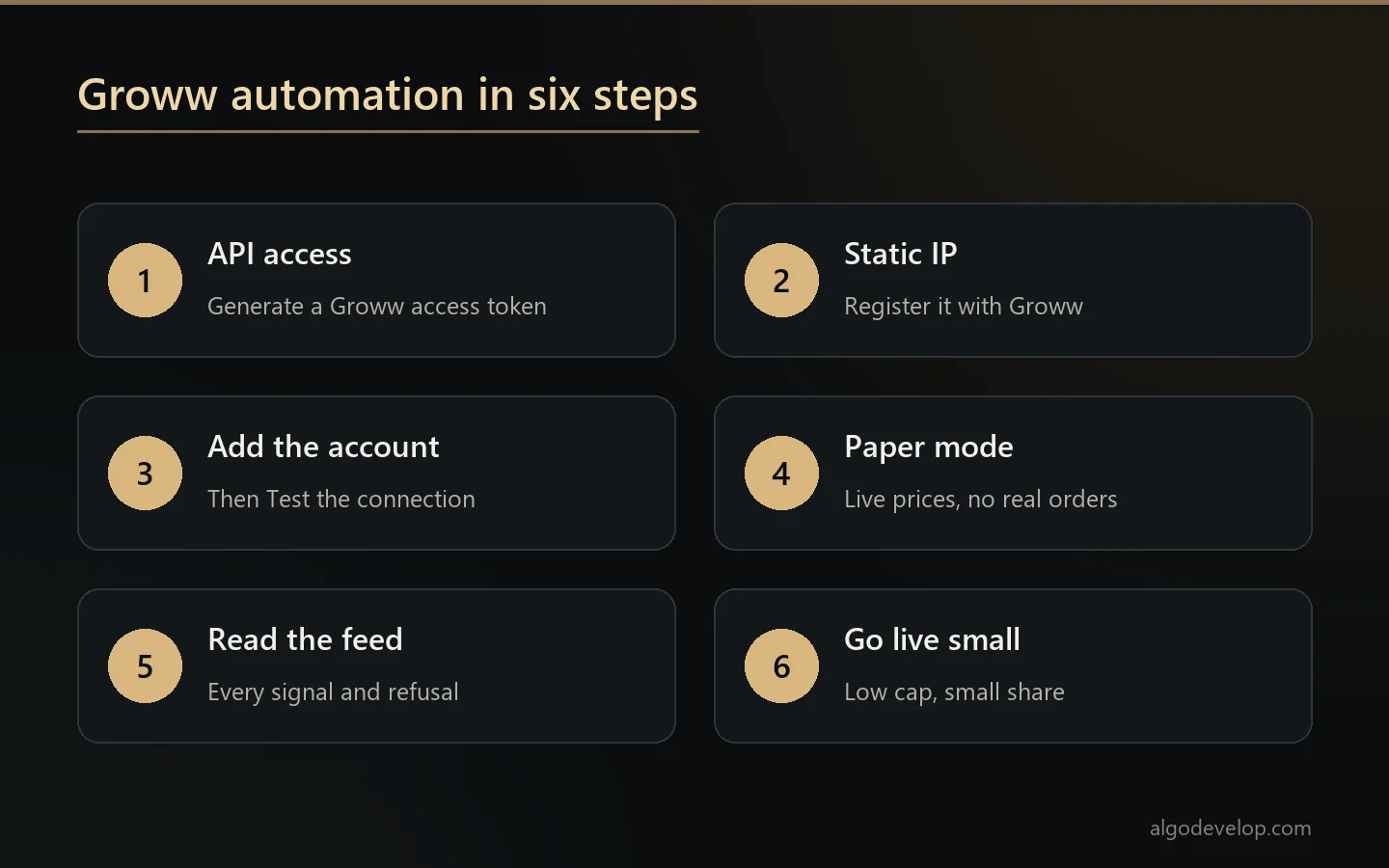
Setting up Groww automation, step by step
- Get API access at Groww and generate an access token. Groww sets the terms, so check them on its site.
- Choose where it runs: a Windows VPS or PC with a static IP. Then register that IP with Groww.
- Add the account on the Accounts page and press Test the connection.
- Start in Paper mode. The app reads Groww’s contracts and live prices, but it fills each order in its own book.
- Run one full session and read the Signal Feed, which lists every signal, order and refusal.
- Go live small, with a low daily cap and a small share. Scale up only after a full day goes as you expected.
A custom build follows the same idea. First, you share your strategy and goals over WhatsApp or through the contact page. Next, we scope it and reply with a fixed quote, usually within a few hours. Then we build it, test it on demo or backtest, and share progress. You review it before anything goes live. Finally, we deliver it with a setup walkthrough and help with any changes after delivery.
Where you stand
Trading your own Groww account, with your own API access and rules, is you trading your own money. We do not run the software for you, we give no trading calls, and we promise no result. Trading carries a real risk of loss, and past results never guarantee future ones.
Running it for other people is a different matter, since India regulates that. You remain responsible for any registration or approval your use needs under SEBI and exchange rules. If you are unsure, take qualified advice first, or read is copy trading legal in India.
Other brokers and the next step
Also trading elsewhere? The same work covers Zerodha, Angel One and Dhan. You can also browse every Indian broker we automate. Then ask for a quote with your broker and your strategy, and we will say plainly what fits.
Groww automation – frequently asked questions
Is Groww in the ready-made copiers?
Yes. Groww is one of the ten brokers in both the Telegram and the TradingView Indian copiers. So Groww automation can start without any custom code.
Do I need Groww API access?
Yes. You use your own Groww API access and your own access token. Any charge for that access is between you and Groww, not us.
Why does Groww automation need a static IP?
Since 1 April 2026, SEBI’s framework lets a broker accept API orders only from a static IP you have registered. So the app must run on a VPS or PC whose fixed address Groww knows.
Can it trade options like NIFTY 24600 CE?
Yes. The app finds the strike, expiry and lot size in Groww’s own instrument list. It then places the order in the right segment, so nothing rests on a guess.
Does it trade futures?
The ready-made copiers trade options and stocks, and they refuse a futures signal with a reason. A custom build can cover futures, and we check the details against Groww’s API before quoting.
Can I test it without real orders?
Yes. Paper mode reads Groww’s contracts and live prices, but it fills every order in the app’s own book. So you can watch a full session before real money moves.
Do you provide signals or run it for me?
No. We build the software, and you run it on your own account. We are not a SEBI-registered intermediary, adviser or research analyst.
Do I own what you build?
Yes. A custom build comes with its full source and documentation, and it runs on your own account and computer. There is nothing of ours it has to reach in order to work.
What about SEBI compliance?
You operate your own account through Groww’s official API. We provide software only, so you are responsible for your own compliance with SEBI and exchange rules. If you are unsure, consult a qualified professional.
How much does Groww automation cost?
It depends on the route: a ready-made copier with setup help, or a custom build. Tell us your strategy and we will reply with a fixed quote: ask for a quote.