Telegram to Binomo Bot
A Telegram to Binomo bot watches your Telegram signal channels and places each CALL or PUT on your own Binomo accounts. It uses your stake and your limits, and it never asks for your Binomo password.
Binary calls go stale fast. By the time you find the pair and set the expiry by hand, a one-minute entry has often gone. So the bot reads the post, checks your rules and then sends the order to every account you switched on.
On this page
- What a Telegram to Binomo bot actually does
- How the Telegram to Binomo bot works, step by step
- Signing in to Binomo without a password
- Reading Binomo signals in any layout
- Expiry, entry time and the broker’s clock
- Stake, martingale and daily limits per account
- Checking results, latency and win rate
- Every feature in the Telegram to Binomo bot
- Setting up the Telegram to Binomo bot
- Binomo, or another broker?
- Frequently asked questions
What a Telegram to Binomo bot actually does
The app sits between two logins you already own. Your Telegram account follows the channels you pick. Meanwhile, each Binomo account you add gets its own Chrome profile, balance and money rules.
Say a channel posts EURUSD OTC · M1 · CALL. The Telegram to Binomo bot reads the pair, the direction and the one-minute expiry. Next, it checks each account’s rules, then opens the trade on all of them at once. Every step lands in the log, and so does every skip, with a plain reason.
How the Telegram to Binomo bot works, step by step
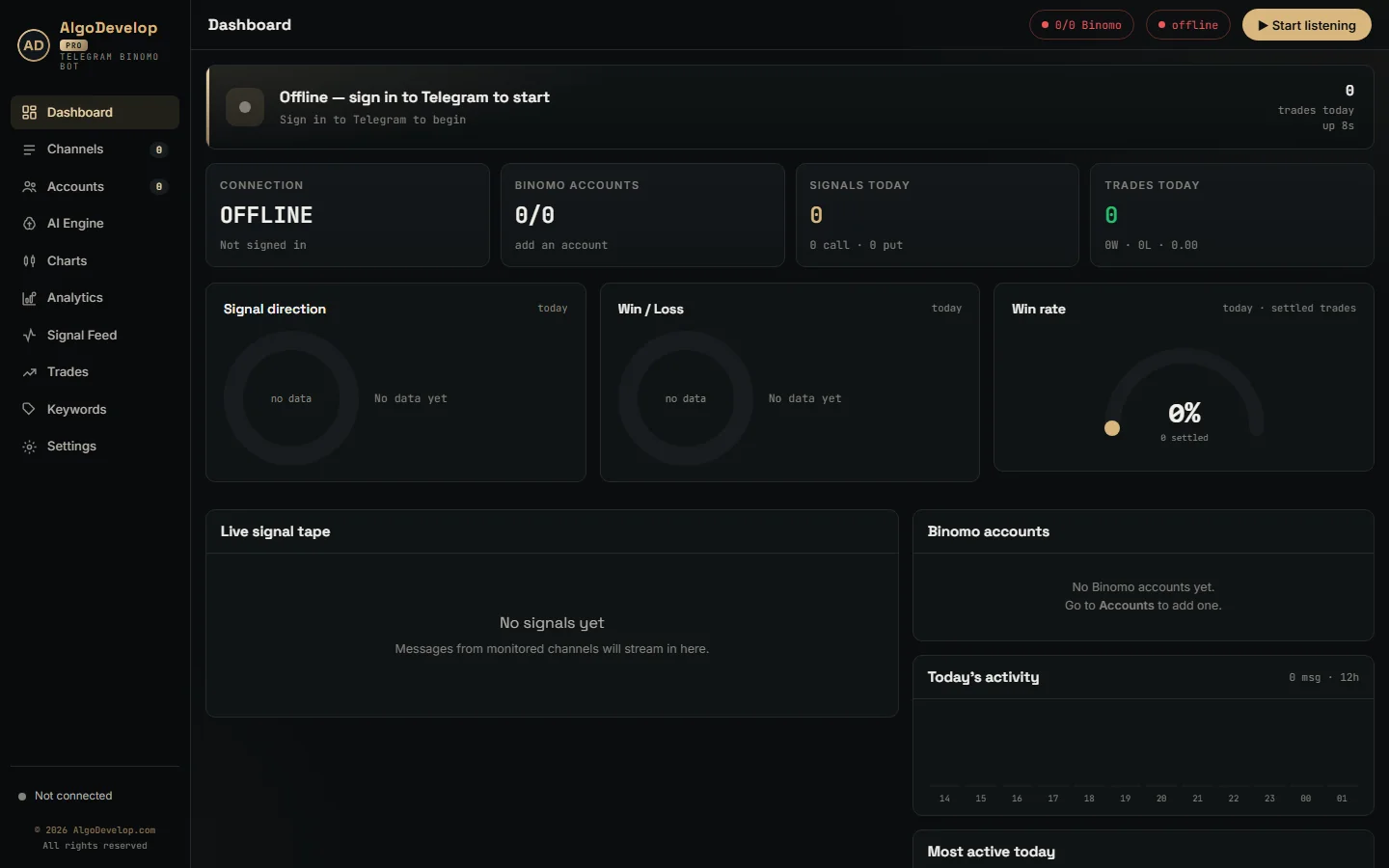
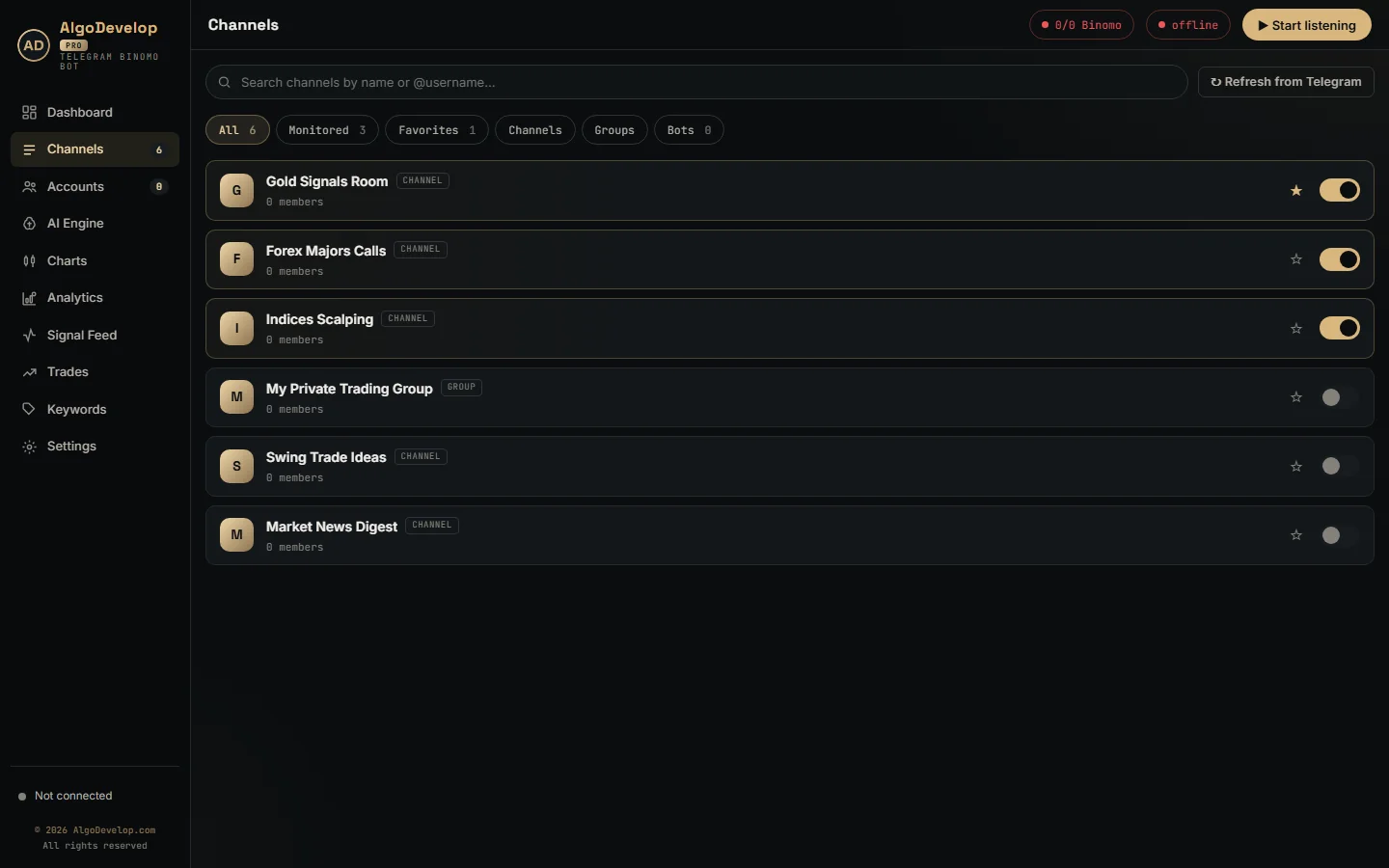
- You pick the channels. The app lists every channel, group and bot your Telegram account can see. Then flip the switch on the ones you want traded.
- Only fresh posts count. Switching a channel on never replays its history. The app also drops any message older than 90 seconds rather than trade it late.
- Chatter stops early. A post needs a direction word and something that looks like a pair before the AI sees it. Trade recaps also stop here.
- Known layouts cost nothing. The app reads a layout it already knows on your PC. A new layout goes to the AI once, and the app remembers it for that channel.
- Your rules decide. The market must be open. Then each account’s payout floor, daily limits and martingale state apply, and every refusal names its reason.
- The order goes out. All enabled accounts fire in the same parallel batch, and each records its own latency in milliseconds.
- The result comes back. Win, loss or draw shows on the dashboard, in the Trades tab and in the account’s profit for the day.
Signing in to Binomo without a password
Binomo sits behind bot protection that blocks scripted logins. So the Telegram to Binomo bot never types a password at all. When you press Browser login, a Chrome window opens on that account’s own profile. You sign in yourself, clear any captcha there, and the app reads the session out of the window.
That session is a pair of values, the auth token and the device id, and the app keeps them together. Later starts reuse the pair, with no window and no clicks. If a login ever goes bad, Re-login throws the old session away and opens a fresh window.
Binomo orders also leave through that logged-in page, so each one carries the browser’s own cookies and headers. Every six hours the app reloads the page in each connected account to keep the login alive. When you close the app, it shuts the Chrome windows it opened and leaves your own browser alone.
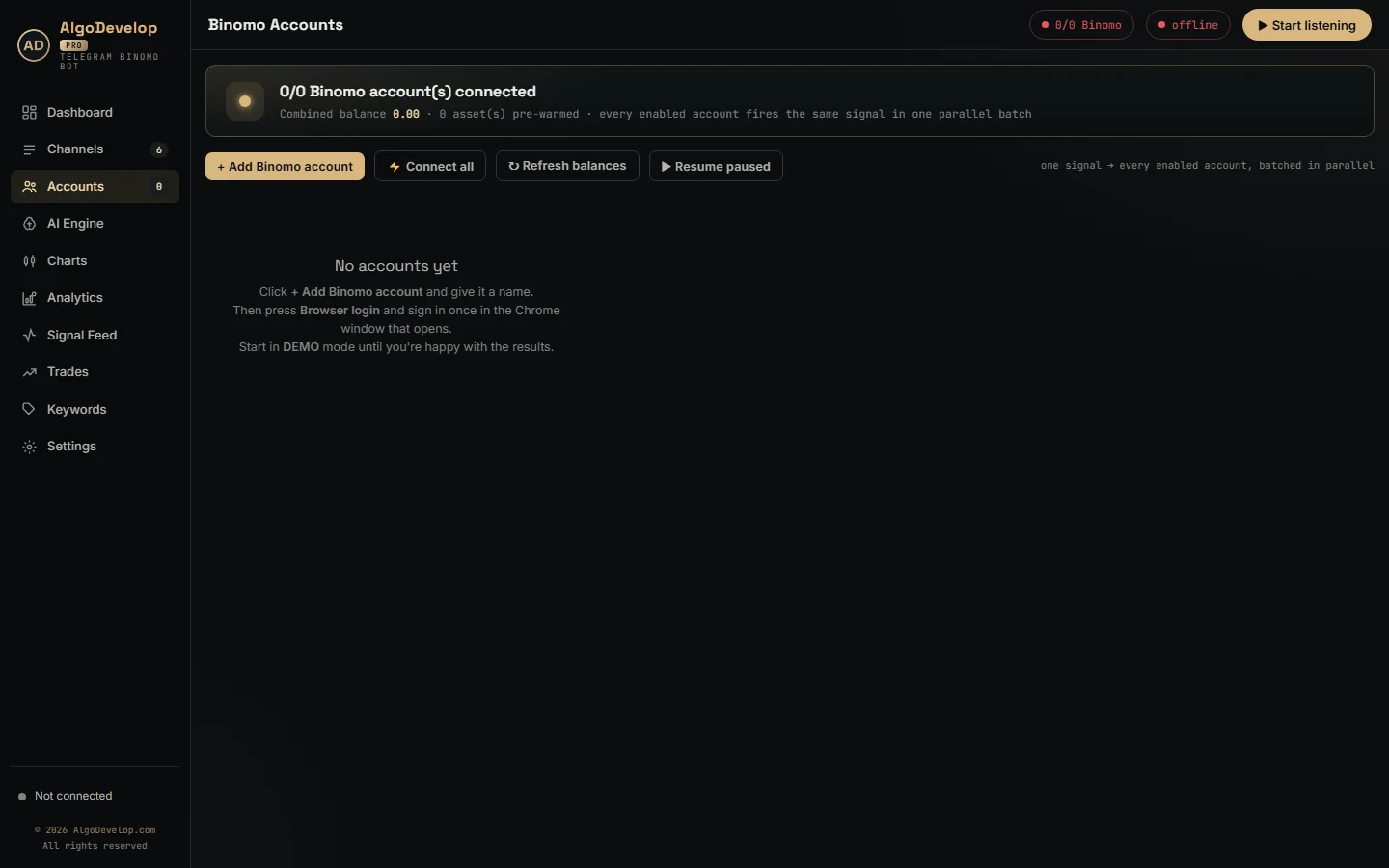
Because each account has its own profile, many Binomo logins stay signed in side by side. A switch on each card takes an account in or out of trading, and its badge flips it between DEMO and REAL. Before any move to real money, the app asks you to confirm.
Reading Binomo signals in any layout
Channels write the same trade in a dozen ways, so the bot reads in three layers, fastest first:
- Learned layouts. The app learns each channel’s format, then reads later posts in that shape locally, with no AI call.
- A template reader. Fixed bot layouts, such as a pair, a clock time, M1 and CALL on separate lines, need no model at all.
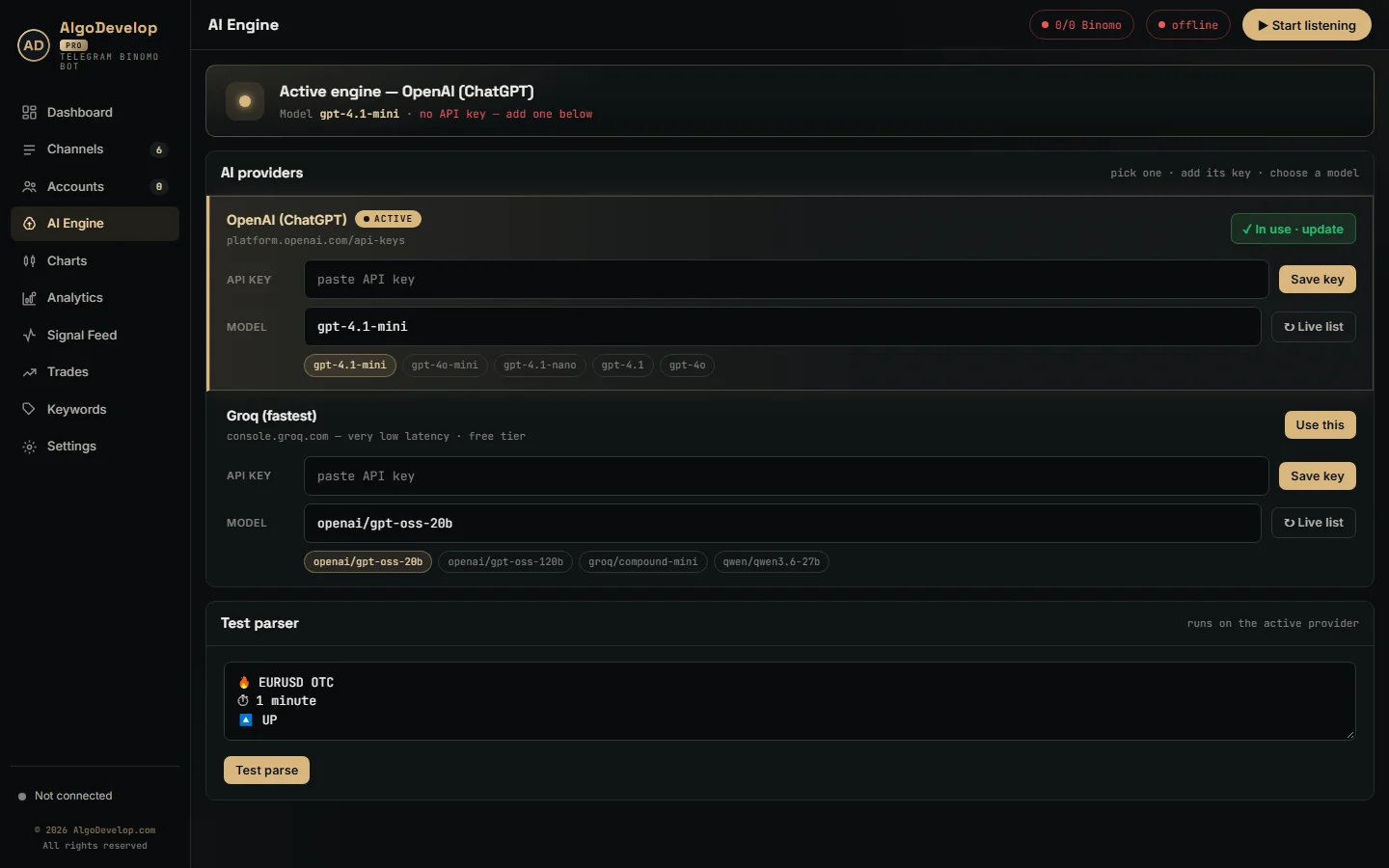
- The AI. Free-form posts go to ChatGPT (OpenAI) or Groq, in any language, emojis included.
It also folds Cyrillic lookalike letters, so a CALL typed with a Russian С still counts. On the Keywords page you can also add your own CALL, PUT and ignore words. A list with one trade per line becomes one signal per line, each with its own time.
Two rules matter on Binomo. First, the app takes the instrument as named: EURUSD means the market pair and EURUSD OTC means the OTC book. If the named one is not open right now, it refuses the signal rather than trade the twin. Second, there is no default expiry. M1, 5 min, 30s or “one minute trade” all work, but the app skips a post with no expiry at all.
Expiry, entry time and the broker’s clock
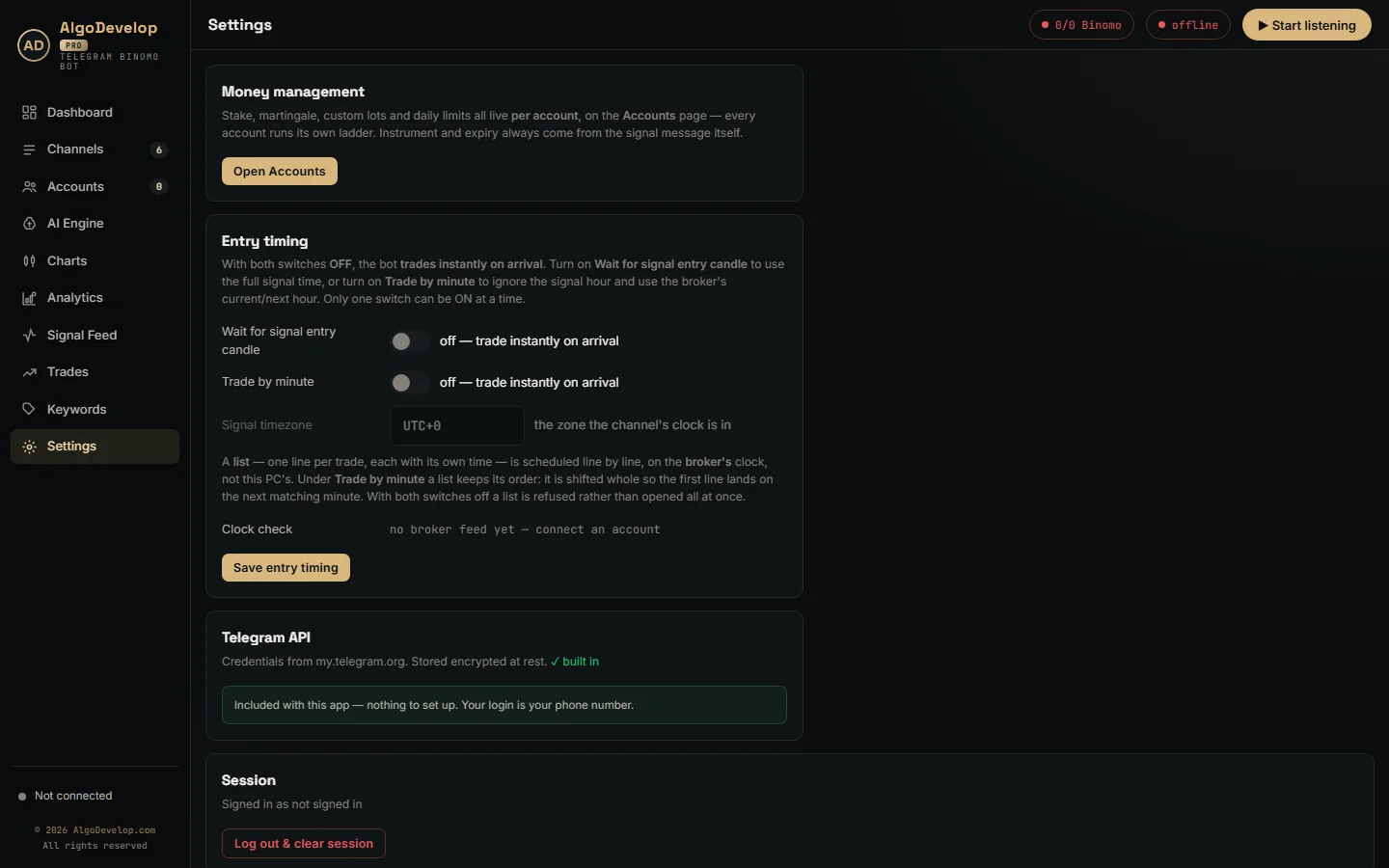
Out of the box, the Telegram to Binomo bot trades the moment a signal arrives. Two switches in Settings change that, and only one can be on at a time:
- Wait for signal entry candle. A post that names 14:35 waits for 14:35 in the channel’s timezone, then enters on that second.
- Trade by minute. The app ignores the hour and enters at the next :35 on the broker’s clock. That suits channels whose timezone you can only guess.
- Signal timezone. Type the channel’s zone, such as UTC+6 or +5:30. A typo gets an error instead of a silent switch to UTC.
All waiting runs on Binomo’s clock, not your PC’s. The clock check in Settings shows the broker’s time, the signal-zone time and how many milliseconds your PC is off. It turns red past two seconds, before drift costs you a candle. A list of trades, however, needs one of the two switches on. With both off, the app refuses the list rather than open every line at once.
Stake, martingale and daily limits per account
The Telegram to Binomo bot has no global stake. Each account carries its own amount, so one signal can open a small trade here and a larger one there. Press Edit on any account to set its rules:
- Martingale on or off. Off means flat staking, so a loss stays a loss.
- Multiply, Increment or Custom lots. Double each step, add a fixed sum, or type your own list such as 1, 2.5, 6, 15.
- Max steps. Up to ten recovery trades, then the ladder resets to the opening stake.
- Next Signal or Next Expiry. Wait for the channel’s next call, or re-open the same pair and direction straight after the loss.
- One trade at a time. Finish a trade before taking the next, so each rung answers the loss before it.
- Daily stop-loss and profit target. This account sits out the rest of the day once its result crosses either line, while the others keep trading.
- Minimum payout. Off by default. When on, this account alone refuses pairs paying under your floor.
The form draws the ladder as you type, with its worst-case total, so you see the exposure before you save. When a stake outgrows the balance, the app sends 95% of the balance instead and logs it.
A plain word on martingale
A ladder wins back losses only as fast as it grows them. Most runs end green, and the rare run that loses every rung pays for all of them, on every account using that ladder. Test on DEMO until you have seen a losing run, keep the steps short and always set a daily stop.
Checking results, latency and win rate
A bot that trades in silence is hard to trust, so the Telegram to Binomo bot shows its work:
- Dashboard. Today’s signal direction, a win and loss donut, a win-rate gauge, the live tape and each account’s state.
- Martingale banner. When a loss arms a recovery, the dashboard names the account that will stake more on the next trade.
- Signal Feed. Every message with its verdict and the reason.
- Trades. Binomo’s own record, one tab per account, with filters for wins, losses and draws.
- Analytics. A 7-day profit curve, top assets, top channels, account results and profit by recovery step.
- Latency. Each card shows its last order time in milliseconds. Test trade places one EURUSD OTC trade at that account’s stake, so run it on DEMO.
Every feature in the Telegram to Binomo bot
| Feature | What it does |
|---|---|
| Any Telegram chat | Channels, groups and bots your own account can see, each with its own switch. |
| Fresh signals only | No history replay; messages older than 90 seconds never trade. |
| Three ways to read | Learned layouts, a template reader, then ChatGPT or Groq for anything new. |
| Any language | Emojis, mixed languages and Cyrillic lookalike letters included. |
| Lists of trades | One line per trade, each line scheduled on its own. |
| Expiry from the message | M1, 5 min, 30s, H1 and similar; no expiry means no trade. |
| Exact instrument | Market pair or OTC book as named, never swapped for its twin. |
| Entry timing | Instant, wait for the entry candle, or trade by minute, with a timezone setting. |
| Broker clock | Timed entries wait on Binomo’s clock, with a clock check in Settings. |
| Browser login | A Chrome window per account; the app keeps the session, not a password. |
| Many accounts | One signal fires on every enabled account in one parallel batch. |
| Money rules per account | Stake, martingale by multiply, increment or custom lots, up to ten steps. |
| Recovery timing | Next Signal or Next Expiry, plus a one-trade-at-a-time switch. |
| Daily stop and target | Pauses one account for the day; the others keep trading. |
| Minimum payout | Per account, off by default, with the reason in the log. |
| Pre-warmed pairs | Common OTC pairs warm up at connect, and traded pairs join them. |
| Self-healing link | Reconnects by itself and shows the reason on the account card. |
| Results | Binomo’s own history per account, win rate, 7-day profit and profit by step. |
| Pair chart | A candle snapshot at 1m, 5m, 15m or 1h. |
Setting up the Telegram to Binomo bot
- Install the app on Windows, with Google Chrome on the same machine.
- Sign in to Telegram with your phone number and the code Telegram sends you.
- Switch on your signal channels, then run one real post through the AI test box.
- Add a Binomo account by name, press Browser login and sign in once.
- Set its stake, martingale and daily limits, and leave it on DEMO.
- Press Start listening and read the Signal Feed for a week before anything goes to REAL.
It runs on your own Windows PC or a VPS. We can also do the setup with you remotely: ask for a quote for that help.
Binomo, or another broker?
The same Telegram engine also runs these tools:
- Quotex: the Telegram to Quotex bot.
- Pocket Option: the Telegram to Pocket Option bot.
- IQ Option: the Telegram to IQ Option bot.
- Olymp Trade: the Telegram to Olymp Trade bot.
- ExpertOption: the Telegram to ExpertOption bot.
Our Binomo platform page covers custom Binomo work. If you want a bot that trades its own strategy, read about binary options bot development. Forex traders want the Telegram to MT4/MT5 copier instead, and the copy trading hub lists every tool. Binomo’s official site is binomo.com.
Telegram to Binomo bot – frequently asked questions
Does it need my Binomo password?
No. The account form asks for a name only. You sign in yourself in the Chrome window the app opens, and the app keeps the session from that window, never a password.
Can it copy signals from a private Telegram channel?
Yes. Public or private, channel, group or bot: if your own Telegram account can read it, the Telegram to Binomo bot can read it too.
Can I start on a demo account?
Yes, and you should. New accounts start in DEMO mode. Leave the bot on a live channel for a week, read the results per channel, then decide about REAL.
What happens when a signal has no expiry?
The bot skips it and logs “no expiry in the message”. It never guesses one, because a guessed expiry is a trade the channel never called.
Does it trade OTC pairs at the weekend?
Yes, when the post names the OTC pair, such as EURUSD OTC. A plain EURUSD means the market pair, so on a weekend the bot refuses it and logs that the market is not open.
Does it support martingale?
Yes, per account: multiply, increment or your own list, up to ten steps, on the next signal or the next expiry. Cap the steps and set a daily stop-loss, because a losing run longer than the ladder is what empties binary accounts.
How fast does it place a trade?
We do not promise a number. Each account card shows its last order time in milliseconds. The log also splits that time into feed warm-up and broker round trip, so you can measure it on your own connection.
Do I need a VPS?
Only if you want it trading while your PC is off. A Windows VPS with Google Chrome and outbound HTTPS is enough.
Is binary options trading legal where I live?
That depends on your country. Several regulators restrict or ban binary options for retail traders, and platform availability varies. Readers in India should check RBI and SEBI rules first. We sell software and setup help; we give no investment advice and sell no signals.
How much does a Telegram to Binomo bot cost?
It depends on what you need: how many accounts, which channels and how much setup help. Tell us and we will quote it plainly: ask for a quote.