Binomo
Binomo automation comes in two forms here. The first is a ready-made bot that trades the calls from your Telegram channels. The second is custom software built around rules of your own.
Both run on your own Windows PC or VPS, signed in to your own account. We never hold your login, and we sell no signals. So every trade still answers to the limits you set.
On this page
- The ready-made Binomo bot for Telegram signals
- How a bot reaches your Binomo account
- Custom Binomo work beyond the bot
- Expiry, entry time and the broker’s clock
- Stake, martingale and daily limits
- Getting started, step by step
- Availability, regulation and risk
- Another binary platform?
- Frequently asked questions
The ready-made Binomo bot for Telegram signals
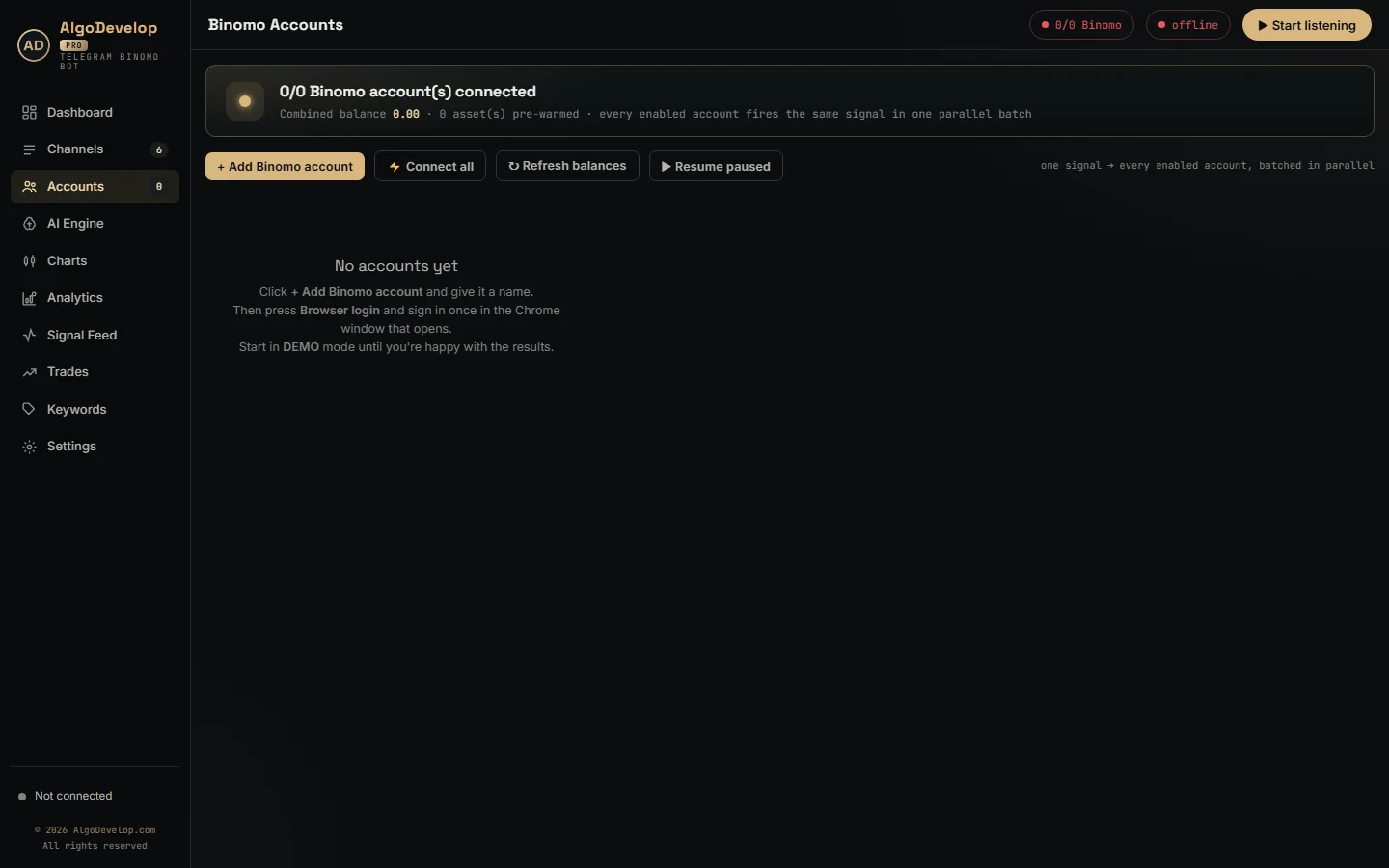
Most traders who ask about automation want one job done: the calls from a Telegram channel placed for them, on time. That job already has a finished tool, the Telegram to Binomo bot.
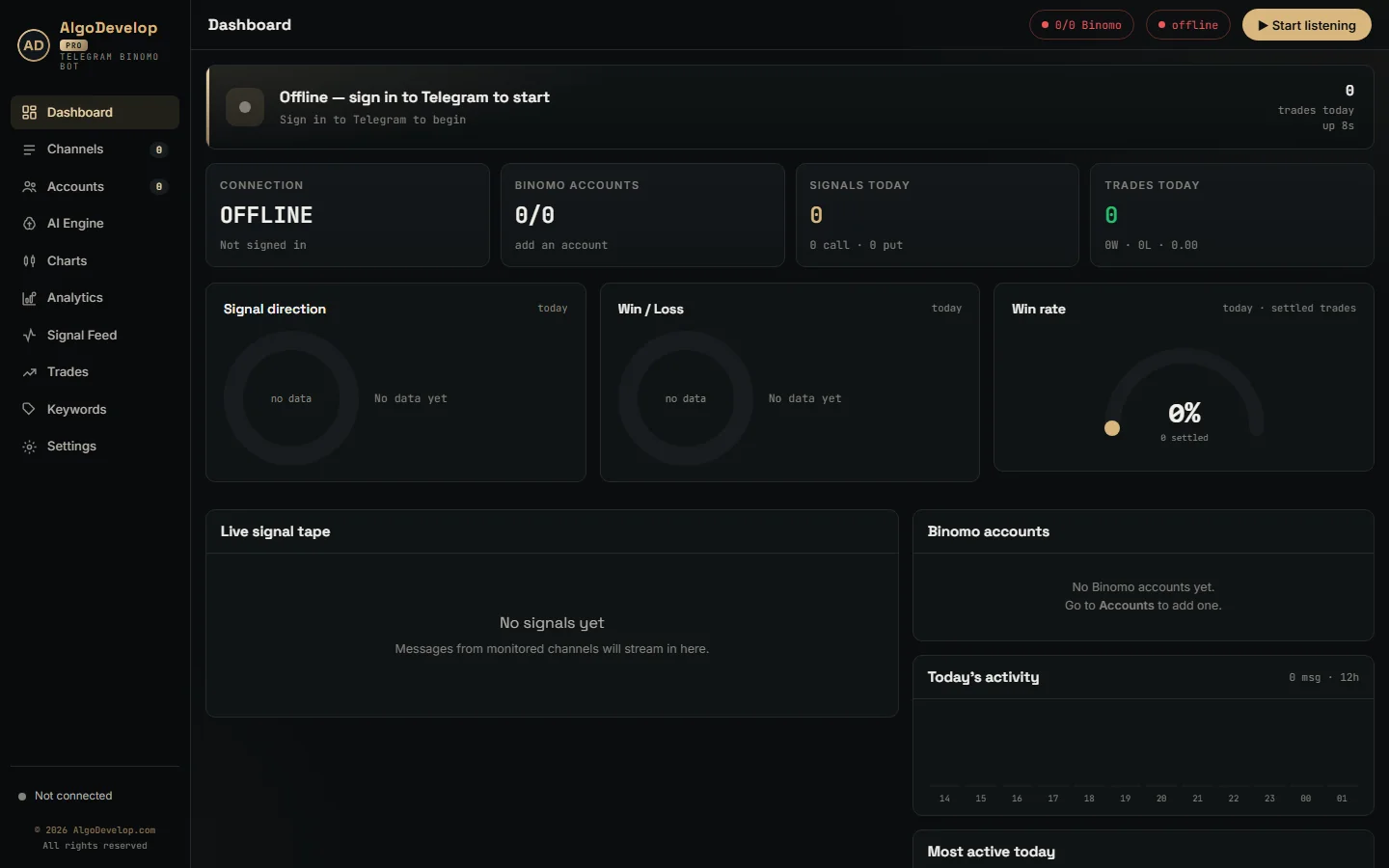
It reads the channels, groups and bots your Telegram account can see. When a post names a pair, a direction and an expiry, the bot places that CALL or PUT on every account you switched on. Each account keeps its own stake and limits, and new accounts start on DEMO.
It also knows what to skip. Old posts never replay, and a message older than 90 seconds never trades. The bot refuses a post with no expiry rather than guess one, and the log gives the reason for every skip.
How a bot reaches your Binomo account
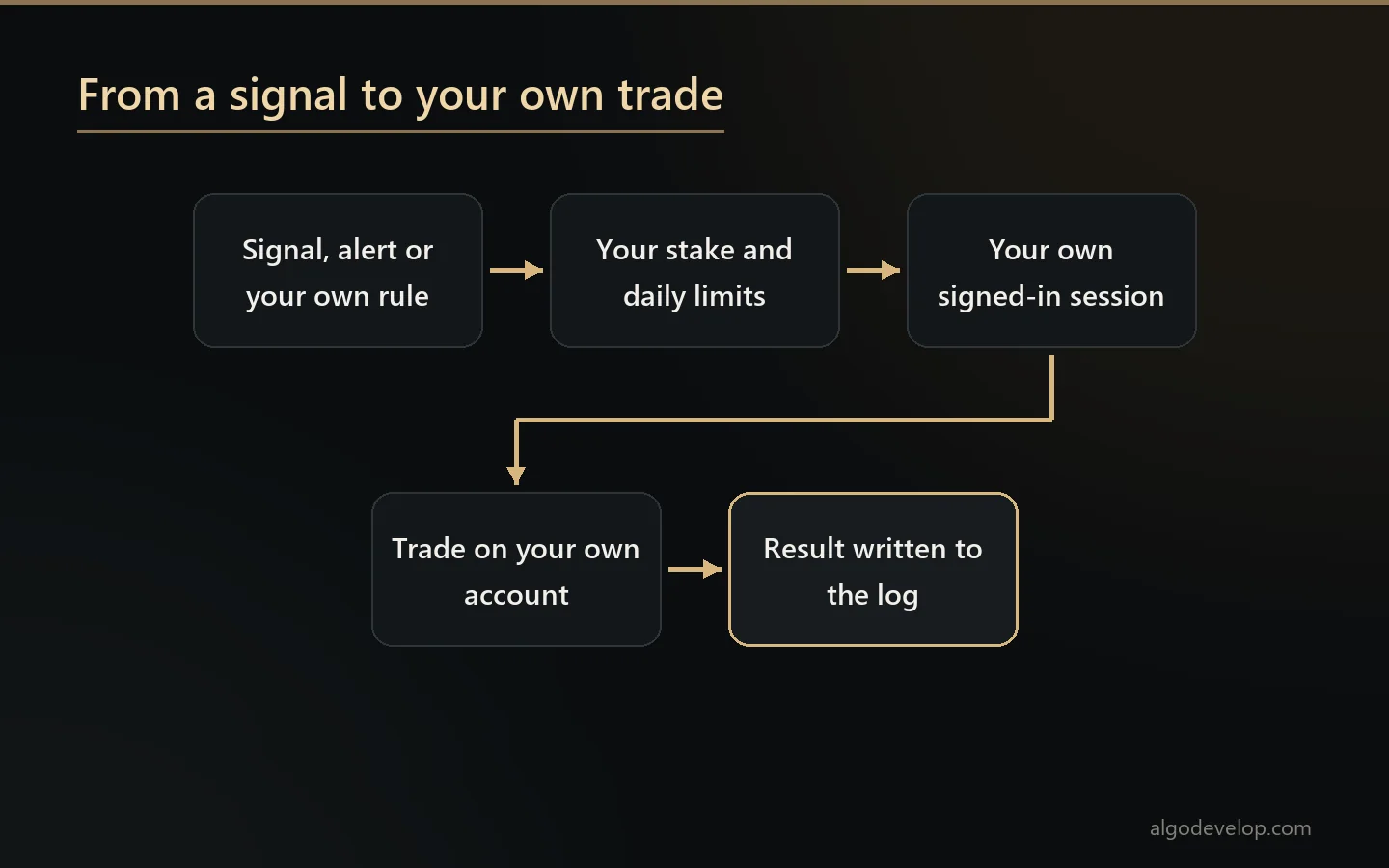
As far as its own site shows, the broker publishes no trading API for its clients. So there is no official key to paste into a bot. Instead, any automation has to work through the same web session you use in a browser.
The ready-made bot does just that, and it never asks for your password. When you press Browser login, Chrome opens on a profile kept for that one account. You sign in yourself and clear any check there. Then the app saves the session it needs, a login token and a device id, on your own PC.
Orders then leave through that signed-in page, so each one carries the browser’s own cookies and headers. Every six hours the app reloads the page to keep the login alive. Because each account has its own Chrome profile, many accounts stay signed in side by side.
There is one honest catch. Software built on a web session depends on how the broker’s site works today. If that site changes, a bot may need an update before it trades again. This is true of our tool and of anything custom we build.
Custom Binomo work beyond the bot
The ready-made bot follows a channel. Yet some traders want something it does not do, and that is where custom work starts. For example, a custom build can be:
- A strategy bot. It trades your own rules, such as a candle pattern, a streak or a time window, instead of a channel’s calls.
- An indicator bridge. Your MetaTrader or TradingView indicator fires an alert, and then the bot places the matching trade.
- A session plan. Fixed times and fixed assets, for a routine built around one market session.
- Extra guards. Limits the stock bot lacks, such as a cap on trades per day or a stake for each channel.
- Your own reports. Results laid out the way you review them, per channel, per asset or per hour.
Each of these goes through your own signed-in session, like the ready-made bot. So we check what your idea needs before we quote, and we say plainly when something cannot work. Our page on binary options bot development covers the wider picture.
Expiry, entry time and the broker’s clock
Binary trades live or die on timing. A one-minute call that goes in thirty seconds late is a different trade. That is why the ready-made bot reads the expiry from the post itself, such as M1, 5 min or 30s, and never invents one.
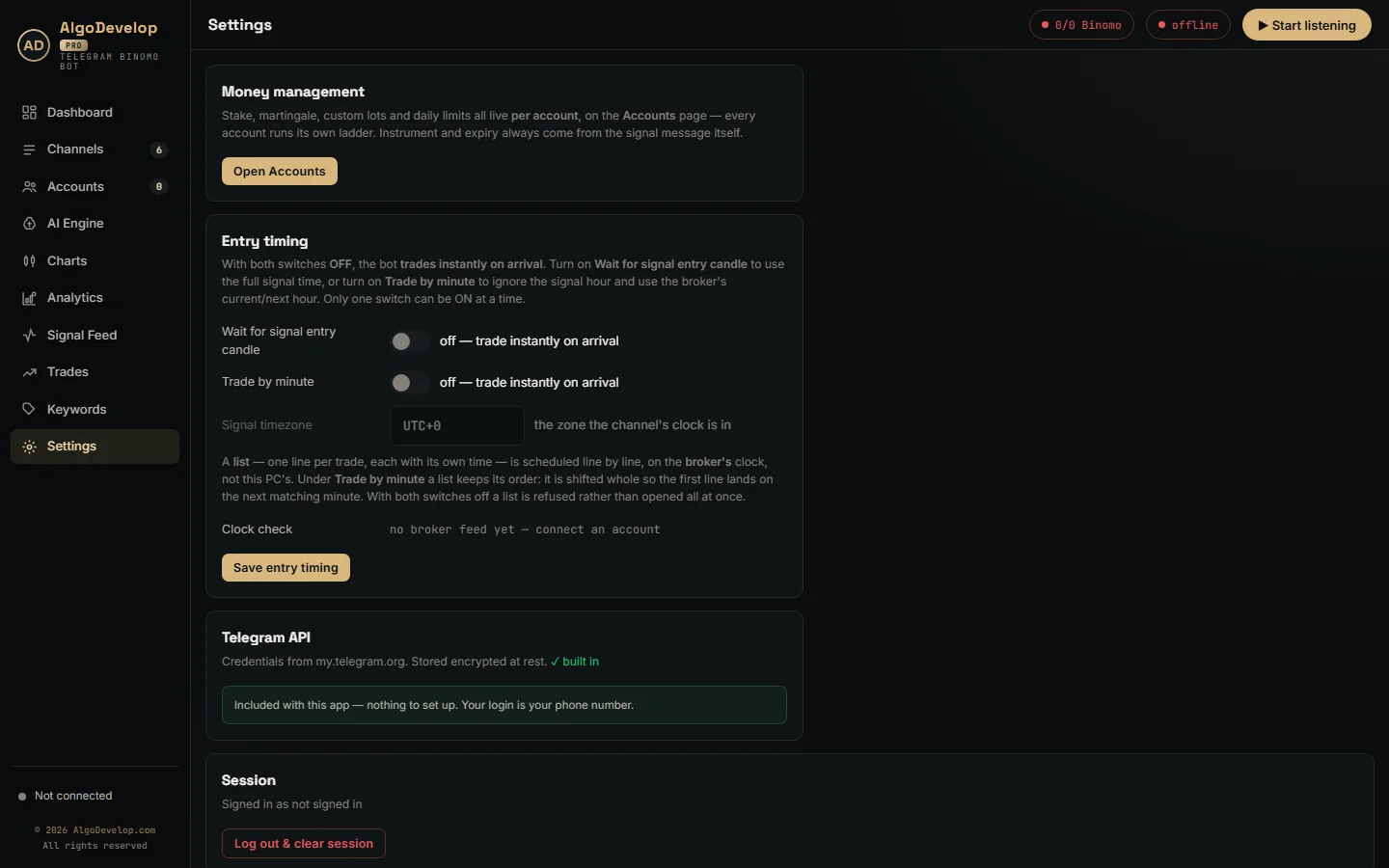
By default it enters the moment a call arrives. Two switches change that, and only one can be on at a time:
- Wait for signal entry candle holds the trade until the time the post names, in the channel’s timezone.
- Trade by minute ignores the hour and enters at the next matching minute on the broker’s clock.
All waiting runs on the broker’s clock, not your PC’s. A clock check in Settings shows how far your PC sits from it, before drift costs you a candle. It also takes the pair as named, so EURUSD and EURUSD OTC never swap.
Stake, martingale and daily limits
The channel picks the direction, but you pick the money. In the ready-made bot, every account carries its own stake. One signal can therefore open a small trade on one account and a larger one on another.
- Martingale on or off. Off means flat staking, so a loss stays a loss.
- Ladder type. Multiply, add a fixed step, or type your own list of stakes.
- Max steps. Up to ten recovery trades, then the ladder resets.
- Daily stop-loss and profit target. Either one benches that account for the rest of the day.
- Minimum payout. Off by default; once on, the account refuses thin payouts.
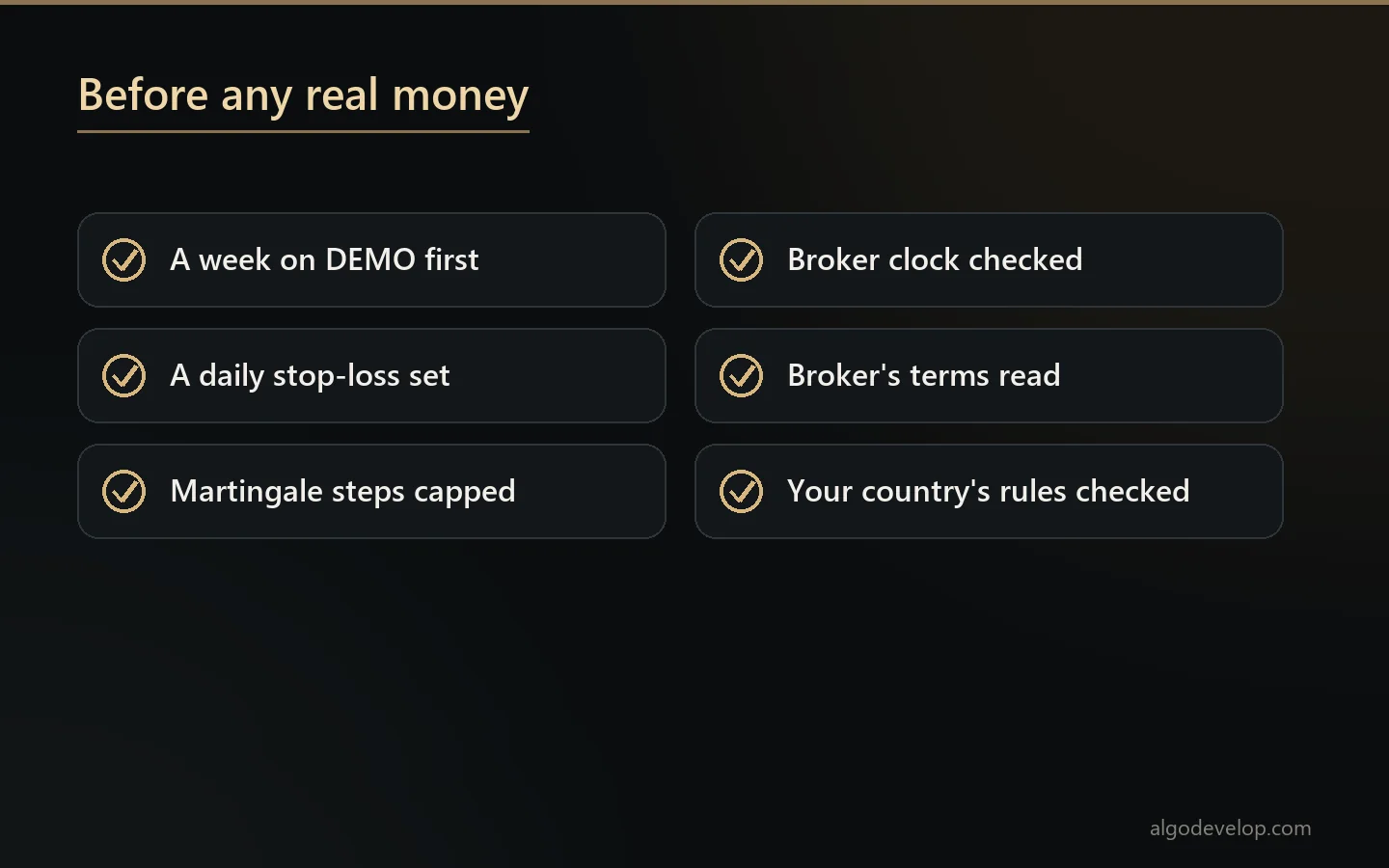
A word on martingale, said plainly. A ladder wins back small losses often and takes one large loss rarely. Still, that rare loss can wipe out many small wins. So test on DEMO until you have seen a losing run, and always set a daily stop.
Getting started, step by step
- Pick the route. If a Telegram channel drives your trades, start with the ready-made bot. If your own rules do, describe them to us.
- Install on Windows. The app needs Google Chrome on the same PC or VPS.
- Sign in twice. First Telegram, with your phone and the code it sends. After that, the broker, in the Chrome window the app opens.
- Set the money rules. Stake, ladder, daily stop and payout floor, for each account.
- Stay on DEMO. Watch a week of signals, orders and results before anything goes to REAL.
Custom projects end with that same demo step, run together with you. To start either route, ask for a quote.
Availability, regulation and risk
Binary options are not open to everyone. Several regulators restrict or ban them for retail traders, and the platform’s availability varies by country. Readers in India should check RBI and SEBI rules before trading at all.
We build and set up software. We are not advisers, we sell no signals, and no bot of ours promises a result. Also read the broker’s own terms on automated trading before you start, because those rules are the broker’s to enforce.
Another binary platform?
The same Telegram engine runs a separate bot for each of these brokers:
- Quotex: the Telegram to Quotex bot.
- Pocket Option: the Telegram to Pocket Option bot.
- IQ Option: the Telegram to IQ Option bot.
- Olymp Trade: the Telegram to Olymp Trade bot.
- ExpertOption: the Telegram to ExpertOption bot.
Our platforms page compares the wider choices, and the copy trading hub lists every ready-made tool. The broker’s official site is binomo.com.
Binomo automation – frequently asked questions
Is there a ready-made Binomo bot?
Yes. The Telegram to Binomo bot places the CALL and PUT calls from your Telegram channels on your own accounts. Custom work is for anything it does not cover.
Does Binomo offer an official trading API?
Not one we could find on its site. So automation works through your own signed-in web session, and a change to the broker’s site can mean an update.
Does the bot need my password?
No. You sign in yourself in a Chrome window the app opens. The app then keeps the session on your PC, never a password.
Can you build a bot for my own strategy?
Often, yes. Tell us the rules: the pattern, the expiry, the stake and the limits. We check what it needs first, then quote it plainly.
Can my TradingView or MetaTrader alerts trade on Binomo?
That is custom work, an indicator bridge from your alert to your account. We look at your indicator and its alerts before we say yes.
Can I run several accounts at once?
The ready-made bot places one signal on every enabled account in one batch. Each account keeps its own Chrome profile, stake and limits.
Can I test everything on a demo account?
You should. Keep each account on DEMO for at least a week, then read the results per channel before any real money goes in.
Do I need a VPS?
Only if it must trade while your PC is off. A Windows VPS with Google Chrome and outbound HTTPS is enough.
Is binary options trading legal where I live?
That depends on your country. Several regulators restrict or ban binary options for retail traders, and platform availability varies. Readers in India should check RBI and SEBI rules first. We sell software and setup help; we give no investment advice and sell no signals.
How much does Binomo automation cost?
It depends on the route: the ready-made bot with setup help, or a custom build. Tell us what you need and we will quote it plainly: ask for a quote.