IQ Option
IQ Option automation covers two kinds of job. One is following a Telegram signal channel, and for that we ship a ready-made bot. The other is trading your own logic, such as a strategy bot or an MT-to-IQ Option connector, and that we build to order.
Both kinds run on your own Windows PC or VPS, on your own account. Your password never enters the software, and no trade passes through our servers.
On this page
The ready-made IQ Option bot for Telegram calls
Signal channels post short calls: a pair, a direction and an expiry. Taking them by hand means watching Telegram all day and racing to the platform each time. The Telegram to IQ Option bot does that racing for you.
It reads the channels, groups and bots your Telegram account can see. Then it picks out each call and books it at your own stake, on every account you switched on. A call such as EUR/JPY CALL 1 minute becomes a real one-minute CALL within moments.
Every decision lands in a feed with its reason, and every trade records its latency and result. So you can check the bot’s work instead of trusting it blind.
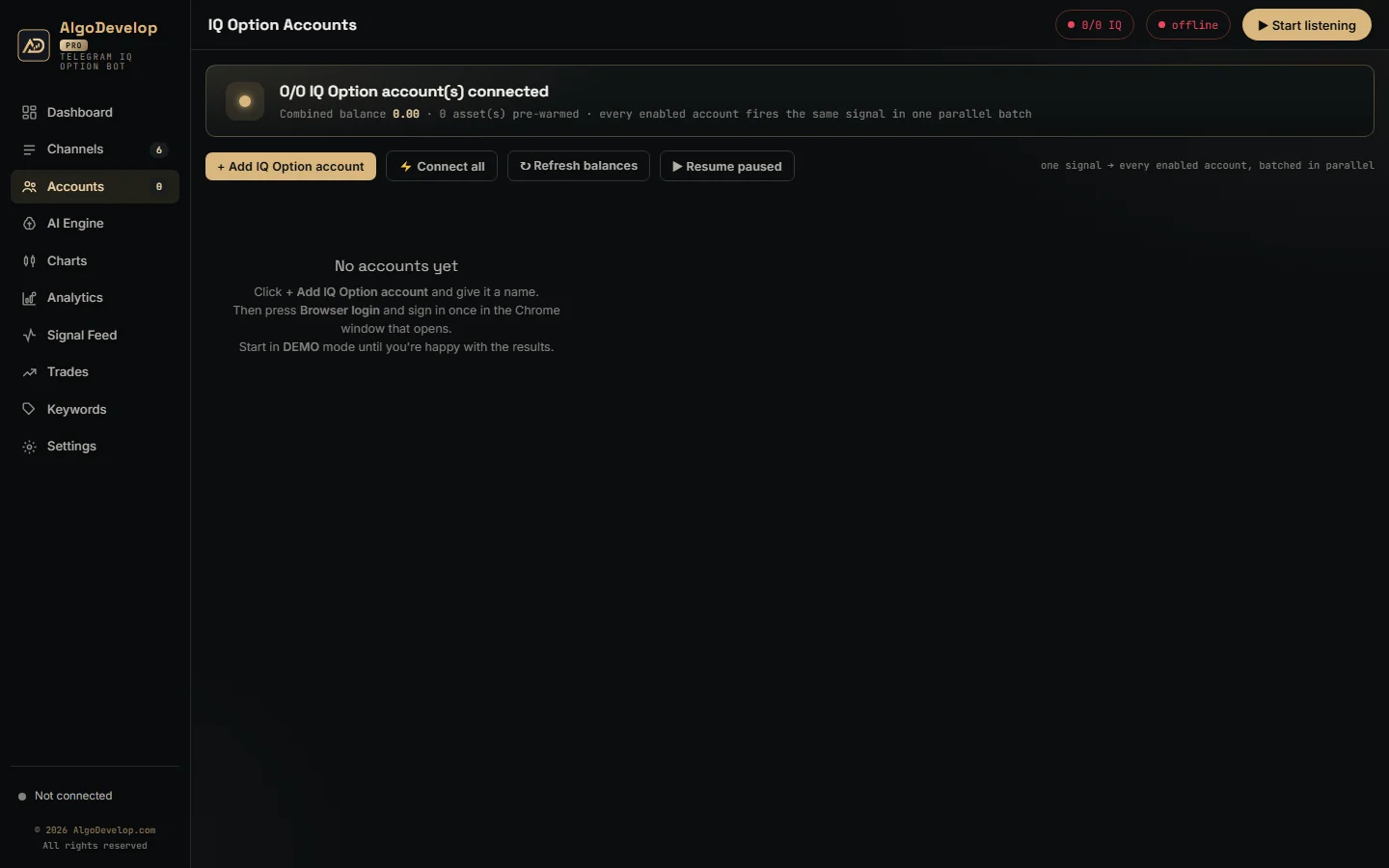
One session, two balances
The broker guards its login against scripts, so the bot never scripts one. When you press Browser login, Chrome opens the site on a profile kept for that account. You sign in there yourself, and the app reads the session cookie the site sets.
That one session covers both your practice and your real balance. The app reads your balance list when it connects, and then it puts the right balance on each order. Switching an account between DEMO and REAL therefore costs nothing and reconnects nothing.
The app also watches the link. The broker sends a heartbeat, and the app answers it. If the line goes quiet for about 30 seconds, the app reconnects at once and backs off up to 15 seconds between tries. Meanwhile, trades wait for the link rather than fail.
The minute grid, handled for you
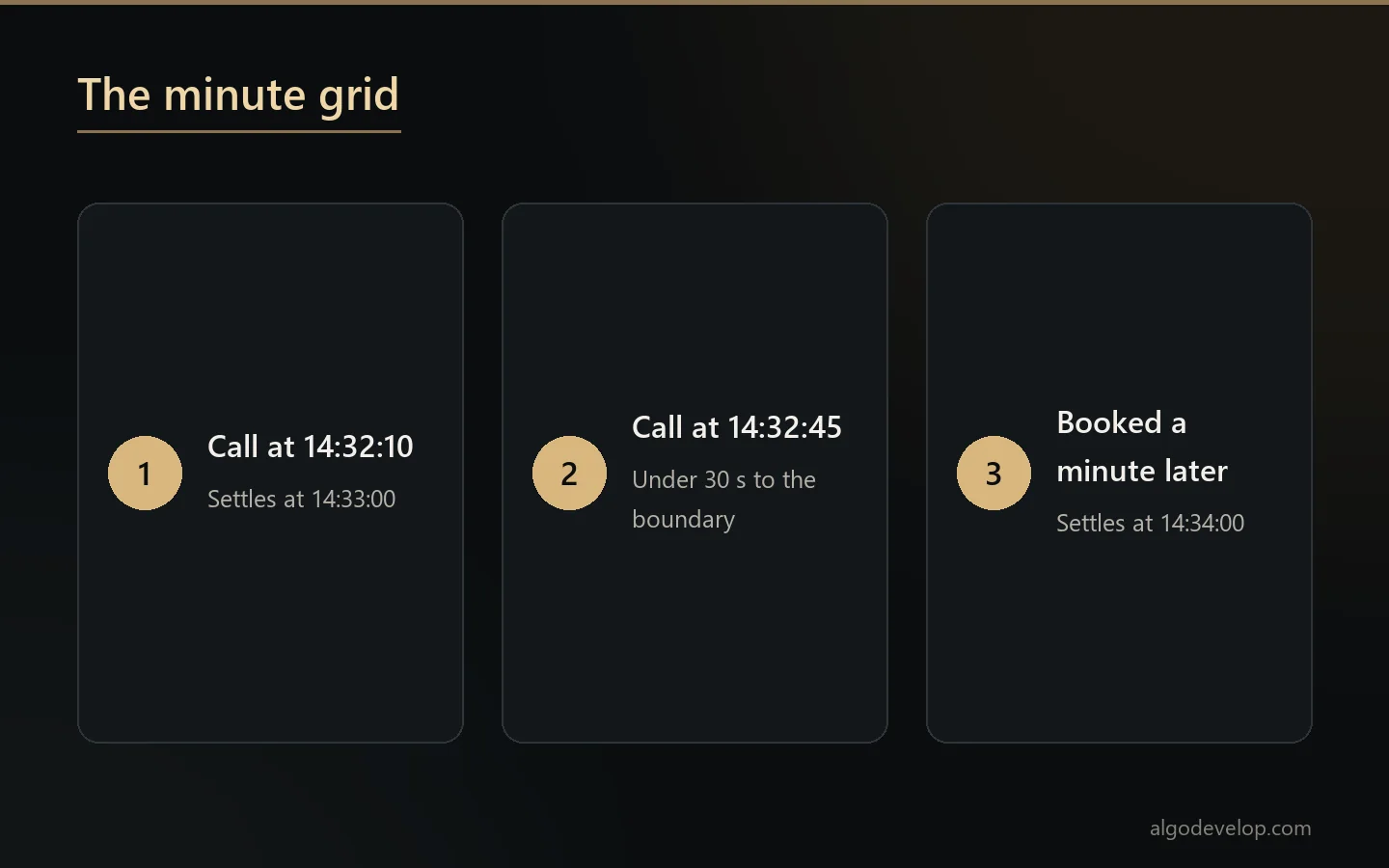
Here is a rule that trips up many home-made bots. Short options on this platform settle on minute boundaries, not on the second you buy. A one-minute option bought at 14:32:10 settles at 14:33:00.
The platform also stops selling an option shortly before its boundary. So inside the last 30 seconds, the bot books the following minute, as the platform’s own client does. A call at 14:32:45 therefore settles at 14:34:00. A trade one candle later is still a trade, whereas a refused one simply never happens.
More than currency pairs
The platform lists far more than forex, so the bot’s instrument map does too. Next to the majors, minors and weekend OTC pairs, it covers crypto such as BTCUSD and ETHUSD. It also covers gold, silver and oil, indices such as SP500 and GER30, and stocks such as AAPL and TSLA.
Matching stays strict. EURUSD means the market pair, and the OTC book trades only when the post says OTC. If the platform does not offer the instrument, or its market is not open, the call does not trade and the feed names the reason.
Strategy bots and MT-to-IQ Option connectors
Custom work begins where a channel stops being the source. A custom build can be one of these:
- Strategy bots. Your own rules decide each trade, such as a candle pattern, a streak or a time window.
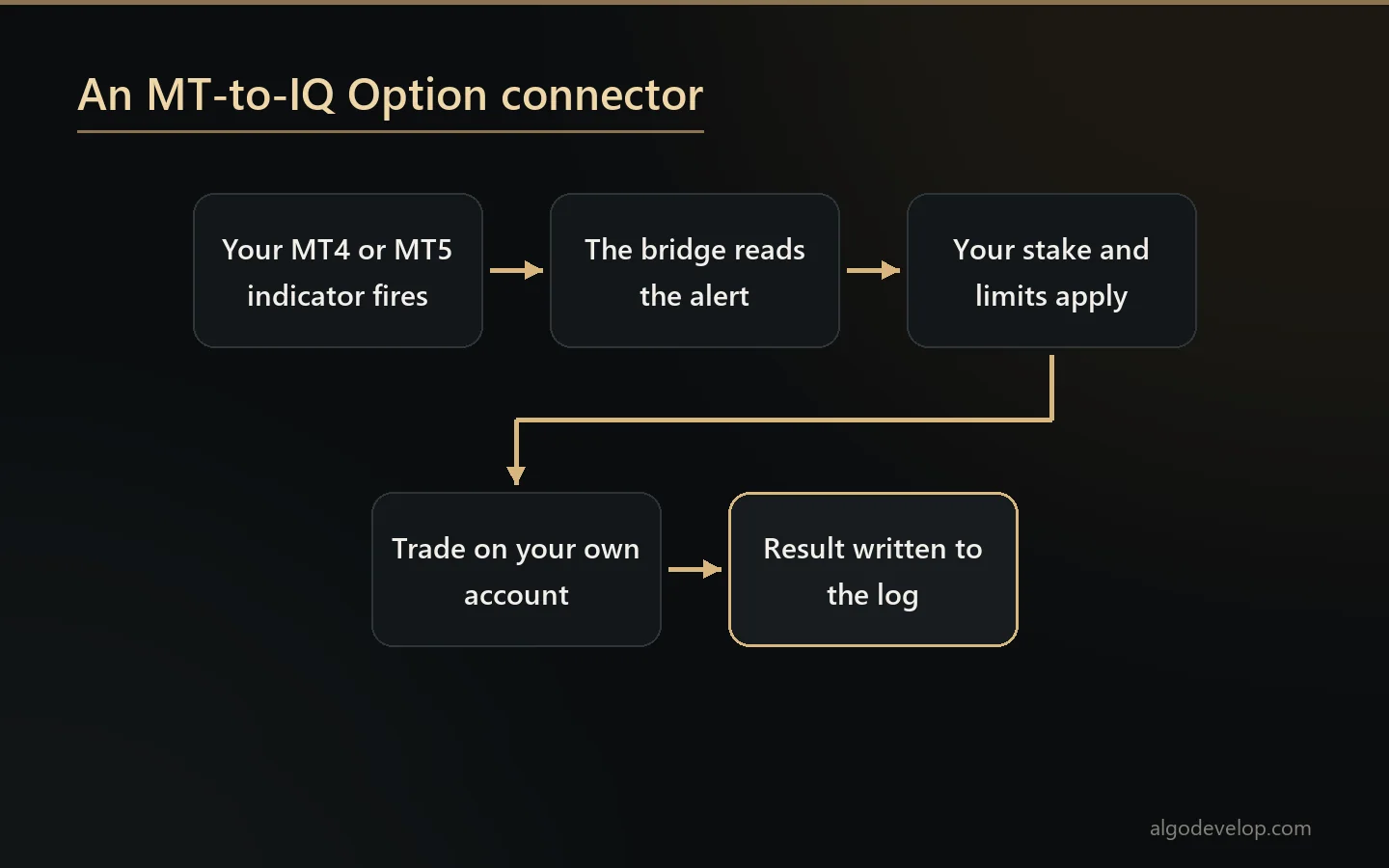
- MT-to-IQ Option connectors. An indicator on your MetaTrader 4 or 5 chart fires, and a matching trade goes to your account.
- TradingView bridges. Similarly, an alert from your TradingView chart becomes a trade.
- Extra rules. Caps the stock bot does not have, such as a limit on trades per day or a stake per source.
There is no public trading API on the broker’s site, as far as we could find. Custom builds therefore work through your signed-in session, just like the ready-made bot. That also means a change on the broker’s side can call for an update, and we say so before you order. For the wider service, read about binary options bot development.
Money rules and martingale
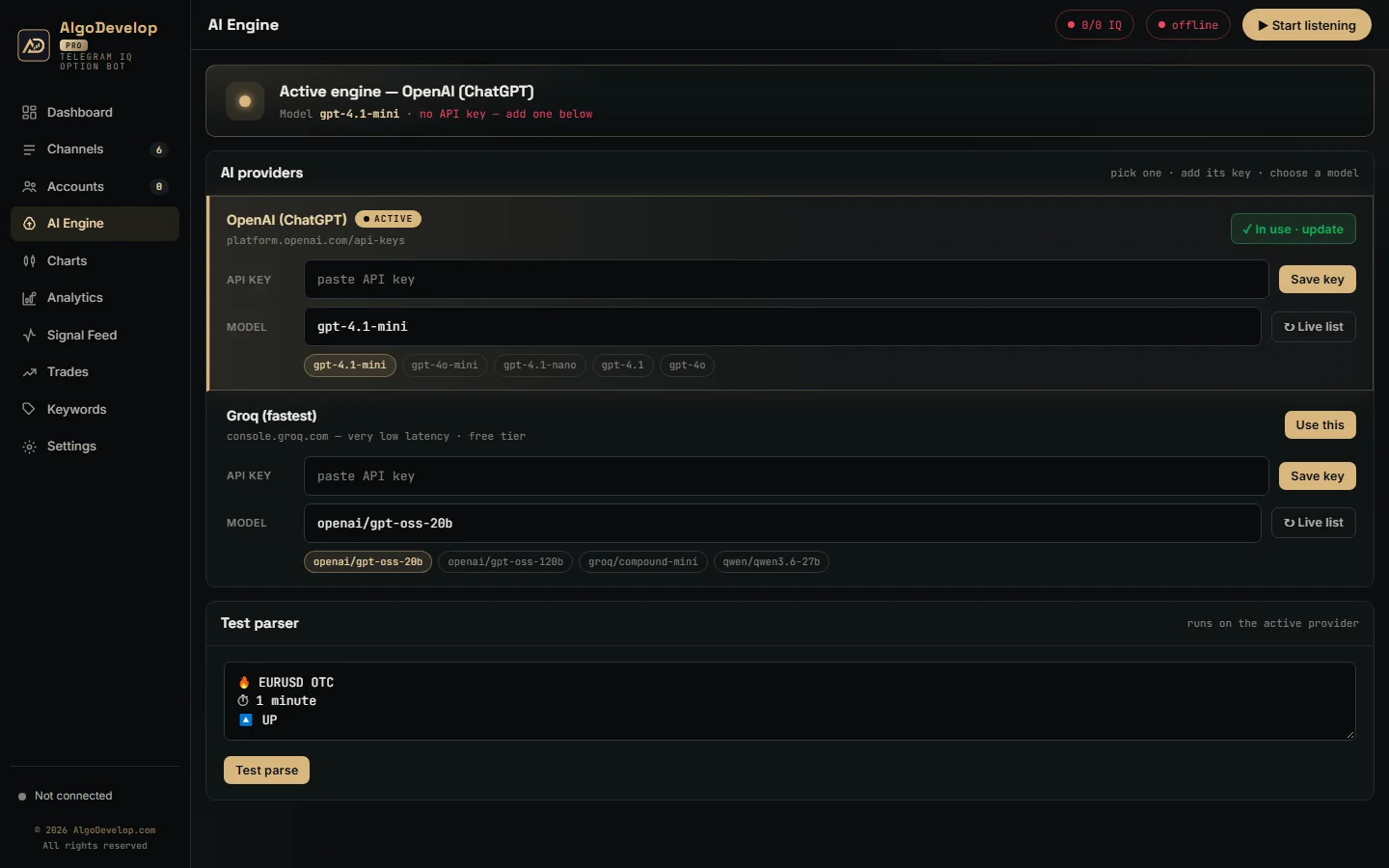
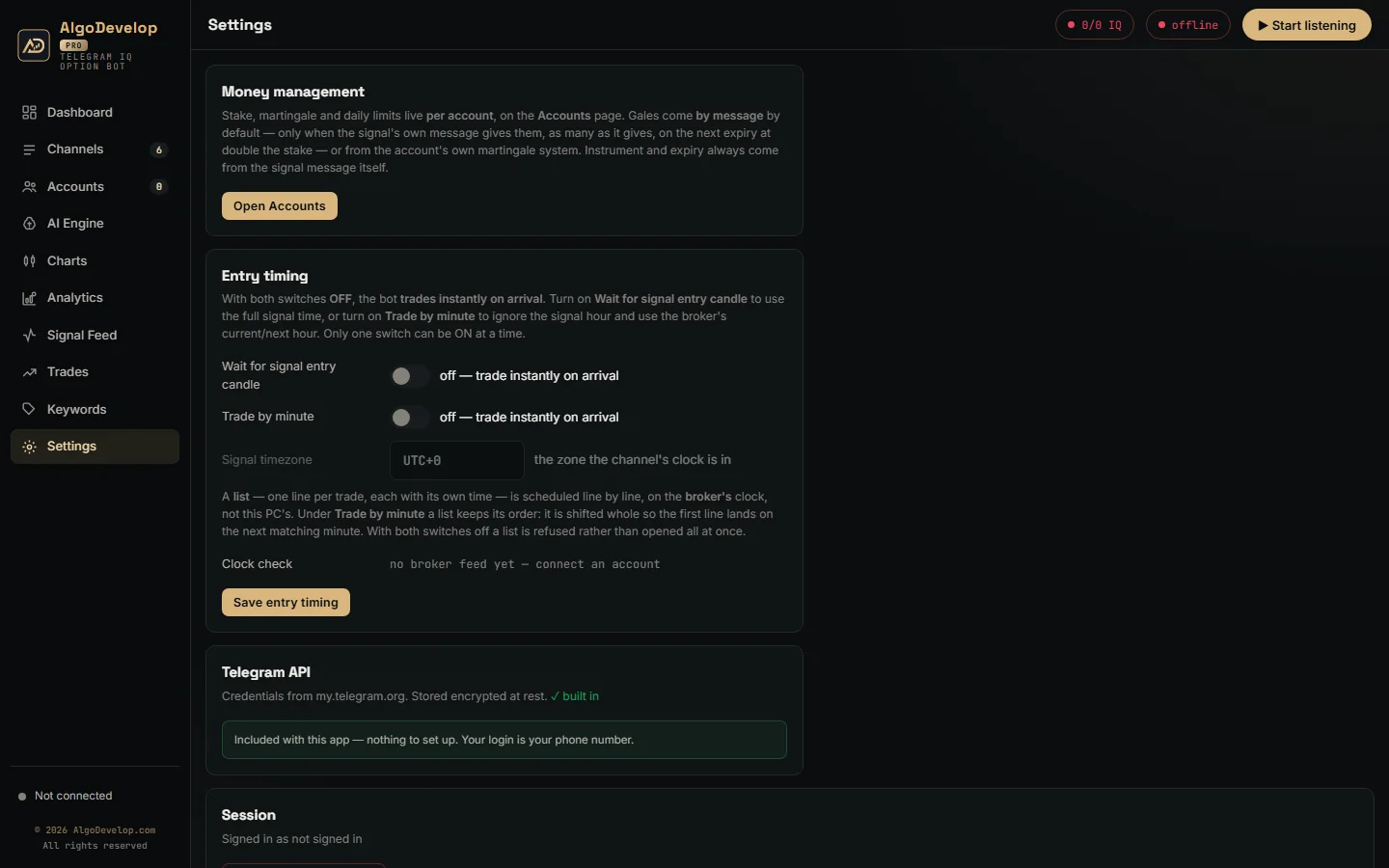
The ready-made bot keeps no global stake. Instead, every account has its own amount, daily stop-loss, profit target and optional payout floor. Gales follow one of two modes, which you pick per account under Gales from. The default, By message, places them only when the signal gives them, such as “1º GALE” and “2º GALE” lines. Each goes on the next expiry at double the stake.
My own system runs the account’s own ladder instead: Multiply, Increment or Custom lots, up to the max steps you set. With Next Expiry, it re-opens the same instrument, direction and expiry the moment a trade loses. With Next Signal, it waits and stakes the recovery on the channel’s next call. An optional One trade at a time switch makes each rung answer the loss before it. Either way, the daily stop still ends the day.
Be honest with yourself about martingale. Gales recover losses no faster than they grow them, so one long losing run can wipe out many small wins. Set a daily stop and test on DEMO first. None of this is investment advice.
Setting it up
- Install the app on a Windows PC or VPS that has Google Chrome.
- Sign in to Telegram with your phone number and the code it sends.
- Switch on the channels whose calls you want traded.
- Add each account, press Browser login and sign in once.
- Set the money rules, then watch one full cycle on DEMO: signal, order and result, plus a gale if one follows.
We can run that first cycle with you remotely, on your own demo balance. To start, ask for a quote.
Availability and regulation
Binary and digital options are not open to everyone. Several regulators restrict or ban them for retail traders, and what the platform offers varies by country. Readers in India should check RBI and SEBI rules before trading.
We make and set up software. We are not advisers, we do not sell signals, and we make no promise about results. Before you automate, also read the broker’s own terms on automated trading.
Other brokers
- Quotex: the Telegram to Quotex bot.
- Pocket Option: the Telegram to Pocket Option bot.
- Binomo: the Telegram to Binomo bot.
- Olymp Trade: the Telegram to Olymp Trade bot.
- ExpertOption: the Telegram to ExpertOption bot.
For forex accounts on MetaTrader, the Telegram to MT4/MT5 copier fits better. The platforms page compares every platform we automate, and the broker’s own site is iqoption.com.
IQ Option automation – frequently asked questions
Is there a ready-made IQ Option bot?
Yes. The Telegram to IQ Option bot trades the calls from your Telegram channels on your own accounts. Anything else is a custom build.
Does the bot need my IQ Option password?
No. You sign in yourself in a Chrome window, and the app reads the session from it. The account form asks only for a name.
Why did a trade settle a minute later than the call said?
Short options settle on minute boundaries, and the platform stops selling shortly before each one. Inside the last 30 seconds, the bot books the next minute rather than lose the trade.
Can you connect my MetaTrader indicator to IQ Option?
That is a custom MT-to-IQ Option connector. We look at the indicator and its signals first, then quote the build.
Can it trade crypto, gold or stock calls?
When the platform offers that instrument and its market is open. Otherwise the call does not trade, and the feed names the reason.
How does it switch between demo and real?
One session covers both balances. The app puts the right balance on each order, so switching costs nothing.
Do I need a VPS?
Only if it must trade while your PC is off. A Windows VPS with Google Chrome and outbound HTTPS is enough.
Is binary options trading legal where I live?
That depends on your country. Several regulators restrict or ban binary options for retail traders, and platform availability varies. Indian readers should check the RBI and SEBI rules. We sell the software; we do not give investment advice and we do not sell signals.
How much does IQ Option automation cost?
It depends on the route: the ready-made bot with setup help, or a custom build such as a connector. Tell us what you need and we will quote it plainly: ask for a quote.