MatchTrader
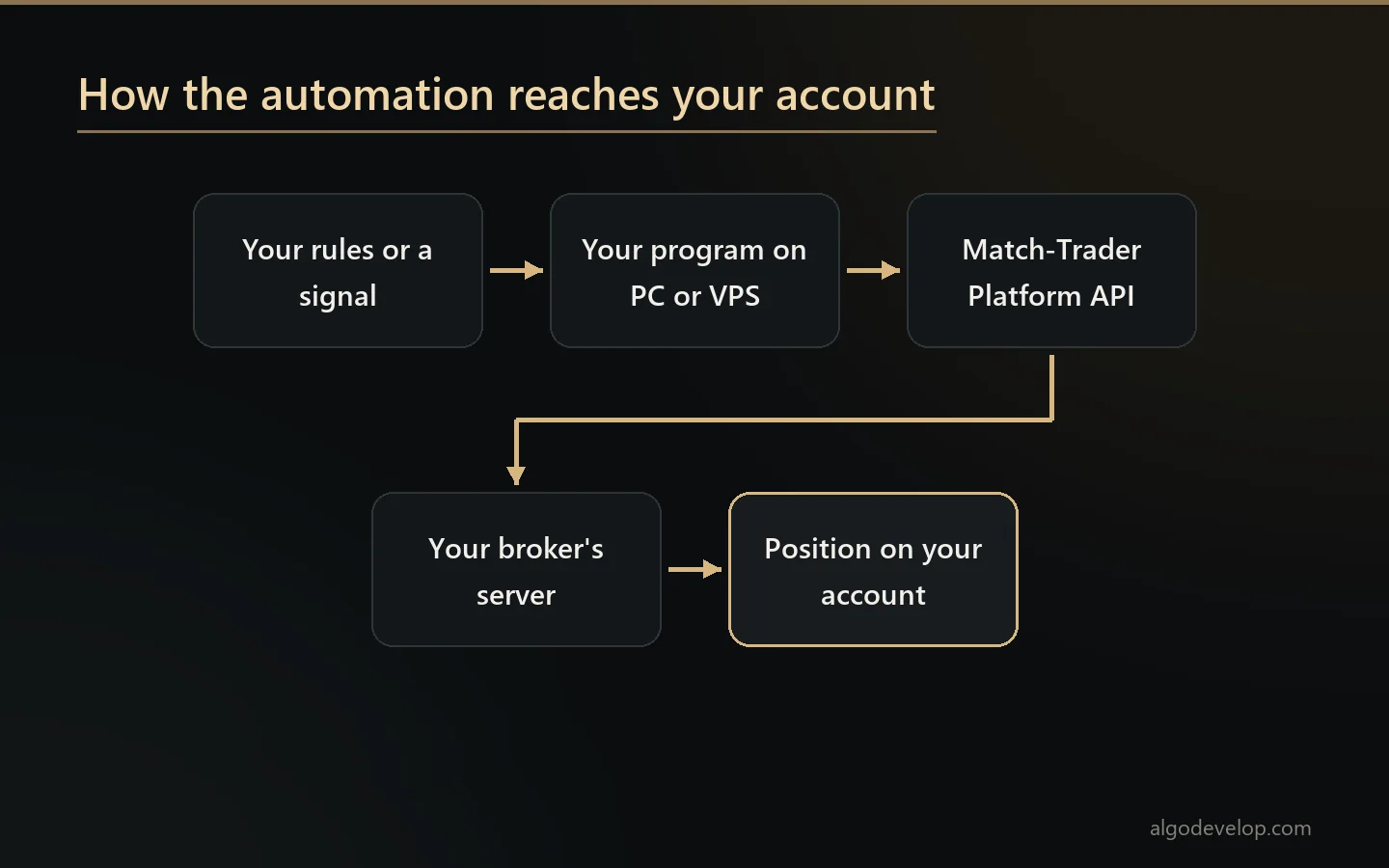
MatchTrader automation works differently from MetaTrader. You cannot drop a robot onto a chart here. Instead, a program runs beside the platform and trades through its API, on your own account and by your own rules.
We build that kind of program to order. There is no ready-made MatchTrader app from us, so each project starts by checking what your broker allows.
On this page
How MatchTrader automation works
The platform comes from Match-Trade Technologies, which spells it Match-Trader. Brokers and prop firms offer it to their clients as a ready trading platform.
Its documentation describes no way to run your own scripts inside it, the way MetaTrader runs an Expert Advisor. So automation lives outside, as a program on your PC or a VPS. That program signs in to your account through the Platform API, reads prices and places trades.
The upside is freedom. Since the program is ordinary code, we can write it in Python or C#. It can also read Telegram, receive TradingView alerts or keep its own records. The catch, however, is that everything depends on the API being open for your account.
What the Platform API offers
Match-Trade describes its Platform API as built mainly for traders. According to that page and its documentation, it covers:
- Sign-in. REST calls for login, registration and token refresh, plus a one-time token option.
- Positions. Open, edit and close positions, with stop-loss and take-profit levels, and close part of one.
- Pending orders. Create, edit and cancel them as the market moves.
- Account data. Balances, open positions and active orders, with ledgers of deposits and withdrawals.
- Market data. Symbols, candles and live bid and ask prices.
- Streaming. A WebSocket market watch for real-time prices, using the STOMP protocol.
That covers most automation jobs. A bot can see the market, open a trade, move its stop and then report back, all through documented calls.
Your broker decides first
One line on the API page matters more than any other. It says that brokers who run the platform under a server licence can switch the API’s functions off selectively. In other words, your broker may disable some of it, or all of it.
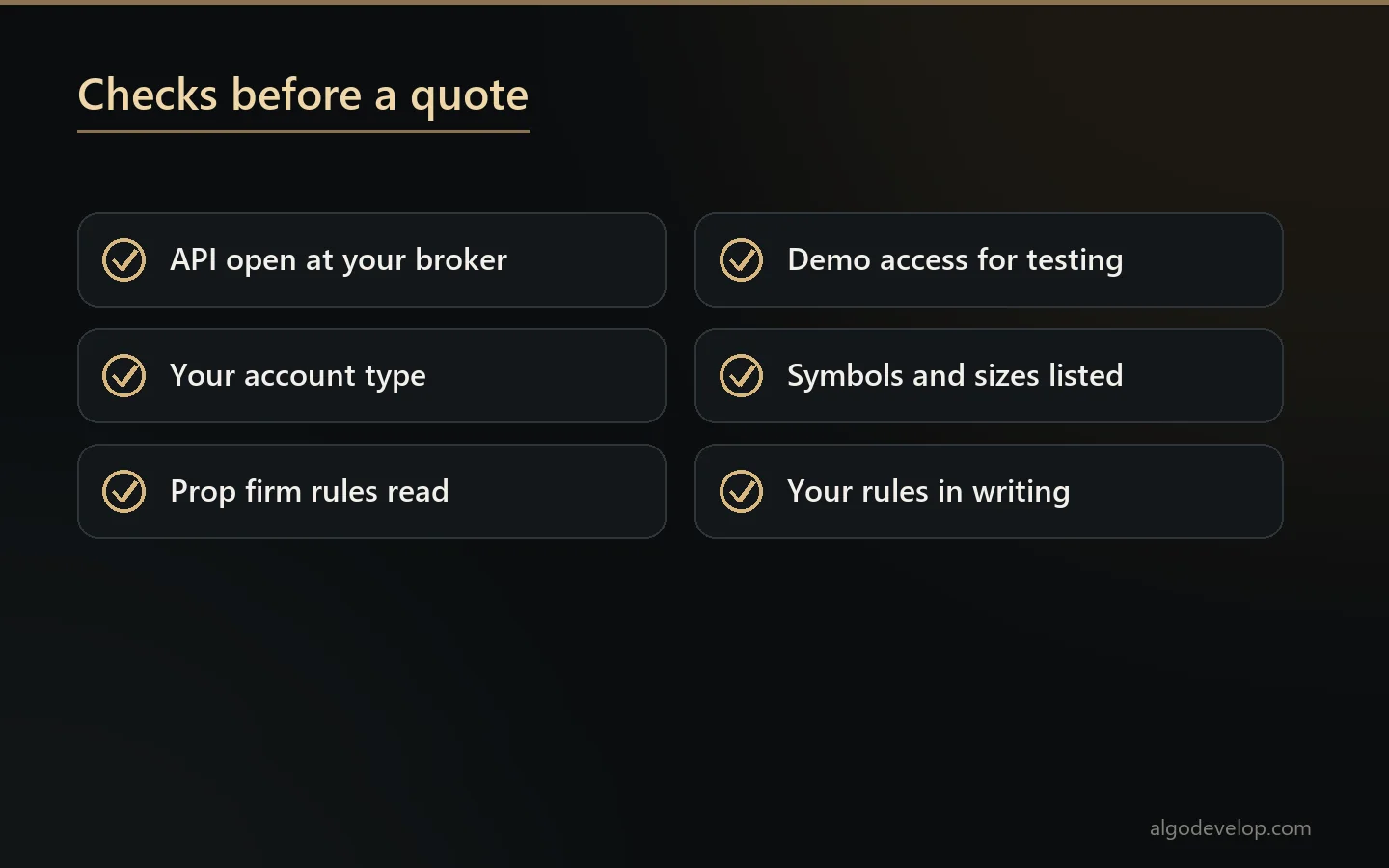
So the first job in any MatchTrader project is a check, not code. We confirm with you which broker you use and whether the API works for your account. Ideally we also test on a demo account at the same broker. Only then do we quote.
What we build on it
Once we know the API works for you, the job looks much like any other trading build. For example, we can make:
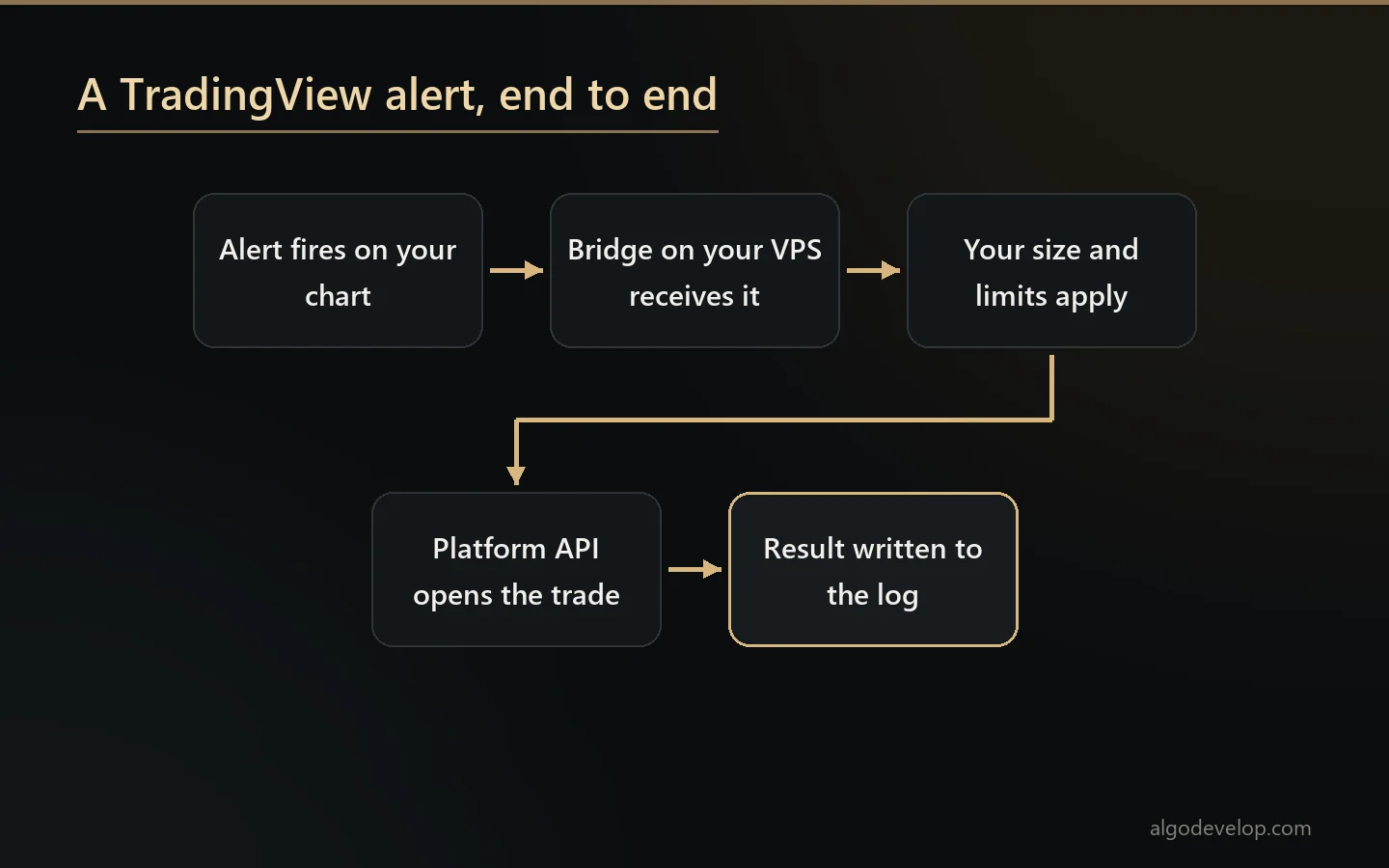
- Signal bridges. Calls from a Telegram channel, or alerts from TradingView, become trades on your account.
- Strategy bots. Your entry and exit rules, coded in Python or C#, running around the clock.
- Trade managers. You open trades by hand, then the bot moves stops, takes partial profits or closes at a set time.
- Risk guards. A daily loss cap or a limit on open trades, enforced in code.
- Reports. Your results pulled from the account and laid out the way you review them.
Take a Telegram bridge as an example. It reads each call, checks your size rule and then opens the position with its stop and target. If the channel later posts “move SL to entry”, the bridge edits that position too. Because every step goes through documented calls, the log can show exactly what happened and when.
For the wider service behind these builds, see our broker API bridge development page.
Prop firm accounts
Match-Trade documents separate prop editions of its platform, so you may well meet it on a funded account. Prop rules then sit on top of the platform’s own: daily loss limits, overall drawdown, news windows and sometimes consistency rules.
A bot can enforce those limits before the firm does, stopping short of the line rather than at it. Still, whether a firm allows automated trading at all is its own policy. Read your agreement, and keep a copy of the rule that allows it.
Limits and risks
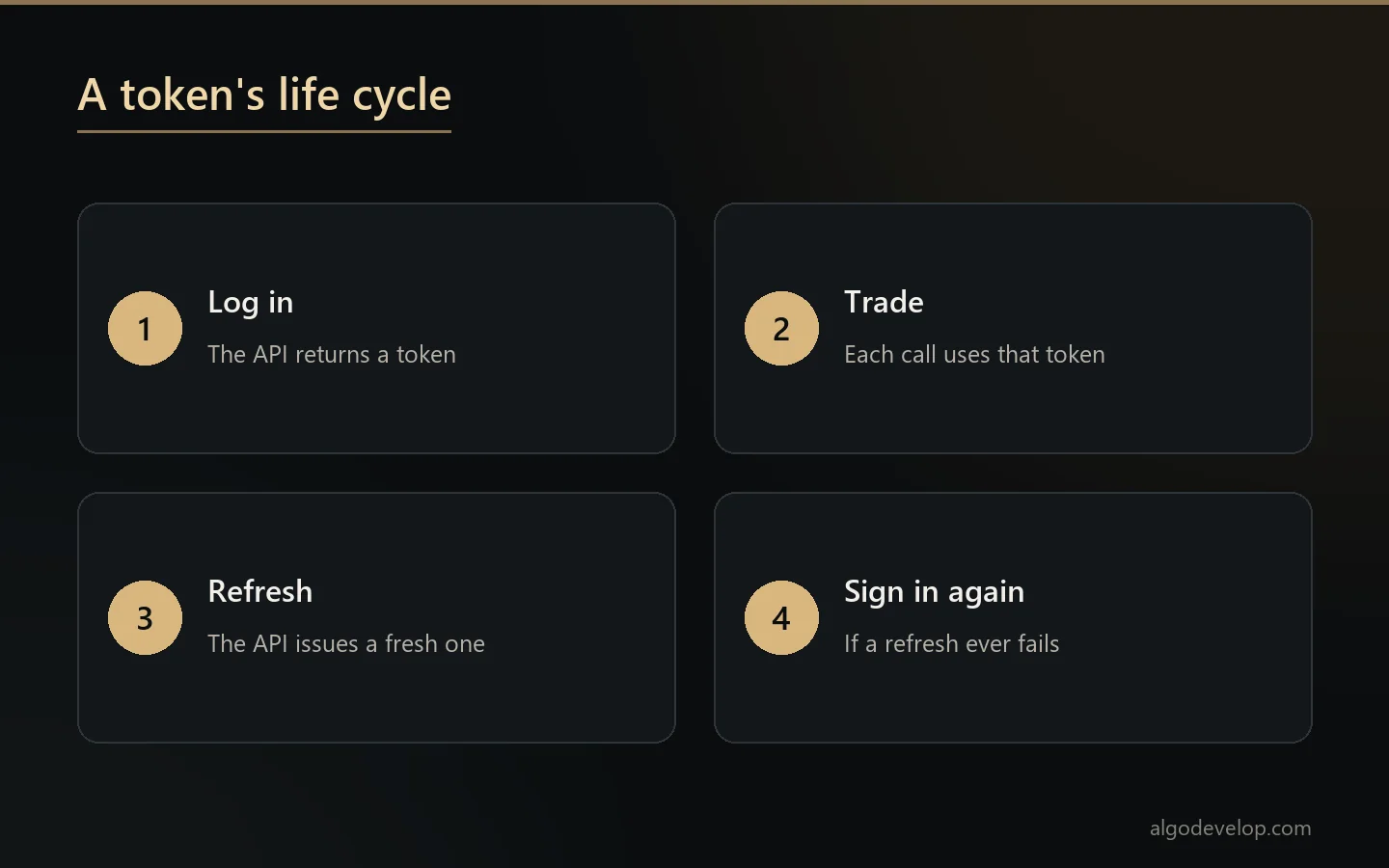
A program outside the platform has weak spots that an in-platform robot does not. Tokens expire and need refreshing, connections drop, and the broker can change what the API allows. So every build we make logs each call, retries with care and stops trading when it cannot see the account clearly.
No bot removes market risk, though. Leverage, gaps and fast moves still hit an automated account just as they hit a manual one. So test on demo first, and size live trades so a bad day stays survivable.
How a project runs
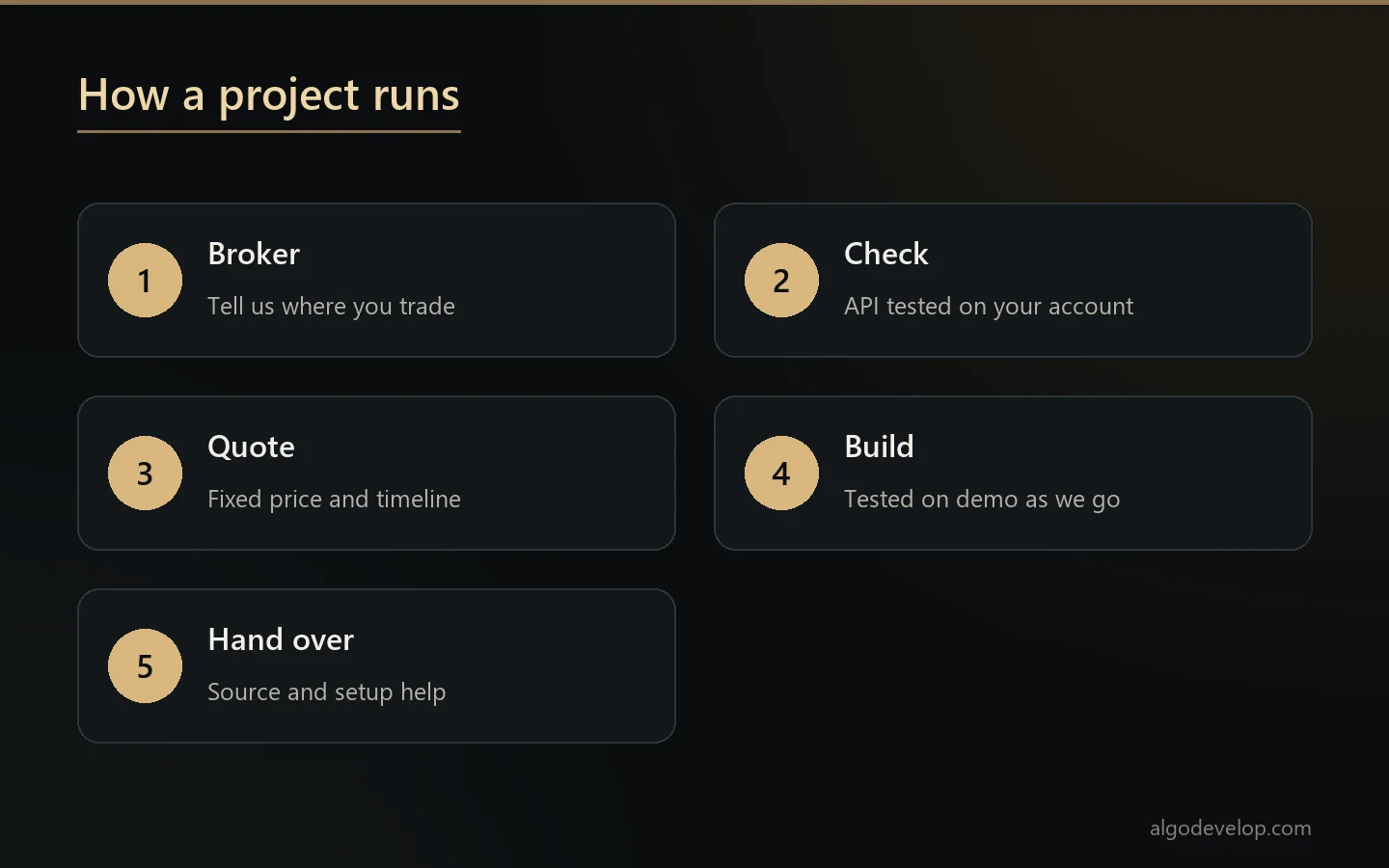
- Tell us your broker and what the bot should do.
- Together we check the API on your account, ideally on demo first.
- A fixed quote follows, with a timeline, once both sides are clear.
- We build and test against the demo account and share results as we go.
- You review it before it touches real money. Then we hand it over with setup help.
The software runs on your own PC or VPS, with your own login, and you keep the source code. To start, ask for a quote.
Or a ready-made MetaTrader tool?
Some brokers offer MetaTrader as well. If yours does, a ready-made tool may solve the problem today. The Telegram to MT4/MT5 copier copies channel calls, while the TradingView to MT4/MT5 copier turns alerts into orders.
The platforms page compares every platform we automate. For in-platform robots, see our cTrader and MetaTrader 5 pages.
MatchTrader automation – frequently asked questions
Can I run an Expert Advisor on MatchTrader?
No. Its documentation describes no in-platform scripting like MetaTrader’s. Automation runs as a separate program that trades through the Platform API.
Does MatchTrader have an API for traders?
Yes, the Match-Trader Platform API. It covers sign-in, positions, pending orders, account data and live prices.
Will the API work with my broker?
It depends on your broker. Brokers on a server licence can switch parts of the API off, so we check your account before we quote.
Can you copy Telegram signals to MatchTrader?
As a custom build, when the API is open for your account. We look at the channel’s format first, then quote it.
Can TradingView alerts trade on my account?
A custom bridge can receive your alerts and open the trades through the API. It runs on your own VPS with your own login.
Is automation allowed on my prop firm account?
That is the firm’s decision, not the platform’s. Read your agreement before you run any bot on a funded account.
Do I need a VPS?
Only if the bot must run while your PC is off. Most strategy bots and alert bridges should live on a VPS.
Do I get the source code?
Yes. You receive the source with the build, so the code stays yours.
How much does MatchTrader automation cost?
It depends on the job and on what your broker’s API allows. Tell us both, and we will quote a fixed price: ask for a quote.