Telegram to ExpertOption Bot
A Telegram to ExpertOption bot copies the CALL and PUT signals from your Telegram channels onto your own ExpertOption accounts. It enters at your stake, inside your limits, as soon as a post lands.
Most signal channels give you a pair, a direction and an expiry, then leave the clicking to you. Yet that clicking is where entries slip. Here the Telegram to ExpertOption bot does it instead, and it writes down every decision so you can check its work later.
On this page
- What a Telegram to ExpertOption bot actually does
- How the Telegram to ExpertOption bot works, step by step
- Four ExpertOption servers, one race
- Signing in through your own browser
- How a post becomes a trade
- Entry timing on ExpertOption’s clock
- Stake and martingale, account by account
- Results, latency and the log
- Every feature in the Telegram to ExpertOption bot
- Setting up the Telegram to ExpertOption bot
- ExpertOption, or another platform?
- Frequently asked questions
What a Telegram to ExpertOption bot actually does
It joins two accounts you already have. Your Telegram login reads the channels, groups and bots you select. Meanwhile, your ExpertOption logins, as many as you like, receive the trades.
Each ExpertOption account keeps its own stake, ladder, limits and DEMO or REAL mode. So one signal can open a small demo trade on one account and a flat real trade on another. The Telegram to ExpertOption bot fires them together, in one parallel batch.
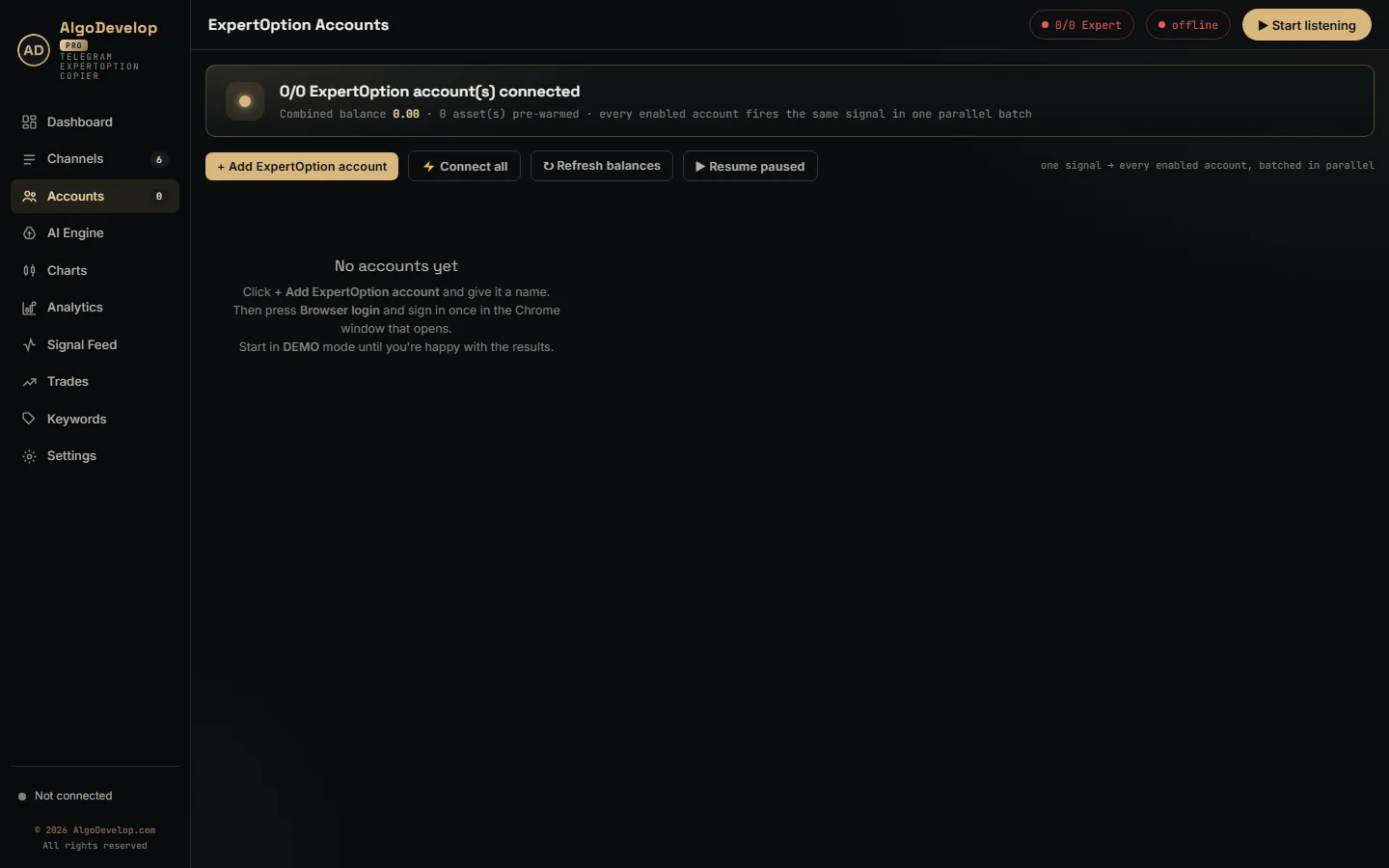
How the Telegram to ExpertOption bot works, step by step
- Sign in to Telegram. Use your phone number and the login code, plus your two-step password if you have one.
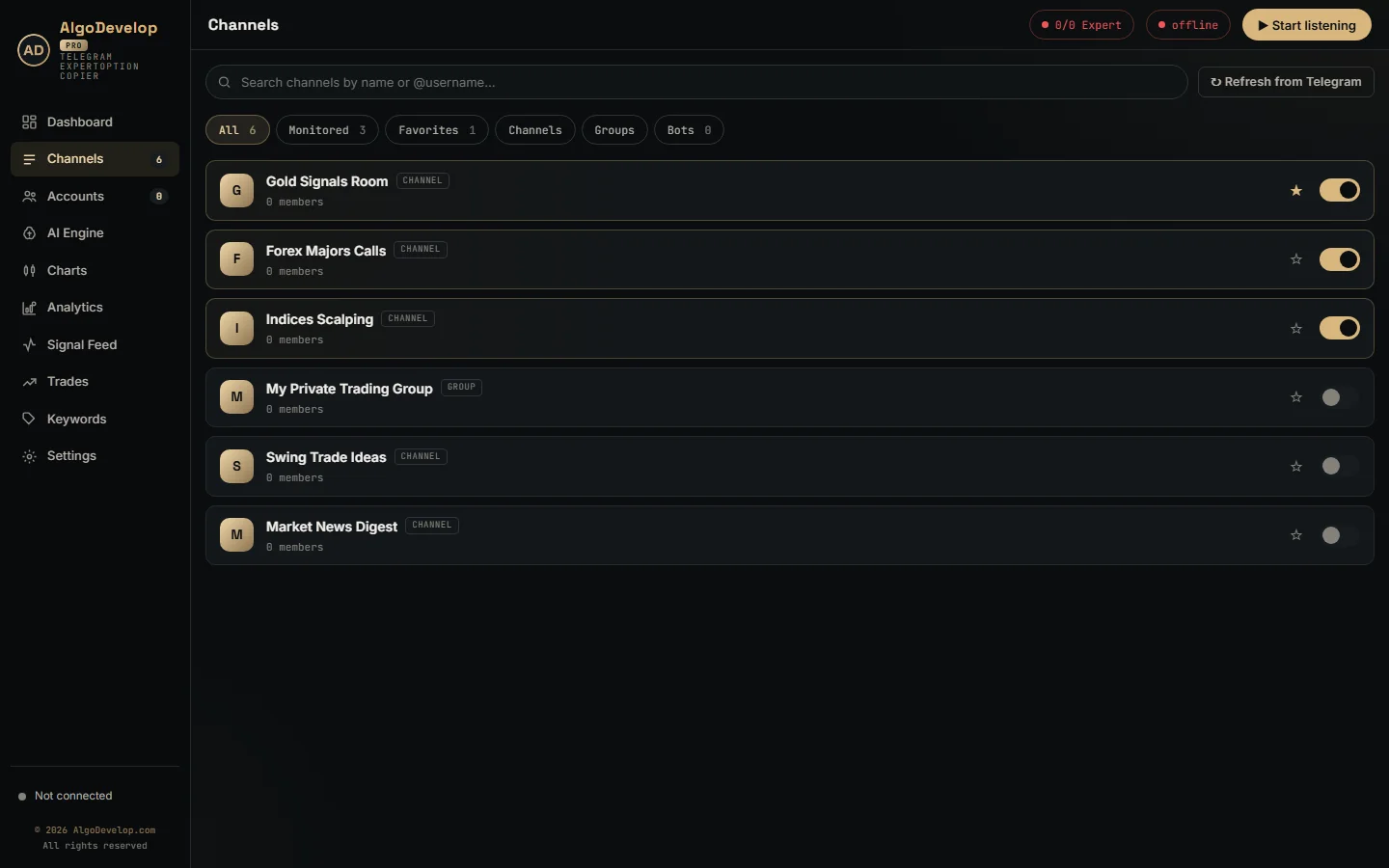
- Pick the sources. Tick the channels, groups or bots that post your signals. Their old posts never trade, though.
- Let it filter. Posts without a direction and a pair skip the AI, and so do recaps of finished trades.
- Let it read. The bot matches a known layout on your PC; only a new one goes to the AI.
- Let it check. The asset must be active on ExpertOption, and each account’s own rules must allow the trade.
- Let it trade. Every enabled account sends its order at once, and each logs how long that took.
Four ExpertOption servers, one race
ExpertOption runs four regional servers, labelled in, eu, us and sg. Each time an account connects, the app opens all four at once and keeps whichever answers first. The other three close straight away.
From then on, the account trades over that single websocket, with no browser in between. ExpertOption needs no price subscription before an order, so each trade is one message out and one answer back. The app also pings the link every 15 seconds and reopens it after a minute of silence. During a drop, the card says reconnecting and gives the reason.
Also, DEMO and REAL use one login here. Before any order, the app tells the open connection which mode the account is in. So when you flip an account’s badge, the switch happens on the live link, with no new sign-in.
Signing in through your own browser
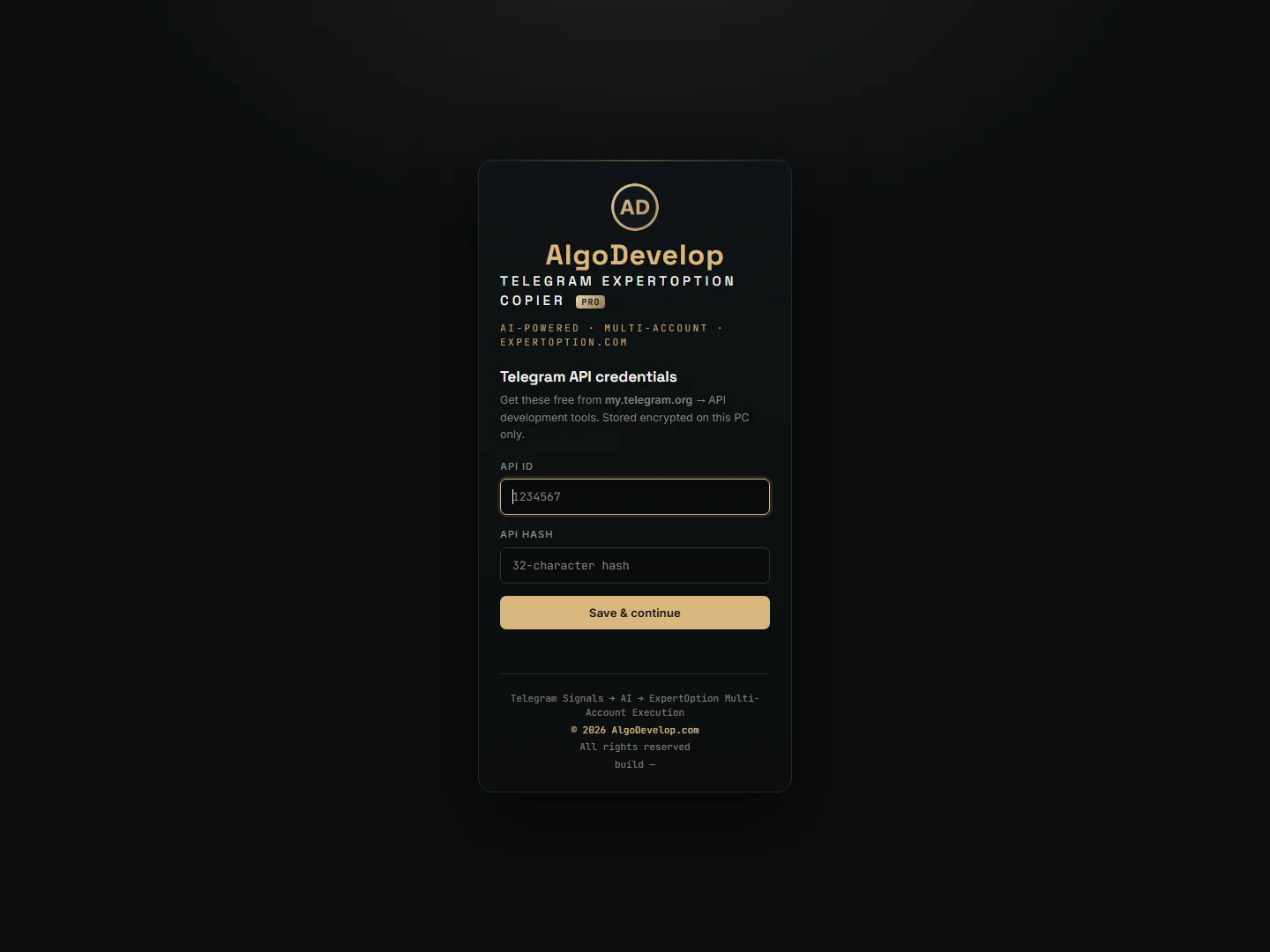
The Telegram to ExpertOption bot never asks for your ExpertOption password. Instead, Browser login opens Chrome on a profile reserved for that account. You then press Log in there, not the guest demo, and sign in as usual.
The app then reads ExpertOption’s 32-character login token from the window, checks it with ExpertOption and saves it on your PC. After that the window closes, and later starts skip it entirely.
One honest limit: there is no renewal the app can use for that token. So if ExpertOption stops accepting it, the account card asks you to sign in again, and Re-login opens a fresh window. Until then, every start is hands-free. If Chrome cannot capture the token, the Advanced box takes it pasted by hand.
How a post becomes a trade
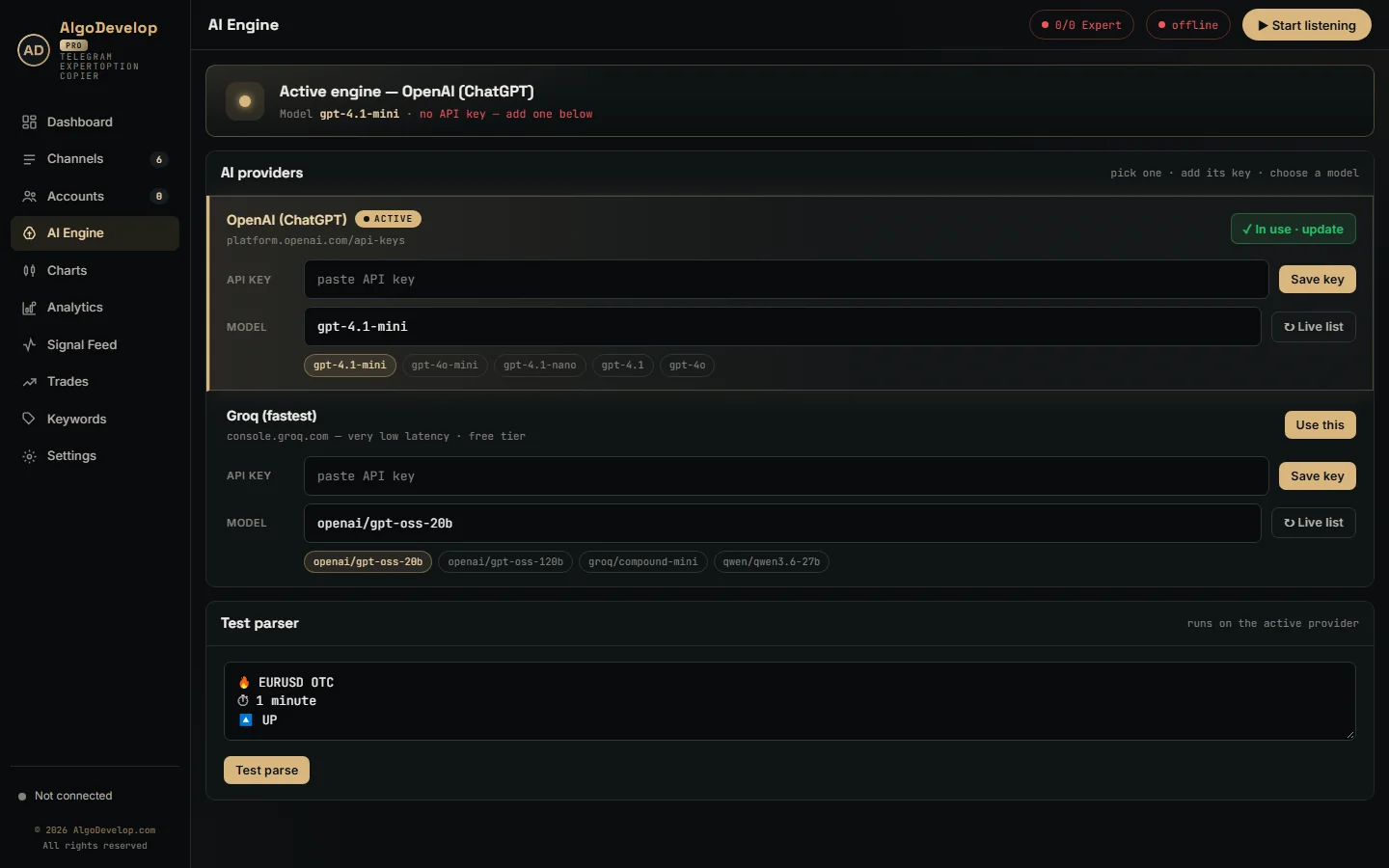
Take a typical post: 🔥 AUDCAD OTC ⏱ 2 minutes 🔽 DOWN. The bot reads it as AUDCAD in the OTC book, a PUT, with a 120-second expiry. Then it looks the pair up in ExpertOption’s live asset list, which also gives the current payout.
- Fixed templates like that one need no AI; a built-in reader handles them on your PC.
- Free-form posts go to ChatGPT (OpenAI) or Groq, whichever you choose on the AI Engine page.
- New layouts get one AI call, after which the bot reads that channel’s format by itself.
- Trade lists with one line per trade become one signal per line, each on its own timer.
- Odd spellings such as EUR/USD, EURUSD-OTC or Cyrillic lookalike letters still match.
Still, a few rules keep it honest. With no expiry in the post, the bot skips it rather than guess. It also trades exactly the book named, so AUDCAD and AUDCAD OTC never swap. If ExpertOption shows the asset as inactive right now, nothing goes out and the log gives the reason.
Entry timing on ExpertOption’s clock
With both timing switches off, the bot enters on arrival, so it suits most “trade now” channels. For channels that post an entry time, Settings has two modes, though only one can be on:
- Wait for signal entry candle holds the trade until the exact time in the post, in the channel’s timezone.
- Trade by minute drops the hour and uses the next matching minute on ExpertOption’s clock.
The app syncs to ExpertOption’s server clock on connect and stamps each order with that time, not your PC’s. The clock check in Settings also shows how far your PC sits from that clock, turning red past two seconds. Enter the channel’s zone as UTC+5:30, UTC-3 or similar, and the app rejects anything it cannot read. A list of trades needs one of the two modes; otherwise the app refuses it rather than open every line at once.
Stake and martingale, account by account
Every account carries its own trade amount, and there is no global stake to override it. Then, under Edit, you will find the rest:
- Flat or martingale. Leave the switch off and every trade uses the same stake.
- Ladder type. Multiply by a value, add a fixed increment, or type a custom list of lots.
- Steps. Up to ten recovery trades before the ladder starts over.
- Where the recovery goes. Next Signal rides the channel’s next call, while Next Expiry re-enters the losing pair straight away.
- One trade at a time. When on, this account waits for its open trade to settle first.
- Daily limits. A stop-loss and a profit target that bench this account for the rest of the day.
- Payout floor. If you set one, this account refuses pairs paying less, and the log says so.
For example, a stake of 2 with Multiply at 2 and three steps gives a ladder of 2, 4, 8 and 16. The form shows that worst case, 30, before you save. Even then, an order never goes above 95% of the balance, and the log notes any stake it trims.
Before you switch martingale on
A ladder recovers small losses often and suffers one large loss rarely. That rare loss then lands on every account using a ladder, all at once. So test on DEMO until you have watched a full losing run, keep the steps few, and set a daily stop-loss on every real account.
Results, latency and the log
ExpertOption pushes each result back the moment a trade closes, along with the new balance. The Telegram to ExpertOption bot then updates:
- Dashboard: today’s win and loss donut, win-rate gauge and live signal tape.
- Trades tab: ExpertOption’s own history per account, demo and real kept apart.
- Analytics: a 7-day profit curve, top assets, top channels and profit per martingale step.
- Account cards: balance, profit today and the last order’s latency in milliseconds.
Meanwhile the Signal Feed lists every message with its verdict. Click a row’s raw reading to see what the bot understood, such as the pair and expiry.
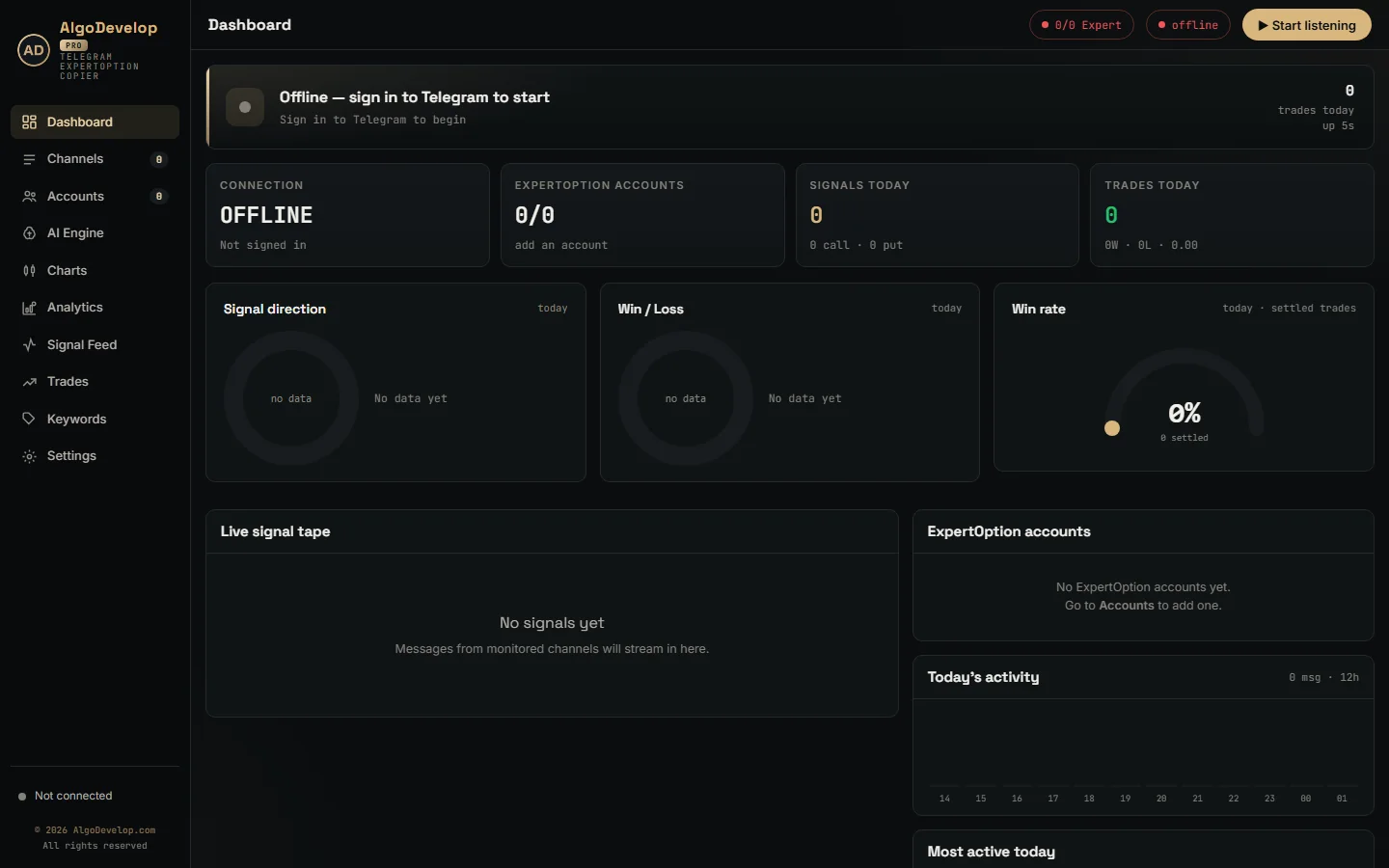
Every feature in the Telegram to ExpertOption bot
| Feature | What it does |
|---|---|
| Telegram input | Any channel, group or bot your account can open, with search and filters. |
| Fresh signals | History never replays; posts older than 90 seconds never trade. |
| Signal reading | Built-in template reader, learned layouts, then ChatGPT or Groq. |
| Trade lists | One scheduled signal per line of a session plan. |
| Strict matching | Expiry and asset from the post; market and OTC books never swapped. |
| Live asset list | Active state and payout from ExpertOption, checked every 15 seconds. |
| Fastest server | Races ExpertOption’s four regions and keeps the first to answer. |
| Browser sign-in | Chrome profile per account; the login token is saved, never a password. |
| One login, two modes | DEMO and REAL switch on the open connection. |
| Entry modes | On arrival, wait for the entry candle, or trade by minute. |
| Server time | Orders carry ExpertOption’s clock; Settings shows your PC’s drift. |
| Money rules | Per-account stake, ladder, up to ten steps, Next Signal or Next Expiry. |
| Limits | Daily stop-loss, profit target, payout floor and a 95% balance cap. |
| Parallel accounts | Every enabled account takes the same signal in one batch. |
| Results | ExpertOption history per account, win rate, analytics and latency. |
Setting up the Telegram to ExpertOption bot
- Install the app on Windows; Google Chrome must be present for the sign-in window.
- Sign in to Telegram, then switch on your signal channels.
- Choose ChatGPT or Groq on the AI Engine page and run one real post through the test parser.
- Add an ExpertOption account, press Browser login and use Log in, not the guest demo.
- Set the stake and daily stop-loss, and leave the account on DEMO.
- Press Start listening, then compare each channel’s results after a week.
The app also runs on a Windows VPS with Chrome and outbound HTTPS, so signals posted overnight still trade. If you would rather not set it up alone, ask for a quote and we will do it with you.
ExpertOption, or another platform?
Each of these runs on the same Telegram engine, tuned to its own broker:
- For Quotex accounts, use the Telegram to Quotex bot.
- Pocket Option traders need the Telegram to Pocket Option bot.
- On IQ Option, pick the Telegram to IQ Option bot.
- Binomo users want the Telegram to Binomo bot.
- Olymp Trade has the Telegram to Olymp Trade bot.
See our ExpertOption automation page for custom work on the platform, or binary options bot development for a strategy bot. The copy trading hub lists every tool we make. ExpertOption’s official site is expertoption.com.
Telegram to ExpertOption bot – frequently asked questions
Does it need my ExpertOption password?
No. You sign in yourself in a Chrome window, and the app saves ExpertOption’s login token from it. The account form only asks for a name.
Why does it sometimes ask me to sign in again?
There is no renewal the app can use for ExpertOption’s login token. When ExpertOption stops accepting the saved one, the account card asks for a fresh sign-in, and Re-login takes care of it.
Can I use it on an ExpertOption demo account?
Yes. New accounts start in DEMO mode on your normal login. Just sign in with Log in rather than the guest demo, then leave REAL alone until the results convince you.
Which ExpertOption server does it connect to?
Whichever is fastest for you at that moment. On every connect the app tries all four regions together and keeps the first one that answers.
Can it trade OTC pairs?
Yes, when the post names the OTC pair. The bot trades exactly the book in the message, so a plain AUDCAD never becomes AUDCAD OTC.
Does it support martingale?
Yes, on each account separately, with up to ten steps. Keep the ladder short and set a daily stop-loss, because a losing run longer than the ladder is what drains binary accounts.
Can one channel feed several ExpertOption accounts?
Yes. Every enabled account takes the same signal in one batch, each with its own stake and rules.
Do I need a VPS?
Only if your PC will not stay on. A Windows VPS with Google Chrome and outbound HTTPS runs the Telegram to ExpertOption bot around the clock.
Is binary options trading legal where I live?
That depends on your country. Several regulators restrict or ban binary options for retail traders, and platform availability varies. Readers in India should check RBI and SEBI rules. We sell the software and setup help; we give no investment advice and sell no signals.
How much does a Telegram to ExpertOption bot cost?
It depends on how many accounts and channels you run and how much setup help you want. Tell us and we will quote it plainly: ask for a quote.