Telegram to IQ Option Bot
A Telegram to IQ Option bot books the CALL and PUT calls from your Telegram channels on your own IQ Option account. You sign in to IQ Option yourself, in a Chrome window the app opens, so your password never goes into the app at all.

Download the Telegram to IQ Option Bot: free 2-day trial
- 2-day free trial
- 1 PC · 1 account
- Key shown instantly
🔑 Your trial key appears right here, instantly. No sign-up needed. Trial key yahin turant milegi.
✓ Your download has started.
- Unzip the download and run the app on your Windows PC.
- Paste the trial key shown here into the app.
- The trial runs for 2 days from first activation, on one PC for one account. One free trial per PC for each app. To buy, message us on WhatsApp.
Windows may show “Windows protected your PC” for a new app: click More info, then Run anyway. We use your email and WhatsApp number only for your trial key and setup help. Software only: not investment advice and no promise of profit.
On this page
- Download the free trial
- What a Telegram to IQ Option bot actually does
- How the Telegram to IQ Option bot works, step by step
- Signing in without handing over your password
- Expiry and IQ Option’s minute grid
- Money management, account by account
- Forex, OTC, crypto, metals and stocks
- Knowing whether it is working
- Every feature in the Telegram to IQ Option bot
- Setting up the Telegram to IQ Option bot
- IQ Option, or one of the others?
- Frequently asked questions
What a Telegram to IQ Option bot actually does
Most IQ Option signal channels post short calls: a pair, a direction and an expiry. So taking them by hand means watching Telegram all day and racing to the platform each time one lands. Miss the first seconds, and by then the candle has moved on.
A Telegram to IQ Option bot does that racing for you. It reads the channels you follow, then picks out each call and books it on IQ Option at your own stake. While it works, you can follow the channel as usual or leave the room.
EUR/JPY CALL 1 minute turns into a real one-minute CALL on every IQ Option account you have switched on. Each account also uses its own stake and its own limits.
How the Telegram to IQ Option bot works, step by step
- Pick your channels. Channels, groups and bots your Telegram account can read all show up in one list with a switch each.
- Wait for a fresh call. Old posts never replay, and a restart does not trade the backlog Telegram delivers.
- Let the AI read it. It finds the instrument, the direction and the expiry, whatever the language or layout.
- Check the account rules. Stake, daily stop-loss, profit target and payout floor, separately for every account.
- Book the trade. All enabled accounts send their orders together, and each one notes its own latency in milliseconds.
- Read the result. Win, loss or draw lands per account, with the profit and whether the trade was a gale.
Signing in without handing over your password
IQ Option guards its login against scripts. So the app does not script one, and it never touches your password. When you press Browser login, it opens iqoption.com in a Chrome window with that account’s own profile. Then you sign in there yourself, and clear any captcha or device check in the same window.
Next, the app reads the session cookie IQ Option sets, together with the other cookies and the browser’s user agent. It saves them under the account, so later starts connect with no window. In fact the account form asks only for a name. There is no password box, because the app would have nothing to do with one.
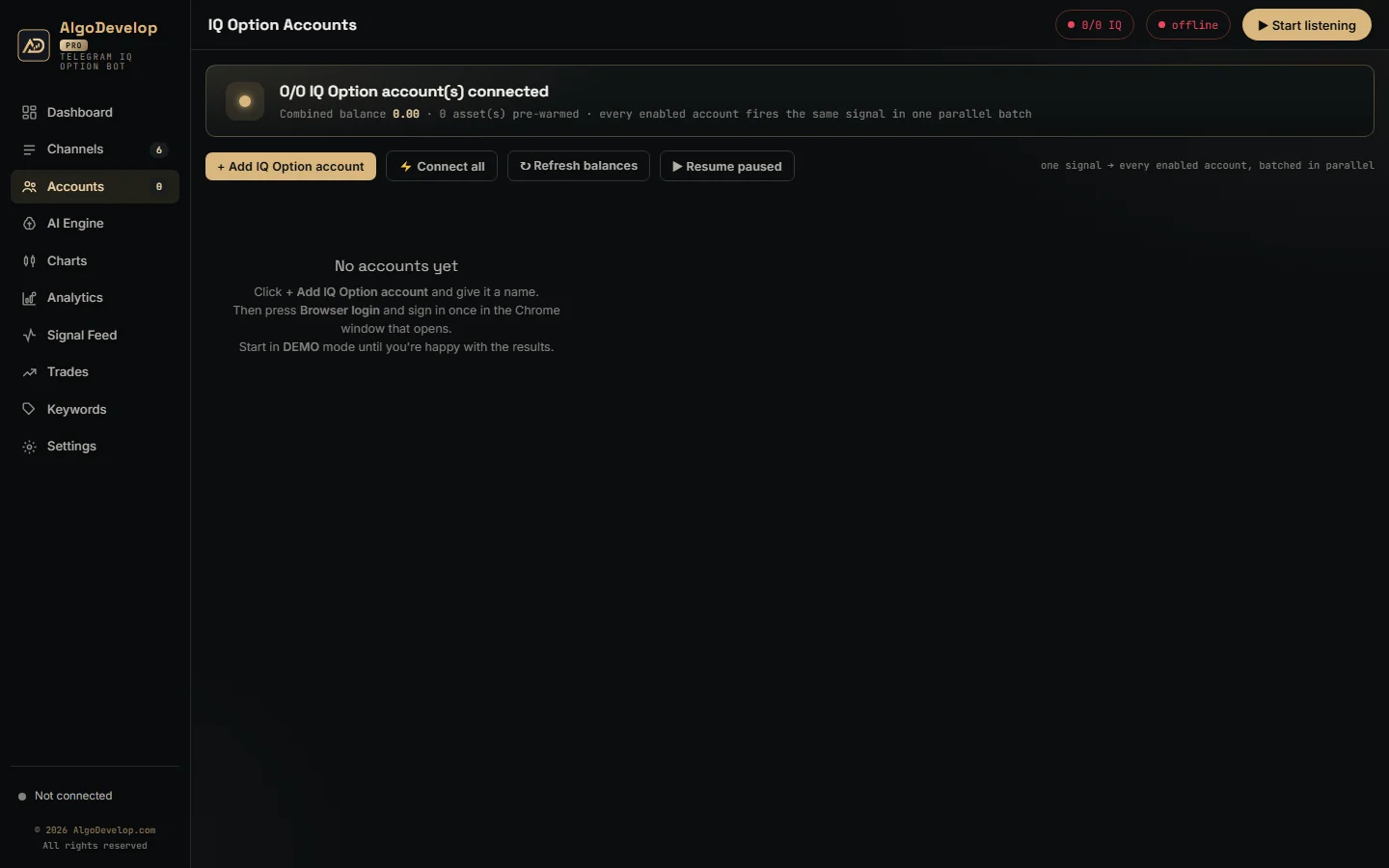
- One session for demo and real. On IQ Option the same session trades both balances. The app reads your balance list at connect and puts the right balance on each order, so switching modes costs nothing and reconnects nothing.
- Other domains. If you already have IQ Option open on another of its domains, the app recognises that tab too. It then uses the domain you signed in on.
- A watched line. IQ Option sends a heartbeat, and the app answers it. If the line goes quiet for about 30 seconds, the app reconnects at once and backs off up to 15 seconds between tries. Trades wait for the link rather than fail.
- Orders kept apart. When several accounts fire together, each order carries its own request id. As a result every reply from IQ Option lands on the right trade.
Expiry and IQ Option’s minute grid
IQ Option books its short options on minute boundaries, not on the second you buy. A one-minute option bought at 14:32:10 settles at 14:33:00. Also, the platform stops selling an option shortly before its boundary.
The Telegram to IQ Option bot follows the same rule as IQ Option’s own platform. Inside the last 30 seconds before a boundary, it books the following minute instead. So a call at 14:32:55 settles at 14:34:00. A call traded one candle later is still a call traded, while a refused one simply never happens. Longer expiries add whole minutes on top of that boundary, and the app tracks the real settle time.
- Expiry comes from the message. M1, 1 minute, 5 min or a clock time. With no expiry in the message, nothing trades.
- Three entry modes. Instant on arrival, wait for the signal’s own entry time, or trade by minute on the broker’s clock.
- The broker’s clock decides. Timing runs on IQ Option’s clock, not your PC’s, and Settings shows both side by side.
Money management, account by account
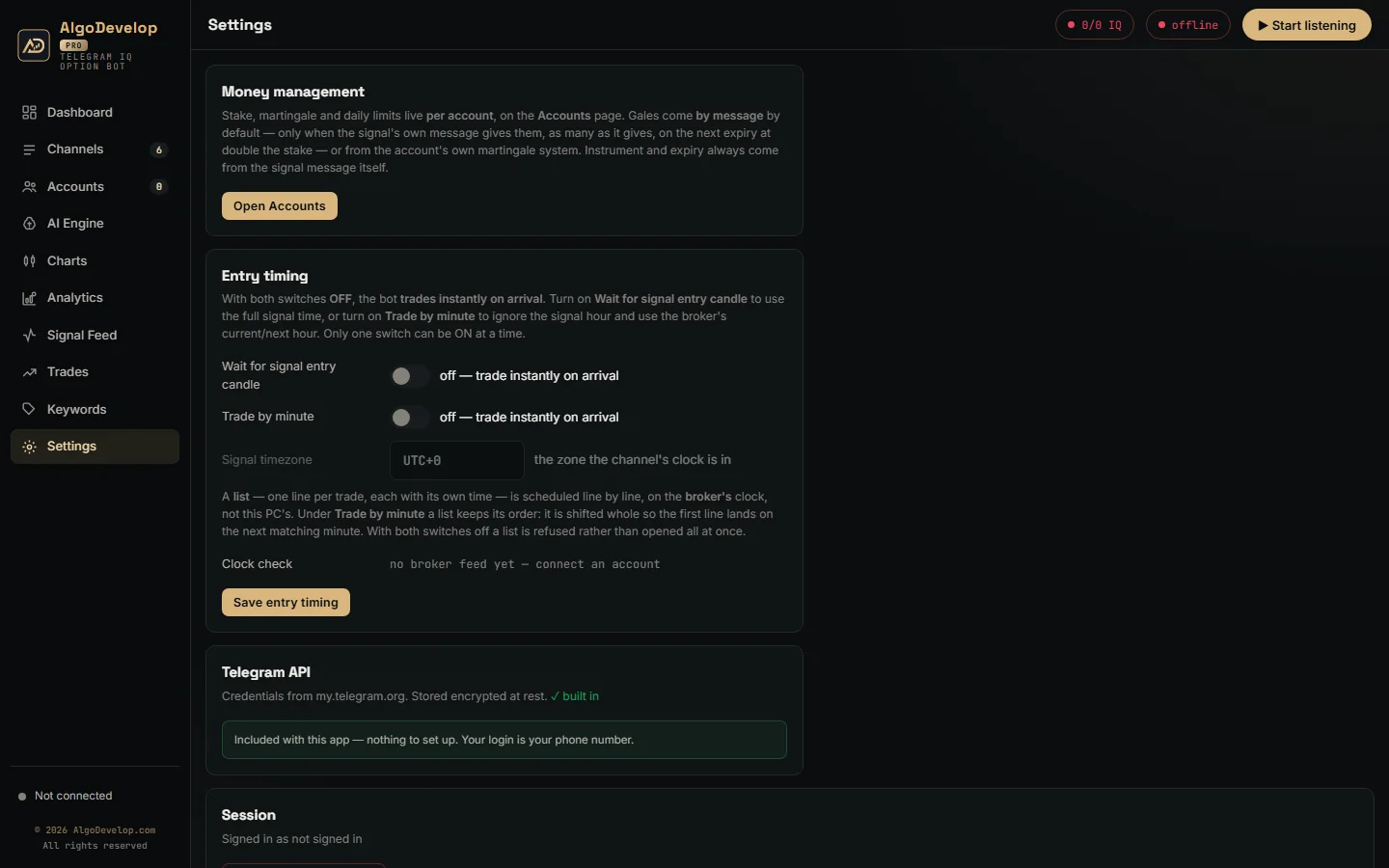
The Telegram to IQ Option bot keeps no global stake. Instead, every account carries its own money rules, so a test account and a main account can trade the same call at different sizes.
- Stake – the amount this account puts on each call.
- Daily stop-loss and profit target – pause this account alone when it hits either one.
- Payout floor – optional, 85% by default, and it refuses thin payouts for this account only.
Gales, or martingale, come in two modes, picked per account under Gales from. The default is By message: the bot places gales only when the signal gives them. Those can be “1º GALE” and “2º GALE” lines or “Até 2 gales”, up to nine. After a loss, each gale re-opens the same instrument, direction and expiry on the next expiry. It goes on the account that lost, at double the stake. A call that gives no gales gets none.
Or your own martingale system
Pick My own system and switch its martingale on, and the account runs its own ladder after a loss instead, whatever the call says. Three settings shape it:
- Mode – Multiply (the stake times your value, such as ×2), Increment (the start stake plus your value at each step) or Custom lots (your own list of stakes).
- Max steps – how many rungs the ladder has.
- Apply on – Next Expiry re-opens the same instrument, direction and expiry the moment a trade loses. It keeps going until it recovers or the ladder runs out. Next Signal sends nothing and waits for the channel’s next message. Then it stakes the recovery on whatever instrument and direction that message names.
An optional One trade at a time switch completes it. On, the account finishes one trade before it takes the next signal, which is what a ladder wants: each rung answers the loss before it. Off, several trades can run together, so several can lose at the same rung, and the ladder recovers only the last.
In either mode, a daily stop-loss or profit target still ends the day for that account, gale or not. If a gale’s stake would be bigger than the account can stake, the app sends the most it can and warns you. Be honest about martingale, though. Gales recover losses no faster than they grow them, so one long losing run can wipe out many small wins. Set a daily stop and test on DEMO first. None of this is investment advice.
Forex, OTC, crypto, metals and stocks
IQ Option lists more than currency pairs, so the app’s instrument map does too. Next to the majors, minors and exotics, it covers the weekend OTC pairs. It also covers crypto such as BTCUSD and ETHUSD, plus gold, silver and oil. Then come indices such as SP500 and GER30, and stocks such as AAPL and TSLA.
Matching is strict. EURUSD means the market pair, and the OTC pair trades only when the message says OTC. Nicknames such as GOLD or Bitcoin map to IQ Option’s own names. If IQ Option does not offer the instrument, or its market is not open, the call does not trade and the feed names the reason.
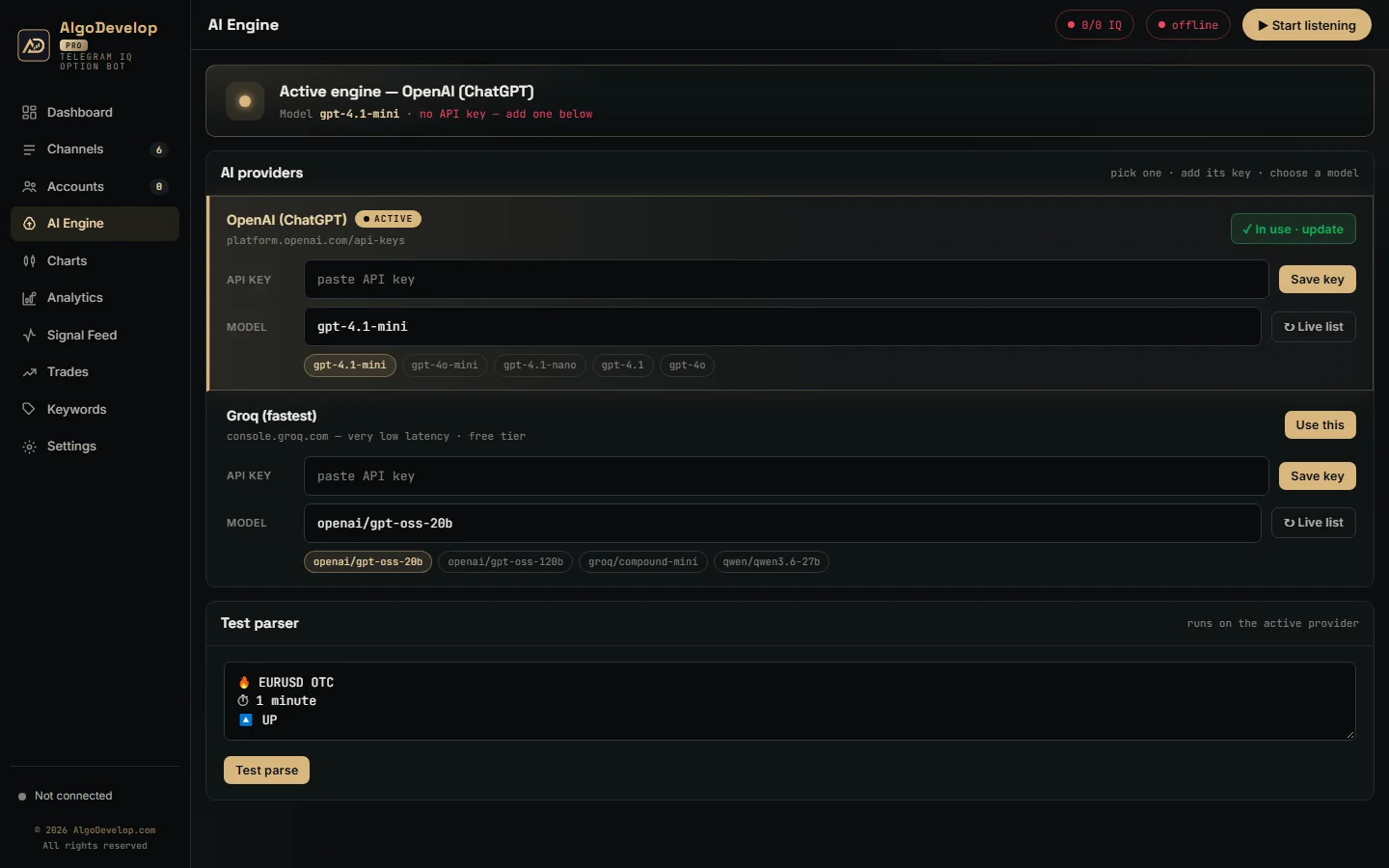
The AI reads calls in any language, emojis and all. Fixed bot templates need no AI call. Once the app knows a channel’s layout, it also reads that layout locally. On the Keywords page you can add the words your channel uses for CALL, PUT and ignore.
Knowing whether it is working
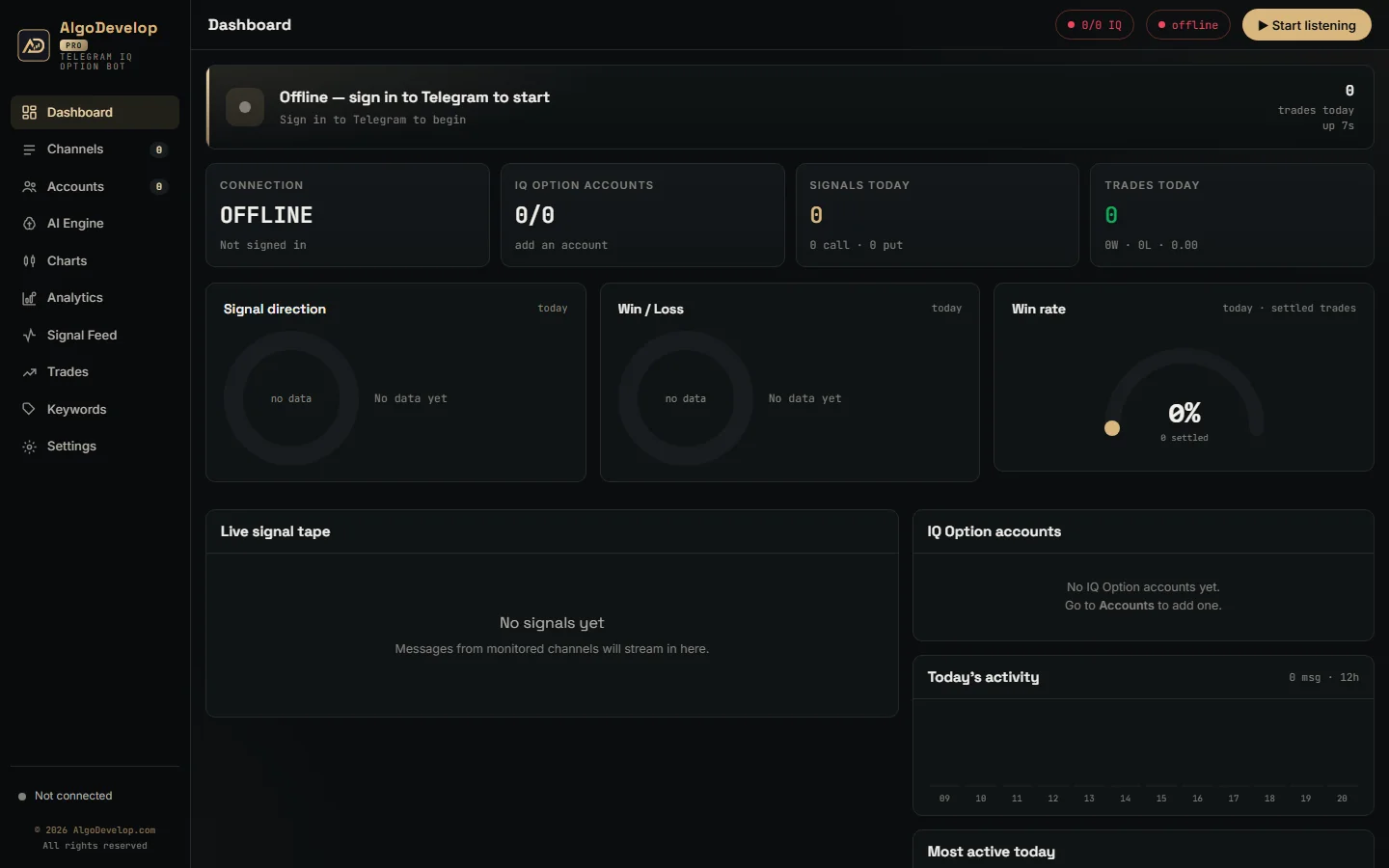
You should never have to guess what the Telegram to IQ Option bot did, so it shows you everything:
- The feed – each message, the AI’s verdict and the reason for any skip.
- Trades – instrument, direction, expiry, amount, latency, result and profit, per account.
- IQ Option history – each account’s own history from the broker, trades made by hand included.
- Analytics – a week of profit, win rate, top instruments, top channels and profit per gale step.
Every feature in the Telegram to IQ Option bot
| Feature | What it does |
|---|---|
| Password-free login | You sign in yourself in Chrome; the app saves the session, never a password. |
| One session, two balances | Demo and real share a session; the balance on each order decides which one trades. |
| Minute-grid booking | Books the next minute boundary on the broker’s clock, or the one after inside the last 30 seconds. |
| Wide instrument map | Forex, weekend OTC, crypto, metals, oil, indices and stocks, matched strictly. |
| Expiry from the message | M1, 5 min or a clock time. No expiry means no trade. |
| Three entry modes | Instant, the signal’s entry time, or by minute. |
| Per-account stake | Each account trades its own amount on every call. |
| Gales by message or your own system | By message (the default): only the gales the message gives, each on the next expiry at double the stake. My own system: your own Multiply, Increment or Custom lots ladder, on the next expiry or the next signal. |
| Daily limits and payout floor | Stop-loss, profit target and minimum payout for each account. |
| Many accounts at once | Every enabled account trades the call in parallel, each in its own Chrome profile. |
| Watched connection | Answers IQ Option’s heartbeat and reconnects by itself, showing the reason. |
| Feed, trades and history | Each decision with its reason, plus each account’s own IQ Option history. |
| Runs on a VPS | Needs Google Chrome and outbound HTTPS. |
Setting up the Telegram to IQ Option bot
- Sign in to Telegram with your phone number and the code Telegram sends you. If you use a two-step password, the app asks for it and never stores it.
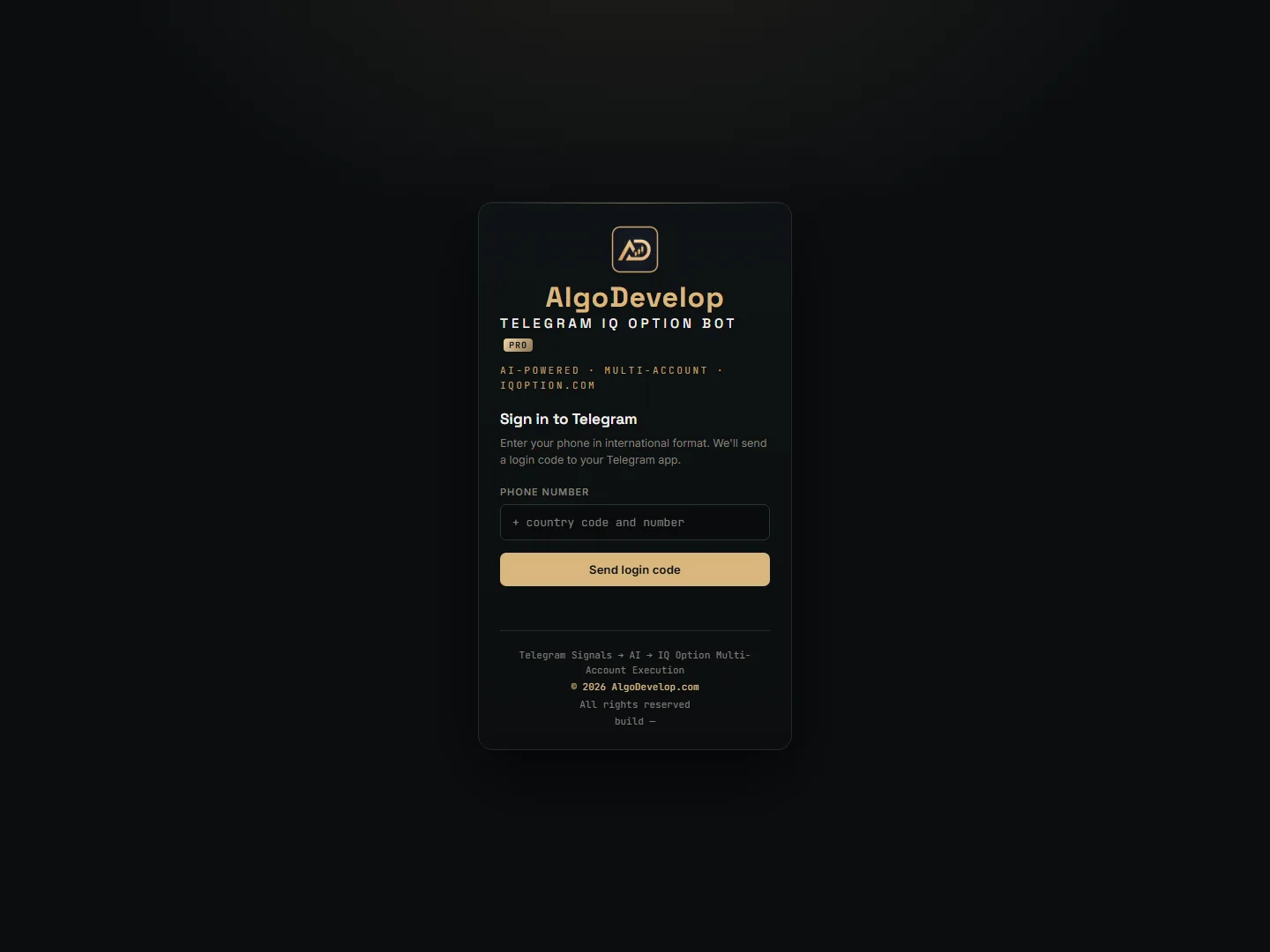
- Switch on the channels whose calls you want traded.
- Add an IQ Option account, give it a name, press Browser login and sign in once.
- Set the money rules under Edit: stake, daily limits and payout floor.
- Stay on DEMO for a full cycle. Watch one call go all the way through: the signal, the order and the result, plus a gale if one follows.
That last step matters. We check the full cycle with you on your own demo balance before any real money goes in. After that, the app runs on your PC or on a VPS that keeps trading while your computer is off.
IQ Option, or one of the others?
The Telegram to IQ Option bot is for IQ Option accounts. Other platforms have their own version:
- Quotex – the Telegram to Quotex bot.
- Pocket Option – the Telegram to Pocket Option bot, which keeps its trading socket inside Chrome.
- Binomo, Olymp Trade, ExpertOption – the Binomo, Olymp Trade and ExpertOption bots.
- MetaTrader 4 and 5 – the Telegram to MT4/MT5 copier.
- Zerodha, Angel One and more – the Telegram to Indian broker copier.
Still unsure? Tell us your platform and we will say plainly which one fits. The copy trading page lists every tool.
Telegram to IQ Option bot – frequently asked questions
Does the app need my IQ Option password?
No. The account form asks only for a name. You sign in yourself in the Chrome window the app opens, and the app reads the session from that window. There is no password box, because the app would have nothing to do with a password.
How does it switch between demo and real?
On IQ Option one session covers both balances. The app reads your balance list when it connects and puts the right balance on every order. So switching modes costs nothing and reconnects nothing.
Why did a trade expire a minute later than the call said?
IQ Option settles short options on minute boundaries and stops selling an option shortly before its boundary. Inside the last 30 seconds, the app books the following minute, as IQ Option’s own platform does. A trade one candle later beats a refused trade.
Can it trade crypto, gold or stock calls?
Yes, when IQ Option offers that instrument and its market is open. The map covers crypto, metals, oil, indices and stocks as well as forex and OTC pairs. Otherwise the call does not trade, and the feed names the reason.
Can it trade signals from a private Telegram channel?
Yes. As long as your own Telegram account can read the channel, group or bot, the Telegram to IQ Option bot can trade its calls.
Does it work on a demo account?
Yes, and you should start there. Keep the account on DEMO until you have watched one full cycle: a signal, the order and the result, plus a gale if one follows.
What happens if the connection drops?
IQ Option sends a heartbeat that the app answers. If the line goes quiet for about 30 seconds, the app reconnects at once and backs off up to 15 seconds between tries. Trades wait for the link rather than fail.
Does it support martingale?
Yes, in two ways, chosen per account under Gales from. By message, the default, places only the gales the call gives, such as “1º GALE” and “2º GALE” lines. Each goes on the next expiry at double the stake. My own system runs your own ladder instead: Multiply, Increment or Custom lots, on the next expiry or the next signal. Set a daily stop-loss alongside it.
Is my account safe?
Your IQ Option password never enters the app, and the saved session stays on your own PC. We never hold your login, and your orders go from your PC to IQ Option, not through our servers.
Is binary options trading available where I live?
That depends on your country. Several regulators restrict or ban binary options for retail traders, and platform availability varies. Indian readers should check the RBI and SEBI rules. We sell the software; we do not give investment advice and we do not sell signals.
How much does a Telegram to IQ Option bot cost?
It depends on the setup you want: the money rules, the number of accounts and the channels you follow. Setup help comes with it either way. Tell us what you need and we will quote it plainly: ask for a quote.