How to Copy Telegram Signals to MT4 and MT5 (Step-by-Step)
Published July 19, 2026 · Updated October 14, 2026
If you follow a Telegram signal channel, copying each trade into MetaTrader by hand is slow and error-prone. You read the signal, switch apps and type the order, and by then the price has moved. So learn how to copy Telegram signals to MT4 and MT5 automatically instead. Every signal your channel posts then goes onto your account by itself, on either platform, the way you set it up.
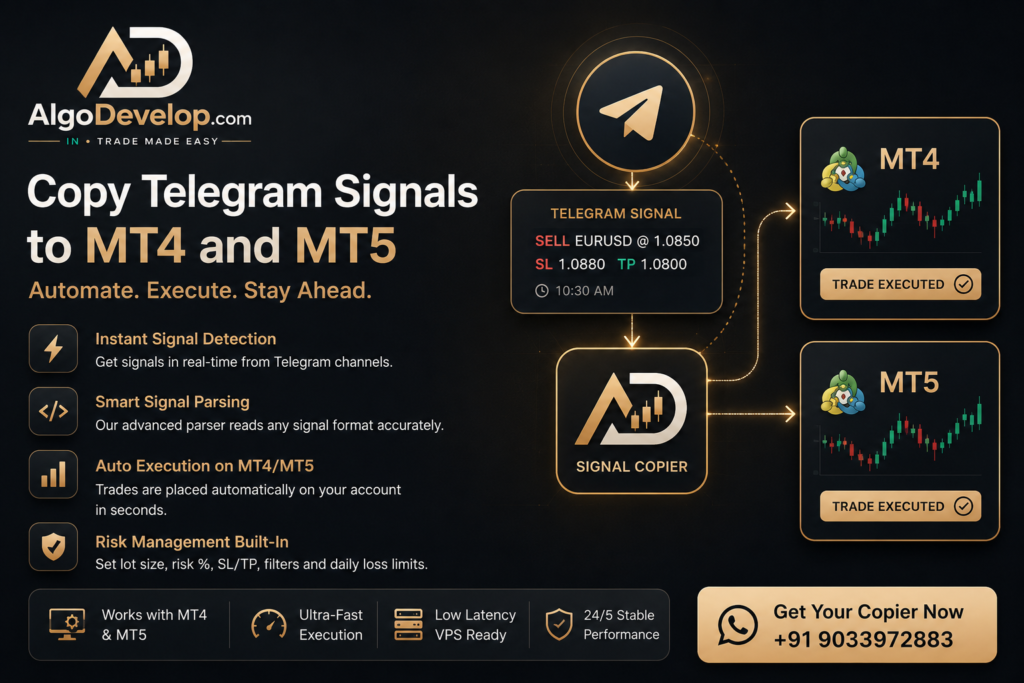
This guide covers both MT4 and MT5: what a Telegram copier does, what you need and how to set it up. It also explains the key differences between the two platforms, and when a custom-built copier is worth it. It is general education about software, not financial or investment advice.
On this page
- What it means to copy Telegram signals to MT4/MT5
- Does it work for both MT4 and MT5?
- What you need before you start
- How it works: signal, reader, MetaTrader order
- How to copy Telegram signals to MT4 and MT5, step by step
- MT4 vs MT5: what changes when copying?
- Risk controls every trader should set
- Common problems, and how to fix them
- DIY vs a done-for-you copier
- A ready-made Telegram to MT4/MT5 copier
- Frequently asked questions
What it means to copy Telegram signals to MT4/MT5
A Telegram to MT4/MT5 copier is software that reads the messages in a Telegram channel or group. It finds the trade in each one: the symbol, the side, the entry, the stop loss and the take profit. Then it places that order in your MetaTrader 4 or MetaTrader 5 terminal.
In plain terms, it does three things as soon as a signal drops:
- First, it detects the new message.
- Next, it reads the trade details from the text.
- Finally, it places the order in MT4 or MT5, with your lot size and risk rules.
So there is no watching the channel all day, no typing and no missed setups.
Does it work for both MT4 and MT5?
Yes. A good copier supports both platforms, so you simply point it at your MT4 terminal, your MT5 terminal or both. The Telegram side stays the same, and only the MetaTrader link differs. Whether your broker gave you MT4, MT5 or one of each, the same channel can feed them all.
What you need before you start
- An MT4 or MT5 account with a broker that allows Expert Advisors, as most brokers do.
- Access to the Telegram channel or group you want to copy, because you must be a member.
- A copier that connects Telegram to MetaTrader, either off the shelf or built for your signal format.
- A VPS, ideally: a small always-on server, so the copier keeps running while your own PC is off.
You do not need to code, either. You set your preferences, and then the copier handles the rest.
How it works: signal, reader, MetaTrader order
Say your channel posts SELL EURUSD @ 1.0850 SL 1.0880 TP 1.0800. Then the copier works through four moves:
- It reads the message as soon as it arrives.
- Then it pulls out the side (SELL), the symbol (EURUSD), the entry (1.0850), the SL (1.0880) and the TP (1.0800).
- Next, it maps the symbol to your broker’s exact name, such as
EURUSD,EURUSD.morEURUSD-ECN. - Finally, it applies your rules, such as lot size, risk percent and filters, and places the order.
Speed matters here, because low latency keeps your fill close to the signal price. Our copier reads a layout it already knows in well under a millisecond. A brand-new layout goes to the AI once, which takes a second or two. Meanwhile, the EA checks for new signals every 50 milliseconds by default.
How to copy Telegram signals to MT4 and MT5, step by step
Step 1: Connect the copier to your Telegram source
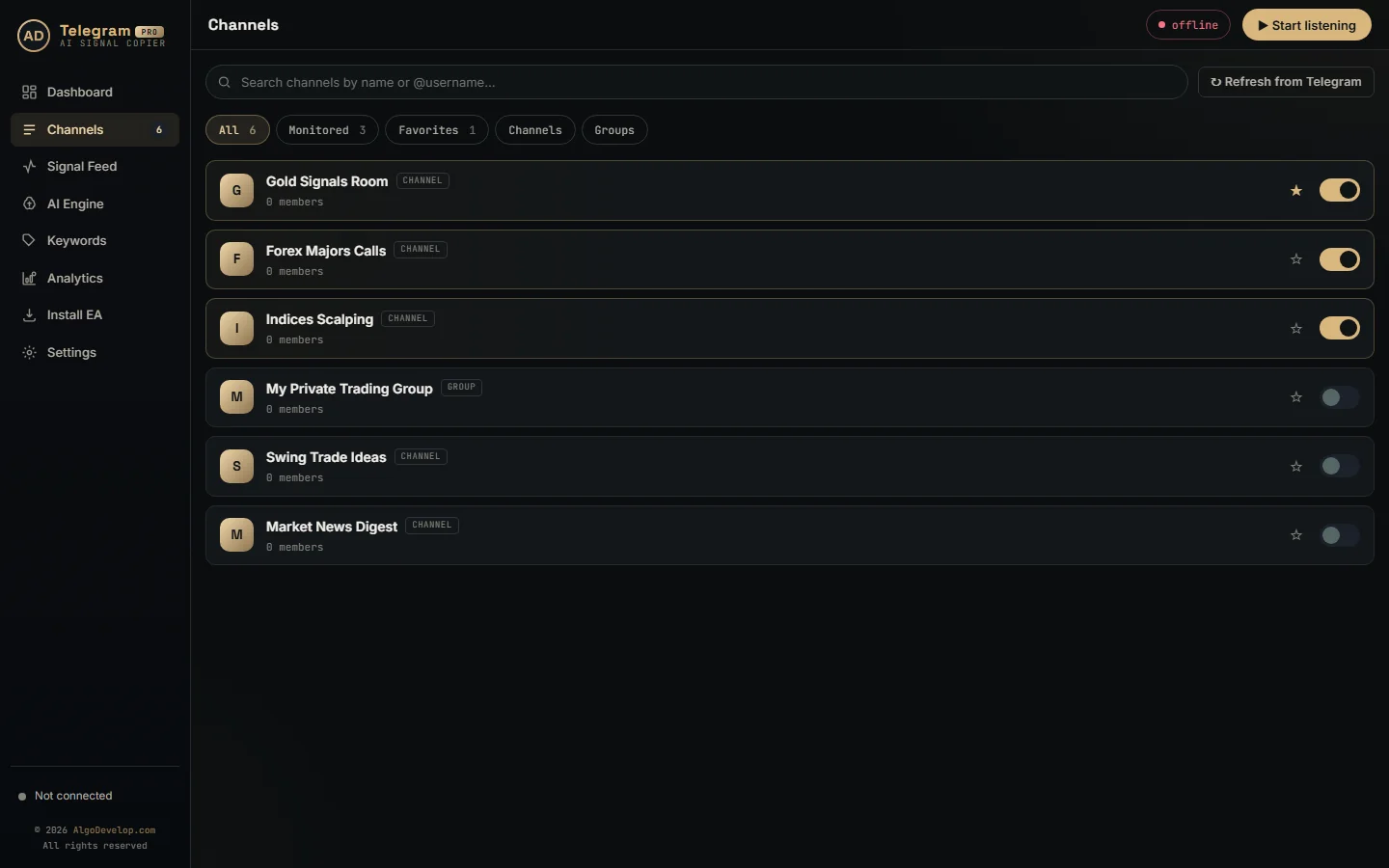
Sign in with your phone number and the code Telegram sends, just as on a new phone. The copier then lists every channel and group your account can read. Switch on only the ones you follow, so it reads nothing else. If the code does not arrive, the Telegram FAQ covers login codes and two-step passwords.
Step 2: Connect it to MT4 or MT5
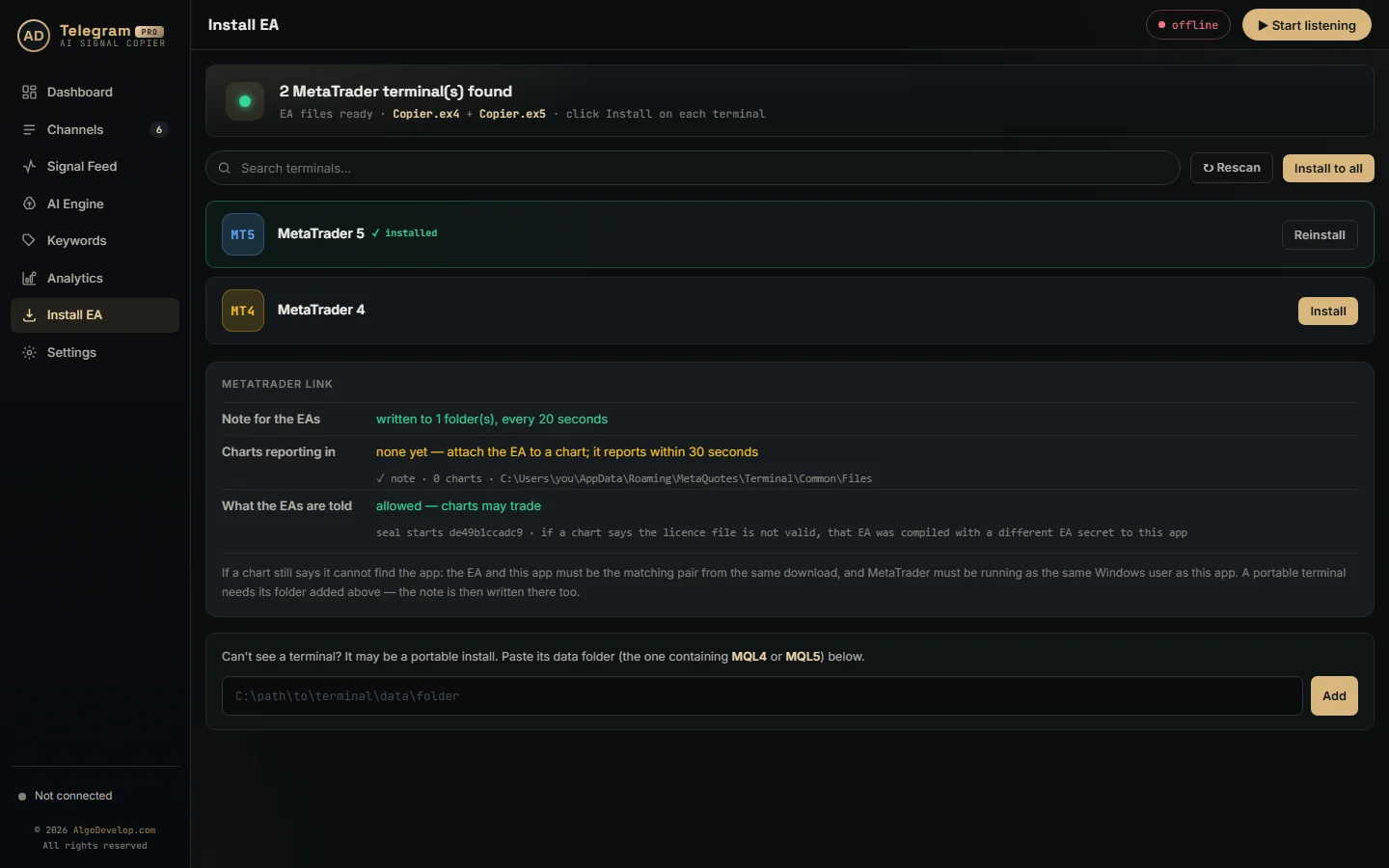
Next, link the copier to your MetaTrader terminal, which usually means an Expert Advisor on a chart. In our copier, the Install EA page finds every MT4 and MT5 terminal on the PC for you. After that, drag the EA onto one chart and turn on algo trading.
Step 3: Teach it your channel’s format
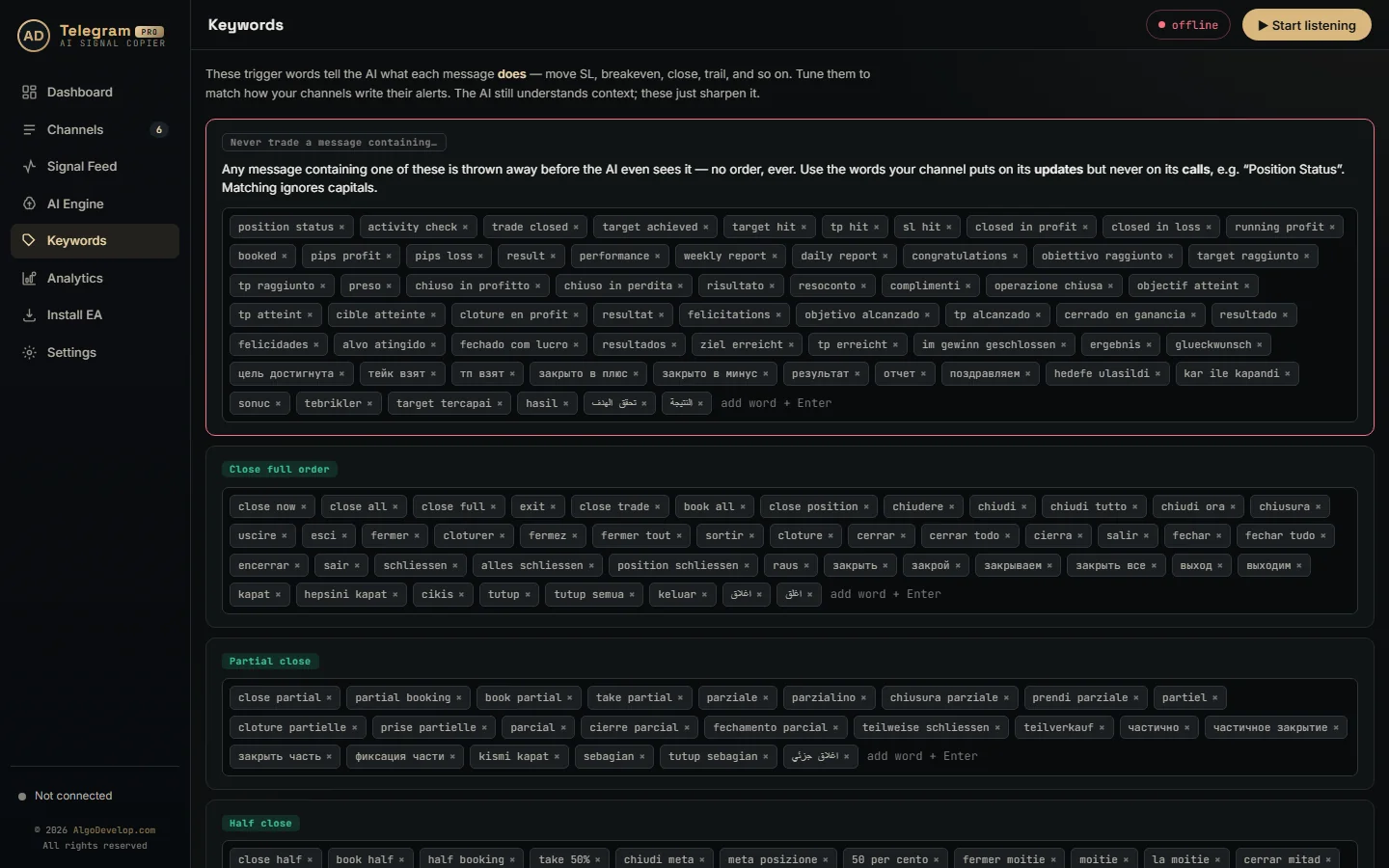
Channels write trades differently: BUY or LONG, with SL and TP on one line or several. Many also post updates such as “move SL to entry” or “close half”. So the copier has to understand your channel’s exact wording, and ours uses an AI model plus keyword lists for that.
Step 4: Set lot size, risk percent and filters
This is where you stay in control:
- Lot size: a fixed lot, or one worked out from a risk percent of your balance.
- Risk per trade and a daily loss limit.
- Filters: copy only certain symbols, skip signals outside your hours, and ignore messages that are not trades.
Step 5: Test on demo, then go live
Run it on a demo MT4 or MT5 account for a few days. Check that it picks up the signals, maps the symbols and places the SL and TP as you expect. Once you are happy, switch to live at a small size.
MT4 vs MT5: what changes when copying?
The copying process is the same on both. Still, a few practical differences are worth knowing:
| MT4 | MT5 | |
|---|---|---|
| Best for | Forex, wide broker support, most signal EAs | Forex plus stocks, futures and options; newer |
| Order handling | Hedging by default | Netting or hedging (broker-dependent) |
| Symbol names | Broker-specific | Broker-specific (often more instruments) |
| Copier support | Very widely supported | Fully supported |
Bottom line: both work well for copying Telegram signals. So use whichever platform your broker and strategy prefer, because the copier adapts to it. For a fuller comparison, read MT4 vs MT5.
Risk controls every trader should set
Automation copies trades faster, but it does not remove market risk. Before going live, set:
- Max risk per trade, such as 1-2% of your balance.
- A daily loss limit that stops new trades once you hit it.
- Slippage and spread filters that skip fills far from the signal price.
- Max open trades, so a burst of signals cannot over-leverage you.
One more check: our EA opens one order per target you allow. So three targets on a 0.10 lot put 0.30 lots in the market. You are the account holder, and the copier simply runs the rules you choose.
Common problems, and how to fix them
- Missed trades come from slow manual entry or a weak connection, so a copier on a VPS fixes them.
- The wrong symbol fills when names differ, and correct symbol mapping to your broker solves that.
- Duplicate or partial orders need a copier that knows re-sends and acts on “close half”.
- An offline copier misses everything, so a VPS keeps it running all week.
Note that our copier acts on new messages. An edit or a deletion therefore does not change a trade that is already open. However, follow-ups such as “close now” or “move SL to entry” do act, even as replies.
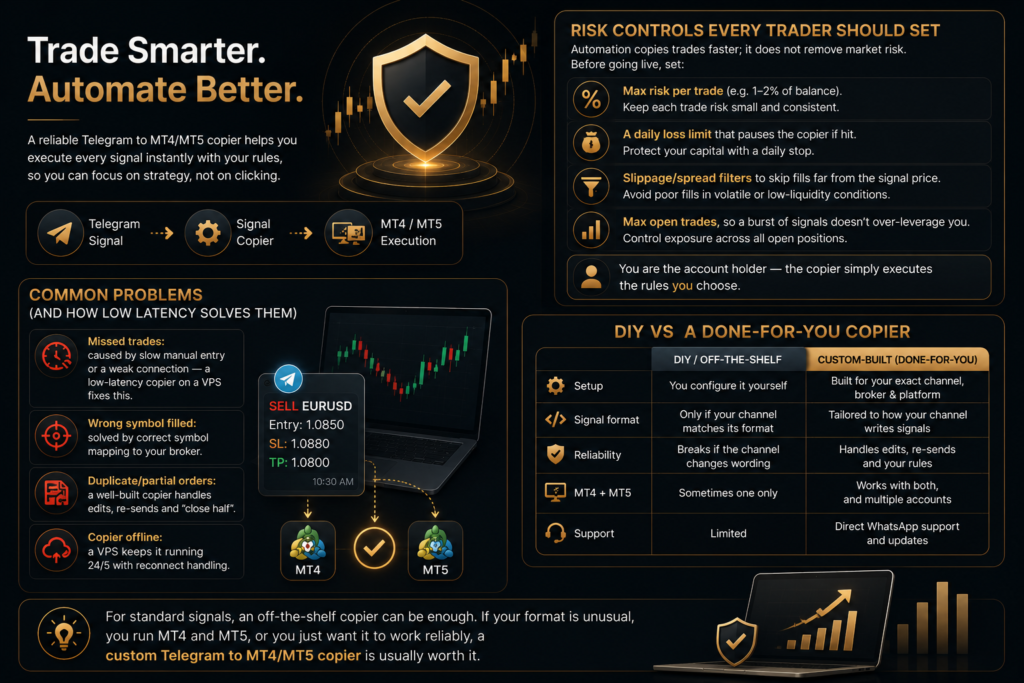
DIY vs a done-for-you copier
| DIY / off-the-shelf | Custom-built (done-for-you) | |
|---|---|---|
| Setup | You configure it yourself | Built for your exact channel, broker and platform |
| Signal format | Only if your channel matches its format | Tailored to how your channel writes signals |
| Reliability | Breaks if the channel changes wording | Handles follow-ups, re-sends and your rules |
| MT4 + MT5 | Sometimes one only | Works with both, and with several accounts |
| Support | Limited | Setup help over WhatsApp or Telegram, plus updates |
For standard signals, an off-the-shelf copier can be enough. But a copier built for you is usually worth it if your format is unusual, or if you run MT4 and MT5. The same goes if you just want it to work reliably.
A ready-made Telegram to MT4/MT5 copier
Don’t want to set it up yourself? Our Telegram to MT4/MT5 copier is ready-made for exactly this. It works with MT4, MT5 or both, on your own account, and we help with the first setup. Our Telegram signal copier guide also walks through the whole setup in six steps.
Signals arrive somewhere else? Then there is a WhatsApp to MT4/MT5 copier and a Discord to MT4/MT5 copier as well. If your alerts come from your own charts, read how to connect TradingView to MT4 and MT5 instead.
We build software only, so we do not sell signals, give investment advice or manage funds. For a copier set up around your channels, ask for a quote.
Copy Telegram signals to MT4 and MT5 – frequently asked questions
Can one copier send signals to both MT4 and MT5?
Yes. The same Telegram source can feed MT4, MT5 or several accounts at once. With our copier, every terminal on the PC reads the same signals.
Can I copy from a private Telegram channel I’ve joined?
Yes, as long as you are a member of the channel or group. The copier only reads what your own account can already see.
How fast are trades placed after a signal appears?
A layout our copier already knows takes well under a millisecond to read. A new one goes to the AI once, which takes a second or two. Then your VPS, connection and broker add their own time on top.
Do I need coding knowledge?
No. You set your preferences, such as lot size, risk and filters, and the software handles the technical work.
Can I copy Telegram signals to MT4 and MT5 with my PC off?
Only on a VPS. The copier and MetaTrader both have to keep running, so traders who follow a channel overnight usually use one.
What if a signal has no stop loss?
That is your choice. By default, our EA gives it a stop 100 pips from the entry, but you can change that distance. You can also set it to 0 and refuse such signals outright.
My broker uses XAUUSDm, not XAUUSD. Does that work?
Yes. Set the suffix once in the EA, and every symbol gets your broker’s exact name. Renames such as GOLD=XAUUSD work the same way.
Is this legal and safe?
It is trade-execution software that runs on your own account with your own settings. It is not a managed account, a tips service or advice. Rules also differ by country, so Indian readers should see whether copy trading is legal in India.
Want this built for you?
We develop it as a service — reliable, tested, and yours to own.
Message Us on WhatsApp