How to Automate Zerodha Trading with Kite Connect
Published July 18, 2026 · Updated October 14, 2026
There are three common ways to automate Zerodha: your own code, TradingView alerts, or calls copied from a Telegram channel. Each way ends the same. An order lands in your own Zerodha account, through Zerodha’s official API, and you never type it.
This guide covers Kite Connect, the rules in force since 1 April 2026, the setup steps and the common mistakes. It is general information about software, not investment advice.
On this page
What it means to automate Zerodha
When you automate Zerodha, a program places your orders instead of your hands. It watches for a condition, builds the order and sends it to Zerodha. You still own the account, the money and every rule it follows.
So what can start those orders? Usually one of three things:
- Your own rules. For example, buy one NIFTY call when two moving averages cross, then exit at a fixed loss. You or a developer write this in Python or another language.
- TradingView alerts. Your chart fires an alert, and a program turns it into an order. That way the strategy stays in Pine Script while Zerodha does the trading.
- Telegram calls. A channel posts BANKNIFTY 52000 CE buy above 210, and a copier places it at your size.
All three need the same plumbing underneath, and that plumbing is Kite Connect.
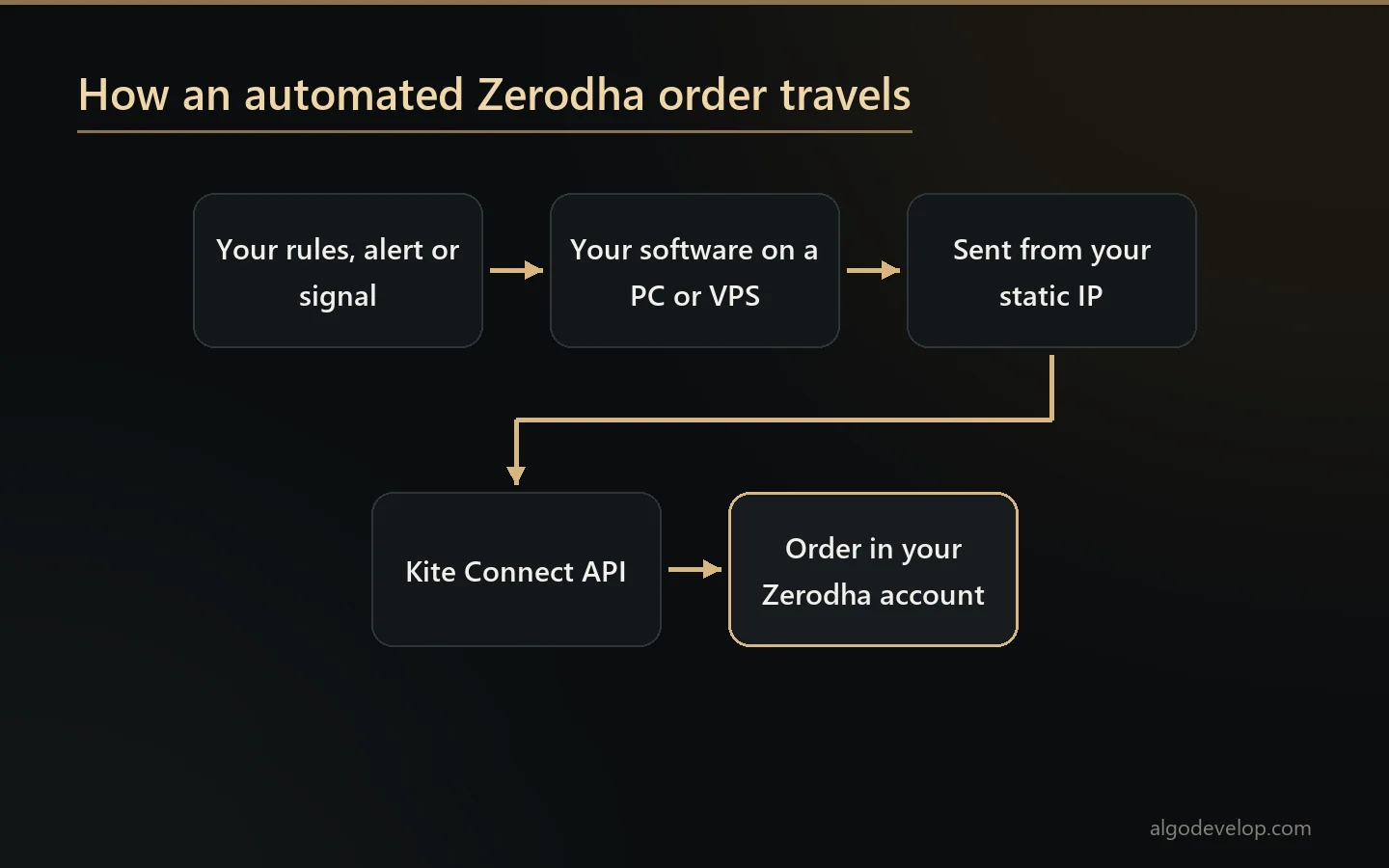
Kite Connect: the official way in
Kite Connect is Zerodha’s own API. In plain words, a program calls it to place orders, read positions and stream prices. Zerodha publishes the Kite Connect documentation openly. It also offers official libraries for Python, Java, Node.js, C#, Go, Rust, PHP and C++.
Through it, a program can do most of what you do in Kite:
- Place, change and cancel orders, as market, limit, SL or SL-M.
- Pick the product: CNC for delivery, MIS for intraday, or NRML for F&O you carry forward.
- Set GTT orders, which wait for a trigger price.
- Read your holdings, positions, margins and order book.
- Stream live prices over a WebSocket, and fetch historical candles.
Zerodha offers two plans. The free Personal plan covers orders, GTT, alerts, margins and the portfolio. The paid Connect plan adds live streaming and historical candle data. So before you subscribe, ask whoever built your software which plan it needs.
The 2026 rules: static IP, daily login and order tags
SEBI’s retail algo circular of February 2025 changed API trading at every Indian broker. After two delays, it has applied to all brokers since 1 April 2026. Three of its effects matter most when you automate Zerodha:
- A static IP. Zerodha now takes API orders only from a static IP that you whitelist. Reading data still works from any address, but an order does not. Most home and mobile lines in India change their address or share one, so they will not do.
- A daily login. Your access token expires at 6 AM the next day, as a regulatory rule. So someone, or something, has to log in to Kite each trading day before the first order.
- Tagged orders. Every algo order that flows through an API carries a unique tag from the exchange. As a result, your broker and the exchange can tell it apart from a trade you place by hand.
There is also a speed line. A strategy you build yourself needs exchange registration only above an orders-per-second threshold. Zerodha’s own summary of the exchange rules puts it at 10 orders per second, per segment, per exchange. A copier or a simple strategy stays far below that.
The static IP, in detail
The static IP has rules of its own. You add it under IP Whitelist, in the Profile section of your Kite developer account. You need one primary IP and may add a second. Since exchange rules allow one change per calendar week, check the address before you save it. Family members may also share one IP through a single developer account. Zerodha’s static IP guide counts a spouse, dependent children and dependent parents as family.
How to automate Zerodha, step by step
- Pick what drives the orders. Choose between your own code, TradingView alerts and Telegram calls. That choice decides which software you need.
- Get a static IP. A small Windows VPS with a fixed IP is the usual answer. A static IP from your internet provider also works, as long as your PC stays on.
- Create a Kite Connect app. In the developer console, create an app, note its API key and secret, and set its redirect URL. Then pick the plan your software needs.
- Whitelist the IP. Open Profile, then IP Whitelist, and paste your static IP. Check it twice first, because you can change it only once a week.
- Connect the software. Give it the API key and secret. Next, log in through Kite’s own page. Your software swaps what comes back for the day’s access token.
- Set your limits. Choose the product, a lot cap, a daily order cap and a trading window. These limits are what keep a bad day small.
- Test small. Run one session on paper, or with one lot. Then check every order against what you expected before you add size.
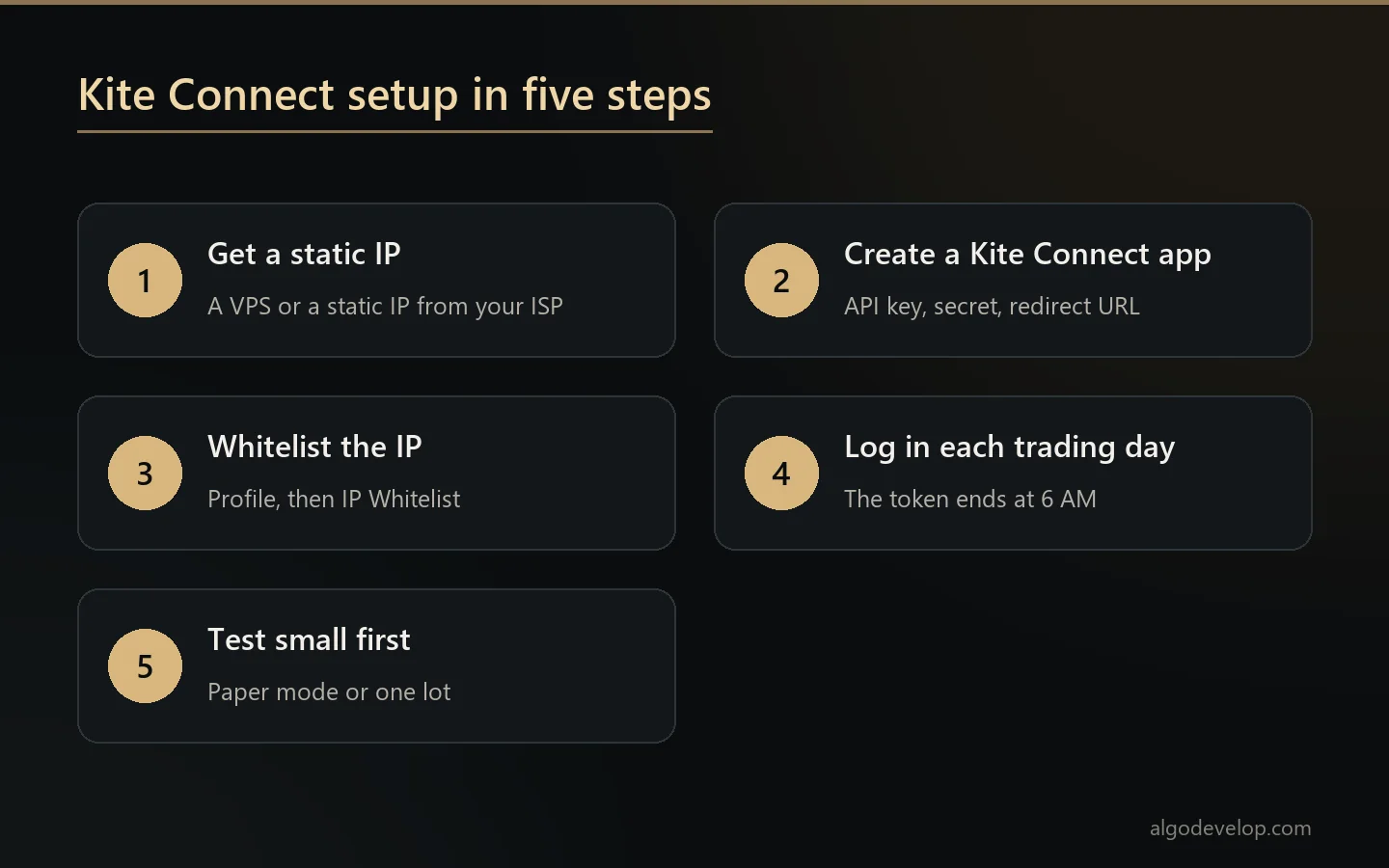
Most of this work happens once. The daily login is the exception, so plan for it from day one.
Ready-made ways to automate Zerodha
You do not have to write the plumbing yourself. We make two ready-made copiers that already speak Kite Connect. Both run on your own PC or VPS, with your own API keys, and we never hold them.
The TradingView to Indian broker copier listens for your alerts on port 80 and turns each one into an order. It only takes alerts from TradingView’s own servers. For example, an alert with BUY, NIFTY, 24600, CE and one lot buys that call at the nearest expiry.
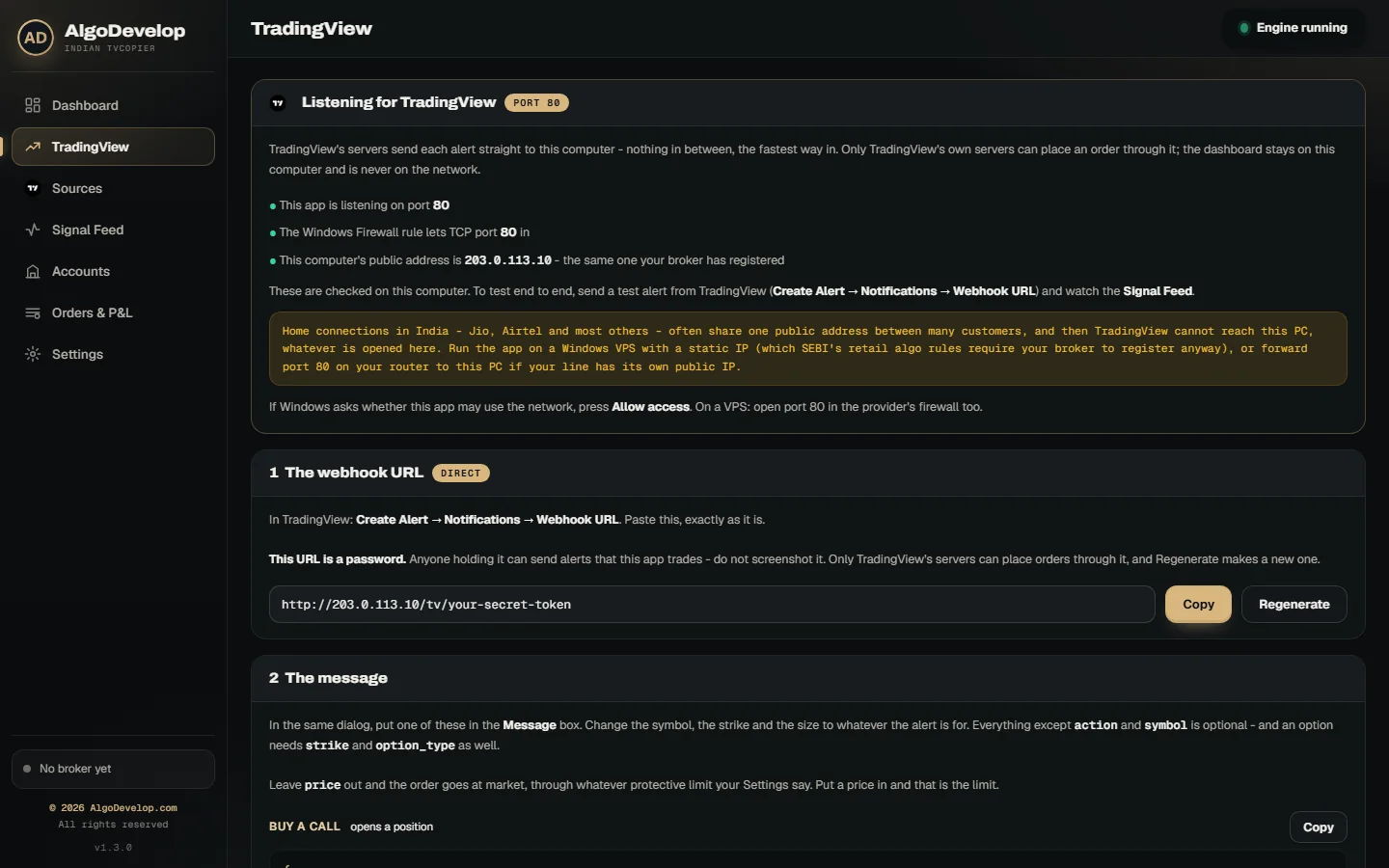
The Telegram to Indian broker copier reads the channels you choose instead. An AI model reads each call, even in Hinglish. Then the app checks the strike, premium and expiry itself. Only after that does it place the order, as a protective limit by default.
Both copiers turn the Zerodha login into one click. Log in with Kite opens Kite’s own page in your browser. Once you sign in, the day’s token saves itself. Both also show the static IP your broker sees, with a Copy button, and they warn you if it changes.
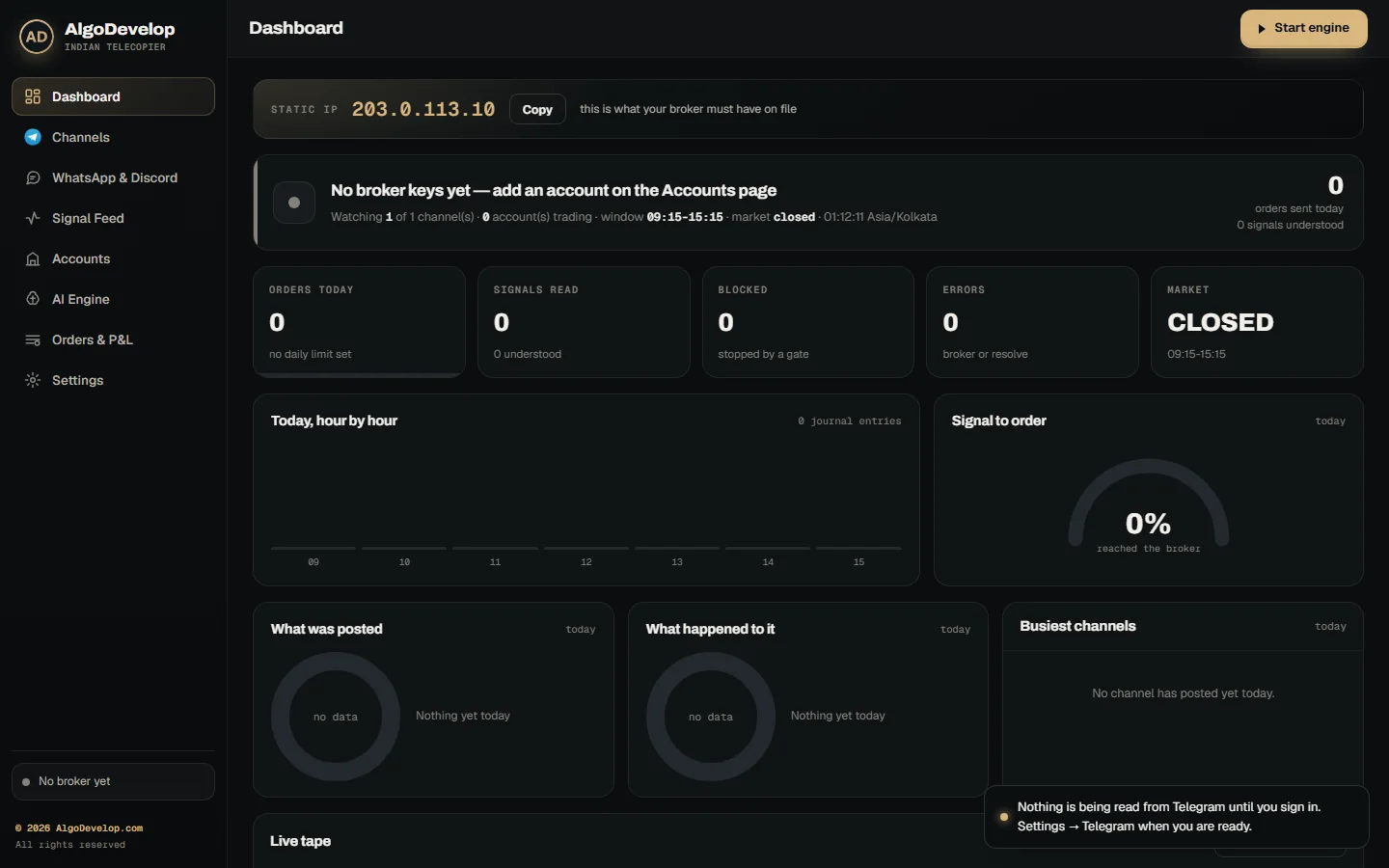
In addition, they share the same brakes: a daily order cap, a lot cap and a kill switch. Their trading window runs from 09:15 to 15:15 to start with, and you can change it. Paper mode fills orders in the app’s own book at live prices, so you can watch first. They trade index options, stock options and NSE cash equity. However, they refuse futures for now and do not trade MCX.
When a custom build makes sense
A copier fits when the signal comes from outside, such as a chart alert or a channel. But some traders want their own logic to run end to end. Think of an options strategy that adjusts its legs, or a scanner that picks stocks each morning. That is custom work.
In that case we build it for you on Kite Connect. The static IP, the daily login and the limits come built in. See Zerodha automation for what we build, or Indian stock market automation for a strategy of your own. Other brokers are on the Indian broker automation page. For a sense of the cost first, read how much a trading bot costs, then ask for a quote.
Common mistakes, and how to avoid them
Most of these mistakes are easy to catch in advance. So run down this list before the first live order of each day:
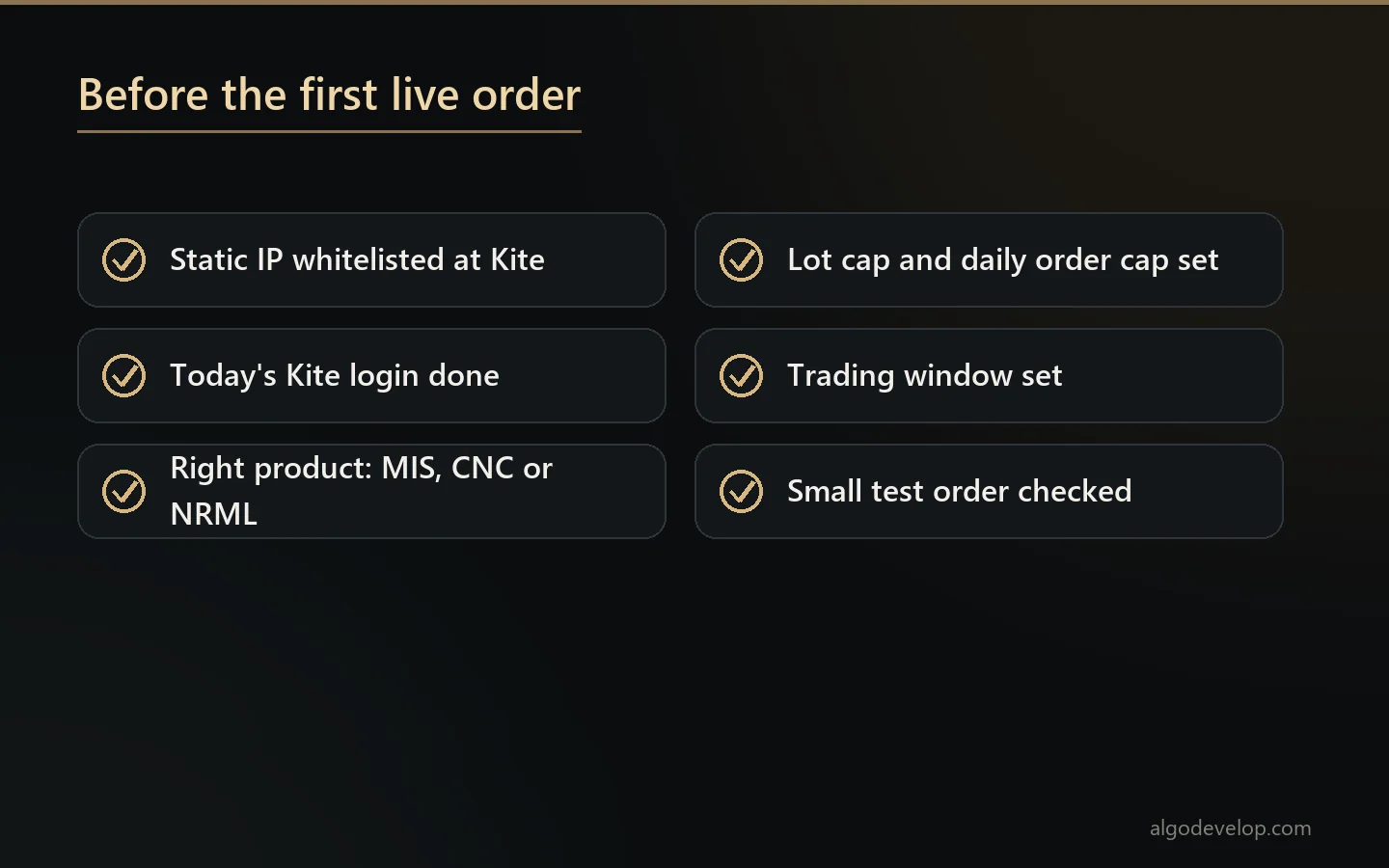
- A changing IP. If your address moves, Zerodha refuses every order until you whitelist the new one.
- No login today. Yesterday’s token stops working at 6 AM, so the first order of the day fails.
- The wrong product. Zerodha squares off MIS positions near the close. So use NRML or CNC if you mean to hold.
- Naked market orders. A market order in a thin option can fill far from the last price. A protective limit, or Kite’s market protection setting, caps that risk.
- Too many orders. A loop that fires on every tick can cross 10 orders per second. Above that line, a strategy needs registration.
- Shared logins. NSE tells investors never to share their trading credentials with anyone. Your API keys belong on your own machine too.
Automate Zerodha – frequently asked questions
Is it legal to automate Zerodha?
Zerodha offers Kite Connect for exactly this, within SEBI’s rules. Since 1 April 2026, those rules mean a whitelisted static IP, a daily login and tagged orders. For the wider picture, read our post on whether copy trading is legal in India.
Can I automate Zerodha without coding?
Yes. The ready-made copiers need no code at all. You add your Kite Connect keys, whitelist the IP and set your limits. After that, your alerts or Telegram calls drive the orders.
Do I need a static IP to automate Zerodha?
Only to place orders, but every automated setup does that. Since 1 April 2026, Zerodha accepts API orders only from a whitelisted static IP. Prices, positions and the order book still work from any address.
Why do I have to log in every day?
Because the Kite Connect access token expires at 6 AM the next day, as a regulatory rule. The ready-made copiers turn this into one click each morning with Log in with Kite.
Does Kite Connect cost money?
Zerodha’s Personal plan is free and covers orders, GTT and the portfolio. The Connect plan adds live streaming and historical candles for a monthly fee. Check Zerodha’s site for the current terms.
Can one PC run accounts for my whole family?
Zerodha lets a spouse, dependent children and dependent parents share one static IP through a single developer account. Zerodha’s guide then has you create a separate app for each family member under that one account.
Can it trade futures or MCX?
Not with the ready-made copiers. They trade index and stock options and NSE cash equity, and they refuse futures. A custom build on Kite Connect can cover more, so tell us what you trade.
Is my Zerodha account safe with automation?
The software runs on your own PC or VPS with your own API keys, and we never hold them. Also keep your Kite password and TOTP to yourself, since nobody else needs them.
How much does it cost to automate Zerodha?
It depends on whether a ready-made copier fits or you need a custom build. Setup help comes with either one, so ask for a quote.
Want this built for you?
We develop it as a service — reliable, tested, and yours to own.
Message Us on WhatsApp