MT4 vs MT5: Which Should You Build On?
Published July 18, 2026 · Updated October 14, 2026
MT4 vs MT5 is the first choice to make before you build an expert advisor. Code written for one platform does not run on the other. Both come from MetaQuotes, both run EAs, and many forex brokers offer one or both.
So which one should your EA live on? This guide sets out the seven differences that matter for automated trading. Then it helps you decide whether to build on MT4, on MT5, or on both.
On this page
MT4 vs MT5: the short answer
If your broker offers MT5 and you have no strong reason to stay, build on MT5. It has the stronger tester, more order types and more markets. Stay on MT4 when a working EA already runs there, when you have no source code to convert, or when your broker’s MT5 offer is weaker than its MT4 one.
If you need both, say so before the build starts. Writing for both from day one costs less than converting later.
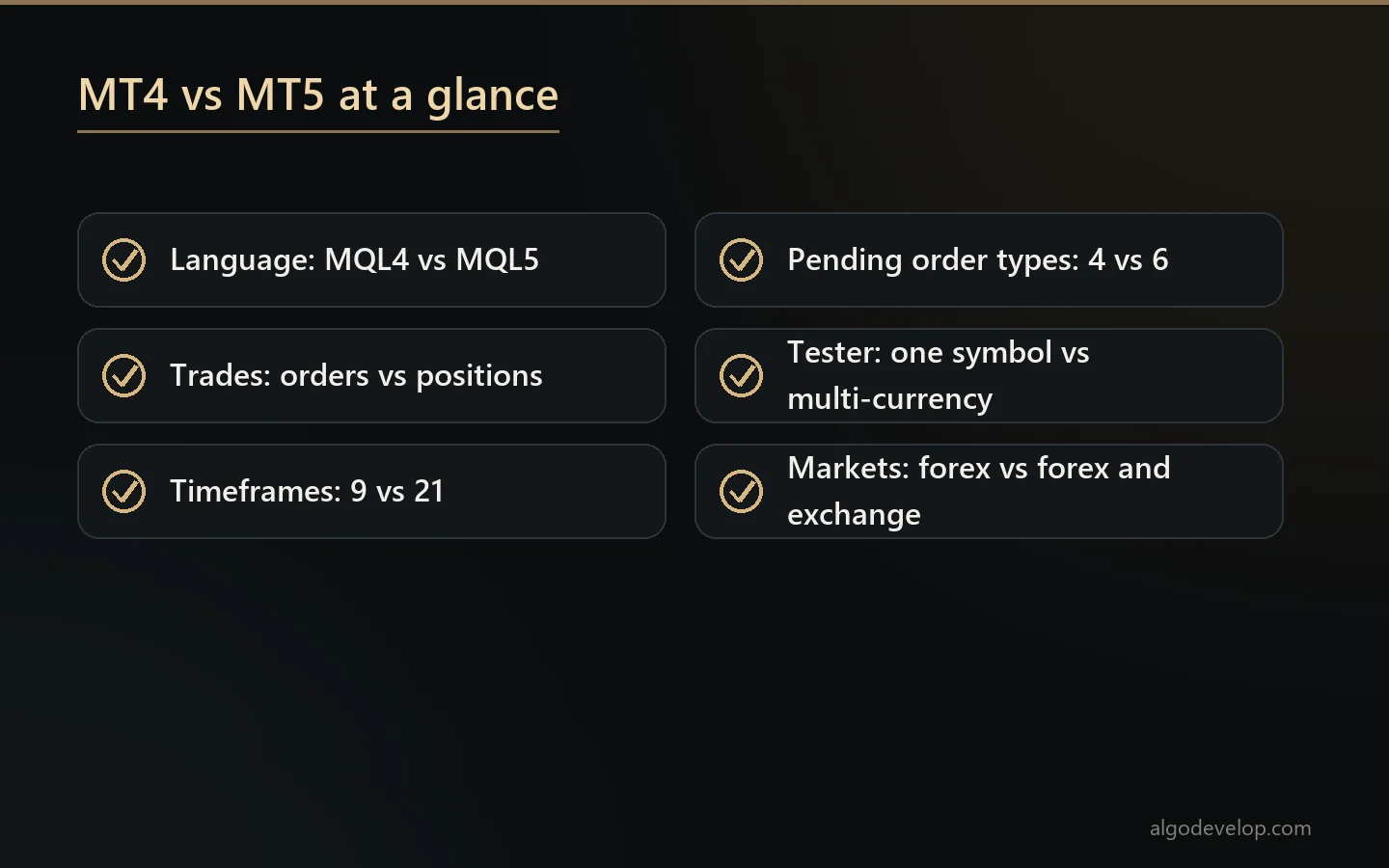
| Topic | MT4 | MT5 |
|---|---|---|
| Language | MQL4, compiled to .ex4 | MQL5, compiled to .ex5 |
| Trade model | Orders, each with a ticket | Positions, with orders and deals kept apart |
| Account modes | Buy and sell on one symbol at once | Netting or hedging, set by the broker |
| Timeframes | 9 | 21 |
| Pending order types | 4 | 6, adding Buy Stop Limit and Sell Stop Limit |
| Strategy tester | One symbol per run | Multi-currency, every tick, forward tests, cloud optimisation |
| Markets | Built for forex | Forex, plus stocks and futures where the broker offers them |
MT4 vs MT5: 7 differences that matter for EAs
Charts and buttons look much the same on both. The real gaps sit under the surface, in how each platform thinks about a trade. For the full detail, MetaQuotes keeps its own MetaTrader 4 help and MetaTrader 5 help.
1. The language and the files
MT4 runs MQL4 and MT5 runs MQL5. MetaQuotes describes MQL5 as very close to C++, with support for object-oriented code. MQL4 has picked up much of that over the years. Even so, the two still disagree on how a trade works. An EA built for MT4 ends up as an .ex4 file, and MT5 will not load it. The reverse is also true.
2. Orders vs positions
MT4 thinks in orders. Every trade is an order with a ticket, and an EA loops through those tickets. MT5 thinks in positions instead, and it keeps orders and deals as separate records. As a result, a single MT4 line that closes a trade by ticket has no direct MT5 twin. This is the change that breaks most converted code.
3. Hedging and netting
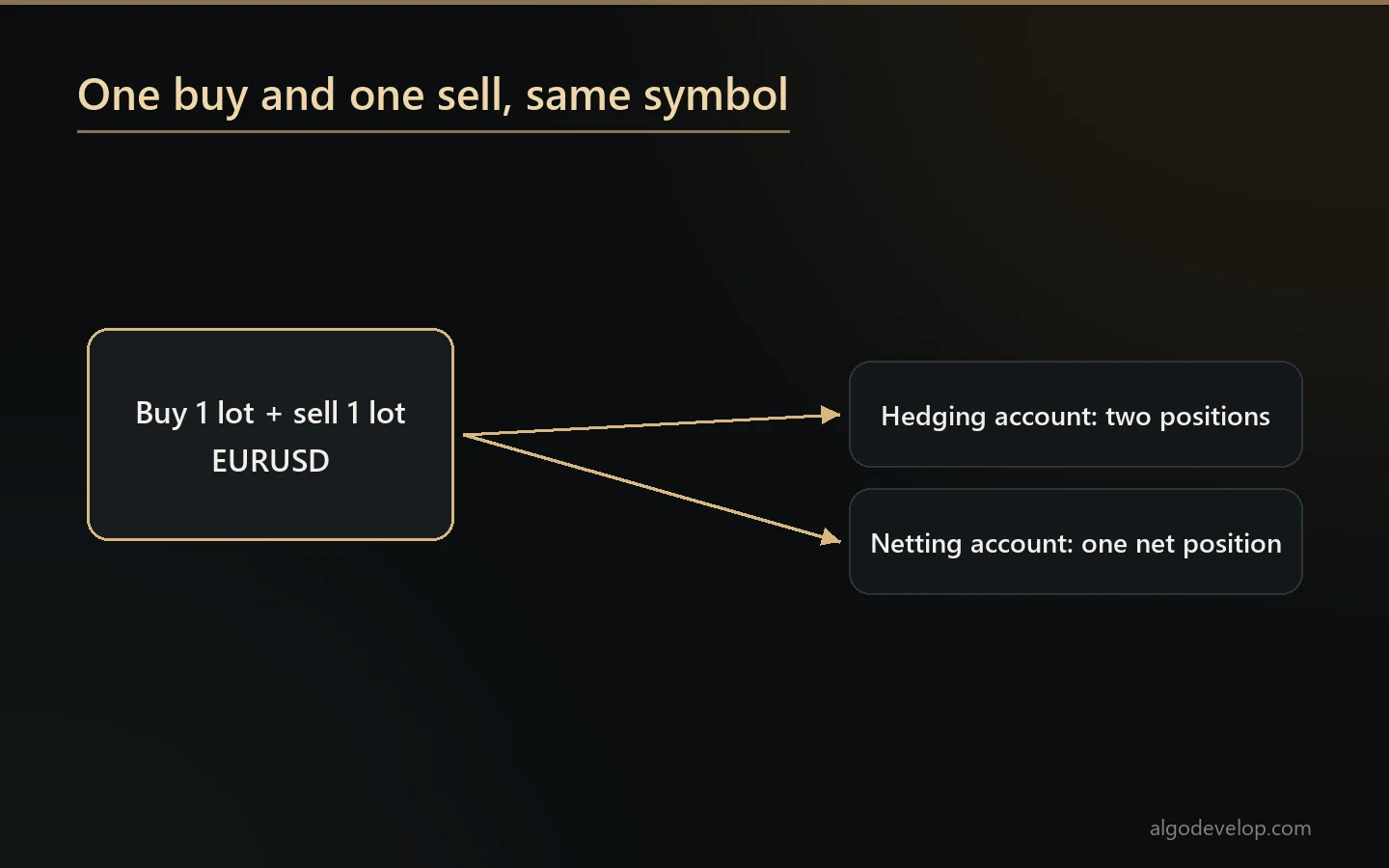
An MT4 account can hold a buy and a sell on the same symbol at the same time. An MT5 account can too, but only if the broker set it up as a hedging account. On a netting account, those two trades merge into one net position. So a grid or a hedge EA built for MT4 cannot work there as written.
4. The strategy tester
This is where MT5 pulls clearly ahead. Its tester can run an EA on several symbols at once and model every tick. It can also hold back part of the data for a forward test, and add random delays to mimic a real network. Long optimisations can spread across other PCs on your network or the MQL5 Cloud Network. MT4 tests one symbol per run, and its default mode builds ticks from bar data. That makes its results rougher, especially for EAs with tight stops.
5. Indicators inside the code
In MQL4, an EA calls a function such as iMA and gets a number back. In MQL5, the EA first creates a handle, then copies values out of a buffer. Done once, that is fast. Done on every tick, however, it slows the EA to a crawl, which is a classic mistake in quick conversions.
6. Timeframes and order types
MT4 charts offer 9 timeframes, while MT5 offers 21, from one minute up to one month. MT4 has 4 pending order types. MT5 has 6, because it adds Buy Stop Limit and Sell Stop Limit. That matters if your entry rule waits for a breakout and then a pullback.
7. Markets and built-in tools
MetaQuotes built MT4 for forex. MT5 also handles exchange markets such as stocks and futures, as long as your broker offers them. On top of that, it has advanced market depth and an economic calendar built in. For a forex-only EA these extras rarely decide anything, but they do for a multi-asset one.
MT4 vs MT5: which should you build on?
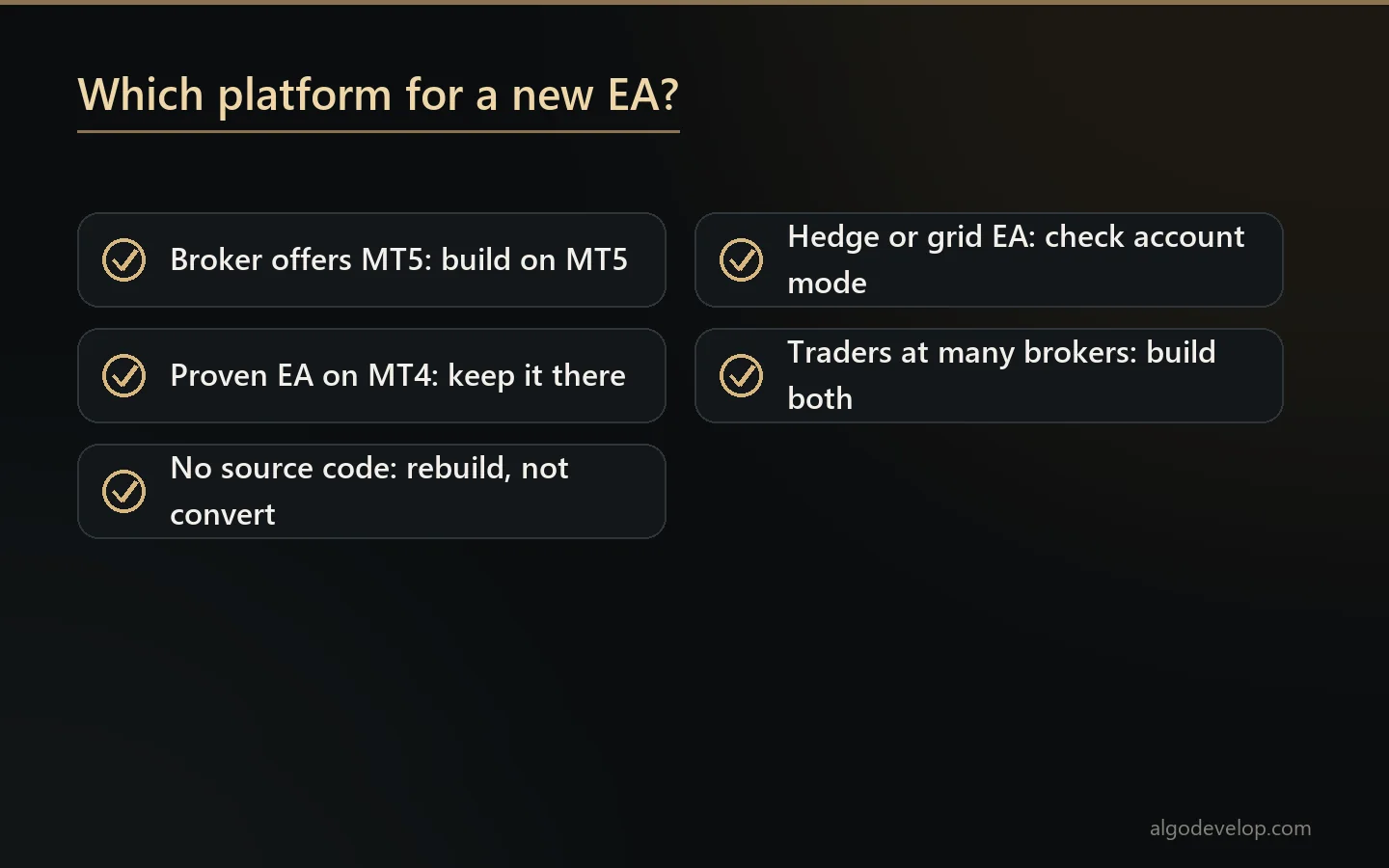
The MT4 vs MT5 choice starts from your broker, not from the platform. Then match the platform to the EA you want.
- Choose MT5 for a new EA when your broker offers it. You get the better tester, more order types and room to add other markets later.
- Stay on MT4 when a proven EA already runs there and nothing about it needs to change.
- Check the account mode before any hedge or grid EA goes on MT5. If the account nets, the logic needs a redesign first.
- Build for both when you sell or share the EA with traders at different brokers.
Still unsure? Read our pages on MT4 automation and MT5 automation for what each one can run. If you are new to EAs, start with what an expert advisor is, then come back to this choice.
Moving an EA from MT4 to MT5
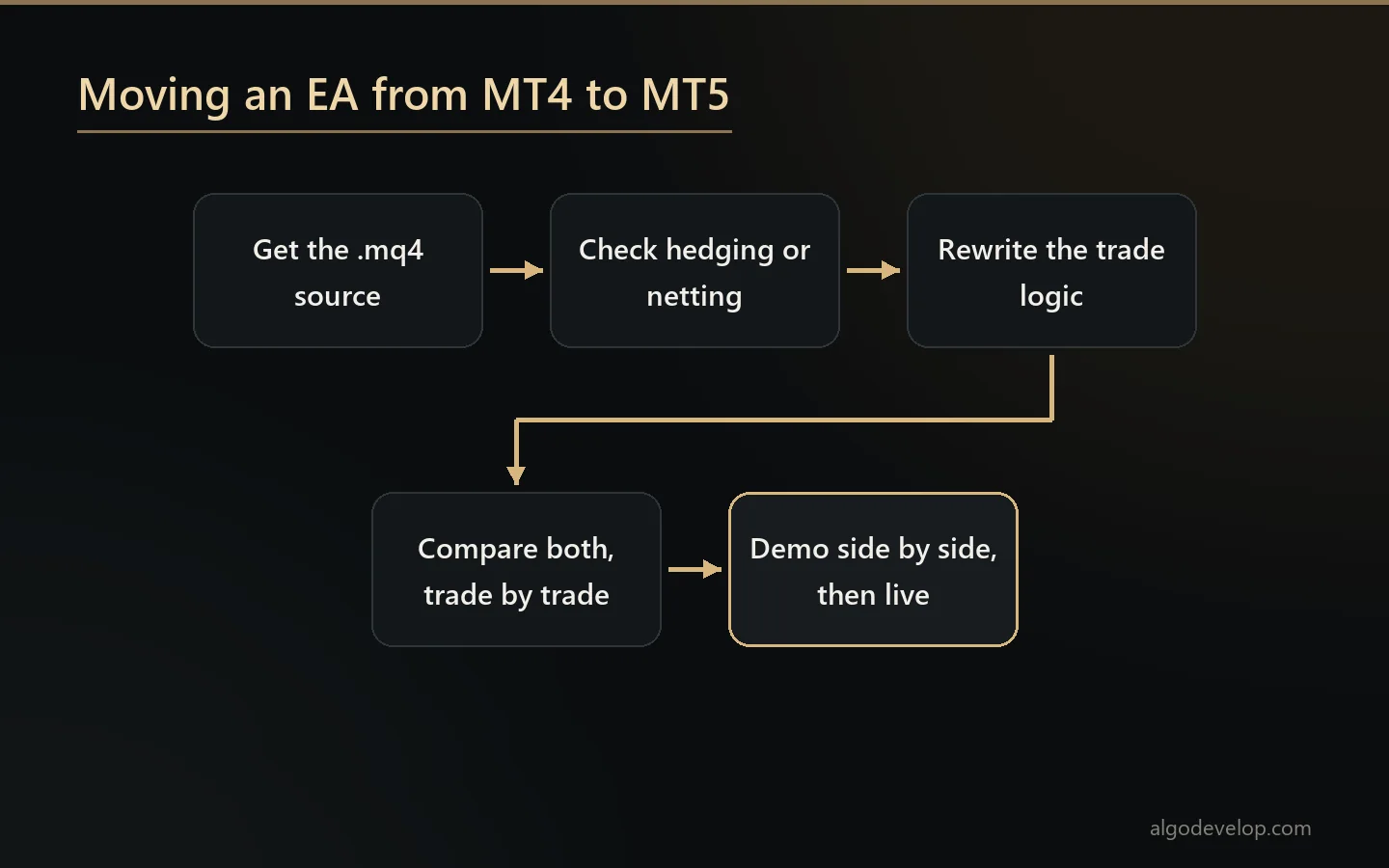
The MT4 vs MT5 gap shows most clearly when you move an EA across. Converting it is a rewrite, not a find-and-replace. The code often compiles long before it behaves. Here is how a careful move runs:
- Get the source. You need the .mq4 file. A compiled .ex4 holds nothing readable, so nobody can convert it.
- Check the MT5 account mode. Hedging or netting decides whether this is a translation or a redesign.
- Rewrite the trade logic. Order loops become position logic, and the EA checks the result of every trade request.
- Compare both versions. Run them on the same history, trade by trade, then side by side on demo.
- Test the awkward paths. Restart the terminal mid-trade and push a stop too close to price. The EA should cope with both.
We do this as a fixed-price job. Our MT4 to MT5 conversion service compares both versions before delivery and tells you about any difference we cannot remove. For a brand new EA, see MT4 and MT5 EA development instead.
Ready-made tools that work on both
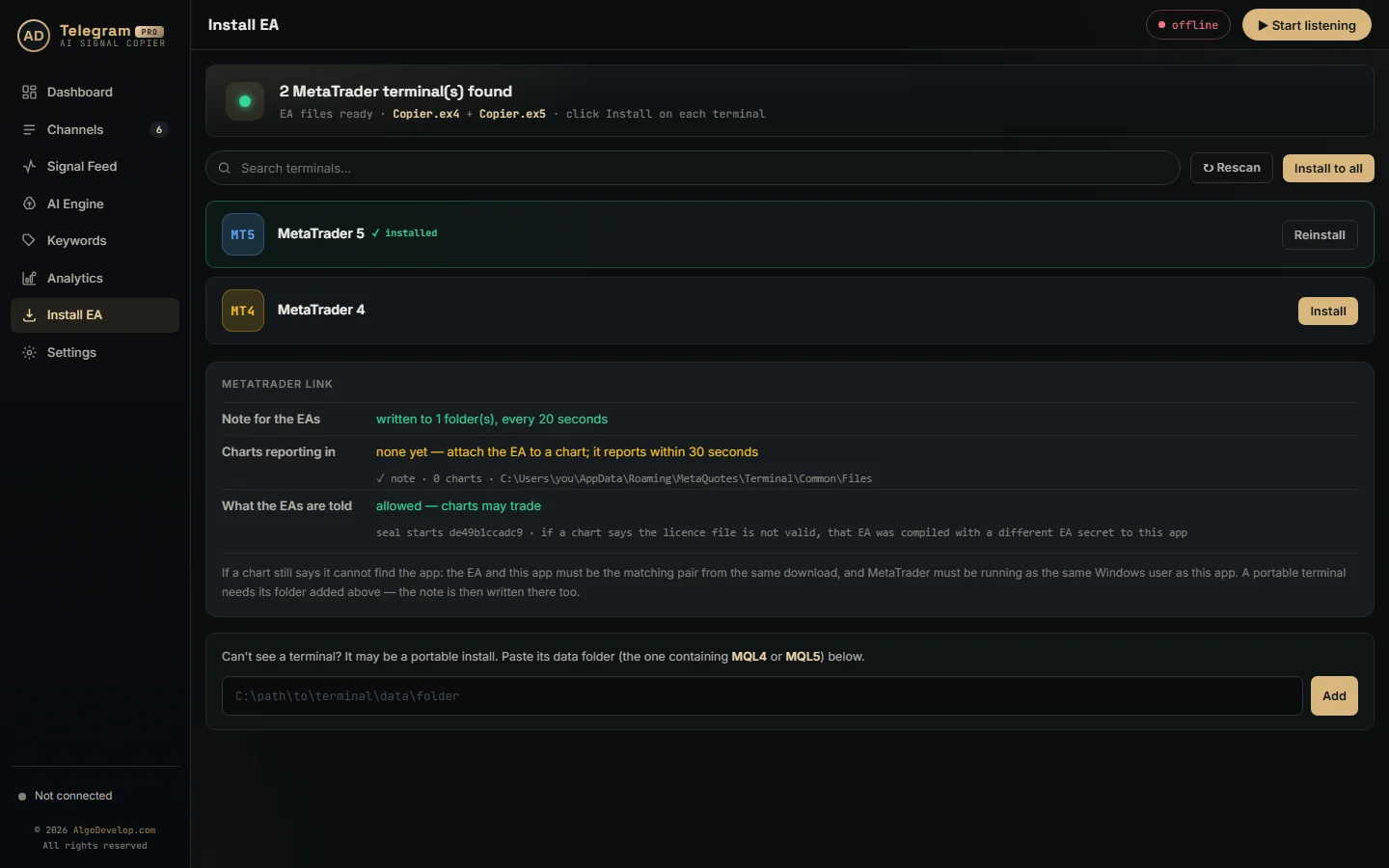
Not every job needs a custom EA. Our signal copiers run on MT4 and MT5 alike, so the MT4 vs MT5 question matters less there. For example, the Telegram to MT4/MT5 copier finds every MT4 and MT5 terminal on your PC and installs the right EA file into the ones you pick. Likewise, the TradingView to MT4/MT5 copier turns TradingView alerts into orders on either platform.
Do you run accounts on both platforms? Then the MT4 to MT5 copier mirrors trades from one master account to the others. It works in either direction, and each follower keeps its own lot rule.
MT4 vs MT5 – frequently asked questions
Is MT5 better than MT4?
For a new EA, usually yes. MT5 has the stronger tester, more order types and more markets. MT4 is still fine for an EA that already works there and needs no changes.
Can I run an MT4 EA on MT5?
No. An .ex4 file only runs in MT4, and an .ex5 file only runs in MT5. To move an EA across, someone has to rewrite it from the source code.
Can you convert my EA if I only have the .ex4 file?
No. A compiled file has nothing readable in it, and we do not decompile other people’s work. However, we can rebuild an EA to the same rules if you tell us what it does.
Does MT5 allow hedging?
Yes, on a hedging account. Your broker decides whether an MT5 account uses hedging or netting, so ask before you move a grid or hedge EA.
Which platform is better for backtesting?
MT5. It can test several symbols at once, model every tick, run forward tests and spread optimisation across many machines. MT4 tests one symbol per run.
Is MQL5 harder to learn than MQL4?
A little, at first. Its trade functions take more steps, and indicators work through handles. Once you know the pattern, though, it gives you more control, and its stricter types catch more mistakes at compile time.
Should I build my EA for both platforms?
Only if you need it on both. If you do, say so at the start, because building both together costs less than converting one later.
Do your copiers work on MT4 and MT5?
Yes. Our Telegram, WhatsApp, Discord and TradingView copiers all run on MT4 and MT5, and the MT4 to MT5 copier links the two.
How much does an MT4 to MT5 conversion cost?
It depends on the size of the code and on hedging versus netting. Our pricing page shows a typical starting range, and you get a fixed quote before any work starts. Just send us the source to ask.
Want this built for you?
We develop it as a service — reliable, tested, and yours to own.
Message Us on WhatsApp