Fyers Automation
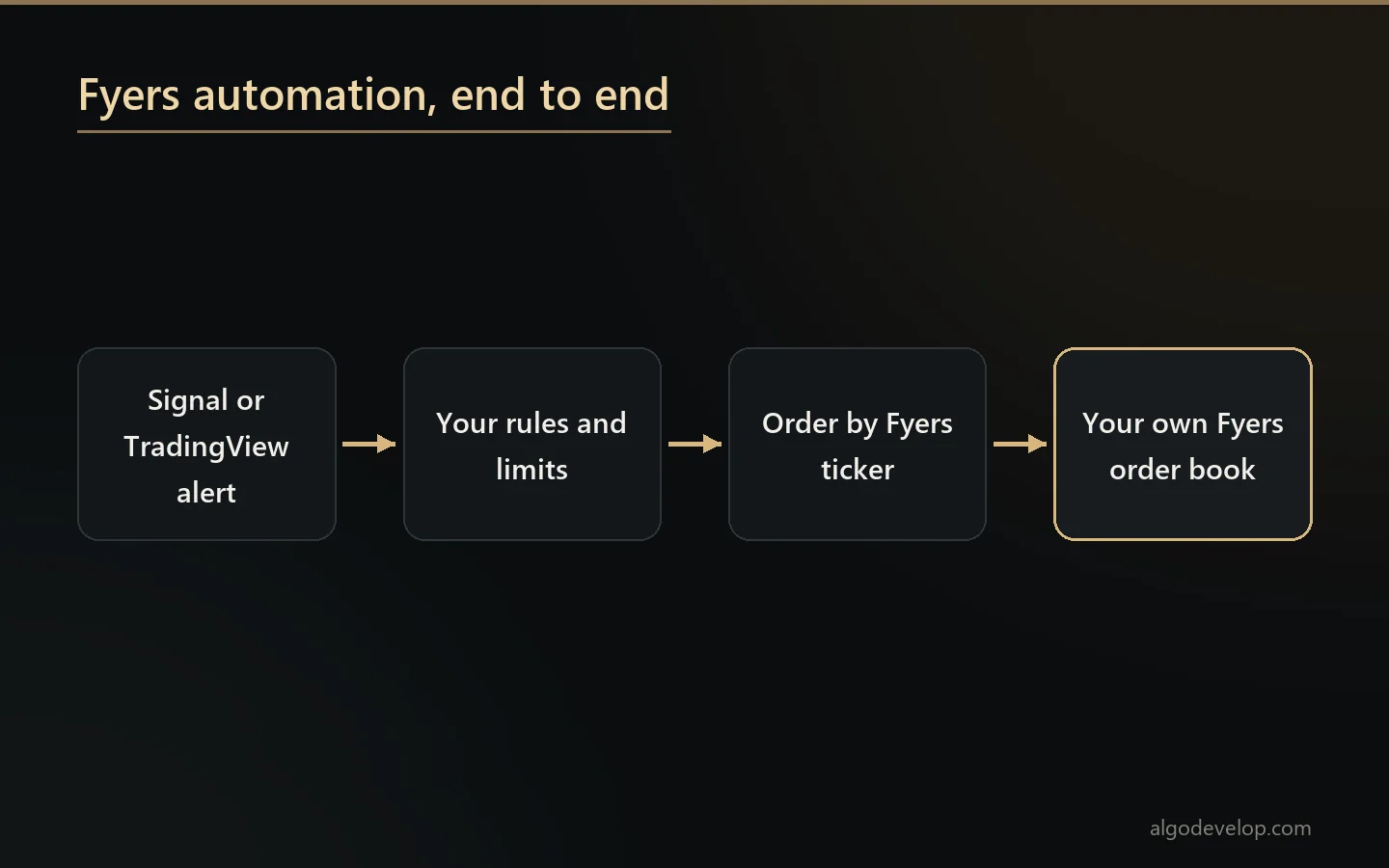
Fyers automation carries out your rules on your own Fyers account. We write it to your requirement, and whatever you already follow can trigger it: Telegram, WhatsApp, Discord, TradingView, or nothing but its own logic.
You run the software on your own PC or VPS, with your own Fyers app id and token. AlgoDevelop is a software developer, not a SEBI-registered intermediary. So we give no signals or advice, we place no trades for you, and we never manage your funds.
On this page
- What Fyers automation actually means
- Ready-made Fyers automation: the two Indian copiers
- The symbol format, which decides whether anything works
- Built to your requirement
- Where the signals come from
- App id, secret and the session
- Your static IP and SEBI’s algo rules
- Proving it before it costs you
- Product types and square-off
- The limits
- Where you stand
- Starting
- Frequently asked questions
What Fyers automation actually means
Fyers automation is software that connects to your own account through the Fyers API and places orders when your rules say so. The orders then show up in your normal order book. You keep the credentials, the funds and the control.
Fyers presents its trading API as free for its own clients, so the API adds no monthly bill. You do need a Fyers account and an API app of your own, set up on the Fyers API site.
Ready-made Fyers automation: the two Indian copiers
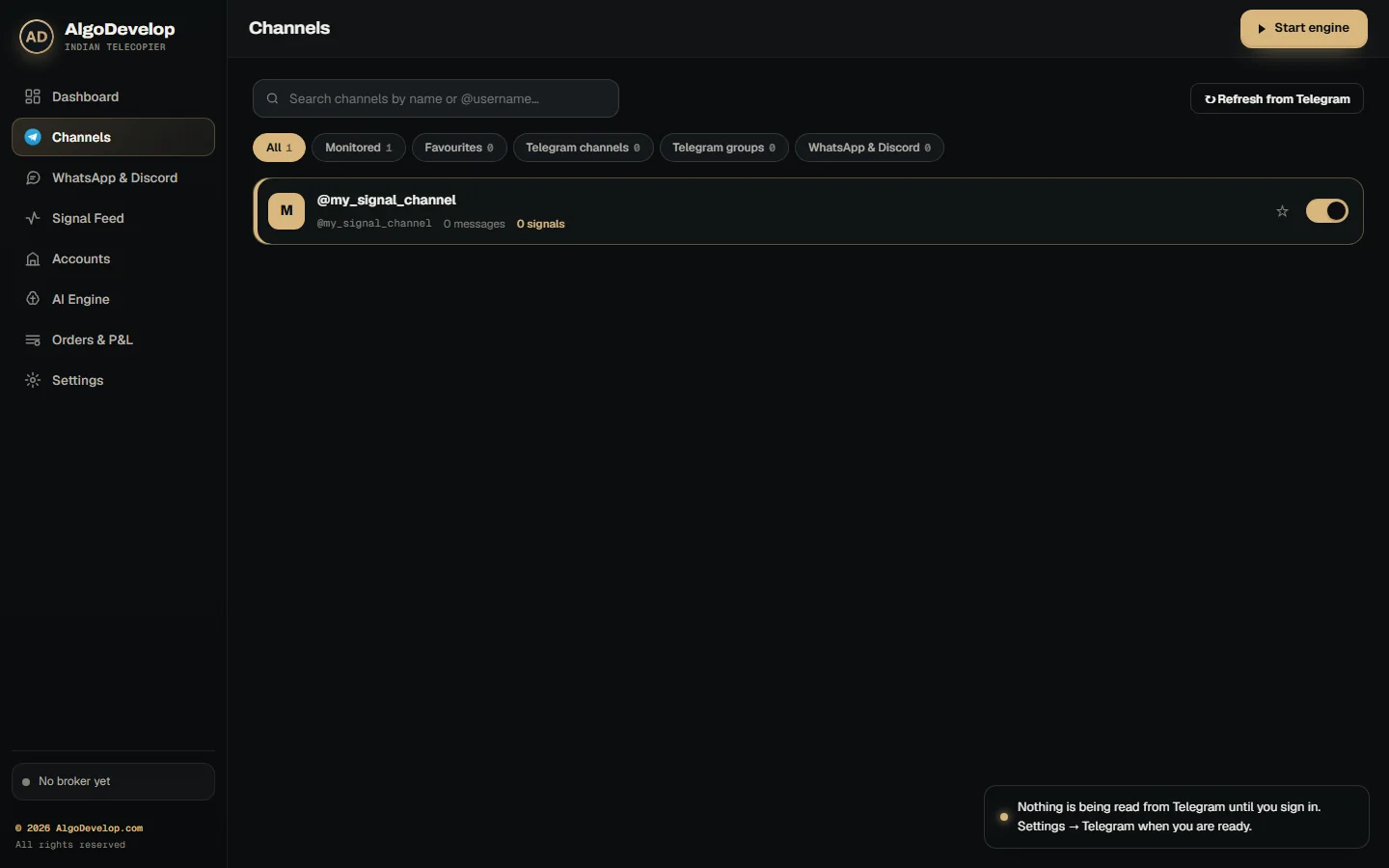
Not every job needs custom code. Two of our ready-made apps already trade Fyers through its API v3, along with nine other Indian brokers. The Telegram to Indian broker copier turns the calls in your channels into orders. The TradingView to Indian broker copier does the same for your TradingView alerts.
For a Fyers account, both of them handle the awkward parts:
- Fyers’ own numbers. Fyers writes a buy as 1 and a sell as -1, and each order type as a number from 1 to 4. The app sends exactly those, because a wrong number is a different order.
- One header, two values. Each call carries your app id and your access token, joined by a colon rather than sent as a Bearer token.
- Fyers’ real answer. Fyers replies HTTP 200 even to a refusal. So the app reads the verdict inside the reply, not the status code.
- The right product. Intraday goes as INTRADAY. Delivery goes as CNC for shares and as MARGIN for options.
- Prices in batches. One quote call prices up to 50 symbols, so trailing stops keep moving.
They trade options and NSE cash equity. Futures and MCX are outside them, so those need a custom build.
The symbol format, which decides whether anything works
Every broker names instruments its own way, and Fyers is more explicit than most. Its symbols carry the exchange in the string itself. An option symbol such as NSE:NIFTY2692229450CE also packs the underlying, the expiry and the strike together.
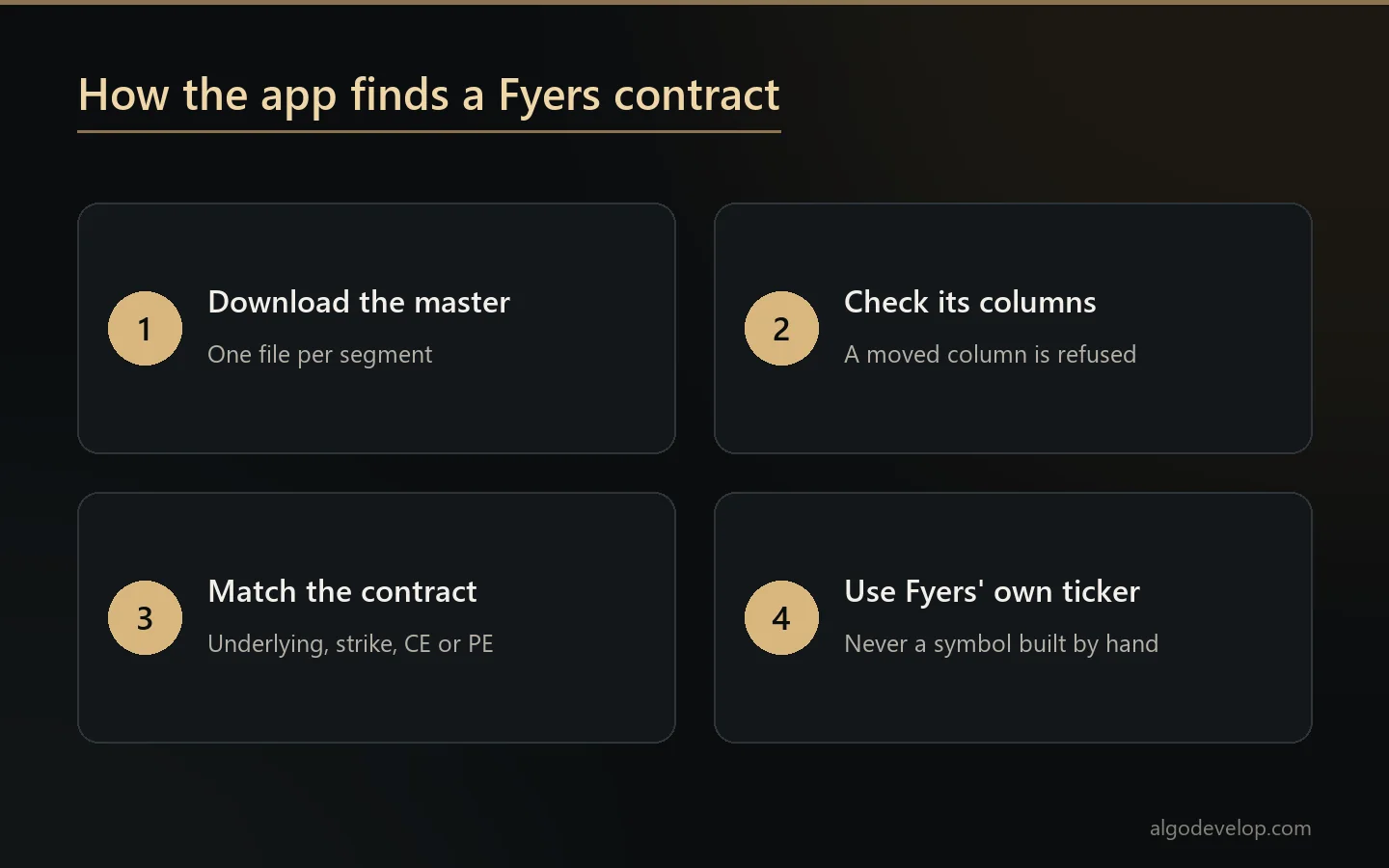
That precision helps once you are inside it, but it is unforgiving on the way in. Fyers refuses a symbol built by hand with a guessed expiry. Worse, such a symbol may match something you did not mean. So Fyers automation finds every contract in the symbol master Fyers publishes, rather than build strings and hope.
Fyers publishes that master as plain files with no header row, so a program must read each column by its position. The copiers check the shape of every file they download. If a column has moved, they refuse to read that file rather than resolve the wrong contract. And if part of the master failed to load, the refusal says so, instead of telling you to check a strike that was right all along.
Built to your requirement
Custom Fyers automation is not a standard bot to configure. Instead, you say what should happen, and that is what we write.
People describe requirements in ordinary language, and that is enough. Only trade between 9:20 and 11:00. Halve the quantity after a losing day. Take the signal only if the index is above its opening range. Stop after three losses. Notify me on Telegram every time. Those sentences become the specification.
Give us yours, and we will tell you what the Fyers API can and cannot do for it before you commit.
Where the signals come from
Fyers automation runs on whatever source you actually use, and more than one at a time is normal:
- Telegram – any channel, group or bot your account can read.
- WhatsApp – groups, direct messages and forwarded calls.
- Discord – servers and channels, including bots and embeds.
- TradingView – a webhook alert from your own Pine strategy.
- Its own logic – indicators, candles, time and streak rules, with no outside source.
- You – a manual entry, then automatic management afterwards.
Several at once, each sized and limited on its own, is a common setup.
App id, secret and the session
Fyers automation uses an app you register in the Fyers API dashboard. That gives you an app id, which looks like ABCD1234-100, and a secret, and both stay on your machine.
The session itself comes from the Fyers login in your browser, and its access token lasts one trading day. The ready-made copiers note on the account that it expires at 6 AM each day. So you make a new token each morning and paste it there. Test the connection then confirms Fyers accepts it.
A refused token never fails quietly. Instead, the app says Fyers refused the access token and that you need a new one. That beats a quiet failure you only discover at 2 pm, after the day’s signals have gone by.
Your static IP and SEBI’s algo rules
SEBI’s framework for retail algo trading has applied since 1 April 2026. Under it, Fyers takes API orders only from a static IP that you have registered with it. So a home connection whose address keeps changing will not do. A VPS with a fixed IP will, and so will a static IP from your internet provider.
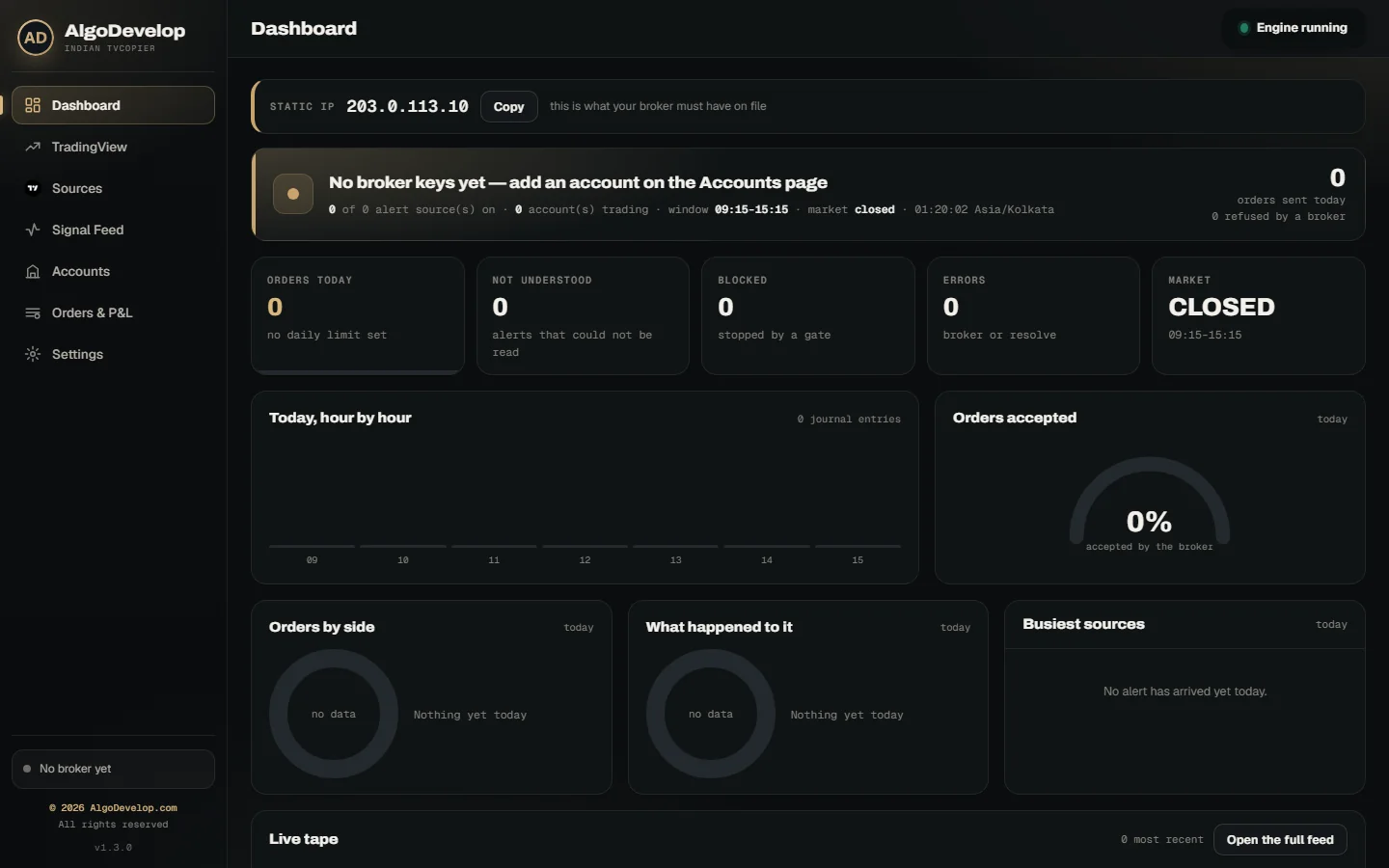
The rules shape the orders too. So the copiers turn market signals into protective limit orders by default. The Dashboard also shows the address Fyers sees, with a Copy button. If that address changes, the app warns you, because Fyers refuses orders from an IP it does not know.
Proving it before it costs you
Every Fyers automation build first runs a full session with trading switched off. The log records each signal seen, each order it would have placed and the symbol it found. It also gives the reason for anything it skipped. That log, not the backtest, is what you read before you switch on live orders.
The ready-made copiers add Paper mode as well. It reads live prices from your real Fyers account, but fills every order in the app’s own book. That way you can watch a channel or an alert trade before real money moves.
Product types and square-off
Fyers uses its own product names. INTRADAY is intraday, CNC is delivery for shares, and MARGIN carries an F&O position forward. Sending CNC on an option would fail, so the app picks the right one for each contract.
Give Fyers automation its own square-off time, and it squares off what is still open before the broker’s automatic square-off. You exit at your time rather than theirs. If you carry positions overnight, simply leave the time blank.
The limits
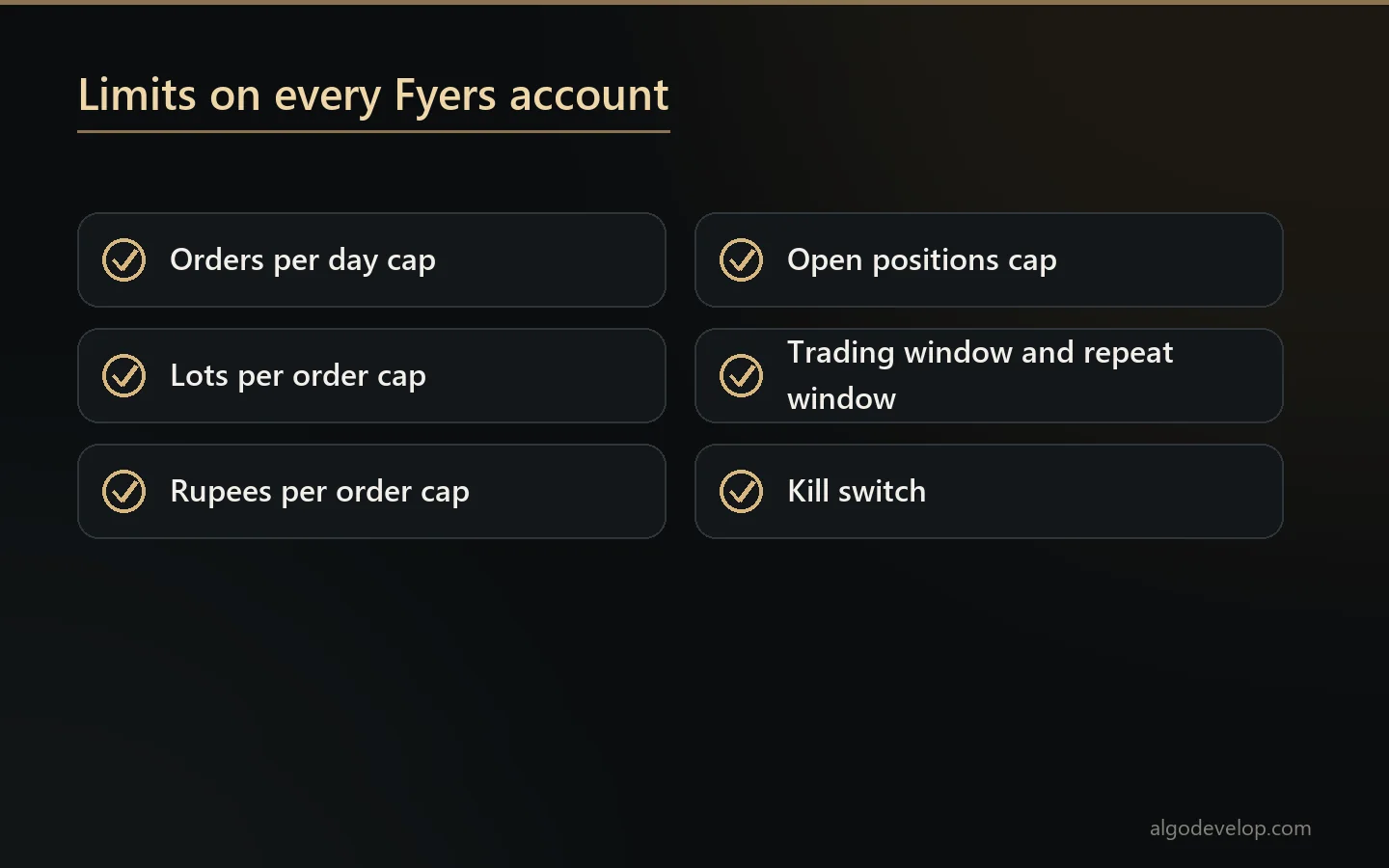
Both ready-made copiers carry these limits for each Fyers account:
- A daily cap on orders, 10 to start with, and a cap on lots per order.
- Ceilings on rupees per order and on open positions.
- A slippage guard that skips an entry when the price has run too far.
- Trading hours of 09:15 to 15:15 by default, plus a repeat window for calls posted twice.
- One kill switch that refuses every new order at once.
A custom build can also carry a daily loss cap, a daily profit target and allowed instruments and hours. Those extra limits stay off until you enable them. Either way, every refusal goes into the log with its reason.
Where you stand
Automating your own Fyers account with your own credentials is you trading your own money.
Operating it for others falls under SEBI’s rules in India. We build software, nothing more. AlgoDevelop is not a SEBI-registered intermediary, adviser or research analyst, and it is not your broker or fund manager. We give no tips, we do not run the software for you, and we promise no outcome. You make the decisions, and you handle any registration your use may need. Before you trade for anyone else, read whether copy trading is legal in India.
Starting
- Describe the requirement in whatever form you have it.
- We scope the Fyers automation against their API and quote a fixed price.
- You create the app, keep the id and secret, and register your static IP.
- Run a session with trading switched off, or in Paper mode, and read the log.
- Go live small, then scale once the log matches what you expected.
We also cover Zerodha, Angel One, Upstox and Dhan. You can even run them all together with multi-broker copy trading. When you are ready, ask for a quote.
Fyers automation – frequently asked questions
Is there a ready-made Fyers bot?
There are two. The Telegram to Indian broker copier and the TradingView to Indian broker copier both trade Fyers through its API v3. For anything they do not cover, we write Fyers automation to your requirement.
Why do symbols matter so much with Fyers?
Fyers symbols carry the exchange in the string, and option symbols pack the underlying, expiry and strike together. Fyers refuses a symbol built by hand, or it matches the wrong contract. So the software takes every symbol from the master Fyers publishes.
Can it take signals from Telegram, WhatsApp or Discord?
The ready-made copiers take Telegram calls and TradingView alerts. A custom build can also read WhatsApp and Discord, run its own logic or take a manual trigger, and several can run at once.
Do I have to log in every morning?
Once a day, yes. A Fyers access token lasts one trading day, and the copiers note that it expires at 6 AM. So you make a new one each morning and paste it on the account.
Does the Fyers API cost anything?
Fyers presents its trading API as free for its own clients. You need a Fyers account and an API app of your own, and brokerage still applies to each order.
Can I test it before risking money?
Yes, in two ways. Every build runs a full session with trading switched off first, and the ready-made copiers also have Paper mode on live prices.
Why does Fyers need my static IP?
Since 1 April 2026, SEBI’s retail algo rules let Fyers accept API orders only from a static IP you have registered. The app shows the address Fyers sees, with a Copy button.
Can it trade options like BANKNIFTY 52000 CE?
It can. The software finds the strike, expiry and exact Fyers ticker in the symbol master, which it reloads every six hours, because those change at every expiry.
Can it run my own TradingView strategy?
Of course. Your strategy fires a webhook alert, and Fyers automation places the order. That way you trade a strategy you built rather than one you follow.
Do you provide signals or run it for me?
Neither. We build the software, and you run it on your own account with your own app id and secret.
Do I own what you build?
You do. Custom Fyers automation comes with its documentation. There is no per-trade fee, and nothing of ours it has to reach in order to run.
What about SEBI compliance?
Your own account and your own rules mean you are trading your own money. Running Fyers automation for others falls under SEBI’s rules in India.