A Telegram to Indian broker copier turns the calls in your Telegram channels into real orders at your broker. It works with ten brokers: Groww, Zerodha, Angel One, Upstox, ICICI Direct, 5paisa, Dhan, Fyers, Kotak Neo and Alice Blue.
It runs on your own PC or VPS, with your own API keys. You stay in the channel, but you no longer need to be at the screen at 9:15 with the order window open.
On this page
- What a Telegram to Indian broker copier actually does
- How the Telegram to Indian broker copier works, step by step
- Calls in any language and any layout
- Which Indian brokers are supported
- Options, futures and equity
- Quantity, lots and risk
- What happens after the entry
- API keys, TOTP and the daily login
- Setting up the Telegram to Indian broker copier
- Every feature in the Telegram to Indian broker copier
- Indian broker copier, or one of the others?
- Frequently asked questions
What a Telegram to Indian broker copier actually does
A Telegram to Indian broker copier watches the channels you follow and turns each call into an order in your account. This is not MetaTrader. There is no Expert Advisor and there are no forex lots. Instead, the copier talks to your broker’s own API and places option and equity orders at the size you choose.
BANKNIFTY 52000 CE buy above 210, SL 180, target 260 becomes a real options order, at the size you set. Once the entry fills, the stop can go to your broker as a real order too.
The copier runs against your broker account with your API keys. So nothing goes through us, and no one else can place orders for you.
How the Telegram to Indian broker copier works, step by step
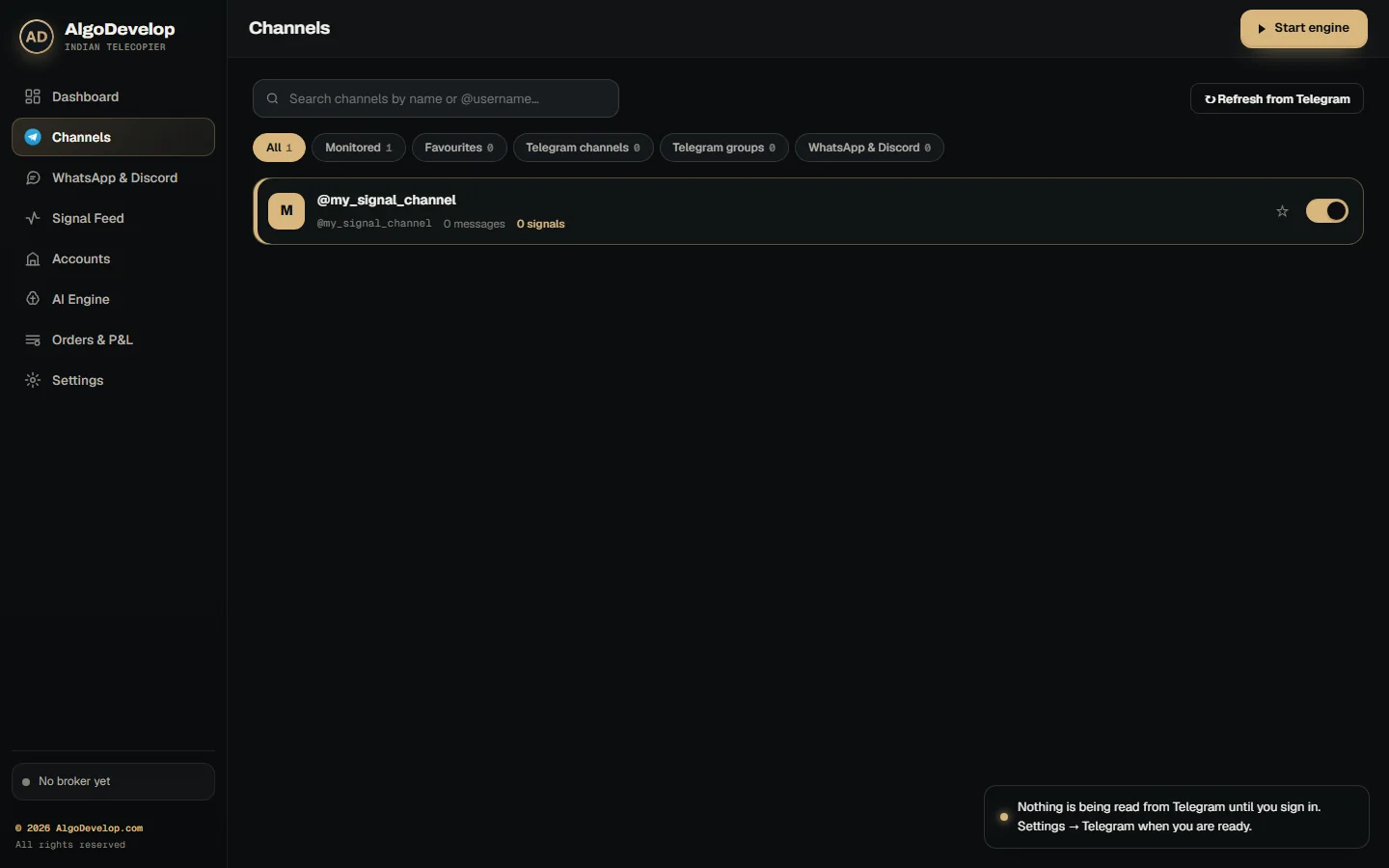
- You pick the channels. The app lists every channel and group your Telegram account is in, so you just switch on the ones to copy.
- A new message arrives. Turning a channel on never replays its history, so yesterday’s calls never open at today’s prices.
- Your AI model reads it and pulls out the symbol, strike, expiry, CE or PE, direction, entry, stop and targets.
- The app checks the answer. Then it refuses any strike off the index’s real step and any premium that looks like an index level. If the expiry has passed, it uses the nearest one instead.
- Your rules apply: first the kill switch, trading window and repeat check, then each account’s own ceilings.
- Each broker places the order from its own instrument list, as a protective limit by default.
- The app keeps watch after that, with stop orders, breakeven, trailing and the channel’s own exit messages.
Calls in any language and any layout
Indian channels rarely post tidy calls. They write in Hinglish, put the strike after the option type, or say “le lo” instead of buy. So every message goes to an AI model, which reads it the way a person would.
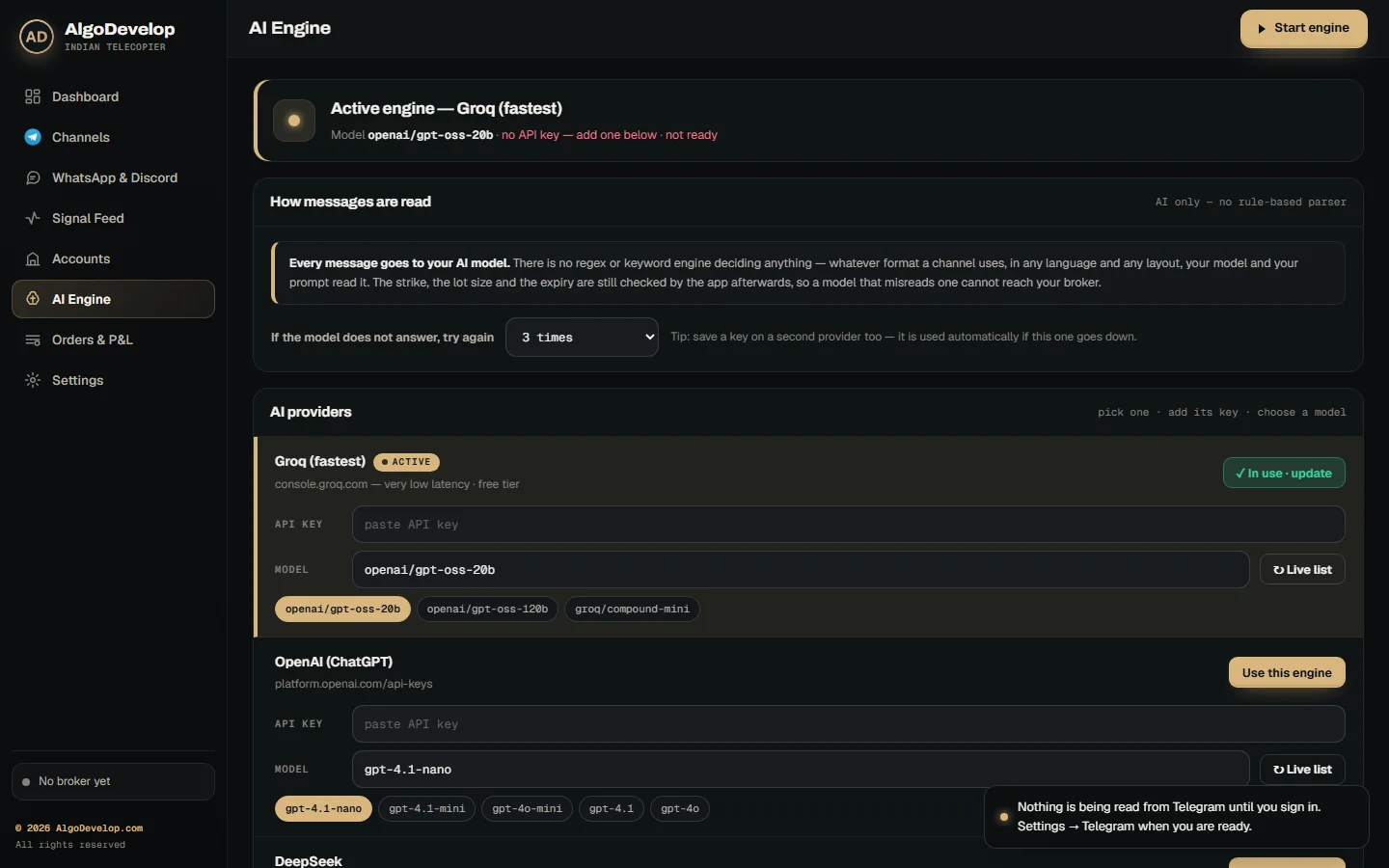
- Your own provider: choose Groq, OpenAI or DeepSeek on the AI Engine page, then add your own key.
- Any language: English, Hindi, Hinglish, Gujarati, Tamil and more, as long as the meaning is clear.
- Checks the model cannot skip: the app tests every strike, premium and expiry itself, and it refuses answers below your confidence floor.
- Learned layouts: once it knows a channel’s usual layout, the app reads repeats of it locally, with no model call.
- A standby: if the model does not answer, the app tries again, then any other provider you saved a key for.
Before you trust a channel with money, paste a few of its real calls into the Parser Lab. It shows how each one reads, without placing anything.
Which Indian brokers are supported
The copier connects through each broker’s official API. So your login stays with the broker, and the orders appear in your normal order book.
- Zerodha through Kite Connect, and Angel One through SmartAPI.
- Upstox, Fyers and Dhan through their own APIs.
- Groww, ICICI Direct, 5paisa, Kotak Neo and Alice Blue through their published APIs as well.
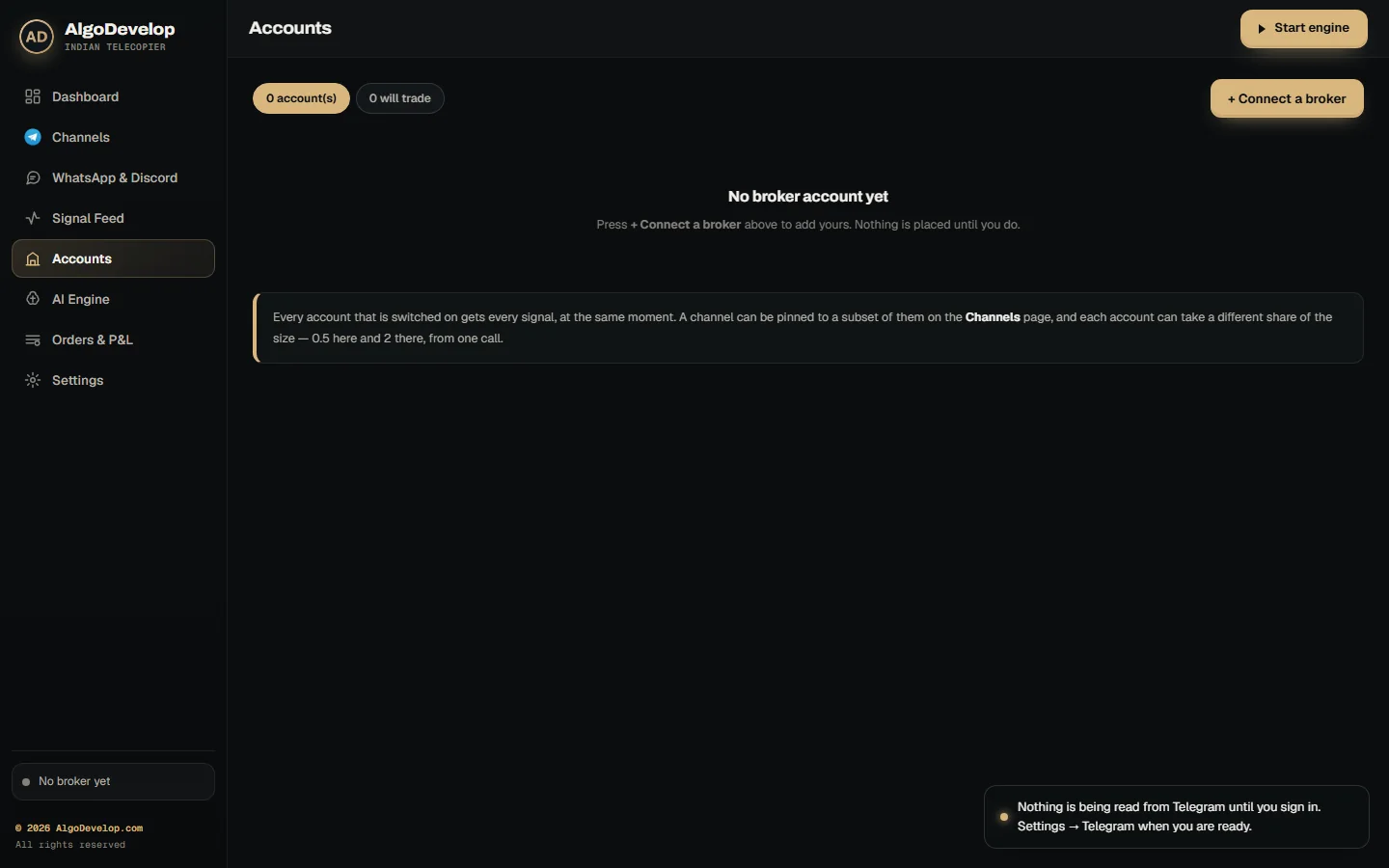
One signal can go to several accounts at once, each with its own keys, share and rules. If one broker says no, the others still trade.
Any account can also run in Paper mode. It reads contracts and live prices from your real broker, but fills each order in the app’s own book. That way you can watch a channel trade before real money moves.
Options, futures and equity
Most Indian signal channels trade options, and options are where a copier either works or falls apart. Reading “BANKNIFTY 52000 CE” right means finding the strike, the expiry and the exact contract your broker expects.
- Index options such as NIFTY, BANKNIFTY, FINNIFTY, MIDCPNIFTY and SENSEX, at the expiry the call names, or else the nearest one.
- Stock options, where your broker lists them.
- Calls with no strike: for “BUY NIFTY CE”, the app buys the strike whose premium is nearest your target.
- Equity: NSE cash buys and sells, sized in shares from the message.
- Futures: read and refused for now, since no broker adapter places futures orders yet.
The product is your choice per account: intraday, or delivery and carry-forward. Each broker then gets its own product code, so at Zerodha that means MIS, CNC or NRML.
Quantity, lots and risk
The channel decides the direction. You decide the size. So the Telegram to Indian broker copier applies your rules to every signal it takes:
- Lots: “2 LOTS” means two lots, while a call with no size trades your default of one lot.
- A lot ceiling: a “10 LOTS” call cannot become 10 lots when your cap is lower.
- Two multipliers: a channel you half-trust at 0.5, on an account you run at 2, places at full size.
- Accounts per channel: either pin a channel to some of your accounts or let it reach all of them.
- Two prices or several targets: enter at the first price, the second, the average or both, or instead send one entry per target.
On top sit the ceilings, set per account: orders a day, rupees per order and positions open at once. A slippage guard can also refuse an entry when the price has run too far from the call.
Meanwhile, a trading window keeps anything from firing outside your hours, 09:15 to 15:15 by default. A repeat window also drops a call that a channel posts twice.
What happens after the entry
Many copiers stop once the order is in. However, the part after the entry is where traders usually lose money, so this one keeps going.
A real stop loss. Switch it on, and once the entry fills, the call’s SL goes to your broker as a real order. It then sits in your own order book as an SL or SL-M order, not only inside the app.
Breakeven and trailing: move the stop to cost once the trade is far enough ahead, then trail it behind the best price. A stop only ever moves in your favour.
Exit messages: “exit”, “book profit”, “SL hit” or “square off” closes what each account holds, as the broker reports it. Before that, the app cancels any entry still waiting on that contract. “EXIT CE”, “EXIT PE” and “exit all” work too.
Square off before close: set a time and the copier closes every open position before the broker does it for you.
Targets: the app records them, but it does not place target orders. Your exit comes from the channel’s exit message, your stop or your square-off time.
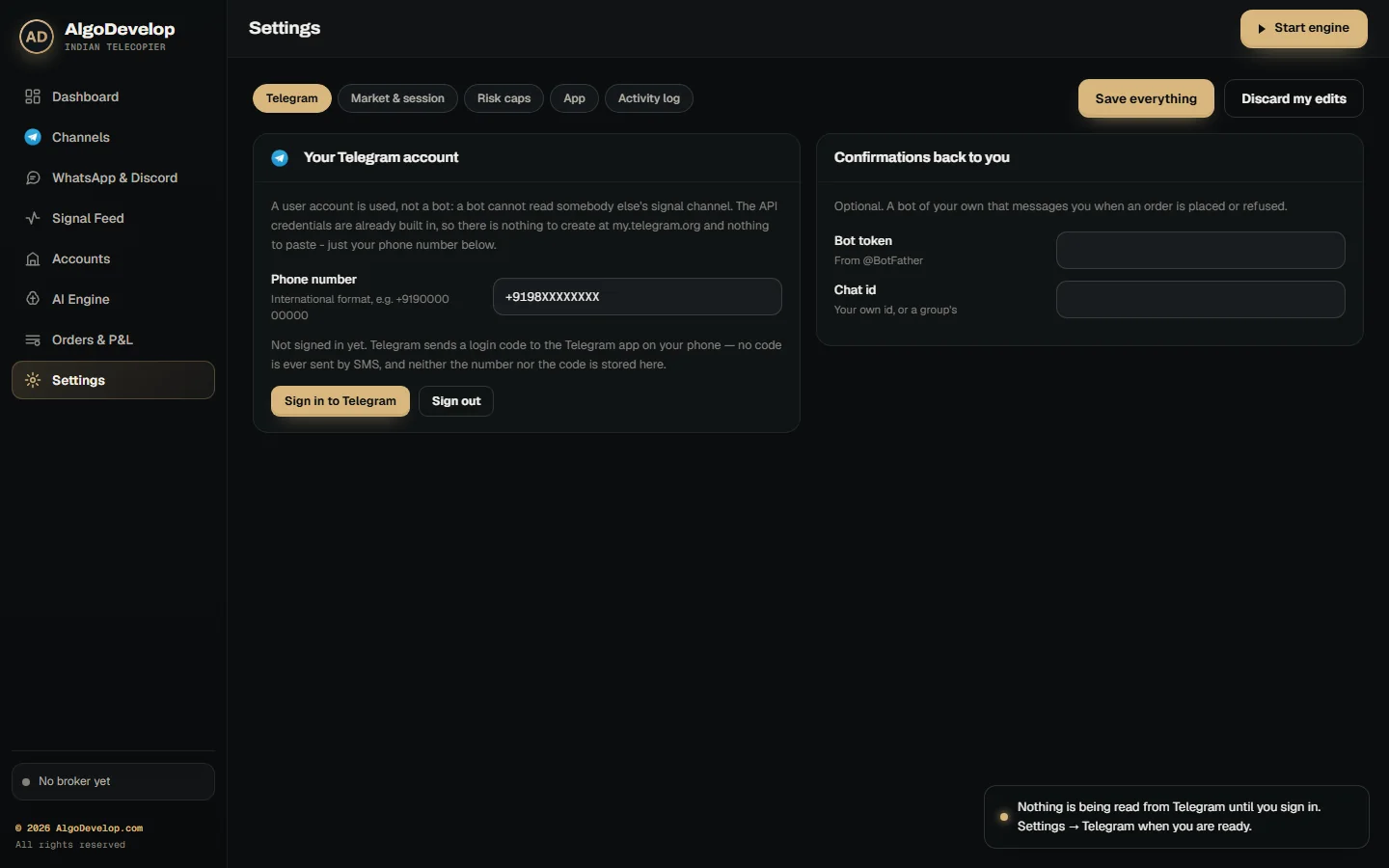
And it says when it does nothing. Chatter, a blocked signal or a rejected order: each goes into the journal in plain words. A bot of your own can also message you each time the app places or refuses an order.
API keys, TOTP and the daily login
Indian broker APIs are not like a forex terminal. Most of them end your session every day, so handling that well is much of what makes a copier reliable.
- Your own API keys: you create the app in your broker’s developer console and type the keys into the account. We never see them.
- Angel One signs in by itself, because the copier makes your TOTP codes from your 2FA secret.
- Zerodha takes one click: Log in with Kite opens Kite’s own page, and the day’s token saves itself.
- Most others need a fresh token each trading day, so you paste a new one each morning.
- Keys stay local in a sealed file on your computer. The app shows them back masked and never writes them to the journal.
- Failures are loud. Test the connection tells you at once whether the broker accepts your keys. Later, an expired token shows up as an error, not as silence.
The static IP rule
SEBI’s framework for retail algo trading has applied since 1 April 2026. Under it, a broker accepts API orders only from a static IP you have registered with it. So a home connection whose address keeps changing will not do. A VPS with a fixed IP will, and so will a static IP from your internet provider.
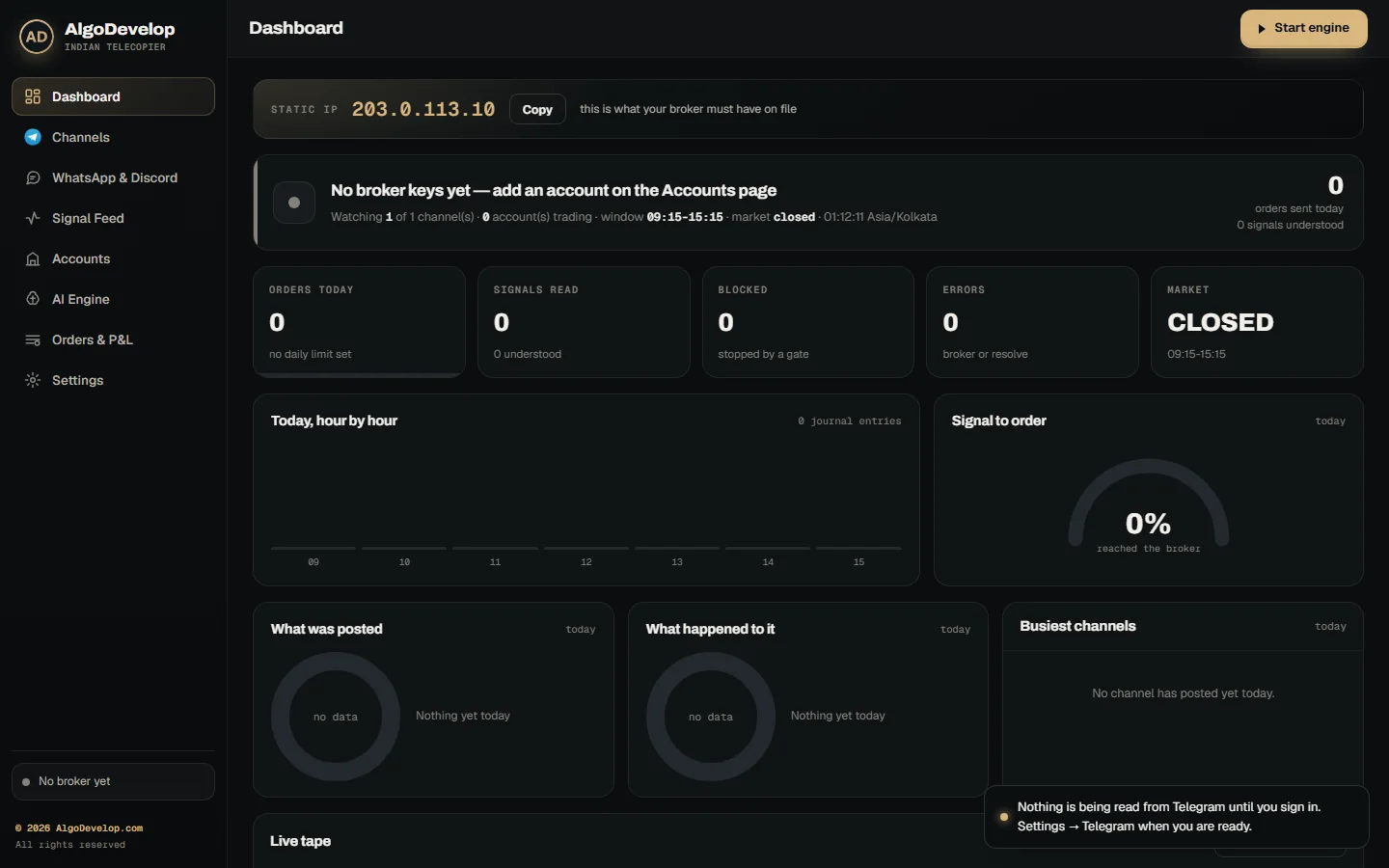
The Dashboard shows the address your broker sees, with a Copy button. If it ever changes, the app warns you, since a broker refuses orders from an address it does not know.
Setting up the Telegram to Indian broker copier
- Install the app and sign in to Telegram, the same way you would on a new phone.
- Add your AI provider’s key on the AI Engine page.
- Create an API app at your broker, add the account and press Test the connection.
- Copy your static IP from the Dashboard and register it with the broker.
- Switch on your channels, then paste some of their real calls into the Parser Lab.
- Run a session in Paper mode and read the Signal Feed to see what it did.
- Go live with a low daily cap and a small share. Add more accounts only after a full day goes as you expected.
The Telegram to Indian broker copier follows each broker’s published API, such as Kite Connect, instead of working around it. We can also set it up with you, if you would rather watch it done once.
Every feature in the Telegram to Indian broker copier
| Feature | What it does |
|---|---|
| Reads your Telegram channels | A user session, not a bot, so it reads public or private channels and groups you have joined. |
| AI reading in any language | Groq, OpenAI or DeepSeek with your own key; Hinglish and regional languages included. |
| Checks the model cannot skip | Refuses impossible strikes and index levels in premium fields, and swaps a past expiry for the nearest one. |
| Ten Indian brokers | Groww, Zerodha, Angel One, Upstox, ICICI Direct, 5paisa, Dhan, Fyers, Kotak Neo and Alice Blue. |
| Paper mode | Live prices from your real broker, with every order filled in the app’s own book. |
| One signal, many accounts | Channel share times account share, and channels pinned to chosen accounts. |
| BUY CE / BUY PE by premium | A call with no strike buys the strike nearest your target premium, as a limit order. |
| Exit messages | Exit, book profit, SL hit, EXIT CE, EXIT PE and exit all close what each account actually holds. |
| Real stop orders | SL or SL-M at the broker once the entry fills, with optional breakeven and trailing. |
| Ceilings per account | Daily orders, lots, rupees per order, open positions and a slippage guard. |
| Trading window and square-off | Nothing fires outside your hours, and positions can square off at a time you choose. |
| Kill switch | One switch blocks every order at once. |
| Parser Lab and Signal Feed | Test any message without trading, and see every signal, order and refusal with its reason. |
| Confirmations to your phone | An optional Telegram bot of your own reports each order placed or refused. |
| Static IP band | Shows the address your broker sees, with a Copy button and a warning if it changes. |
Indian broker copier, or one of the others?
A Telegram to Indian broker copier is for traders whose broker is Indian and whose platform is not MetaTrader. If that is not you, one of these will fit better:
- TradingView to Indian broker copier – when the signals come from your own TradingView alerts.
- Telegram to MT4/MT5 copier – for forex and CFD accounts on MetaTrader.
- Indian stock market automation – for a strategy of your own rather than a channel’s.
Do your calls arrive somewhere other than Telegram? We can build other sources on request. Either way, tell us who your broker is and we will say plainly which one you need.
Telegram to Indian broker copier – frequently asked questions
Which Indian brokers does it work with?
Ten: Groww, Zerodha, Angel One, Upstox, ICICI Direct, 5paisa, Dhan, Fyers, Kotak Neo and Alice Blue. Any account can also run in Paper mode on live prices.
Do I need MetaTrader for this?
No. The Telegram to Indian broker copier has nothing to do with MetaTrader. Instead, it talks straight to your broker’s API, and the orders appear in your normal order book.
Can it trade options like BANKNIFTY 52000 CE?
Yes, and that is most of what it does. The copier matches the strike, expiry and option type against your broker’s own instrument list. So it uses the right contract, not a guess.
Do I need my own API key?
Yes, two kinds. First, you create an API app at your broker. Then you add a key from your AI provider. Both stay on your own machine, and any fee either one charges goes to them, not to us.
Do I have to log in every morning?
It depends on the broker. Angel One signs in by itself, while Zerodha needs one click on Log in with Kite. Most others issue a token that lasts one trading day, so you paste a new one each morning.
What do SEBI’s algo rules mean for me?
Since 1 April 2026, your broker takes API orders only from a static IP you have registered with it. The copier also sends protective limit orders by default and tags every order it places. It is not an advisory service, and we give no tips. If you plan to run it for anyone else, take your own regulatory advice first.
What product types can it use?
Intraday, or delivery and carry-forward, set per account. You can also set a square-off time, so the copier closes intraday positions before the broker does.
What if a signal has no stop loss?
Then no stop order goes out for that trade, and the journal says so. Breakeven and trailing need a stop to move. So for these calls, you rely on the channel’s exit message, your square-off time and your ceilings.
Do I need a VPS?
You need a static IP that your broker has registered. A VPS with a fixed IP gives you one, and it keeps the Telegram to Indian broker copier running while your computer is off. Still, a static IP from your internet provider works too.
Can I test it without placing real orders?
Yes, and you should. Paste real calls into the Parser Lab first, then run a session in Paper mode. The Telegram to Indian broker copier records every message it saw, what it placed or would have placed, and why.
How much does a Telegram to Indian broker copier cost?
It depends on your broker, your instruments and how much handling you want, such as stops and daily limits. Either way, setup help comes with it. Tell us your broker and what you trade, and we will quote it plainly: ask for a quote.