ExpertOption
ExpertOption automation is simplest when a Telegram channel already gives you the calls. For that case we ship a ready-made bot. For anything else, such as your own strategy or an alert from your charts, we build the software to order.
Whichever you choose, it runs on your own Windows PC or VPS and signs in to your own account. We never see your password, and your orders go straight to the broker.
On this page
A ready-made ExpertOption bot for Telegram signals
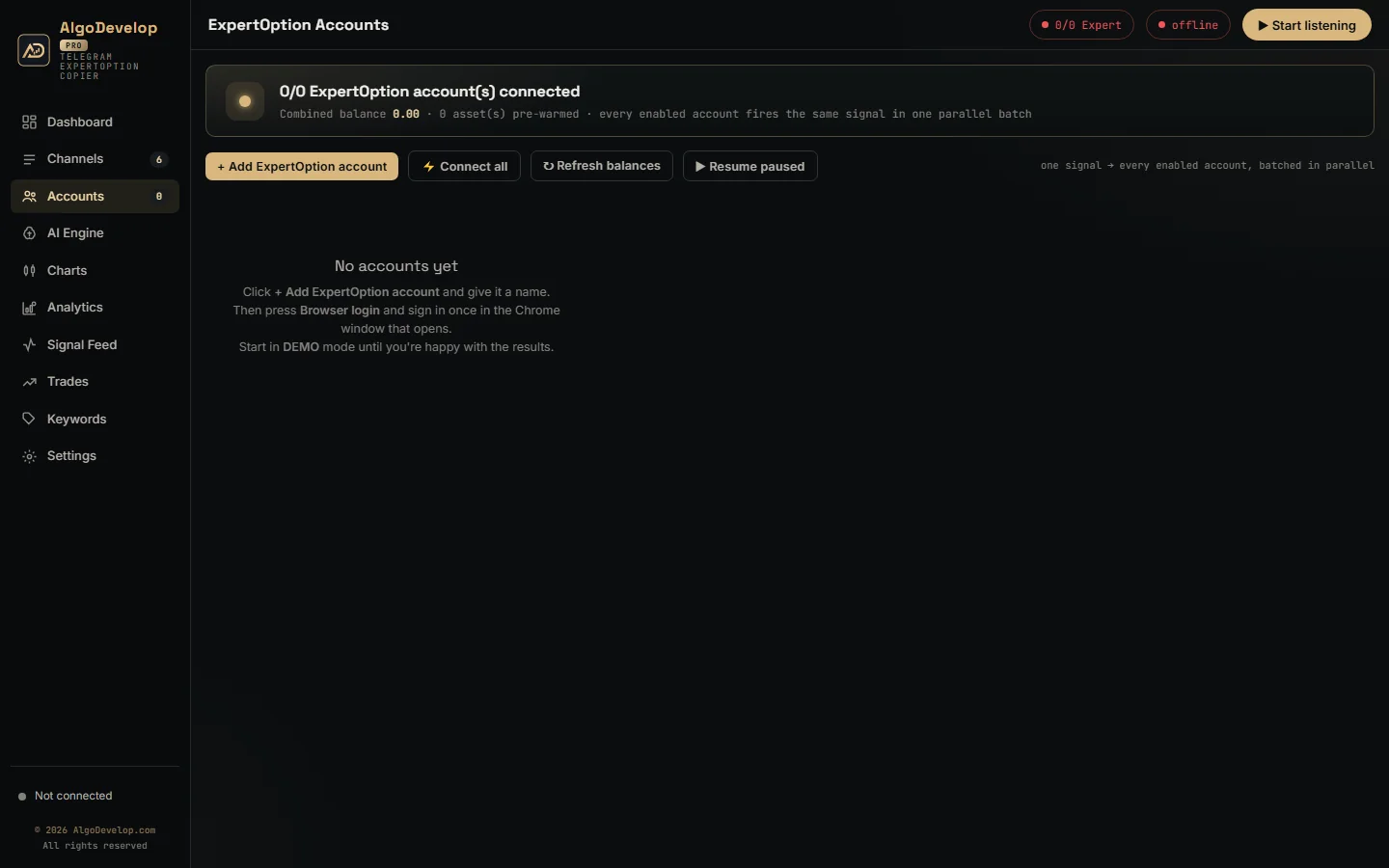
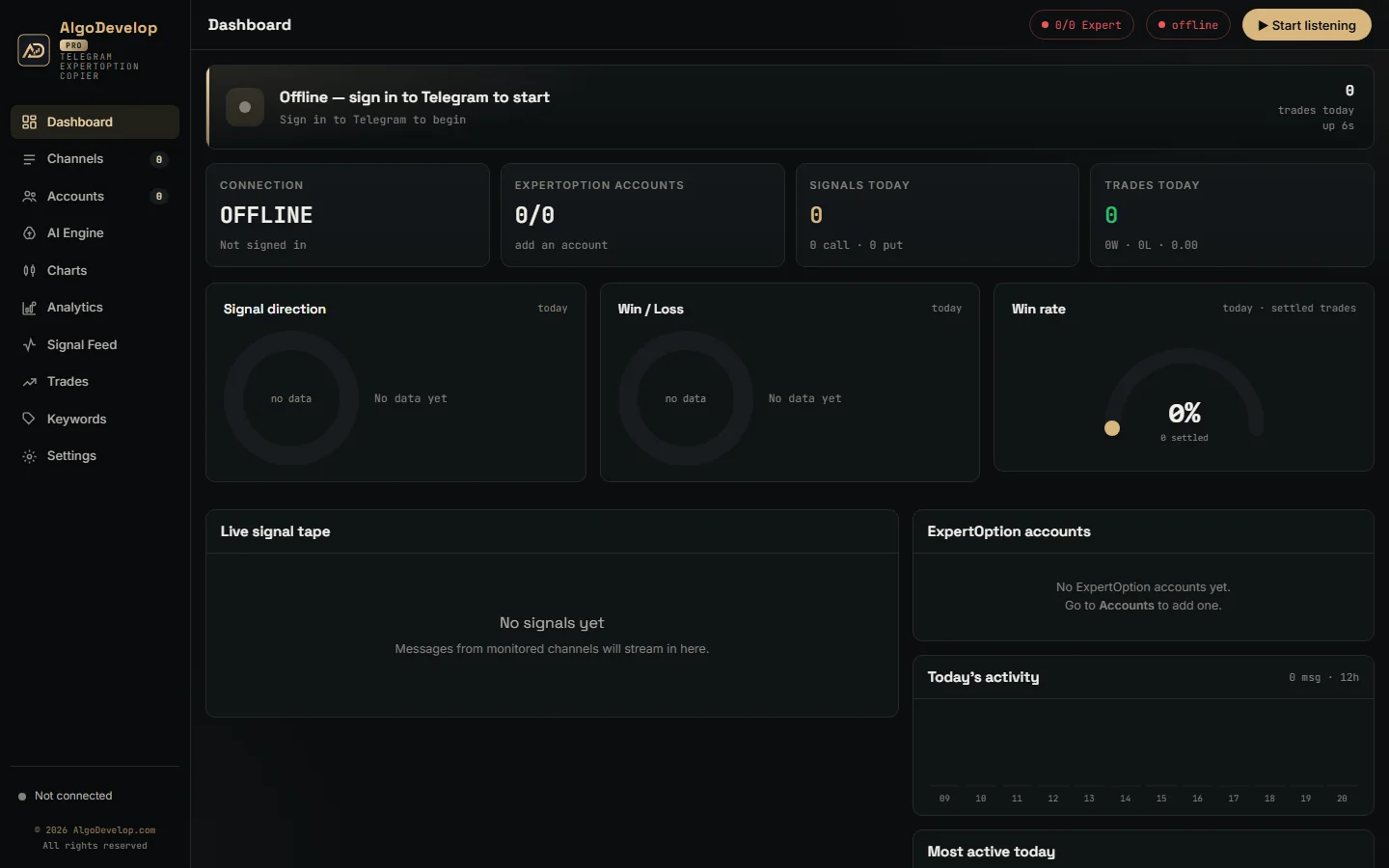
Most signal channels give you a pair, a direction and an expiry, then leave the clicking to you. That clicking is where entries slip. The Telegram to ExpertOption bot takes it over.
It reads the channels, groups and bots you select in your own Telegram account. Each fresh call then goes to every account you switched on, in one parallel batch. Old posts never replay, and every decision lands in a feed with its reason.
Each account also keeps its own stake, limits and mode. So one signal can open a small demo trade on one account and a flat real trade on another.
Four servers, one race
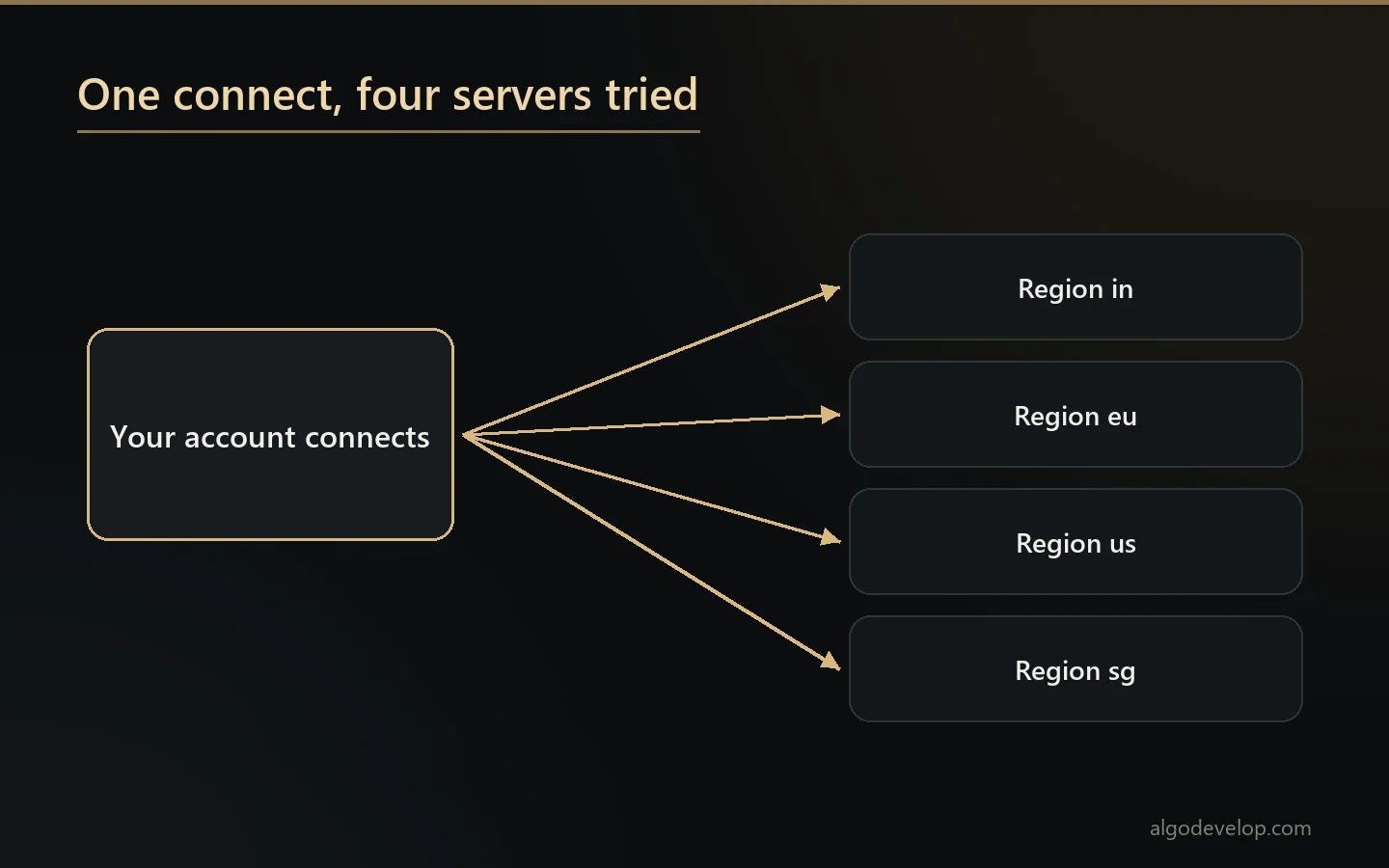
The broker runs four regional servers, labelled in, eu, us and sg. Each time an account connects, the bot opens all four at once and keeps whichever answers first. The other three close straight away.
From then on, the account trades over that one connection, with no browser in between. An order is one message out and one answer back, and each trade records its own latency. The bot also pings the link every 15 seconds and reopens it after a minute of silence.
Signing in with a token, not a password
The bot never asks for your password. Instead, Browser login opens Chrome on a profile kept for that account. You press Log in there, not the guest demo, and sign in as usual.
The app then reads the broker’s 32-character login token from the window and checks it. Next, it saves the token on your PC and closes the window. Later starts skip the window entirely.
One honest limit: the broker offers no renewal the app can use for that token. So when it stops accepting the saved one, the account card asks you to sign in again. Re-login opens a fresh window for that.
Demo and real also share that one login. Before each order, the app tells the open connection which mode the account is in. Flipping an account’s badge therefore needs no new sign-in.
How a post becomes a trade
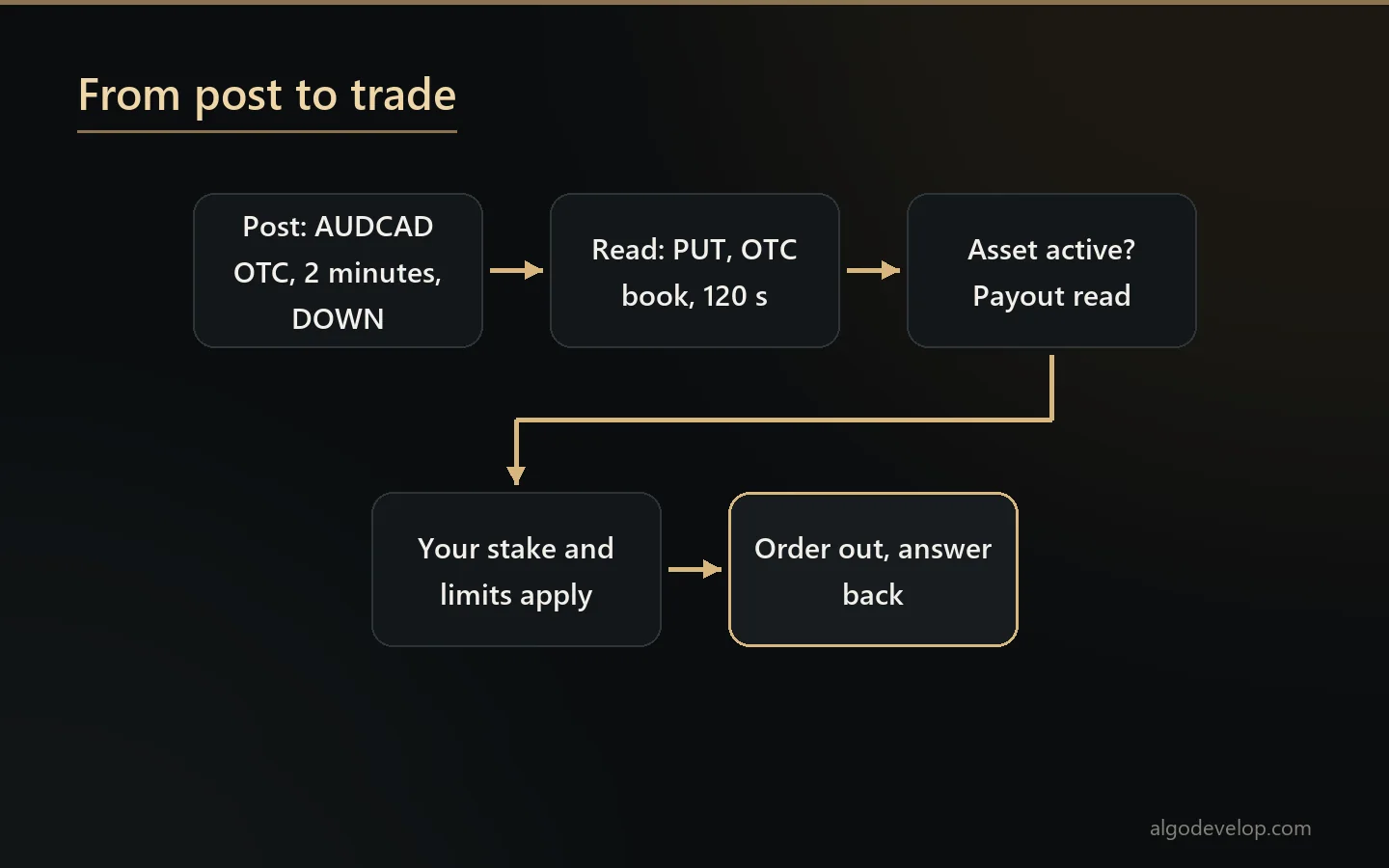
Take a typical post: AUDCAD OTC, 2 minutes, DOWN. The bot reads it as AUDCAD in the OTC book, a PUT, with a 120-second expiry. Then it looks the pair up in the broker’s live asset list, which also gives the current payout.
- Fixed layouts like that one need no AI, because a built-in reader handles them on your PC.
- Free-form posts go to the AI engine you choose on the AI Engine page.
- New layouts get one AI call, and after that the bot reads the channel’s format by itself.
- Trade lists with one line per trade become one signal per line, each on its own timer.
A few rules keep it honest. With no expiry in the post, the bot skips it rather than guess. It also trades exactly the book named, so AUDCAD and AUDCAD OTC never swap. If the asset shows as inactive, nothing goes out, and the log gives the reason.
Custom ExpertOption builds
As far as we could find, the broker publishes no trading API for its clients. So custom work, like the ready-made bot, goes through your own login. With that in mind, a custom build can be:
- A strategy bot that trades your own rules, such as a candle pattern or a time window.
- An alert bridge from your TradingView or MetaTrader indicator to your account.
- A session plan with fixed hours and chosen assets.
- Extra caps the stock bot lacks, for example a limit on trades per day.
We check how each idea would reach the broker before we quote. If the broker later changes how its site works, a build may need an update, and we tell you that up front. Our page on binary options bot development has the wider picture.
Stakes, ladders and a balance cap
Every account in the ready-made bot carries its own trade amount, and no global stake overrides it. Under Edit, a Gales from choice also decides where its gales come from. The default, By message, places only the gales a post gives, such as “1º GALE” and “2º GALE” lines. Each goes on the next expiry at double the stake, and a post with no gales trades once.
My own system swaps in the account’s own ladder instead: flat, multiply, a fixed increment or a custom list, with up to ten steps. Next Expiry re-opens the same pair, direction and expiry the moment a trade loses. It keeps going until it recovers or the ladder runs out. Next Signal waits and stakes the recovery on the channel’s next call. An optional One trade at a time switch makes each rung answer the loss before it.
Daily stop-loss and profit target settings bench one account for the rest of the day, while the others carry on. In addition, an order never goes above 95% of the balance, and the log notes any stake it trims.
Martingale deserves a plain warning. A ladder recovers small losses often and takes one large loss rarely, and that loss lands on every account using a ladder. Keep the steps few, set a daily stop on every real account and test on DEMO first. None of this is investment advice.
Setting it up safely
- Install the app on Windows, with Google Chrome present for the sign-in window.
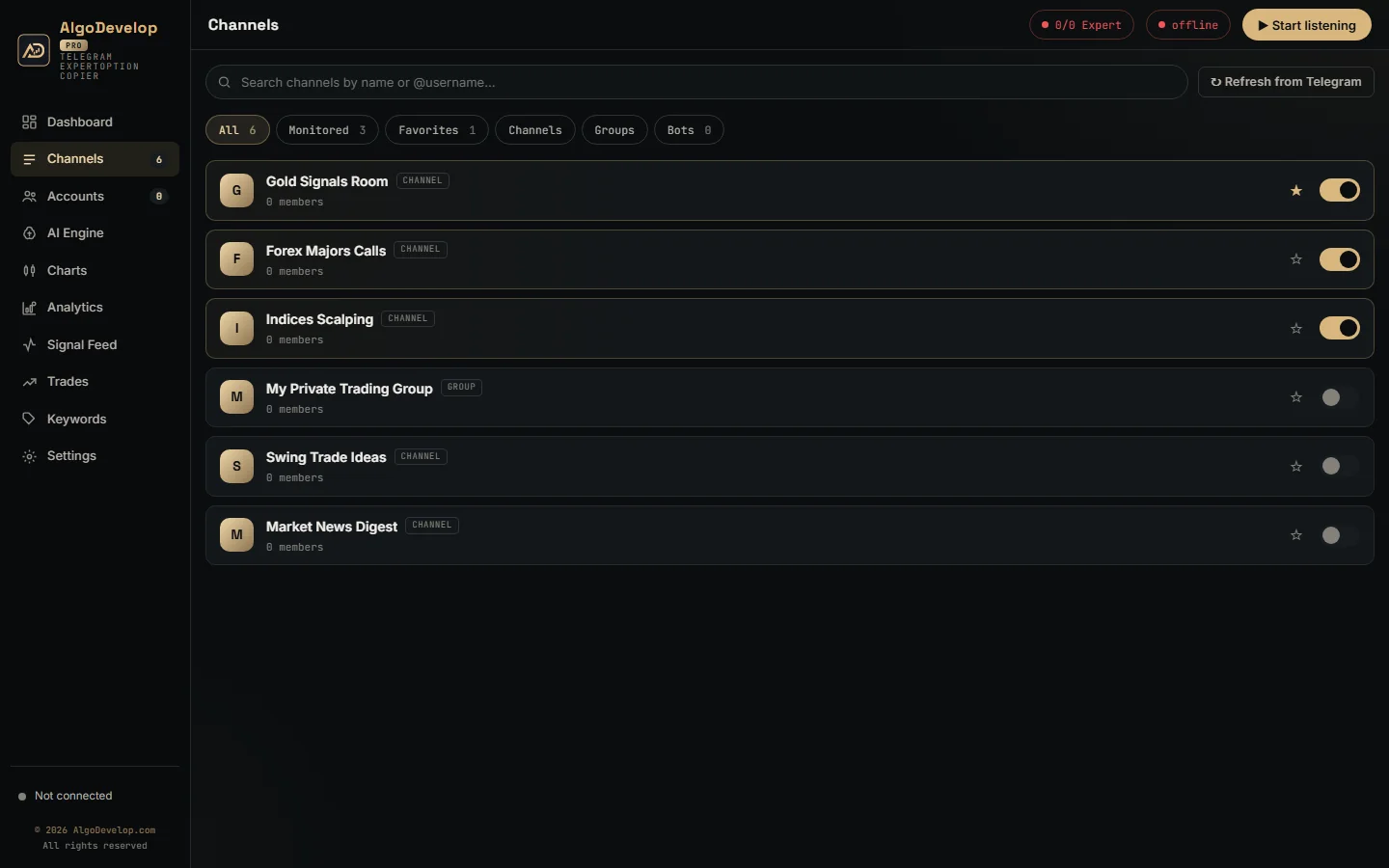
- Sign in to Telegram, then switch on your signal channels.
- Run a real post through the test parser on the AI Engine page.
- Add an account, press Browser login and use Log in, not the guest demo.
- Set the stake and a daily stop, and leave the account on DEMO.
Stay on DEMO until you have watched one full cycle: a signal, the order, the result and the new balance. We can walk through that first cycle with you. To start, ask for a quote.
Availability and regulation
Not every country allows binary options. Several regulators restrict or ban them for retail traders, and the platform’s availability varies by country. Readers in India should check RBI and SEBI rules first.
We sell software and setup help, not advice. We sell no signals and promise no results. Before you automate, read the broker’s own terms on automated trading as well.
Other brokers
- Quotex: the Telegram to Quotex bot.
- Pocket Option: the Telegram to Pocket Option bot.
- IQ Option: the Telegram to IQ Option bot.
- Binomo: the Telegram to Binomo bot.
- Olymp Trade: the Telegram to Olymp Trade bot.
The platforms page compares these with MetaTrader and the rest, and the copy trading hub lists every tool. You will find the broker’s official site at expertoption.com.
ExpertOption automation – frequently asked questions
Is there a ready-made ExpertOption bot?
Yes. The Telegram to ExpertOption bot trades the calls from your Telegram channels on your own accounts. Anything beyond that is a custom build.
Does it need my ExpertOption password?
No. You sign in yourself in a Chrome window, and the app saves the login token from it. The account form asks only for a name.
Why does it sometimes ask me to sign in again?
The broker offers no renewal the app can use for its login token. Once the saved token stops working, the account card asks for a fresh sign-in.
Which server does it connect to?
Whichever answers first. On every connect, the app tries all four regions together and keeps the fastest.
Can you build a bot for my own strategy?
Often, yes. Send us the rules, the expiry and the money management. We check how it would reach the broker, then quote it plainly.
Can it trade OTC pairs?
When the post names the OTC pair. The bot trades exactly the book in the message, so a plain AUDCAD never becomes AUDCAD OTC.
Do I need a VPS?
Only if your PC will not stay on. A Windows VPS with Google Chrome and outbound HTTPS is enough.
Is binary options trading legal where I live?
That depends on your country. Several regulators restrict or ban binary options for retail traders, and platform availability varies. Readers in India should check RBI and SEBI rules. We sell the software and setup help; we give no investment advice and sell no signals.
How much does ExpertOption automation cost?
It depends on the route, the number of accounts and the setup help you want. Tell us what you need and we will quote it plainly: ask for a quote.