TradingView Strategy Automation
TradingView Strategy Automation turns your trading rules into a fully automated system. Your strategy creates the signal, and the software places the order and manages the risk. So your strategy runs the same way every day — without you watching the screen.
TradingView strategy automation is the whole chain, not one link. It covers the strategy on the chart, the alert it fires, the webhook that carries it, and the order that lands in your broker account.
On this page
- What TradingView strategy automation covers
- The chain, and where it breaks
- The three pieces, and which you already have
- Writing an alert a machine can act on
- Where the order can end up
- The two things that make TradingView backtests lie
- What TradingView itself requires
- Getting the chain running
- Frequently asked questions
What TradingView strategy automation covers
TradingView strategy automation exists because plenty of people have a working strategy on the chart and no way to trade it. The chart is right and the alert reaches the phone. Yet a human still has to open a terminal and place the order. This work closes that gap from end to end.
That end-to-end view is what makes it different from writing a script. Writing the Pine is one job, while receiving the alert and placing the order is another. Most failures happen in neither job, but in the join between them.
The chain, and where it breaks
TradingView strategy automation has four links, and each one fails in its own way:
- The strategy fires. This breaks when the script reads a signal on a forming bar and changes its mind before the bar closes.
- TradingView sends the alert. This breaks when the message carries prose a machine cannot parse, or when it fires again and again through the candle.
- The receiver gets the webhook. This breaks when nothing is listening, when the endpoint is slow, or when the same alert arrives twice.
- The order goes to the broker. This breaks on symbol names, on sizing, and on stop distances the broker will not accept.
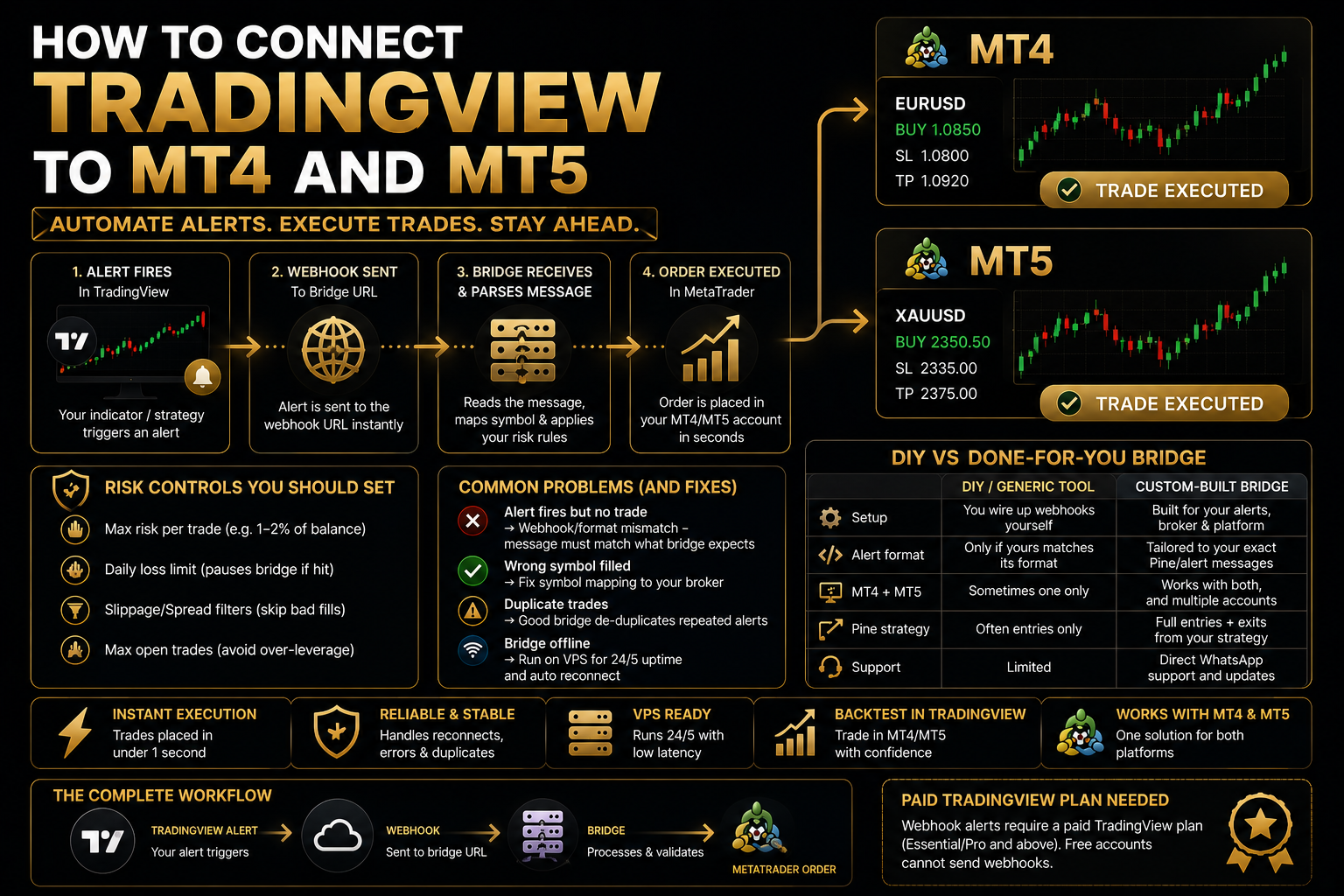
A fix to only one link produces a system that fails at another. So we scope the work across all four links. Then we test it by firing a real alert and following it all the way to a real order.
The three pieces, and which you already have
Most people arrive with one or two of these pieces and need the rest:
- The Pine strategy. If it needs writing or fixing, that is PineScript development.
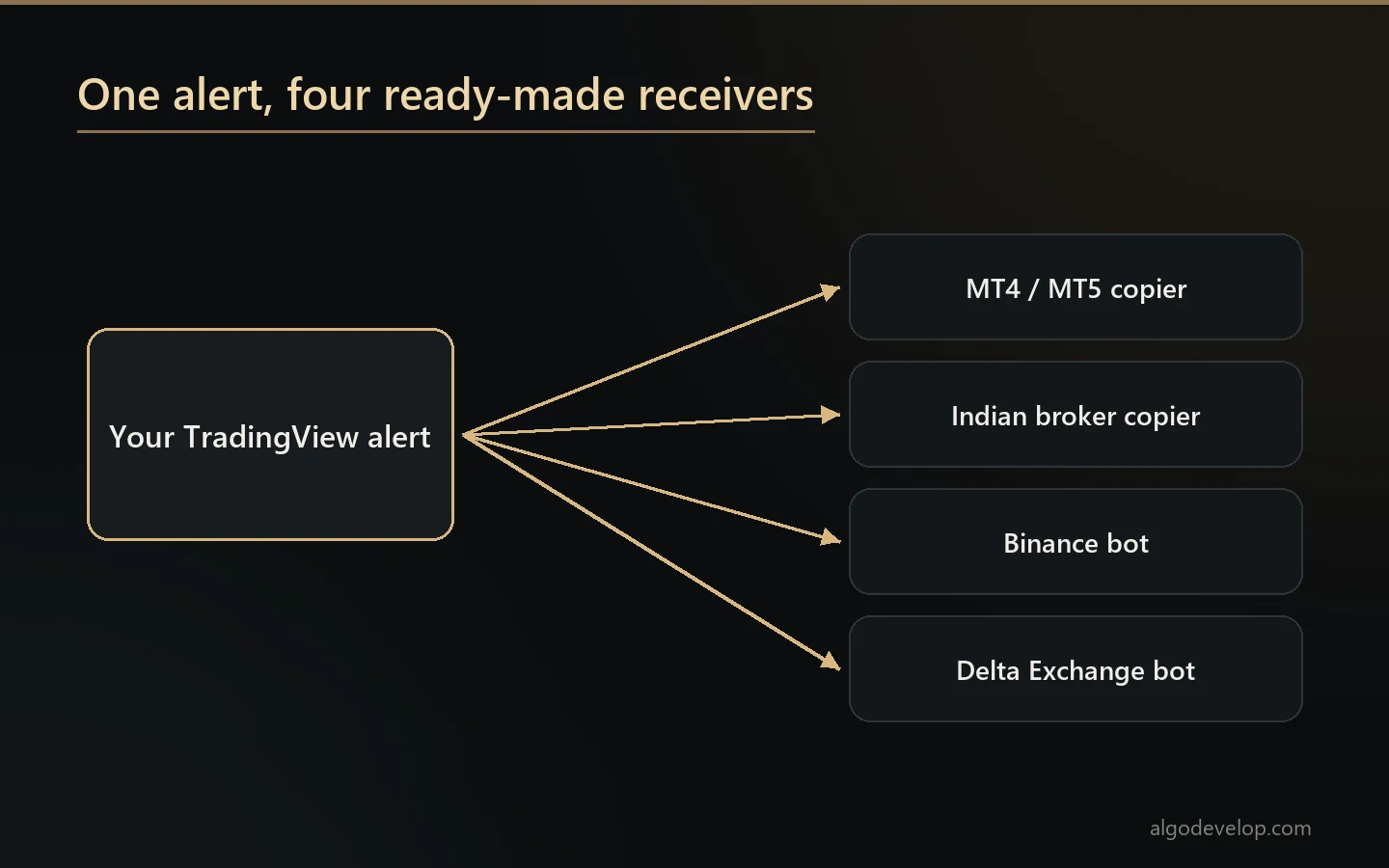
- The receiver. For four destinations a ready-made one already exists. For MetaTrader, the TradingView to MT4/MT5 copier collects the alert from a private relay and places the order with your lot rule and stop. Three more take the webhook straight on your own PC or VPS: the TradingView to Indian broker copier, the TradingView to Binance bot and the TradingView to Delta Exchange bot.
- The join. This means the alert message format, the symbol mapping, the de-duplication, and the testing that proves the whole thing works.
Tell us which pieces you have, and we will scope only what is missing. If all you need is a receiver for one of those four destinations, a ready-made bridge may be the entire answer.
Writing an alert a machine can act on
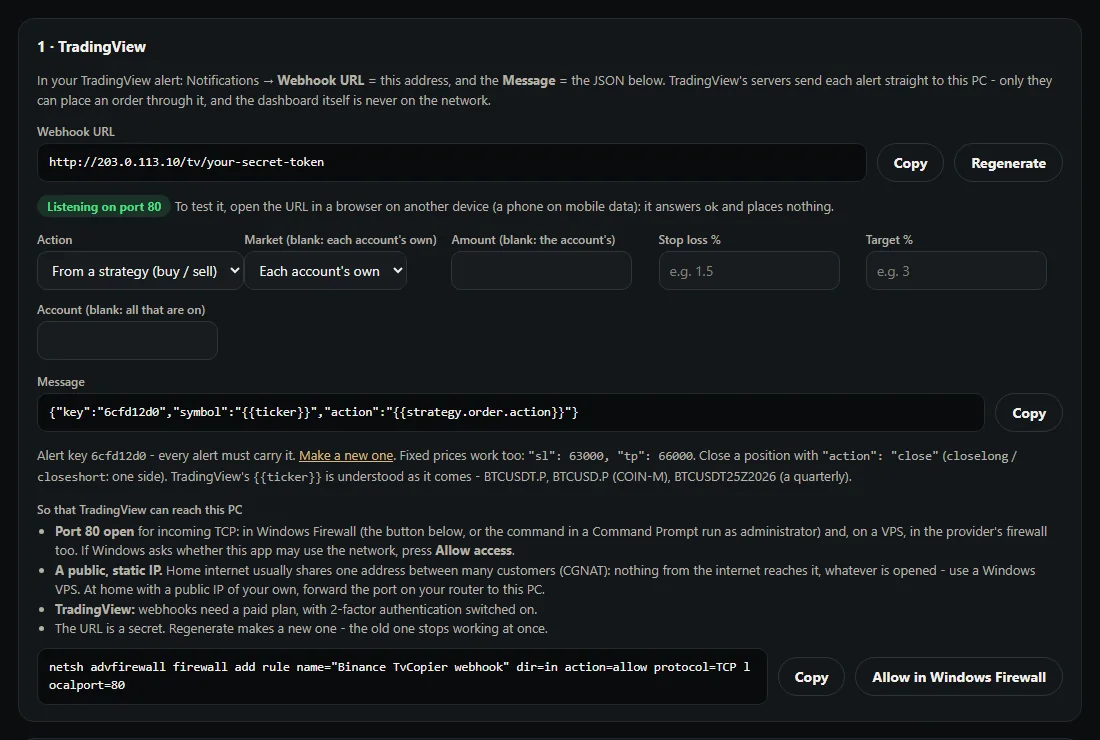
The alert message is the interface between your strategy and everything downstream. So it is worth designing rather than improvising.
- JSON, not prose. Send the side, the symbol and, where your strategy worked them out, your own stop loss and target prices.
- Fire once, on the bar you meant. Once per bar rather than once per tick is the difference between one order and forty.
- Include something that identifies the strategy, so the receiver knows who sent it and can keep several apart.
- Send prices your strategy actually computed, rather than letting something downstream guess a stop distance.
Where the order can end up
- MT4 and MT5 – the most common, and already a finished product.
- Indian brokers – Zerodha, Angel One and eight more through their own APIs, with the ready-made copier.
- Crypto exchanges – Binance and Delta Exchange ready-made, and other exchanges as a custom build, all through your own API keys.
- Several at once – one alert reaching more than one account, each with its own size. See multi-broker copy trading.
The two things that make TradingView backtests lie
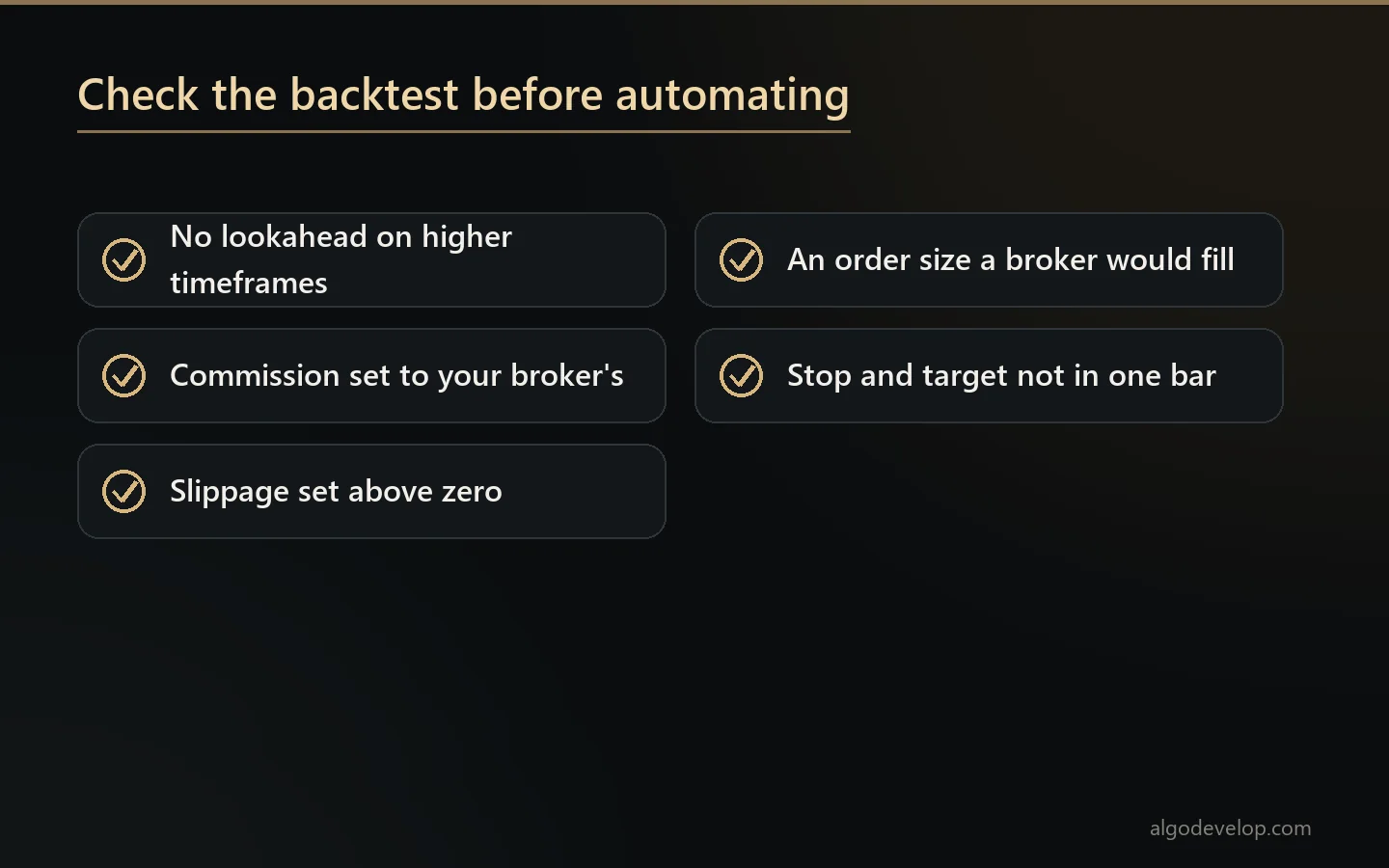
Before you commit to TradingView strategy automation, check whether the number that convinced you is real. Two causes account for most disappointment.
Lookahead in higher-timeframe data. When a script requests another timeframe with lookahead on, it sees future data on historical bars. The backtest becomes extraordinary, and live results bear no relation to it.
The tester’s defaults. They assume zero commission, zero slippage, and an order size that compounds into positions no broker would fill. A strategy whose stop and target both sit inside one bar is also guessing which came first.
We check both before we automate anything, and we tell you what we find. Automating a strategy that only worked because of lookahead is an expensive way to discover it.
What TradingView itself requires
TradingView strategy automation needs a paid plan, because webhook alerts are a paid feature. Your plan also limits how many alerts you can run, which matters if you want several strategies across several symbols.
There are a few more rules. According to TradingView’s guide to webhook alerts, webhooks only work with two-factor authentication on. They go only to ports 80 and 443, and TradingView cancels a request if the receiving server takes longer than three seconds. These are TradingView’s rules rather than ours, and we would rather you knew them before commissioning anything.
Getting the chain running
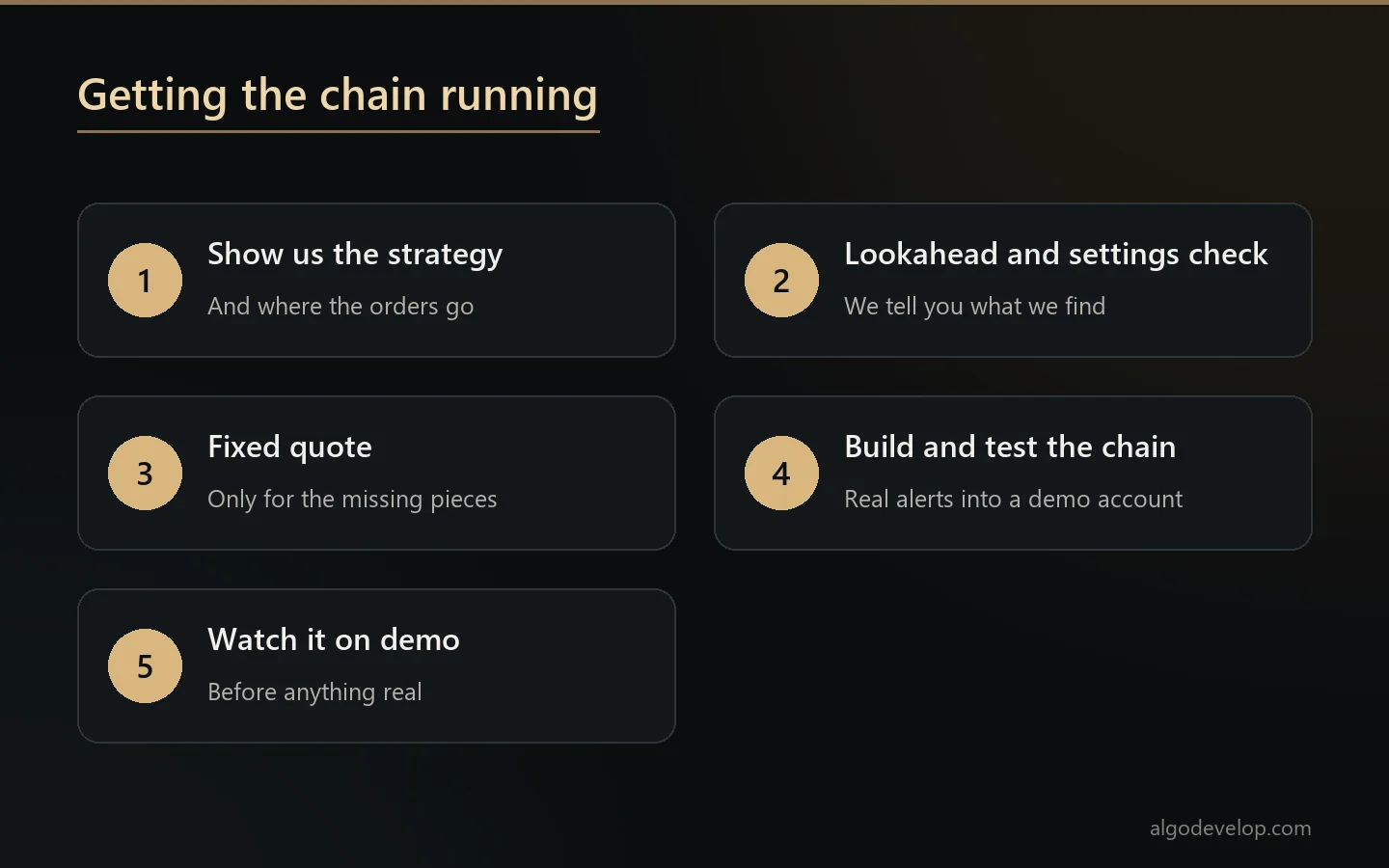
- Show us the strategy and say where the orders should go. We scope the work from there.
- We check the strategy for lookahead and unrealistic test settings, then tell you what we find.
- Next, we scope only the missing pieces and quote a fixed price.
- Then we build and test the whole chain by firing real alerts into a demo account.
- You watch it run on demo before it touches anything real.
TradingView strategy automation – frequently asked questions
Do I need a paid TradingView plan?
Yes. Webhook alerts are a paid feature, and TradingView also wants two-factor authentication on your account before it sends them. Your plan caps how many alerts you can have at once, too. These are TradingView’s rules rather than ours.
What is the difference between this and the TradingView copier?
The TradingView to MT4/MT5 copier is a receiver: it takes the alert and places the order on MetaTrader. This page covers the whole chain – the strategy, the alert design, the join and the execution. If the only missing piece is the receiver, the copier is what you want.
I already have a Pine strategy. What else do I need?
A receiver, plus the join between the two. That join is the alert message format, the symbol mapping, and de-duplication so one signal does not become two orders. Tell us what you have, and we will scope only what is missing.
Where can the orders go?
MT4 and MT5, Indian brokers through their own APIs, and crypto exchanges through your own keys. One alert can also reach several accounts at once, each with its own size.
Why does my TradingView backtest look better than reality?
There are two usual causes. Higher-timeframe lookahead hands the script future data on historical bars, which makes any strategy look extraordinary. Also, the tester’s defaults of zero commission and zero slippage flatter the results. We check both before automating anything.
How do I stop the same alert placing two orders?
Set the alert to fire once per bar rather than once per tick, and let the receiver drop repeats. You need both, because either one on its own still leaves a gap.
Should the alert be JSON?
Yes, where your strategy has worked out its own stop and target. JSON lets it send those prices instead of something downstream guessing a distance. For simpler setups, plain text is fine.
Can one alert reach more than one account?
Yes, and each account can use its own size rule. That is what multi-broker copy trading is for.
Who writes the Pine strategy?
You may already have it. If it needs writing or repairing, that is PineScript development, and it can be part of the same project.
How much does TradingView strategy automation cost?
The price depends on which pieces you already have. Tell us what exists and where the orders should go, and we will quote only the missing parts: ask for a quote.
Ready to start?
Tell us your requirements and get a fixed quote — usually within a few hours.
Get a Free Quote on WhatsAppDisclaimer: AlgoDevelop is a software & automation development studio — not a SEBI-registered intermediary, broker, investment adviser, or research analyst. We do not provide trading signals, tips, or investment advice, do not execute trades as a service, and do not manage funds or accounts. Every tool is custom software that you operate on your own account, with your own credentials and API, under your own control. You alone make your trading decisions and are responsible for your results and for any registrations, approvals, or compliance your usage may require (including SEBI/exchange rules in India). Trading carries substantial risk of loss; past performance and backtests do not guarantee future results. No guarantee of profit.