Copy Trading & Signal Copier Software
Copy trading software places the calls you follow as real orders on your own account. Your sizing and your rules decide every one of them.
The signals can come from Telegram, WhatsApp, Discord or TradingView. The orders then land in MetaTrader, on a binary platform, at a crypto exchange or at an Indian broker. Every tool below runs on your own PC or VPS, signed in with your own logins and keys.
On this page
- Copy trading tools, by where you trade
- What copy trading software actually does
- Built to your requirement
- Where the signals come from
- Where the trades end up
- Reading a message written by a human
- What happens after the entry
- Sizing, and the limits that stop a bad day
- Speed, and what actually causes a missed trade
- What you own
- Choosing the right copier
- Frequently asked questions
Copy trading tools, by where you trade
Pick the card for the platform you trade on. New to signal copiers? Then start with our Telegram signal copier guide, which walks through a setup in six steps.
MetaTrader 4 and 5
Binary options platforms
Crypto exchanges
Indian brokers and Telegram channels
What copy trading software actually does
Someone posts a call. Your account takes it. But everything between those two sentences is the job of copy trading software, and it is harder than it looks.
First, a person wrote that message at speed, on a phone. It might say Gold buy 2340-2338, SL 2330, TP 2350 2360 2370. Or it might say the same thing with emojis, or in Hindi. The stop may sit above the entry, or the call may come as a reply to an earlier post. So reading that correctly every time is most of the work. Doing nothing when it is not a signal is the other half.
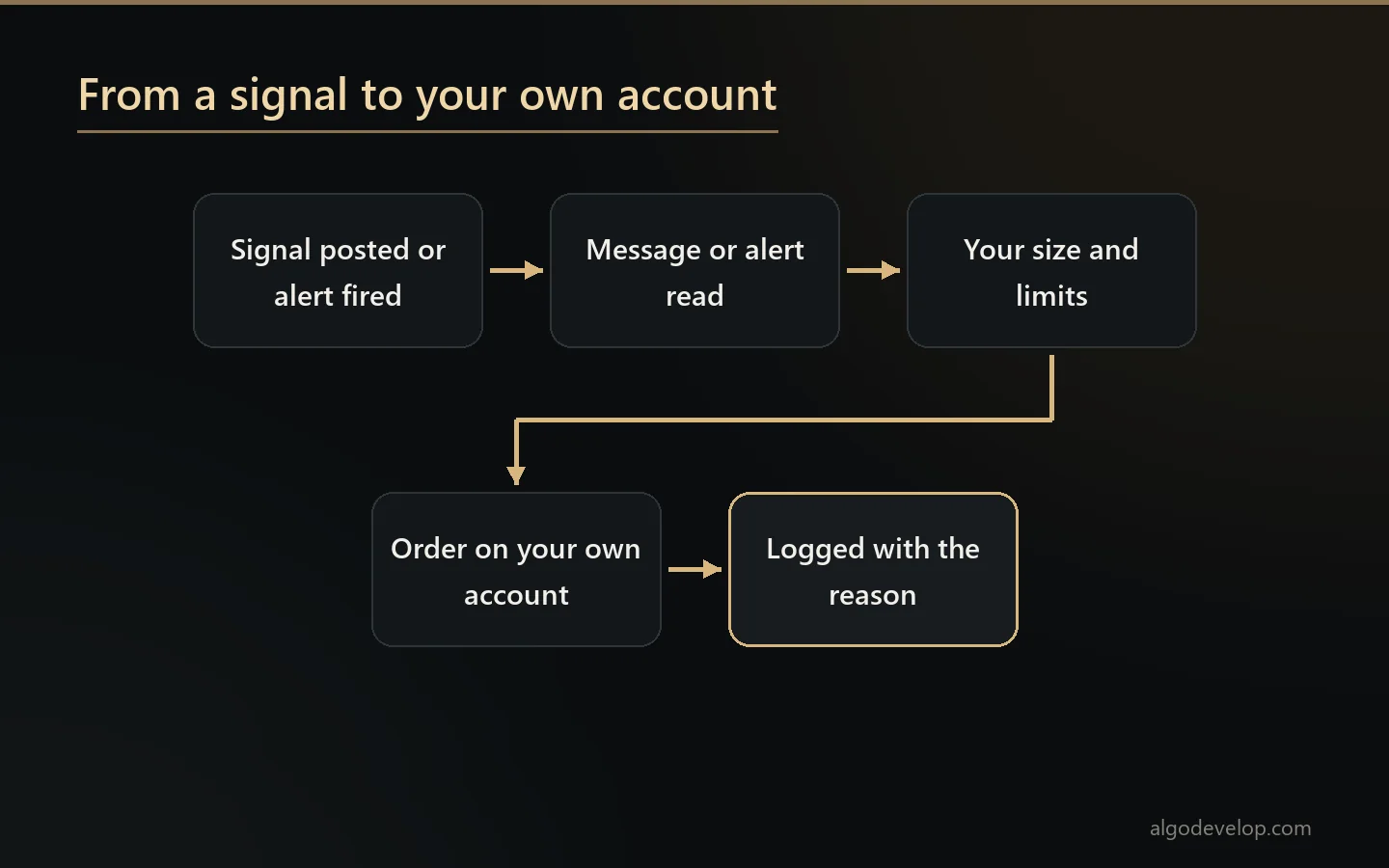
Copy trading software here runs on your own account, on your machine or your VPS, with your own credentials. Orders leave from your own machine, so nobody else can trade for you.
Built to your requirement
None of this copy trading software is a subscription you configure and hope suits you. Instead, you say what should happen, and that is what we build.
For example, the requests people bring are plain sentences. Only take signals between 9 and 11. Halve the size on the channel I trust least. Skip anything without a stop loss. Move the stop to entry once price touches the first target. Stop for the day after three losses. Message me on Telegram whenever it does anything.
Tell us what you need, and we will say plainly whether your platform can do it before you commit.
Where the signals come from
The source is yours to choose, so copy trading software should not care which one you picked. All of these work:
- Telegram – channels and groups your own account can read. Public or private, you are not asking anyone’s permission, since you already receive them.
- WhatsApp – the groups you choose, including calls forwarded in from somewhere else.
- Discord – servers and single channels, including signals a bot posts inside an embed.
- TradingView – webhook alerts from your own indicator or strategy, which is how you follow yourself rather than somebody else.
- Another MetaTrader terminal – mirroring a master account rather than reading any message at all.
A TradingView alert travels as a webhook, and TradingView’s own guide shows how to set one up. Then it goes straight to your PC or to your own address on AlgoDevelop.com, depending on the tool. In the second case, the app collects it from that address. Either way, the alert carries a trade instruction, never your broker logins or API keys.
Several sources can also run at once, each with its own size and limits. That way a channel you are still testing does not trade like one you have followed for a year.
Where the trades end up
- MetaTrader 4 and 5 – forex, metals, indices and CFDs at any broker, through an EA on your own terminal.
- Indian brokers – ten of them, Zerodha, Angel One, Upstox, Dhan and Groww among them, for options and stocks.
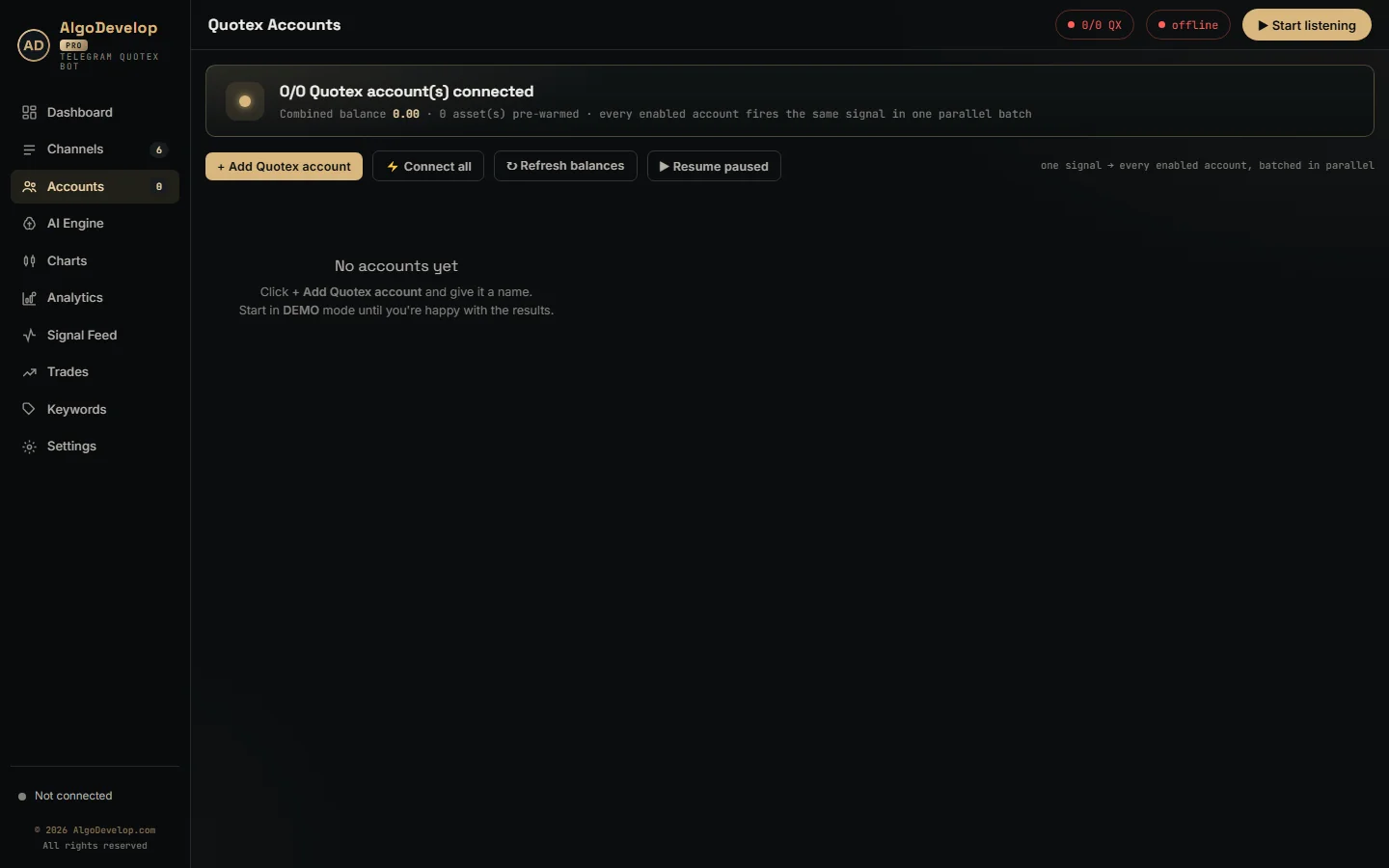
- Binary platforms – Quotex, Pocket Option, IQ Option, Binomo, Olymp Trade and ExpertOption, trading a direction and an expiry.
- Crypto exchanges – Binance and Delta Exchange through your own API keys, plus a custom build for Shark Exchange.
- Your own Telegram channel – the Telegram to Telegram copier republishes calls rather than trading them.
- Several accounts at once, each sized by its own rule.
Indian orders go through each broker’s own API. Since 1 April 2026, SEBI’s retail algo rules let a broker take them only from a static IP you registered. So the Indian copiers always send from the machine they run on. The Telegram copier’s dashboard even shows the IP your broker sees.
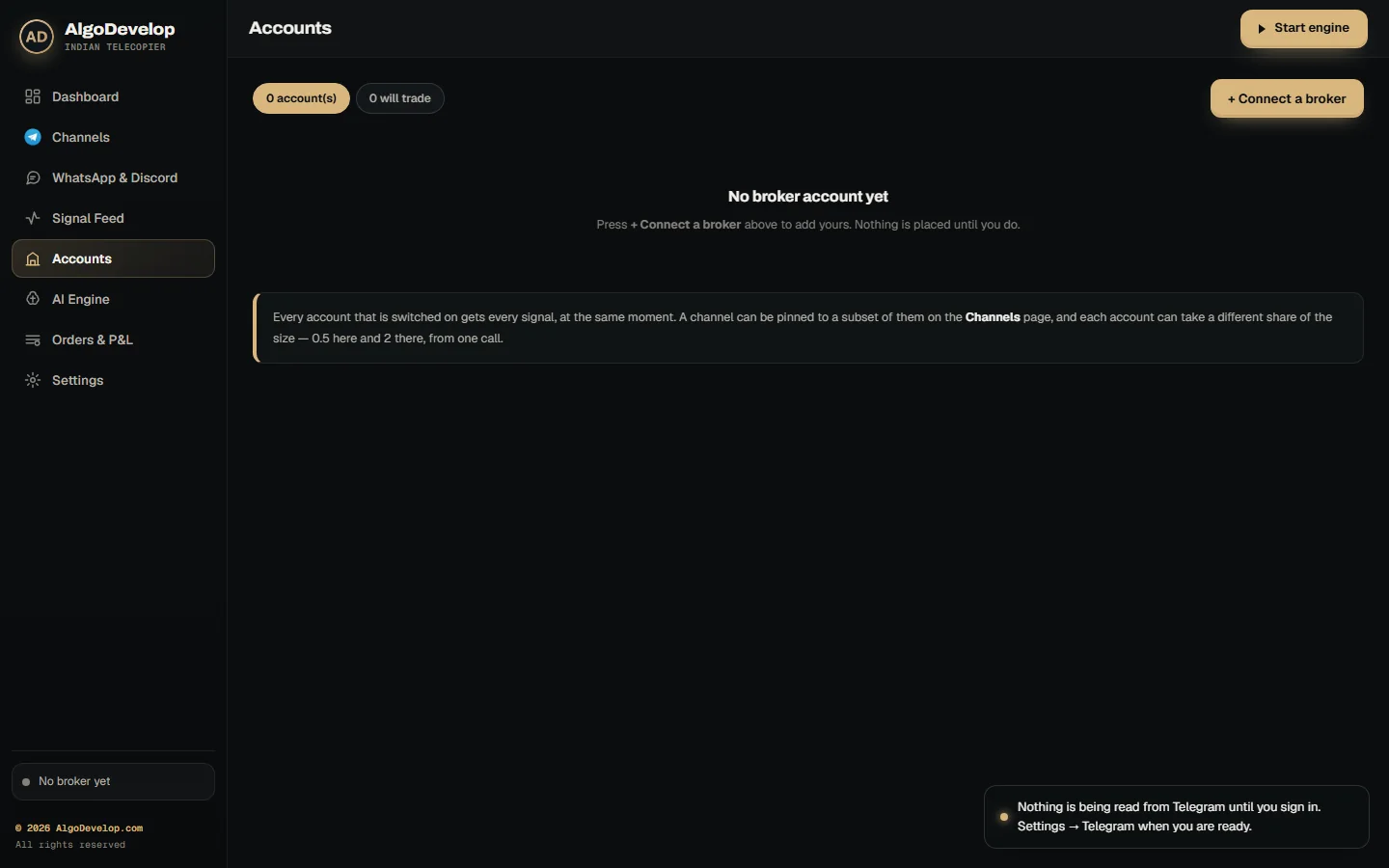
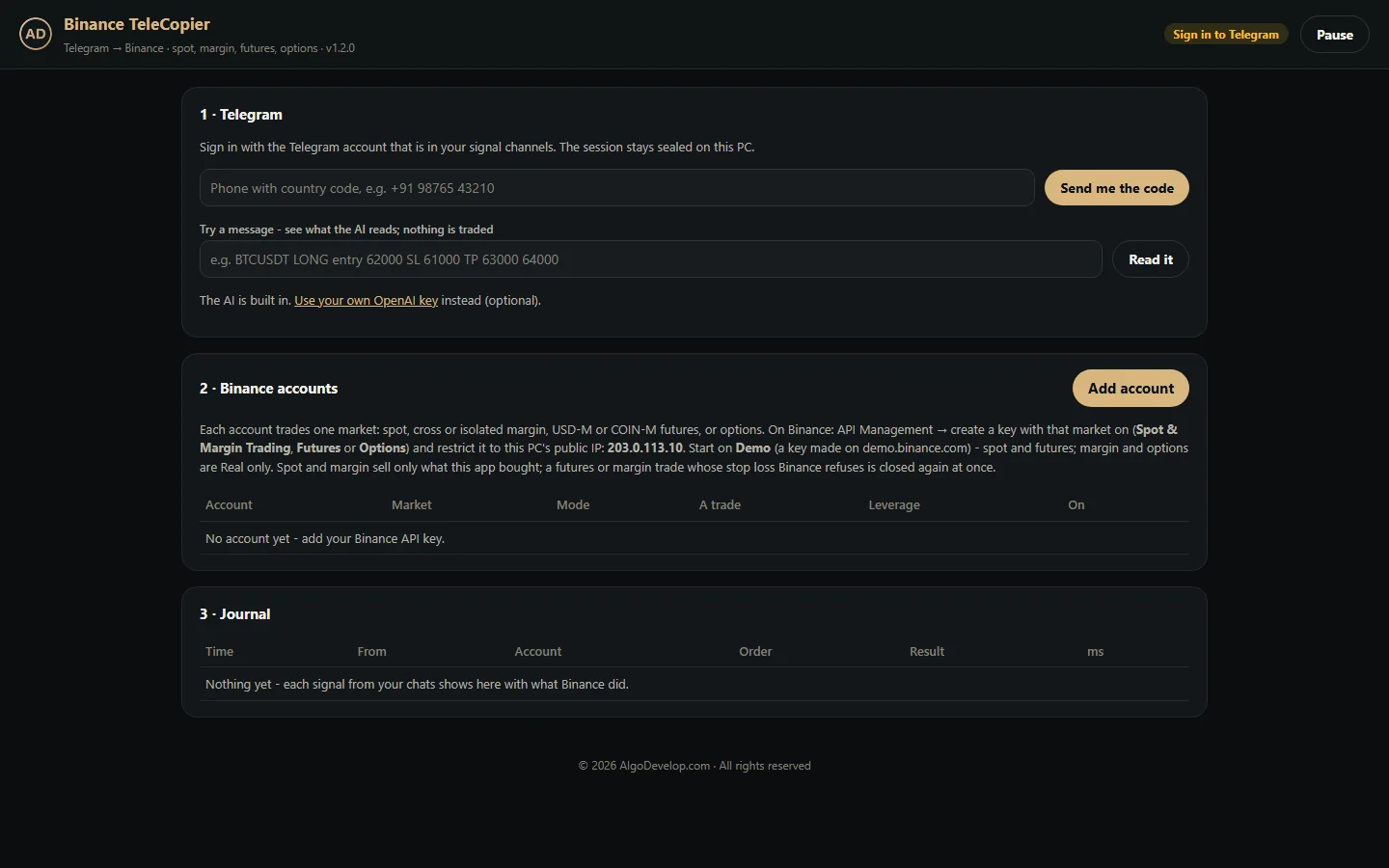
On crypto, futures and options carry liquidation risk, and leverage stays your own setting. The Binance tools trade spot, margin, futures and options, while the Delta tools trade perpetuals, options and spot. In both, your API keys stay sealed on your own PC.
Reading a message written by a human
Signal channels are not tidy, so reading them is where most copy trading software quietly fails.
- Any layout – the stop above the entry or below it, targets on one line or six, prices as a range.
- Any language – English, Hindi, Italian, Russian, Spanish, Portuguese, Arabic, Indonesian, often mixed in one message.
- Emojis and decoration – arrows, coloured circles, boxes drawn out of dashes.
- Sloppy typing – double spaces, a stray dash, a colon that is sometimes there and sometimes not.
- Instrument nicknames – GOLD, XAUUSD, US30, NAS100 or BANKNIFTY, mapped to whatever your broker calls them, suffix and all.
First, the AI reads a new layout once and remembers it against that channel. After that, the app reads the next message in the same shape locally, with no API call. The pair and the prices can change, yet the shape still matches. As a result, on a busy channel most messages cost nothing to read.
What happens after the entry
Most copy trading software stops once the order is open. Yet that is the half where traders actually lose money.
Break-even after a target. When price reaches one target, the MetaTrader copier moves the stop on the remaining positions to entry. From then on, the rest of the trade cannot lose.
Trailing. It starts once the trade is a set distance in profit, then follows price and never moves back.
One order per target. Each target gets its own position, and each closes at its own level while the others run on.
Follow-up messages. Channels keep talking after the entry, with lines like close now, book half or move SL to entry. The copier reads those too, even as replies, and applies them to the right trade. Break-even and partial-close messages wait until you switch them on.
Sizing, and the limits that stop a bad day
The channel decides the direction. You decide the size. On MetaTrader that means a fixed lot or a percentage of balance. It can also be a lot worked back from the stop, a fixed money risk, or a lot per symbol. Binary platforms work per account instead, with each account’s own stake and martingale ladder.
Copy trading software should also carry guards, every one off until you switch it on. They cover open trades, trades per day, week or month, and a daily loss limit that stops new trades. Then come a maximum spread, allowed or banned symbols, and allowed days and hours.
It should also write every refusal to the log, with its reason. Software that goes quiet is software you cannot trust. After all, it did not take that one is not an answer.
Speed, and what actually causes a missed trade
Latency is the thing everyone asks copy trading software vendors about, but it is rarely what costs a trade. In practice the misses come from elsewhere:
- Unmapped symbols – the broker calls it GOLD.m, and nobody told the software.
- A stop too close for the broker to accept, refused without anyone noticing.
- Late reads – a signal filled at a price that no longer makes sense.
- Duplicates – the same message twice, opening two positions.
Good copy trading software handles all four and logs each one. For example, the MetaTrader EA nudges a stop to the closest legal distance and skips old signals. It also blocks the same order sent twice within 60 seconds. The binary bots, meanwhile, record each order’s latency in milliseconds.
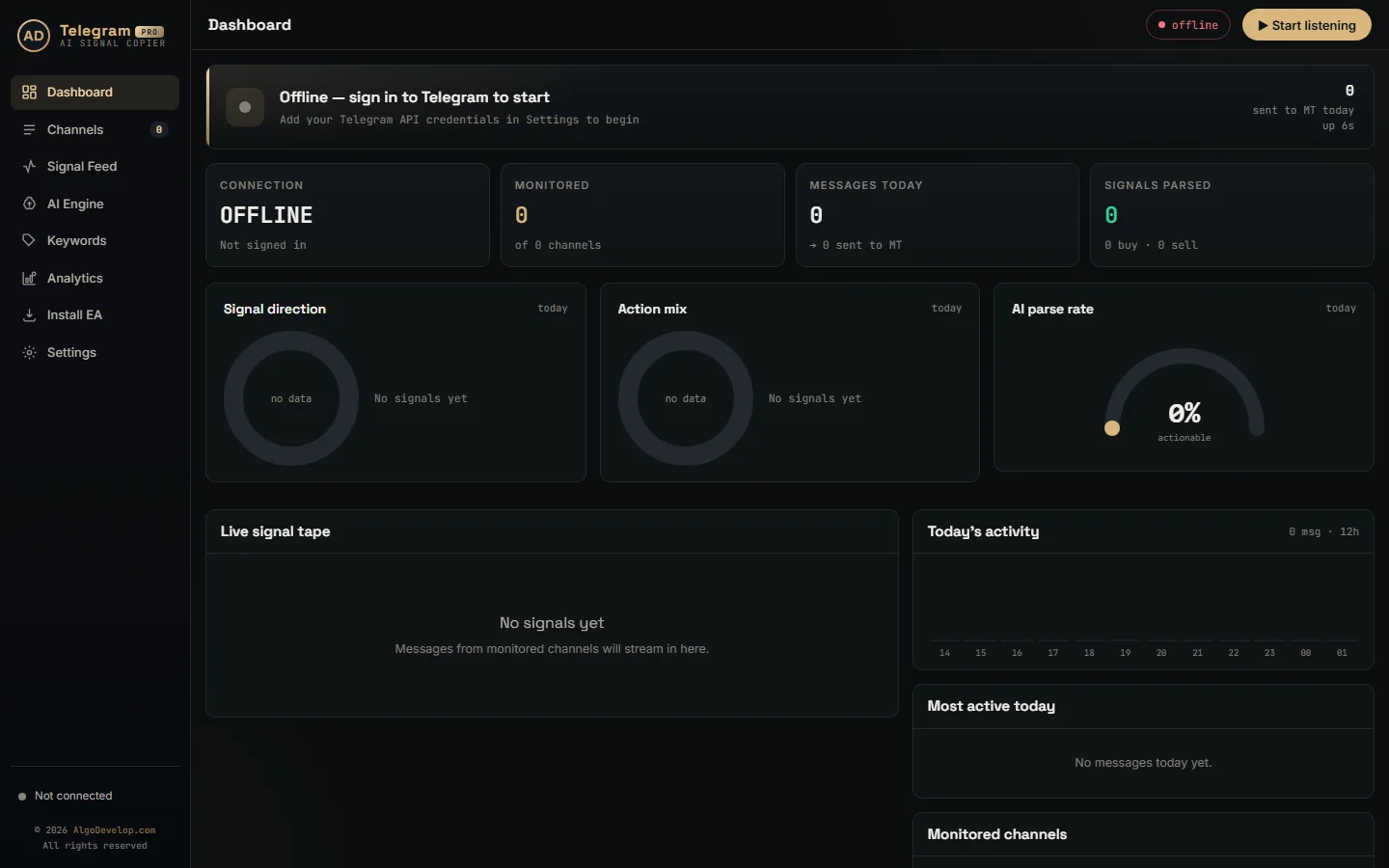
What you own
You own the copy trading software, its settings and its guide. It runs on your machine, signed in to your own accounts, and there is no per-trade fee. That matters, because software you rent stops working when the vendor does.
Choosing the right copier
Pick the copy trading tool by where your signals come from and where you trade:
- MetaTrader from a messenger – the Telegram, WhatsApp or Discord to MT4/MT5 copier.
- Your own strategy – the TradingView to MT4/MT5 copier, or TradingView to Binance and TradingView to Delta Exchange for crypto.
- Crypto from Telegram – the Telegram to Binance bot or the Telegram to Delta Exchange bot. For Shark Exchange, there is the custom Shark Exchange copier.
- Binary options – Quotex, Pocket Option, IQ Option, Binomo, Olymp Trade or ExpertOption.
- Indian brokers – the Telegram to Indian broker copier, or the TradingView to Indian broker copier for alerts.
- Mirroring accounts – the MT4 to MT5 copier, or multi-broker copy trading for one master across platforms.
- Running a channel of your own – the Telegram to Telegram copier, which forwards and rewrites calls.
Not sure? Tell us where your signals come from and where you trade. We will say plainly which one you need, or that none of them fits and something custom does.
Copy trading – frequently asked questions
What is copy trading software, exactly?
Copy trading software reads the calls in a channel you follow, or an alert you set. Then it places them as real orders on your own account. Your own sizing and risk rules decide each order.
Which sources can it read?
Telegram, WhatsApp and Discord messages, TradingView alerts, or another MetaTrader terminal. Several can also run at once, each with its own size and limits.
Where can the trades go?
MT4 and MT5 at any broker, ten Indian brokers such as Zerodha, and six binary platforms. They can also go to Binance, Delta Exchange or Shark Exchange, or into your own Telegram channel.
Can it copy from a private channel?
Yes. If your own account can already read the messages, the software can too. You are not taking anything you do not already receive.
Does it understand messages in other languages?
Yes. Hindi, Italian, Russian, Spanish, Portuguese, Arabic, Indonesian and more all work, even mixed into one message with emojis and decoration.
What happens after the trade is open?
On MetaTrader, the copier can move the stop to break-even after a target and trail it. Each target also gets its own order. Follow-up messages such as close half or move SL to entry then go to the right trade.
What if the same signal arrives twice?
The MetaTrader EA blocks the same order sent again within a set time, 60 seconds by default. So one call does not become two positions.
How do I control the risk?
On MetaTrader, choose a fixed lot, a percent of balance, risk from the stop or a lot per symbol. Binary platforms instead use a stake per account. Daily loss limits, trade limits, a spread limit and allowed hours then sit on top.
Is my broker account safe?
Your broker logins and API keys stay on your own machine. Every order also leaves from your own PC or VPS, and we never hold your login.
Do I own the software?
Yes. You get the copy trading software with its settings and its guide. It runs on your own machine, and there is no per-trade fee.
Do you give trading advice or sell signals?
No. AlgoDevelop builds software. We are not a SEBI-registered intermediary, broker, investment adviser or research analyst. We also do not sell signals or tips, trade for you or manage accounts.
What if none of your copiers fits my setup?
Then we build the copy trading software to fit what you need. Tell us where the signals come from and where you trade, and we will tell you plainly what it takes.